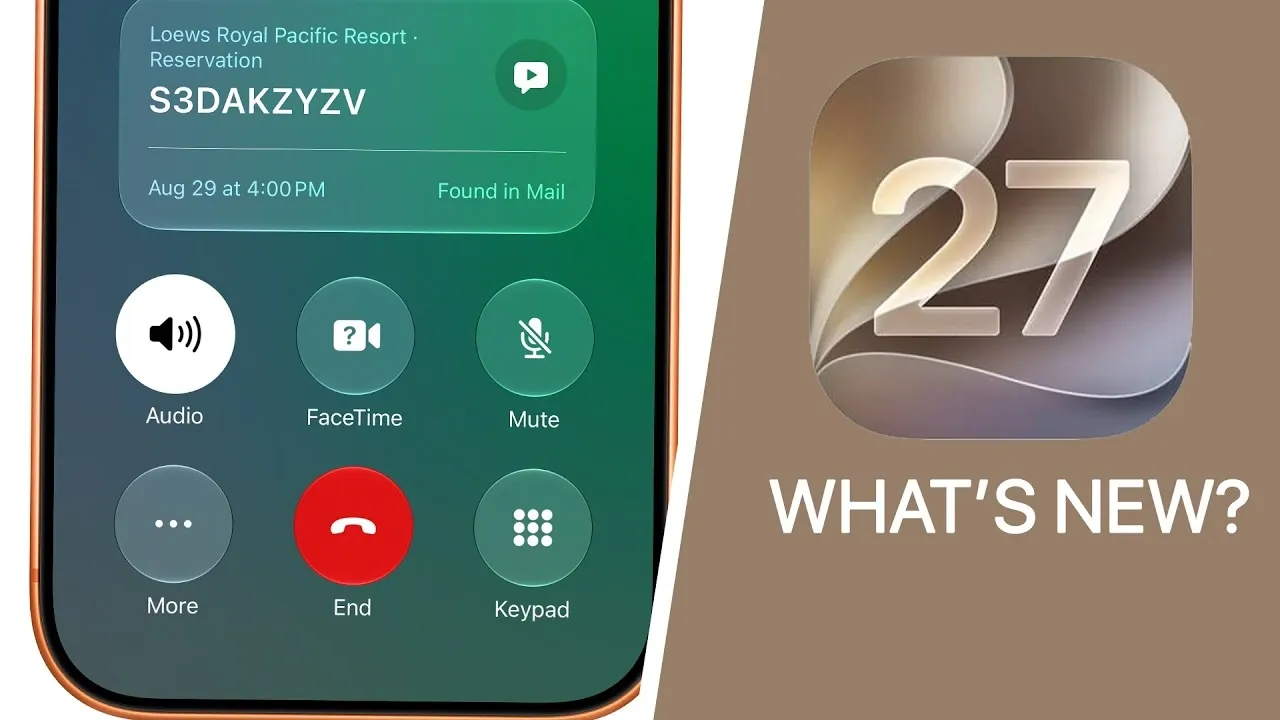
iOS 27 represents a pivotal step forward in mobile operating systems, introducing over 300 new features designed to enhance performance, customization, and usability. With innovative AI integration, improved stability, and refined core functionalities, this update redefines what users can expect from their iPhones. Below is an in-depth video from Brandon Butchf the standout features that make iOS 27 a comprehensive upgrade.

Performance and Stability: Faster, Smoother, Better
iOS 27 places a strong emphasis on delivering a faster and more reliable experience across all supported devices. Key performance enhancements include:
- Apps launching up to 30% faster, reducing wait times significantly.
- Photos loading 70% quicker, making sure seamless access to your media library.
- AirDrop speeds increasing by 80%, making file sharing more efficient than ever.
Everyday interactions, such as unlocking your device, scrolling through content, and navigating animations, feel more fluid and responsive. These improvements ensure a seamless user experience, even on older devices.
Enhanced Customization: Lock and Home Screen Upgrades
Customization options in iOS 27 have been significantly expanded, allowing users to tailor their devices to their preferences. The lock screen now features adjustable clock sizes and a broader selection of wallpaper options, allowing greater personalization. Additionally, users can clear the “Now Playing” bar for a cleaner aesthetic.
On the home screen, new app icons and full-screen widgets for apps like Calendar and Music enhance functionality and visual appeal. The introduction of a shake-to-undo feature simplifies the process of reversing changes to your home screen layout, making customization more intuitive.
Siri: Smarter and More Versatile
Siri undergoes a fantastic upgrade in iOS 27, evolving into a more intelligent and versatile assistant. Key enhancements include:
- A standalone Siri app with chatbot-like conversational abilities, offering a more interactive experience.
- Integration of personal context and real-world knowledge, allowing tasks like identifying objects or providing nutritional information.
- Customizable voice settings, including options to adjust pace and expressiveness for a more personalized interaction.
- New capabilities such as editing messages, managing playlists, and even splitting bills with ease.
These updates make Siri a more proactive and capable assistant, seamlessly integrating into your daily routines.
Control Center and System Updates
The redesigned Control Center in iOS 27 focuses on usability and efficiency, introducing features such as:
- A new timer interface with a slider for precise adjustments.
- Resizable widgets for managing connectivity and focus modes.
- A sleek dark mode design for the power-off screen, enhancing visual consistency.
- An on-device recovery mode, allowing users to troubleshoot issues without the need for external tools.
These updates streamline system interactions, making essential controls more accessible and intuitive.
Camera and Photo AI: Smarter Photography Tools
Photography enthusiasts will appreciate the advanced tools and features introduced in iOS 27:
- Smoother lens transitions and enhanced camera controls for professional-grade photography.
- AI-powered tools for photo cleanup, frame extension, and perspective reframing, allowing users to perfect their shots effortlessly.
- Auto-generated captions for videos and the ability to save individual video frames as high-quality photos.
- Improved shared albums with features like reactions, temporary albums, and detailed activity logs.
These innovations make capturing and managing photos and videos more intuitive and enjoyable.
AI Writing and Grammar Tools
For professionals, students and writers, iOS 27 introduces Siri-powered text generation and editing tools. Built-in proofreading and grammar-checking features provide detailed suggestions, allowing users to create polished and professional content directly on their devices. This functionality streamlines writing tasks, making iPhones a more versatile tool for productivity.
Safari and Web Features
Safari receives significant updates in iOS 27, enhancing both functionality and user experience:
- Auto-grouping of tabs by topic, improving organization and navigation.
- A “Notify Me” feature to track webpage changes, such as price drops or updates to content.
- A redesigned Apple Pay checkout screen, simplifying online transactions for a smoother shopping experience.
These updates make browsing the web more efficient and tailored to individual needs.
Maps and Navigation
Navigation becomes more intuitive and feature-rich with iOS 27’s improved Maps capabilities:
- Offline maps with better management and syncing options, making sure reliable navigation even without an internet connection.
- AI-powered flyover experiences and enhanced turn-by-turn directions for a more immersive experience.
- Trending restaurant guides and nearby recommendations, offering valuable insights for dining and exploration.
These features enhance the utility of Maps, making it a more comprehensive tool for travel and daily commutes.
Music and Podcasts
Audio enthusiasts will find plenty to enjoy in iOS 27, thanks to updates like:
- Redesigned artist pages and a landscape mode for the “Now Playing” screen, improving the visual experience.
- Auto-mix transitions for smoother playback between songs.
- Word-by-word transcripts for podcasts, along with the ability to search within specific shows for precise content discovery.
These enhancements cater to both casual listeners and dedicated audiophiles.
Messages and Communication
Messaging becomes more dynamic and efficient with iOS 27’s new features:
- Draft indicators and filters for unsent messages, helping users stay organized.
- Emoji combinations directly from the keyboard, adding a fun and creative touch to conversations.
- Automatic resending of failed iMessages, making sure important messages are delivered.
- Inline replies for RCS, improving group chat interactions.
These updates make communication more seamless and engaging.
Privacy and Security
Privacy remains a cornerstone of iOS 27, with new features designed to protect users:
- Impersonation risk detection, helping identify potential scams and phishing attempts.
- Enhanced privacy settings for location sharing and notifications, giving users greater control over their data.
These measures reinforce Apple’s commitment to safeguarding user information.
Accessibility: Breaking Barriers
iOS 27 introduces innovative tools to make technology more inclusive:
- Live recognition for describing surroundings using the action button, aiding visually impaired users.
- The Image Explorer, providing detailed photo descriptions for better accessibility.
- Natural language input for simplified voice control, making navigation easier for all users.
These features ensure that iOS 27 is accessible to a broader audience, breaking down barriers to technology.
Battery Efficiency and Additional Features
Battery life sees noticeable improvements in iOS 27, thanks to optimized power efficiency. Updates to Safari and AirPods firmware are designed to be faster and more energy-efficient, making sure devices last longer between charges.
Other notable updates include:
- Redesigned apps like Calendar, Reminders, and Notes, featuring natural language input for easier task management.
- CarPlay enhancements, including new wallpapers and improved song scrubbing functionality.
- HomeKit cameras now support 4K streaming and provide written motion alert summaries.
- Journal writing prompts and attachment options, encouraging creative expression.
These additions round out the update, offering something for every type of user.
Deep dive into the latest in iOS 27 by exploring our other resources and articles.
- Apple Delaying iOS 27 Beta 5? Here’s When to Expect the Next Update
- New iOS 27 Beta 5 Release Arrives with a Big Shift Coming
- iOS 27 Beta 5 Is Late: What’s Holding Up Apple’s Next Release?
- The iOS 27 Beta 5 Release Imminent with More New Features
- Apple’s iOS 27 Beta 3 Is Just Days Away: Here’s When It Drops
- Apple iOS 27 Beta 5 Preview: a Look at the Next Release
Source & Image Credit: Brandon Butch
Disclosure: Some of our articles include affiliate links. If you buy something through one of these links, Geeky Gadgets may earn an affiliate commission. Learn about our Disclosure Policy.
