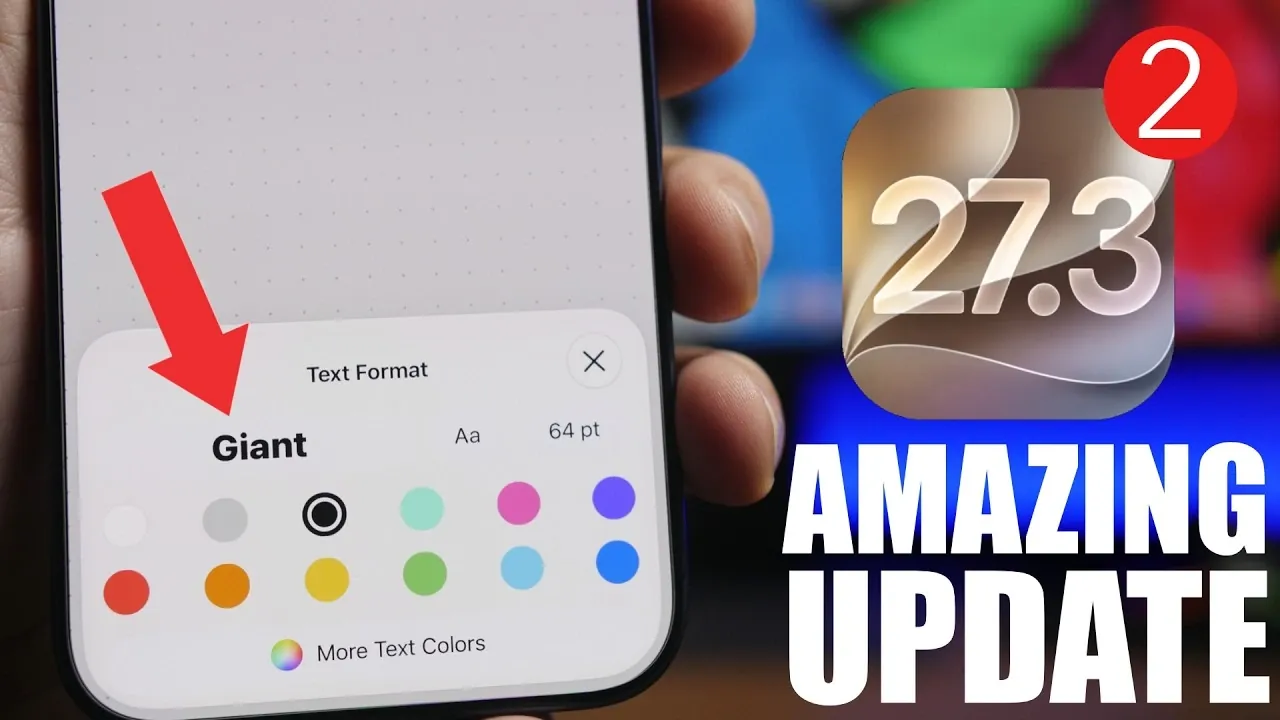
Apple’s iOS 27.3 introduces a series of updates aimed at refining functionality, enhancing performance, and improving the overall user experience. Building on the groundwork laid by earlier software iterations, this release focuses on usability improvements across system apps, interface design, and operational efficiency. With the final version set to launch in December, this update offers a compelling look at the enhancements that users can expect. The video below from iReviews gives uys more information on the upcoming iOS 27.3 beta 2.
TL;DR Key Takeaways :
- AI-Powered Freeform: Introduces precise text formatting options and automated shape generation using Apple’s integrated AI models.
- Smarter Maps Routing: Calculates travel arrival times by factoring in parking availability and walking distance from the spot to your final destination.
- Adaptive Power Tuning: Features micro-display management and background thread throttling to significantly extend daily battery life.
- Refined Notifications: Silences badge counts for muted iMessage threads to minimize daily distractions and focus attention.
Enhanced Features in the Freeform App
The Freeform app receives notable upgrades designed to foster creativity and productivity. These enhancements include:
- Advanced Text Formatting: Users can now adjust text size with greater precision, ranging from small to giant, allowing for more intuitive content customization.
- AI-Powered Shape Generation: By simply describing the desired shape, Apple’s AI generates custom designs, streamlining creative workflows and reducing manual effort.
These updates transform Freeform into a more versatile tool for brainstorming, planning and design, catering to both casual users and professionals.
Lock Screen Refinements
The lock screen experience has been subtly yet effectively improved to enhance usability and aesthetics. Key changes include:
- Enhanced Wallpaper Selection: A darker background now provides better contrast, simplifying the process of selecting and previewing images.
- Redesigned Buttons: The “Set as Wallpaper Pair” button has been updated with a transparent design, replacing previous solid colors for a cleaner and more modern appearance.
These refinements aim to make lock screen customization more straightforward while maintaining a polished and cohesive visual style.

Smarter Navigation in Maps
The Maps app introduces advanced navigation features to improve trip planning and accuracy. The updated arrival time estimates now account for:
- The time required to locate parking near your destination.
- Walking distance from the parking spot to your final destination.
This added level of detail provides a more comprehensive view of your travel schedule, allowing better planning and reducing unexpected delays.
Streamlined iMessage Badge Notifications
Notification management in iMessage has been refined to reduce distractions. When a conversation is muted, notifications from that thread will no longer contribute to the badge count on the app icon. This adjustment allows users to focus on important messages while minimizing interruptions from less critical conversations.
Battery Life and Performance Enhancements
Battery optimization and system performance are standout aspects of the iOS 27.3 cycle. Users can expect:
- Extended Battery Life: Intelligent background thread throttling and micro-display refresh scaling help trim idle hardware power draw, providing longer daily usage times.
- Enhanced Performance: Improved Geekbench scores and thermal stability evaluations indicate smoother multitasking and better handling of resource-intensive applications.
These updates ensure that devices remain responsive and efficient, even during demanding usage scenarios.
Release Timeline
Apple’s rollout schedule points toward incremental developer and public builds leading up to the official stable version. These incremental updates are structured to address bugs, refine system features and ensure a polished final release that meets user expectations.
Stability and Early Feedback
Feedback from early adopters highlights a surprisingly smooth and stable operation across daily driver devices. This reception suggests that the upcoming public release will be exceptionally well-optimized for a wide range of compatible iPhone configurations.
Looking Ahead
iOS 27.3 reflects Apple’s ongoing commitment to delivering meaningful updates that enhance functionality, performance and user satisfaction. From AI-driven tools in Freeform to smarter navigation in Maps and improved battery efficiency, this update ensures that your device works more intuitively. As the official release approaches, these features promise to make iOS 27.3 a valuable upgrade for all users.
Find more information on iOS 27.3 by browsing our extensive range of articles, guides and tutorials.
- Should You Update? 5 Cool New Features Coming in iOS 27.3
- Is Your iPhone Ready for iOS 27.2? Here Is Your Ultimate Guide
- iOS 27.3 Leak: Release Timeline, Redesigned Health App, and AI Upgrades
- Tired of Daily Charging? How iOS 27.3 Improves iPhone Battery Life
- iOS 27.3 Beta Drops with 7 New iPhone Features
- iOS 27.3 – 10 Massive New iPhone Features You Need to Know About
Source & Image Credit: iReviews
Disclosure: Some of our articles include affiliate links. If you buy something through one of these links, Geeky Gadgets may earn an affiliate commission. Learn about our Disclosure Policy.
