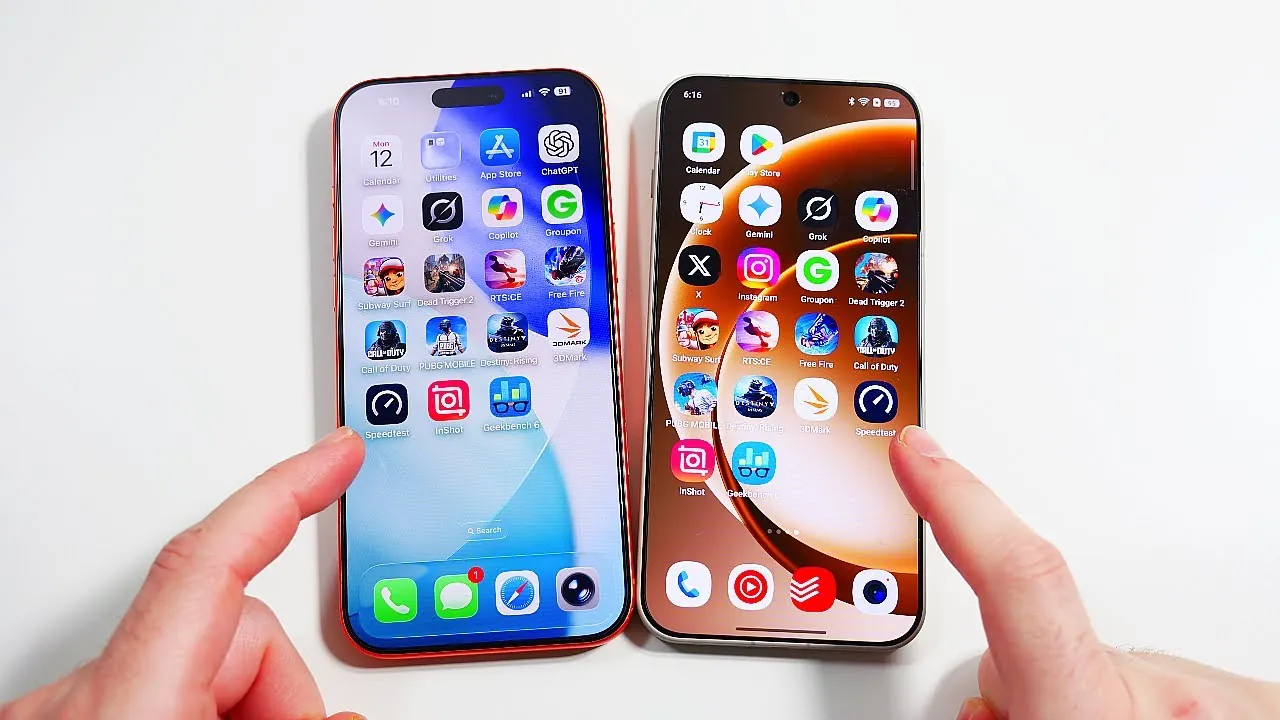
Choosing between iOS 26 on the iPhone 17 Pro Max and Oxygen OS 16 on the OnePlus 15 presents a challenge for users seeking the best operating system for their needs. Both platforms bring unique strengths to the table, offering distinct approaches to user interface design, performance, and customization. This detailed comparison video from Nick Ackerman explores their key features, helping you make an informed decision based on your preferences and priorities.

Home Screen Navigation
The home screen navigation experience differs significantly between the two systems. Oxygen OS 16 emphasizes smooth transitions and extensive customization options, making it a favorite for users who enjoy personalizing their devices. Its fluid animations and dynamic widgets create a seamless and engaging experience. In contrast, iOS 26 focuses on a visually polished design, highlighted by its signature “liquid glass” effect. This effect lends a cohesive and refined aesthetic to the interface, appealing to users who prefer a sleek and uniform design.
For those who prioritize personalization and flexibility, Oxygen OS offers a more versatile experience. However, if you value a polished and consistent visual design, iOS 26 stands out as the better choice.
Application Transitions and Multitasking
When it comes to application transitions, both operating systems deliver impressive performance, but their approaches differ. Oxygen OS 16 offers faster animations and reduced interruptions, ensuring a smoother multitasking experience. Its responsiveness makes switching between apps feel effortless, even during heavy usage. On the other hand, iOS 26 prioritizes visually appealing transitions, but occasional stutters during app switching can disrupt the flow for some users.
For multitasking enthusiasts who demand speed and fluidity, Oxygen OS provides a more consistent experience. However, users who appreciate aesthetic transitions may find iOS 26 more appealing, despite its occasional performance hiccups.
Unlock Animations and Security Features
Unlocking mechanisms highlight the distinct design philosophies of the two systems. iOS 26 relies on Face ID, offering advanced facial recognition technology paired with a dramatic unlocking animation. This approach emphasizes innovative security and a futuristic user experience. In contrast, Oxygen OS 16 features a faster fingerprint sensor with engaging animations, prioritizing speed and convenience.
Both systems are highly secure, but your choice will depend on your preferences. If you value speed and practicality, Oxygen OS is the better option. However, if you are drawn to advanced facial recognition technology and a more immersive unlocking experience, iOS 26 is the clear winner.
Notifications and Control Panels
The design and functionality of notifications and control panels reveal significant differences between the two platforms. Oxygen OS 16 adopts a dynamic and lively animation style, making interactions feel engaging and responsive. It also includes practical features, such as a “close all” button for recent apps, which enhances usability. In contrast, iOS 26 focuses on a structured and polished layout, offering a more organized but less customizable experience.
For users who value flexibility and functionality, Oxygen OS provides a more adaptable solution. On the other hand, iOS 26 caters to those who prefer a simple and streamlined interface, even if it sacrifices some degree of customization.
Keyboard and Folder Management
The keyboard and folder management features further differentiate the two systems. Oxygen OS 16 includes a dedicated number row and AI-powered suggestions, making typing faster and more efficient. Additionally, its ability to enlarge folders for better visibility enhances productivity, especially for users managing multiple apps. In comparison, iOS 26 offers slightly faster keyboard loading times but lacks these advanced features, focusing instead on simplicity and ease of use.
For users who rely heavily on their devices for work or multitasking, Oxygen OS provides a more versatile and productive experience. However, if you prioritize speed and simplicity, iOS 26 remains a solid choice.
App Organization and Charging Animations
The organization of apps and the design of charging animations reflect the differing priorities of the two systems. Oxygen OS 16 organizes apps into letter categories, allowing for quicker access to frequently used applications. This system is particularly efficient for users managing large app collections. In contrast, iOS 26 employs a slower, more deliberate list format in its App Library, emphasizing simplicity over speed.
When it comes to charging animations, Oxygen OS 16 offers a visually engaging display with detailed progress indicators, making the charging process more interactive. Meanwhile, iOS 26 opts for a minimalist design, aligning with its understated aesthetic.
If efficiency and interactivity are important to you, Oxygen OS excels in both app organization and charging animations. However, if you prefer a clean and minimalist approach, iOS 26 aligns better with your preferences.
Performance and Resource Management
Both systems perform well in auto-rotation, with only minor differences in speed. However, RAM management is where Oxygen OS 16 truly shines. It ensures smoother multitasking and faster app loading times, making it ideal for users who demand high performance. While iOS 26 prioritizes visual refinement, it occasionally sacrifices speed, which may be noticeable during intensive usage.
For users who prioritize raw performance and multitasking capabilities, Oxygen OS is the superior choice. However, if you value visual appeal and a polished user experience, iOS 26 remains a compelling option.
Making the Right Choice
The decision between iOS 26 and Oxygen OS 16 ultimately depends on your individual preferences and priorities. Oxygen OS 16 excels in speed, customization, and multitasking, making it the ideal choice for users who demand high performance and flexibility. On the other hand, iOS 26 focuses on visual refinement and a cohesive user experience, catering to those who value design and simplicity over raw performance.
Both operating systems are highly capable and offer robust features, ensuring a satisfying experience regardless of your choice. By understanding their strengths and weaknesses, you can select the platform that best aligns with your needs and enhances your overall smartphone experience.
Here are additional guides from our expansive article library that you may find useful on iOS 26.
- iOS 26 Ultimate Guide: Features and Customization Tip
- iOS 26 Beta 6 Features: What’s New and Improved
- 12 Hidden Features in iOS 26 to Maximize Your iPhone
- How to Fix iOS 26 Beta Battery Drain
- What’s New in iOS 26 Beta 7? Key Updates and Features
Source & Image Credit: Nick Ackerman
Disclosure: Some of our articles include affiliate links. If you buy something through one of these links, Geeky Gadgets may earn an affiliate commission. Learn about our Disclosure Policy.
