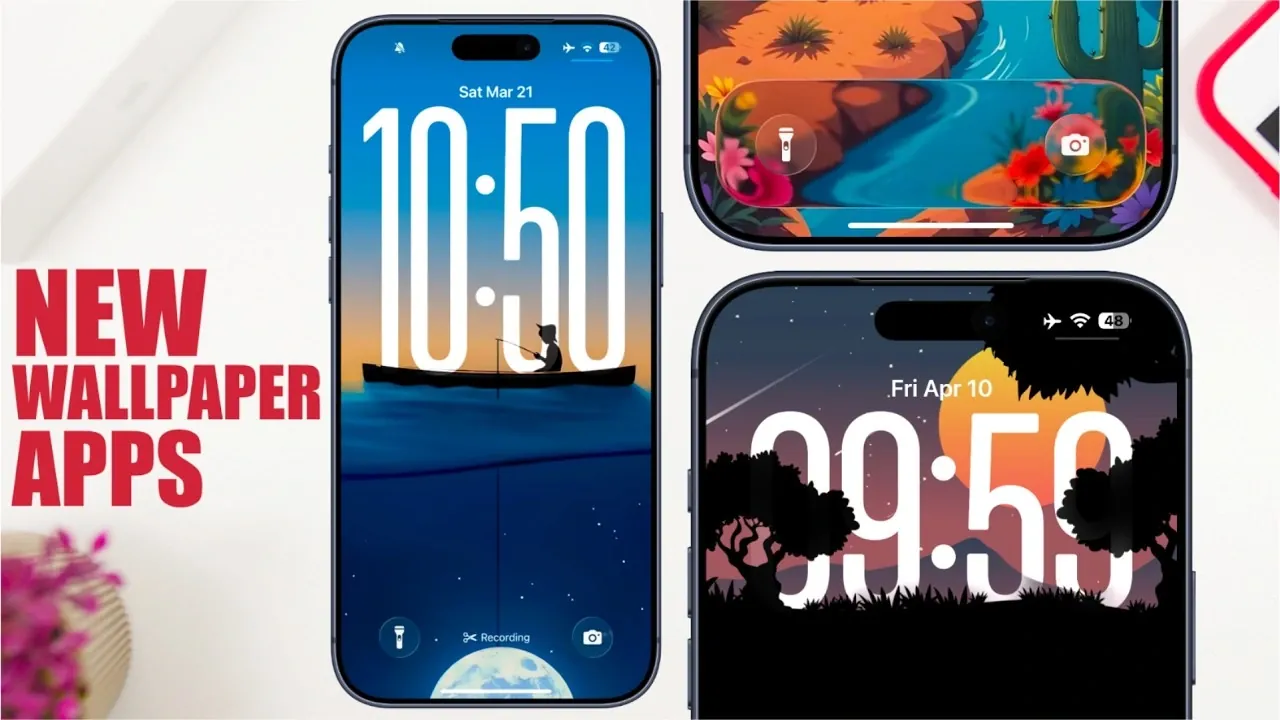
Customizing your iOS 26 lock screen has become more engaging and versatile with the advent of innovative wallpaper apps. These tools go far beyond static images, offering features such as depth effect wallpapers, live animations, AI-generated designs, and advanced customization options. Whether you prioritize aesthetics, functionality, or a combination of both, these apps provide the resources to make your device a true extension of your personal style. The video below from iReviews gives us more information
Understanding Depth Effect Wallpapers
Depth effect wallpapers are designed to create a layered, multidimensional appearance on your lock screen, adding a sense of depth and sophistication. These wallpapers use advanced visual techniques to make elements in the foreground appear distinct from the background, creating a striking 3D-like effect. Apps like One for Wall lead the market with an extensive library of over 10,800 wallpapers, including both free and premium options. With categorized browsing, you can easily explore themes such as abstract art, nature-inspired visuals and minimalist designs, making sure you find a wallpaper that resonates with your preferences.
Similarly, Laggy Wallpapers enhances the user experience with a robust search function and preview capabilities, allowing you to confidently select the perfect design. These features ensure that your lock screen not only looks stunning but also reflects your unique taste.
Dynamic Visuals: Live Wallpapers and AI-Generated Designs
For those who prefer animated visuals, live wallpapers offer an exciting way to bring your lock screen to life. Apps like Live Wallpapers and Kuto provide a wide range of dynamic options, from subtle movements to vibrant animations, adding energy and motion to your device. These wallpapers are particularly effective in making your lock screen feel interactive and engaging.
AI-generated designs are another new feature in the world of customization. By using AI technology, apps allow you to create personalized wallpapers tailored to your specific preferences. For instance, you can input keywords or themes and the app will generate unique designs that align with your vision. This feature, often available through a credit-based system, offers a creative and interactive way to enhance your device’s appearance.
Customization Features: Widgets and Functional Add-Ons
Customization extends beyond visuals with the integration of functional widgets and add-ons. Apps like Kuto incorporate tools such as countdown timers, progress trackers and weather widgets directly into your lock screen. These features not only enhance the functionality of your device but also ensure that your lock screen remains visually appealing.
For users seeking a cohesive aesthetic, apps like Wallpaper Central offer exclusive packs and matching collections. These collections are designed to ensure that your lock screen and home screen complement each other seamlessly, creating a unified and polished look. Whether you prefer bold, vibrant designs or subtle, minimalist themes, these apps provide the tools to achieve your desired style.
Stay Current with Curated Collections
Keeping your lock screen fresh and modern is effortless with curated collections. Apps like Wallpaper Z introduce scrollable packs organized by themes, seasons, or months, making it easy to discover new designs that align with current trends. These collections are regularly updated, making sure that you always have access to the latest styles.
Meanwhile, apps like Wallpaper Central and Kuto curate exclusive collections featuring high-quality, on-trend wallpapers. These collections are carefully designed to cater to a wide range of tastes, from bold and colorful patterns to elegant and understated visuals. By exploring these curated options, you can effortlessly keep your device looking stylish and up-to-date.
Enhanced User Experience: Previews, Search Tools and More
A seamless user experience is a key feature of modern wallpaper apps. The ability to preview wallpapers before applying them ensures that you’re satisfied with your choice. Apps such as Laggy Wallpapers and One for Wall offer this functionality, allowing you to see how a wallpaper will look on your device before committing to it.
Advanced search tools further enhance the user experience by making it easy to find specific designs. Whether you’re looking for a particular color scheme, theme, or style, these tools streamline the process and save time. Some apps, like Wallpaper Central, even expand their offerings to include ringtones and other customization options, providing a comprehensive personalization experience for your iOS 26 device.
Elevate Your Lock Screen Experience
The latest wallpaper apps for iOS 26 offer a wealth of features designed to enhance both the appearance and functionality of your lock screen. From depth effect wallpapers and live animations to AI-generated designs and functional widgets, these tools cater to a wide range of preferences and needs. With categorized browsing, curated collections and advanced search options, finding and applying the perfect wallpaper has never been easier.
Whether you’re drawn to the artistic appeal of dynamic visuals or the practicality of integrated widgets, these apps empower you to create a lock screen experience that is uniquely yours. Explore these innovative tools today and transform your device into a personalized masterpiece that reflects your style and enhances your daily interactions.
Here are more detailed guides and articles that you may find helpful on Depth effect wallpapers.
Source & Image Credit: iReviews
Disclosure: Some of our articles include affiliate links. If you buy something through one of these links, Geeky Gadgets may earn an affiliate commission. Learn about our Disclosure Policy.
