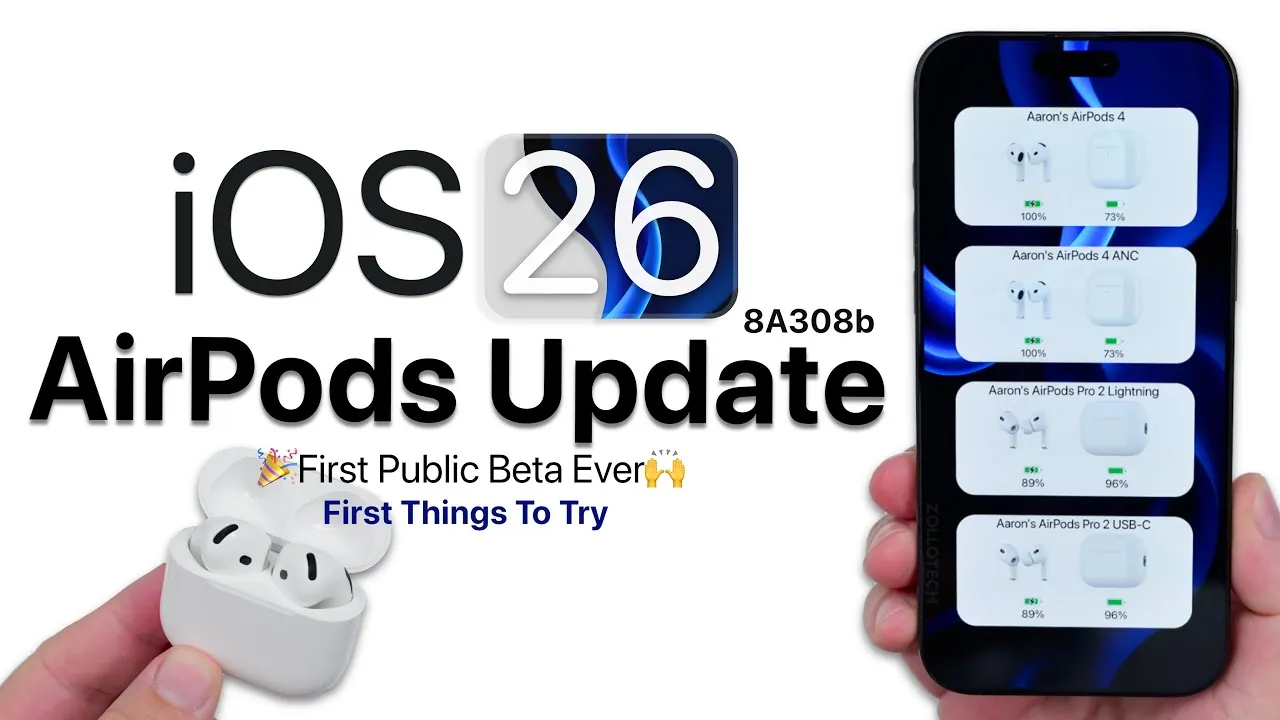
Apple has officially launched the iOS 26 public beta, marking a significant milestone with the introduction of the first-ever public beta firmware for AirPods. This update is designed to bring a host of advanced features to AirPods equipped with the H2 chipset, including the AirPods Pro 2 and AirPods 4. However, it’s important to note that older models, such as the AirPods Max and earlier generations, are not supported. While the beta firmware introduces exciting new capabilities, it comes with a critical limitation: once installed, the firmware cannot be downgraded without assistance from an Apple Store. The video below from zollotech gives us more details.

Which AirPods Are Supported?
The beta firmware is specifically available for AirPods Pro 2 and AirPods 4, both of which are powered by Apple’s advanced H2 chipset. This chipset is a key differentiator, allowing features such as adaptive noise cancellation and studio-quality audio, which elevate the listening experience to new heights. These capabilities set these models apart from their predecessors, offering a more immersive and refined audio experience.
Unfortunately, older models, including the AirPods Max, AirPods 3, and earlier versions, are excluded from this beta program. This limitation underscores Apple’s focus on using the H2 chipset’s capabilities to deliver innovative features.
How to Install the Beta Firmware
Installing the beta firmware requires a few specific steps to ensure a smooth process. Follow these instructions carefully:
- Ensure your iPhone is updated to iOS 26, either through the public beta or developer beta program.
- Navigate to the AirPods settings menu on your iPhone and enable beta firmware updates.
- Place your AirPods on charge near your iPhone, making sure they have a battery level of at least 50%.
Once these steps are completed, the update will install automatically. However, it’s worth noting that the installation process may take some time, so patience is essential. Avoid interrupting the process to ensure the firmware is applied correctly.
What’s New in the Beta?
The iOS 26 beta introduces a range of innovative features designed to enhance the functionality and usability of your AirPods. These updates aim to improve convenience, audio quality, and overall user experience:
- Camera Remote: Use the AirPods’ stem to control your iPhone’s camera, making it easier to capture photos or videos hands-free.
- Sleep Detection: Automatically pauses audio playback when the system detects you’ve fallen asleep, making sure a seamless and restful experience.
- Battery Notifications: Receive alerts for low battery levels and full charge status, helping you manage your AirPods’ power more effectively.
- Audio Quality Enhancements: Enjoy clearer vocals, natural sound reproduction, and studio-quality audio for calls, recordings, and podcasts.
- Device Audio Retention: Prevents audio from switching to other devices, such as CarPlay, while your AirPods remain connected to your iPhone.
These features collectively aim to make AirPods more intuitive and functional, catering to a wide range of user needs.
Improvements in Noise Cancellation and Transparency Modes
The beta firmware also brings significant enhancements to noise cancellation and transparency modes, further refining the listening experience:
- Adaptive Noise Cancellation: Dynamically adjusts to your surroundings, providing an optimized listening experience in various environments, whether you’re in a noisy café or a quiet office.
- Refined Transparency Mode: Delivers clearer ambient sound, allowing you to stay aware of your surroundings without needing to remove your AirPods.
These updates are designed to create a more immersive and seamless audio experience, making it easier to transition between different environments without compromising sound quality or awareness.
What Are the Limitations?
While the beta firmware offers numerous benefits, there are some important limitations and considerations to keep in mind before opting into the program:
- Irreversible Installation: Once the beta firmware is installed, it cannot be downgraded by the user. If issues arise, you’ll need to visit an Apple Store for assistance.
- Specific Update Conditions: The update process requires your AirPods to have a minimum battery level of 50% and be charging near your iPhone. These conditions must be met for the installation to proceed.
These constraints highlight the importance of careful consideration before enrolling in the beta program, particularly for users who rely heavily on their AirPods for daily use.
Looking Ahead: Future Updates
Apple is expected to release additional beta updates in the coming weeks, leading up to the official public launch of iOS 26. These updates are likely to coincide with the release of the next iPhone, anticipated in mid-September. As the beta program progresses, users can expect further refinements and potentially new features, offering an evolving and dynamic experience for those participating in the program.
Should You Try the Beta?
The iOS 26 public beta and accompanying AirPods beta firmware represent Apple’s ongoing commitment to innovation and user experience. Features such as enhanced audio quality, adaptive noise cancellation, and the new camera remote functionality provide a glimpse into the future of AirPods technology. However, the inability to downgrade the firmware and the potential for bugs or performance issues make it essential to weigh the risks carefully.
For users who are eager to explore innovative technology and are comfortable with the limitations, the beta offers an exciting opportunity to experience Apple’s latest advancements firsthand. On the other hand, those who prioritize stability and reliability may find it more prudent to wait for the official release. The decision ultimately depends on your individual needs and willingness to navigate the challenges of beta software.
Below are more guides on iOS 26 Public Beta from our extensive range of articles.
- iOS 26 Public Beta: Key Features and What to Expect
- iOS 26 Public Beta: Top Features and Installation Tips
- iOS 26 Public Beta Features & Release Date:
- iOS 26 Beta 4 vs Public Beta: Which is Better for You?
- iOS 26 Public Beta: Top Features You Need to Try
Source & Image Credit: zollotech
Disclosure: Some of our articles include affiliate links. If you buy something through one of these links, Geeky Gadgets may earn an affiliate commission. Learn about our Disclosure Policy.
