Apple’s iOS 26.4 brings a host of new features designed to enhance your device’s performance, security, and overall usability. To fully benefit from these updates, it’s crucial to adjust specific settings that align with your needs. Below, we explore 12 essential changes you should make immediately to optimize your experience. The video below from iReviews gives us more details on how to optimize your iPhone after updating.
Privacy and Security: Strengthen Your Protection
iOS 26.4 introduces advanced tools to help you safeguard your personal data and maintain control over your device. Adjust these settings to enhance your privacy and security:
- Enable “Background Security Improvements”: This feature ensures your device automatically installs critical security patches, keeping you protected from emerging threats without requiring manual intervention.
- Turn on “Ask for New Accessories”: By activating this setting, your device will prompt you to verify trust before connecting to new accessories, such as USB devices or external drives, reducing the risk of unauthorized data access.
- Audit App Permissions: Regularly review app permissions for sensitive data like location, camera and microphone access. This proactive approach ensures apps only access what’s necessary, minimizing potential privacy risks.
These adjustments provide a robust defense against vulnerabilities and unauthorized access, giving you greater peace of mind.
Battery Optimization: Maximize Your Device’s Lifespan
Battery life remains a top priority for most users and iOS 26.4 includes features to help you extend it. Implement these changes to get the most out of your device’s battery:
- Activate “Adaptive Power”: This intelligent feature dynamically adjusts your device’s performance based on your usage patterns, optimizing energy consumption without compromising functionality.
- Enable “Adaptive Power Notifications”: Stay informed when Adaptive Power activates, allowing you to monitor its impact and make adjustments as needed to suit your preferences.
These settings help reduce unnecessary power consumption, making sure your device lasts longer throughout the day and maintains its battery health over time.
Display Adjustment: Reduce Eye Strain and Save Power
The display is one of the most power-hungry components of your device. iOS 26.4 offers tools to optimize it for both comfort and efficiency:
- Turn on “Reduce Bright Effects”: This setting minimizes intense visual highlights, reducing eye strain and conserving battery life. It’s particularly beneficial for users who spend extended periods on their devices or frequently use them in dimly lit environments.
By allowing this feature, you can enjoy a more comfortable viewing experience while also extending your device’s battery life.
Camera Functionality: Capture Better Photos and Videos
iOS 26.4 enhances the camera experience with new features designed to improve usability and efficiency. Adjust these settings to make the most of your device’s camera:
- Enable “Audio Zoom”: This feature focuses audio recording on your subject when zooming in during video capture, making sure clearer and more focused sound quality.
- Disable “Lock Screen Swipe to Open Camera”: Prevent accidental camera activation from the lock screen to save battery and avoid unintentional photo captures.
These updates make your camera more functional and efficient, allowing you to capture high-quality photos and videos with ease.
iCloud Integration: Streamline Your Data Management
iCloud continues to play a central role in Apple’s ecosystem and iOS 26.4 introduces enhancements to improve its usability. Adjust this setting to simplify your workflow:
- Enable “Allow Search”: This feature lets trusted Apple devices provide search results for iCloud.com, making it easier to locate files and manage your data across devices.
This setting ensures seamless access to your stored information, improving productivity and convenience.
Notifications Management: Reduce Distractions
Notifications can be a significant source of distraction and battery drain. iOS 26.4 gives you greater control over how and when notifications appear:
- Limit Notifications to Essential Apps: By restricting notifications to only the most important apps, you can reduce distractions, conserve energy and maintain focus throughout the day.
This feature is particularly useful for users who rely on their devices for work or need to stay productive in busy environments.
Podcast Offline Access: Enjoy Content Anywhere
For podcast enthusiasts, iOS 26.4 introduces a convenient feature that enhances your listening experience:
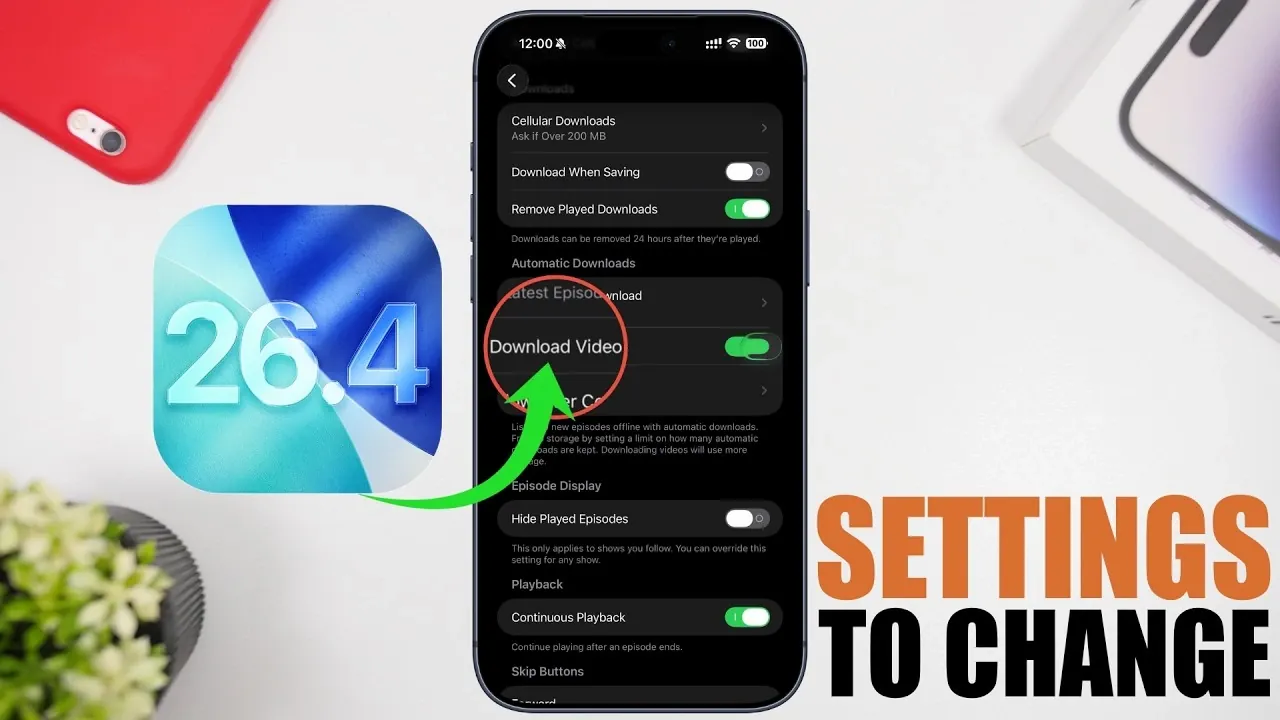
- Enable “Download Video” in the Podcast App: Save video podcasts for offline viewing, making sure you can enjoy your favorite content even without an internet connection.
This is an ideal solution for frequent travelers or users with limited data plans, allowing uninterrupted access to your favorite shows.
Reminders Automation: Stay Organized
The Reminders app now offers a seamless way to manage tasks and stay on top of your schedule. Enable this feature to simplify your task management:
- Use “Complete from Alarm”: This integration allows you to mark tasks as complete directly from an alarm notification, making sure you never miss an important reminder.
This setting streamlines your workflow, helping you stay organized and productive throughout the day.
Take Control of iOS 26.4
By adjusting these 12 settings, you can significantly enhance your device’s performance, security, and usability. From bolstering privacy and optimizing battery life to improving camera functionality and streamlining notifications, these changes ensure your iPhone or iPad operates at its best. Take a few moments to explore these features and tailor them to your needs for a more efficient, secur,e and enjoyable experience.
Unlock more potential in iOS 26.4 by reading the previous articles we have written.
- iOS 26.4 Icon Changes: How Apple’s New Liquid Glass Look Works
- Everything New in iOS 26.4 Beta 4: CarPlay, AI, and More
- iOS 26.4 Guide: New Features, Release Date, and Performance
- iOS 26.4 Release Date, Features, and Performance Details
- When Will iOS 26.4 Be Released? Full Details Inside
- iOS 26.4 RC Fixes iPhone Keyboard Accuracy Bug: What’s New
Source & Image Credit: iReviews
Disclosure: Some of our articles include affiliate links. If you buy something through one of these links, Geeky Gadgets may earn an affiliate commission. Learn about our Disclosure Policy.
