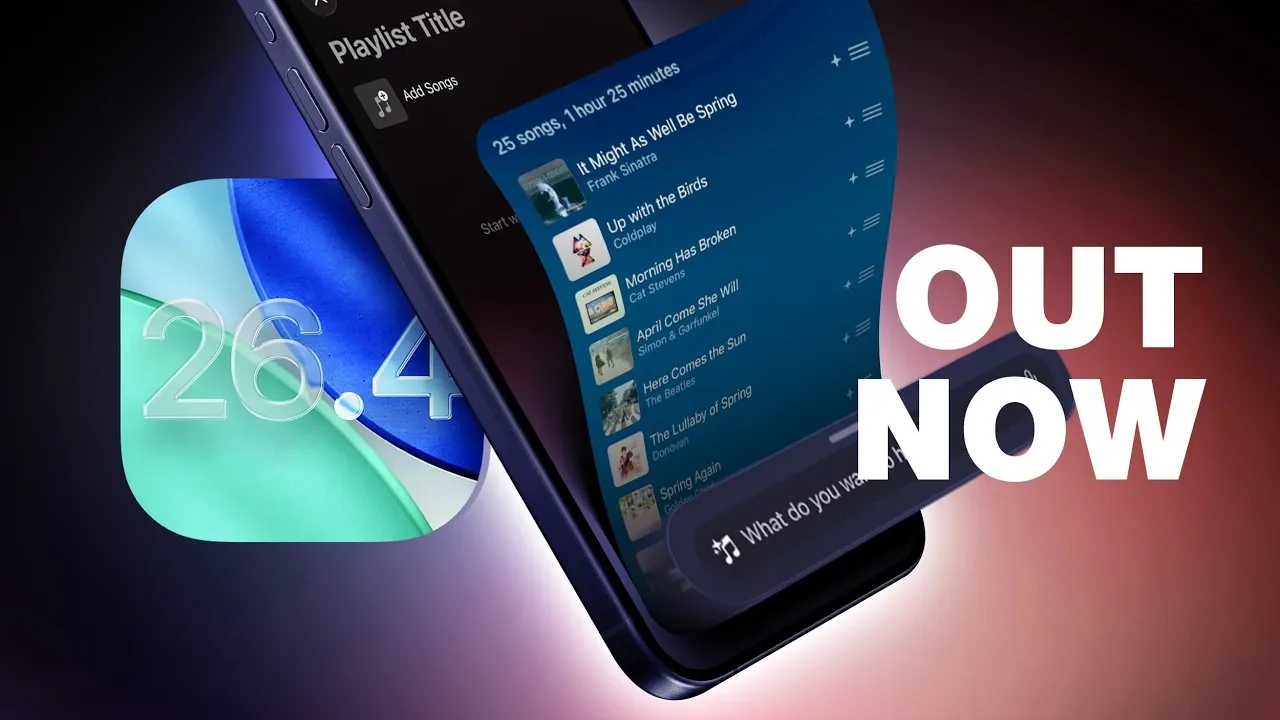
Apple has officially launched iOS 26.4, introducing a wide range of updates designed to enhance usability, boost creativity, and refine multimedia experiences. This latest release brings improvements across various apps, device functionality, and customization options, making it a comprehensive upgrade for users. Below is a detailed look at the most notable features and changes in iOS 26.4. The video below from MacRumors gives us more details about the update.

Enhanced Keyboard for Faster, More Accurate Typing
Typing on your device has become significantly more efficient and precise with the upgraded keyboard in iOS 26.4. The swipe-to-type functionality has been fine-tuned to improve both accuracy and responsiveness. Whether you are crafting a detailed email or sending a quick text, the enhanced keyboard ensures a smoother and faster typing experience. Additionally, predictive text suggestions have been optimized to better align with your writing style, helping you compose messages with minimal effort.
Apple Music: Smarter Tools for Music Discovery
Apple Music has undergone a major transformation, offering smarter tools to explore, create and enjoy music. The updates are designed to make your listening experience more personalized and engaging. Key features include:
- Playlist Playground: Effortlessly generate playlists by simply typing a theme, mood, or occasion. Apple Music will curate songs that match your input, making playlist creation intuitive and enjoyable.
- Concert Discovery: Stay informed about your favorite artists’ local concerts and tour dates with a new discovery tool integrated into the app.
- Redesigned Albums and Playlists: Browse with full-page artwork for a more immersive and visually appealing experience.
These enhancements aim to deepen your connection with music, offering fresh ways to discover and enjoy your favorite tracks and artists.
Apple Podcasts: Video Support and Offline Playback
Apple Podcasts has expanded its capabilities with the addition of video support in iOS 26.4. The update introduces HTTP Live Streaming (HLS) for seamless video playback, allowing you to enjoy podcasts in a new format. You can also download episodes for offline viewing, making sure uninterrupted access to your favorite content even without an internet connection.
Switching between audio and video formats is now effortless, allowing you to pick up exactly where you left off. To further enhance the experience, Apple Podcasts offers personalized recommendations based on your listening habits, alongside curated suggestions from Apple’s editorial team. These updates make discovering and enjoying podcasts more versatile and engaging.
New Widgets and Emojis for Personalization
iOS 26.4 takes customization to the next level with the introduction of new widgets and emojis. A standout addition is the ambient music widget, which can be added to your home or lock screen. This widget provides curated playlists tailored for specific activities such as sleep, productivity and relaxation, allowing you to set the perfect mood for any moment.
Additionally, eight new emojis have been introduced, including an orca, trombone, ballet dancer, landslide and a squishy face. These additions bring more variety and expressiveness to your digital conversations, making communication more fun and personalized.
Creative Tools in Free Form Creator Studio
Content creators will find the updated Free Form Creator Studio in iOS 26.4 particularly useful. This feature introduces advanced tools designed to streamline workflows and enhance creative output. Exclusive tools for subscribers include:
- Centralized Content Hub: Organize and manage projects efficiently in one place.
- High-Quality Graphics: Access professional-grade visuals to elevate your designs.
- AI-Powered Tools: Use artificial intelligence for image creation and editing, allowing faster and more precise results.
These tools are tailored to meet the needs of professionals and hobbyists alike, offering a creative edge for brainstorming, designing and executing projects.
Task Prioritization in the Reminders App
The Reminders app has been enhanced to help you manage tasks more effectively. A new “Urgent” section allows you to prioritize critical tasks, making sure that important deadlines and responsibilities are always front and center. You can mark reminders as urgent at any time, making it easier to stay organized and focused on what matters most. This update is particularly beneficial for users juggling multiple commitments.
Family Sharing Gains Payment Flexibility
iOS 26.4 introduces greater flexibility to Family Sharing by allowing adult members to use their own payment methods for purchases. This change reduces reliance on a single account and simplifies group transactions, making it easier for families to manage shared expenses. Whether it’s buying apps, subscriptions, or in-app content, this update ensures a smoother and more convenient experience for all members.
Accessibility and Other Improvements
Apple continues to prioritize inclusivity with new accessibility enhancements in iOS 26.4. These updates are designed to ensure that the operating system remains user-friendly for individuals with diverse needs. Improvements include enhanced voice control, better screen reader functionality and customizable display options.
In addition to accessibility updates, iOS 26.4 includes a range of minor refinements and bug fixes that improve overall system stability and performance. These subtle yet impactful changes contribute to a more seamless and reliable user experience.
A Comprehensive Upgrade for All Users
iOS 26.4 delivers a robust set of features that cater to a wide range of user needs. From smarter music discovery tools and video podcast support to enhanced task management and creative tools, this update offers something for everyone. Whether you’re looking to streamline your daily tasks, explore new content, or personalize your device, iOS 26.4 provides a more intuitive and engaging experience. With its focus on usability, creativity and inclusivity, this release underscores Apple’s commitment to delivering meaningful improvements for its users.
Explore further guides and articles from our vast library that you may find relevant to your interests in iOS 26.4.
- iOS 26.4 Icon Changes: How Apple’s New Liquid Glass Look Works
- Everything New in iOS 26.4 Beta 4: CarPlay, AI, and More
- iOS 26.4 Guide: New Features, Release Date, and Performance
- iOS 26.4 Release Date, Features, and Performance Details
- When Will iOS 26.4 Be Released? Full Details Inside
- iOS 26.4 RC Fixes iPhone Keyboard Accuracy Bug: What’s New
Source & Image Credit: MacRumors
Disclosure: Some of our articles include affiliate links. If you buy something through one of these links, Geeky Gadgets may earn an affiliate commission. Learn about our Disclosure Policy.
