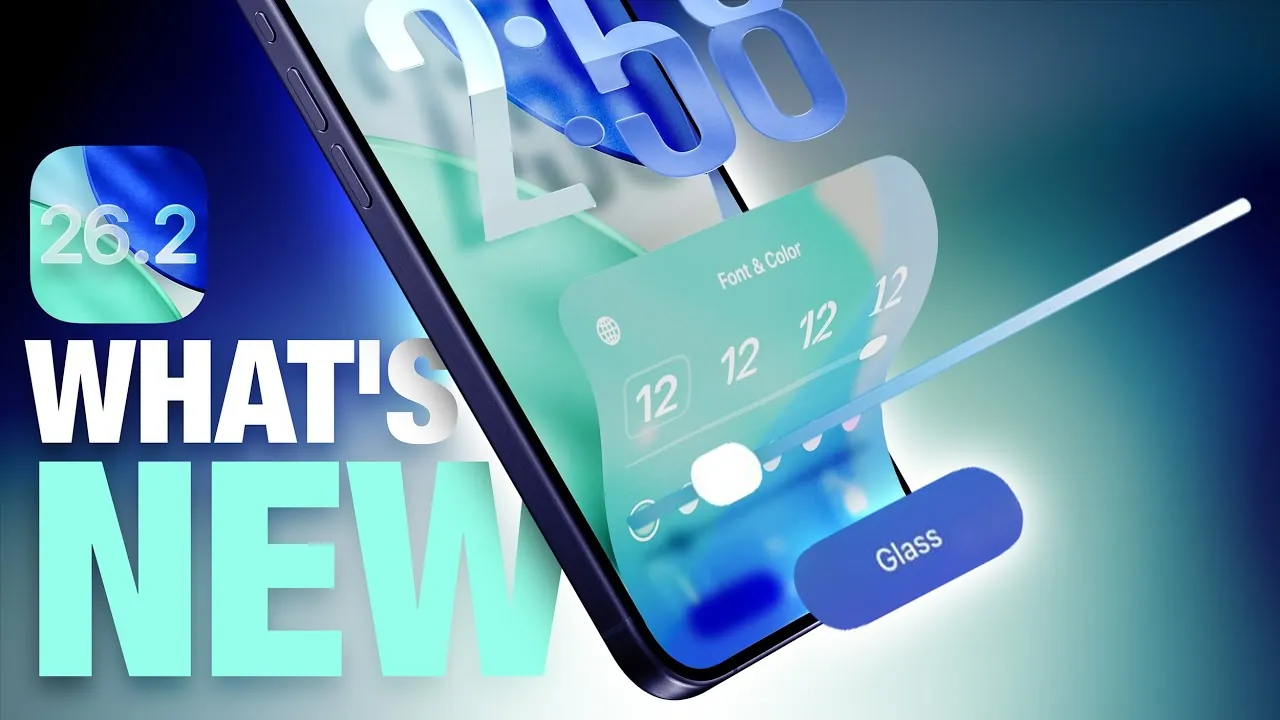
Apple has unveiled the iOS 26.2 beta, bringing a host of new features and updates designed to enhance usability, accessibility, and app functionality. This release underscores Apple’s ongoing focus on refining the user experience, offering tools that cater to personalization, productivity, and convenience. From lock screen customization to app-specific enhancements, this update introduces practical improvements that seamlessly integrate into your daily routine. Below is an in-depth look at the most significant changes. The video below from MacRumors gives us more details about the new beta.

Lock Screen Customization: A Sleek New Look
The lock screen receives a notable upgrade with the introduction of the liquid glass slider, a feature that allows you to adjust the transparency of the clock display. This creates a frosted, modern aesthetic that can be tailored to your preferences. Users can toggle between a solid display or experiment with various color options to match their personal style. These enhancements not only improve the visual appeal of the lock screen but also make it more functional, offering a balance between aesthetics and usability.
Sleep Scoring: More Accurate Insights
For users who rely on their devices for sleep tracking, the improved sleep scoring system offers a more precise analysis of nightly rest. By aligning more closely with real-world sleep patterns, this feature provides clearer insights into your sleep quality. Whether you’re looking to optimize your sleep habits or gain a better understanding of your overall well-being, this update delivers actionable data to help you make informed decisions about your health.
Reminders App: Prioritize with Urgent Alarms
The Reminders app introduces a new level of functionality with the addition of “urgent” alarms. High-priority tasks are now visually highlighted in blue, making them easy to identify at a glance. These reminders come with snooze and reschedule options, allowing you to manage your time more effectively. Whether you’re balancing work deadlines or personal errands, this feature ensures that critical tasks are prioritized, helping you stay organized and on track.
Passwords App: Greater Control Over Security
The Passwords app now offers enhanced control over your security preferences. With the ability to manage websites where passwords are not saved, users can tailor their browsing experience to align with their privacy needs. This subtle yet impactful improvement reflects Apple’s ongoing commitment to user privacy, making sure a more secure and personalized approach to online security.
Freeform App: Organize with Table Support
The Freeform app expands its capabilities with the addition of table support, allowing users to structure and organize information more effectively. This feature is particularly useful for collaborative projects, brainstorming sessions, or personal planning. By allowing you to create detailed layouts and structured content, the update enhances the app’s versatility, making it a valuable tool for both professional and personal use.
Podcasts App: Simplified Navigation
Podcast enthusiasts will appreciate the new automatic chapter creation feature, which simplifies navigation by allowing users to jump directly to specific sections of an episode. Additionally, transcripts and episode pages now include mentions of other podcasts and accessible links, enriching the listening experience. These updates encourage content discovery while making it easier to explore and enjoy your favorite shows.
Apple News: A Streamlined Interface
Apple News introduces a refreshed design that prioritizes user convenience. With quick-access buttons for categories and a dedicated “Following” tab, navigating the app becomes more intuitive. These changes make it easier to stay updated on topics and publications that matter most to you, while maintaining the app’s signature clean and minimalist aesthetic.
Accessibility: Inclusive Notification Options
Accessibility features are further enhanced with the introduction of screen flash notifications. This new option complements or replaces the existing LED flash for alerts, offering a more inclusive notification system. Designed to cater to users with diverse needs, this feature highlights Apple’s dedication to creating technology that is accessible to everyone.
AirPods: Live Translation for EU Users
AirPods users in the European Union gain access to live translation functionality, available on AirPods Pro 3, Pro 2, and AirPods 4 with Active Noise Cancellation. This feature enables real-time translation during conversations, breaking down language barriers and making communication more seamless. By integrating advanced technology into everyday interactions, Apple continues to push the boundaries of convenience and innovation.
A Comprehensive Update for Enhanced Usability
The iOS 26.2 beta delivers a wide range of updates that cater to personalization, productivity, and accessibility. From the visually striking lock screen customization options to app-specific enhancements like urgent alarms in the Reminders app and table support in Freeform, this update reflects Apple’s commitment to user-focused design. By addressing key areas such as privacy, task management, and inclusivity, iOS 26.2 ensures that your Apple ecosystem evolves to meet your needs, offering tools that seamlessly integrate into your daily life.
Below are more guides on iOS 26.2 beta features from our extensive range of articles.
- Apple iOS 26.2 Beta 1: New Features for Podcasts and More
- What’s New in iOS 26.1 Beta 2? Features, Updates, and More
- iOS 26.2 Beta 1 Just Dropped! Here’s What You Need to Know
- iOS 26.1 Beta 3 Features and Performance Enhancements
- iOS 26.1 Release Date and Key Features Explained
Source & Image Credit: MacRumors
Disclosure: Some of our articles include affiliate links. If you buy something through one of these links, Geeky Gadgets may earn an affiliate commission. Learn about our Disclosure Policy.
