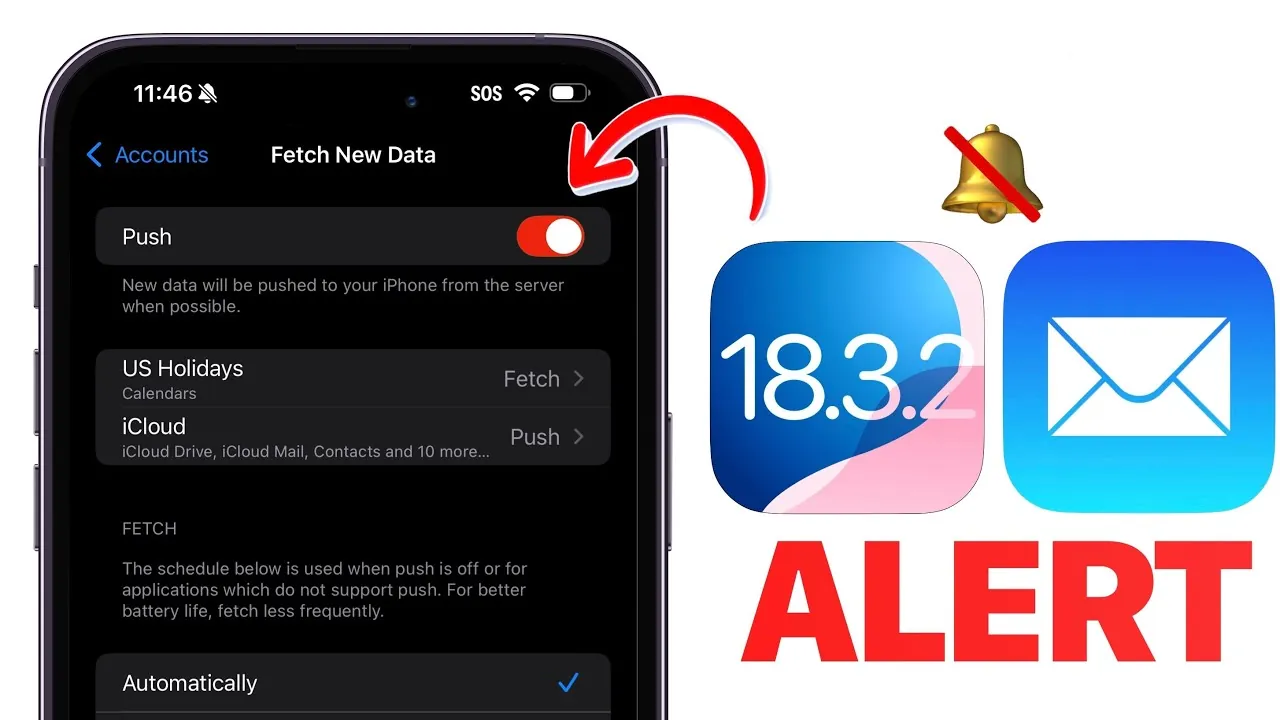
If you are using iOS 18.3.2 or the iOS 18.4 beta, you may have encountered significant disruptions in iCloud email functionality. The push notifications and fetch options, which are critical for real-time email delivery, are not functioning as expected. This forces you to manually refresh your inbox to access new messages, leading to delays in communication. While Apple has not yet provided a solution, it is worth noting that other email services, such as Outlook, remain unaffected and continue to operate normally. The video below from iDeviceHElp gives us more details about the iCloud Email issues in iOS 18.3.2.

Understanding the Cause of the Problem
The issue is specific to iCloud email users on iOS 18.3.2 and the iOS 18.4 beta. Push notifications, which are designed to instantly alert you when a new email arrives, are failing to activate. Similarly, the fetch protocol, which periodically retrieves emails in the background, is not functioning as intended. This leaves you with no choice but to manually refresh your inbox to view new messages. For users accustomed to seamless email delivery, this disruption can be both frustrating and inconvenient, especially if you rely on timely communication for work or personal matters.
Impact on Email Delivery and User Experience
The failure of push notifications and fetch options directly affects the efficiency of email delivery for iCloud accounts. If you depend on timely email alerts, this issue could result in missed opportunities, delayed responses, or even overlooked messages. While manually refreshing your inbox ensures you receive emails, it adds an unnecessary step to your routine, undermining the convenience and reliability you expect from iCloud. This disruption highlights the importance of dependable email systems, particularly for users who rely on iCloud for professional or time-sensitive communication.
Temporary Workarounds to Manage the Issue
While Apple works on a resolution, there are several steps you can take to manage your iCloud email more effectively:
- Manually refresh your inbox by swiping down in the Mail app to check for new messages.
- Enable notifications for other email accounts, such as Outlook, which are not affected by this issue.
- Set up email forwarding to temporarily redirect your iCloud emails to an alternative email service for timely delivery.
These workarounds can help mitigate the inconvenience, but they are not long-term solutions. They serve as temporary measures to ensure you stay connected and minimize disruptions until Apple addresses the problem.
Exploring Alternative Email Services
It is important to note that this issue is isolated to iCloud email on specific iOS versions. Other email services, such as Outlook, remain unaffected and continue to provide reliable functionality. If uninterrupted email delivery is critical for you, exploring these alternatives could be a practical choice. For example, Outlook offers dependable push notifications and seamless synchronization across devices, making it a strong temporary substitute. Switching to or incorporating an alternative service can help you maintain productivity and avoid unnecessary delays.
Apple’s Response and Future Expectations
As of now, Apple has not released an official statement or provided a timeline for resolving the issue. However, it is reasonable to anticipate that a fix will be included in a future iOS update. If you are using the iOS 18.4 beta, monitoring upcoming beta releases for potential improvements is advisable. For those on iOS 18.3.2, making sure your device is updated will allow you to receive any patches as soon as they become available. Staying informed about Apple’s updates and announcements will help you prepare for a resolution and minimize the impact of this disruption on your daily routine.
Maintaining Productivity During the Disruption
The ongoing iCloud email issues on iOS 18.3.2 and iOS 18.4 beta highlight the importance of having contingency plans for communication. While push notifications and fetch options are currently unreliable, manual refreshes and alternative services like Outlook can serve as effective temporary solutions. Until Apple releases a fix, taking proactive steps to manage your email workflow will help you stay organized and minimize disruptions. By exploring alternative tools and staying updated on Apple’s progress, you can maintain productivity and ensure that your communication needs are met.
Check out more relevant guides from our extensive collection on iOS 18.3.2 that you might find useful.
- How to Fix iOS 18.3.2 Battery Drain on Your iPhone
- iOS 18.3.2 Update: Key Fixes Apple Must Address
- iOS 18.3.2 Update: Key Features and Post-Update Tips
- iOS 18.3.2 Update: Full List of Fixes and Features Explained
- Why Updating to iOS 18.3.2 Is Essential for Your iPhone’s Security
Source & Image Credit: iDeviceHelp
Disclosure: Some of our articles include affiliate links. If you buy something through one of these links, Geeky Gadgets may earn an affiliate commission. Learn about our Disclosure Policy.
