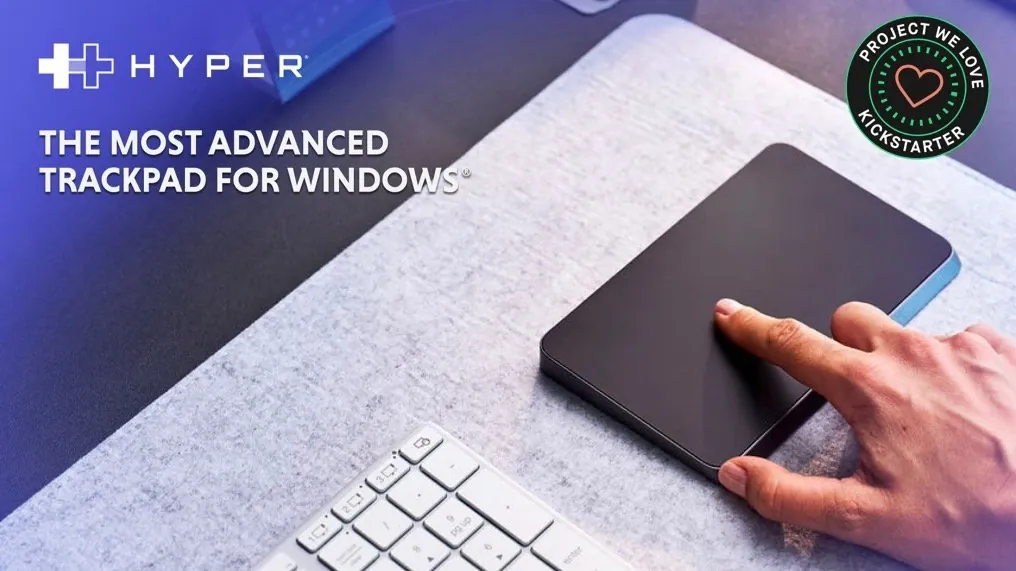
What if your trackpad could do more than just point and click? Imagine a device so intuitive it not only responds to your touch but also understands the force behind it, delivering precise feedback tailored to your every move. The HyperSpace Trackpad Pro promises to transform how we interact with our devices, blending innovative technologies like contextual haptics and full-force sensing into a sleek, productivity-enhancing tool. Designed with professionals in mind, this next-generation trackpad doesn’t just keep up with your workflow—it anticipates it, offering seamless integration with industry-standard software and customizable shortcuts that adapt to your unique needs.
Whether you’re a designer toggling between tools in Photoshop or an analyst navigating sprawling Excel sheets, the HyperSpace Trackpad Pro transforms your workspace into a command center of precision and efficiency. But how does it achieve this level of adaptability? And what makes it an essential upgrade for anyone looking to streamline their digital interactions? Let’s explore the innovative features that make this device more than just a trackpad—it’s a fantastic option for modern productivity.
Key Specifications :
- The HyperSpace Trackpad Pro is designed for Windows users, offering advanced features like contextual haptics, full-force sensing, and customizable shortcuts to enhance precision and productivity.
- It incorporates innovative technology such as piezo haptics, 240Hz report rate, and full-force sensing for responsive, accurate, and zero-latency performance, ideal for creative and professional tasks.
- Customizable shortcuts and dynamic gesture controls, powered by Hydra® Connect, streamline workflows by allowing app-specific and global actions, reducing repetitive tasks.
- Seamless integration with popular software like Adobe Suite, Microsoft Office, and Figma ensures optimized functionality for tasks such as editing, designing, and presenting.
- The Hydra® Widget simplifies profile management by automatically switching profiles based on active applications, enhancing adaptability for dynamic workflows and boosting efficiency.
The HyperSpace Trackpad Pro sets a new benchmark for precision and efficiency, specifically designed for Windows® users. Packed with advanced features such as contextual haptics, full-force sensing, and customizable shortcuts, this next-generation trackpad is engineered to enhance your interaction with digital tools while streamlining workflows. Whether you’re a creative professional or a productivity enthusiast, the device offers a suite of tools to help you work smarter, faster, and with greater accuracy.
HyperSpace Trackpad Pro
Early bird pricing are now available for the disruptive project from roughly $180 or £134 (depending on current exchange rates), offering a considerable discount of approximately 33% off the manufacturer’s suggested retail price, while the kickstarter crowd funding is under way. If the Hyper TrackPad Pro campaign successfully raises its required pledge goal and manufacturing progresses smoothly, worldwide shipping is expected to take place sometime around March 2026. To learn more about the Hyper TrackPad Pro trackpad project watch the promotional video below.
Precision Control with Advanced Technology
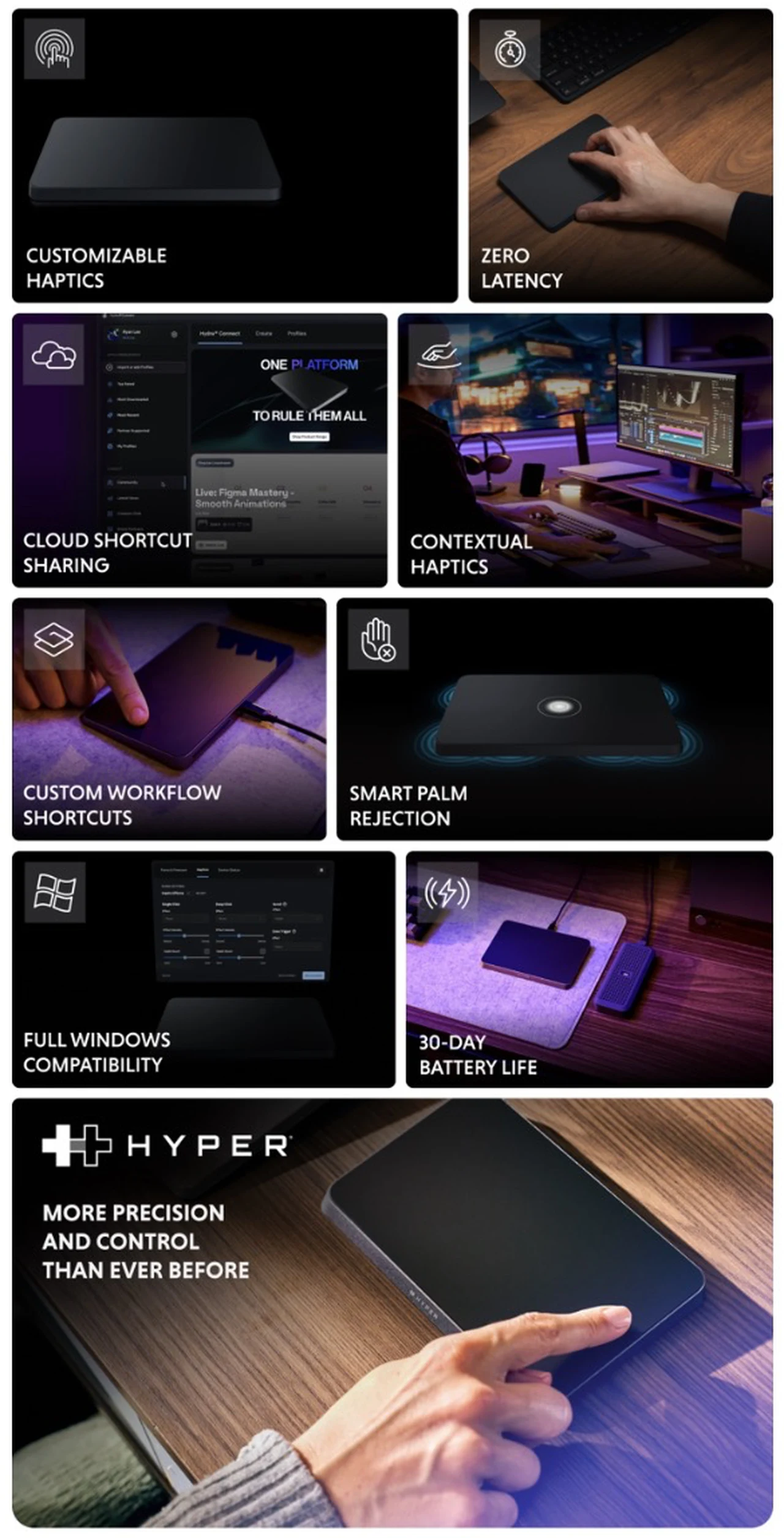
At the heart of the HyperSpace Trackpad Pro lies innovative technology that delivers precise and responsive control for a variety of tasks. The device incorporates piezo haptics, which provide pressure-sensitive tactile feedback for every interaction. This ensures consistent and reliable input, whether you’re navigating intricate design software, editing videos, or managing data-heavy spreadsheets.
The full-force sensing capability takes precision to the next level by detecting varying pressure levels, allowing nuanced input for tasks that demand accuracy. Coupled with a 240Hz report rate, the trackpad ensures zero-latency performance, offering smooth and uninterrupted interactions. These features make it an indispensable tool for professionals who require accuracy and responsiveness in their workflows, from graphic designers to data analysts.
Customizable Shortcuts for Streamlined Efficiency
Efficiency is a cornerstone of the HyperSpace Trackpad Pro’s design. With Hydra® Connect, you can create both app-specific and global shortcuts, tailoring the device to suit your unique workflow. The trackpad supports deep-click gestures with one, two, or three fingers, allowing you to perform a variety of actions such as launching applications, switching tools, or controlling media playback with ease.
Dynamic gesture controls further enhance usability by allowing intuitive actions like undo/redo, scrolling, or toggling full-screen modes. These customizable shortcuts significantly reduce repetitive tasks, allowing you to focus on your work without unnecessary interruptions. By integrating these features, the HyperSpace Trackpad Pro becomes a powerful tool for boosting productivity across a wide range of applications.
Seamless Integration with Popular Software
The HyperSpace Trackpad Pro is pre-configured to integrate seamlessly with industry-standard applications, making it a versatile tool for professionals across various fields. Its shortcuts are optimized for software like Adobe Suite, Microsoft Office, and Figma, making sure that you can perform complex tasks with minimal effort. For example:
- In Photoshop, switch brushes, toggle layers, or zoom with precision.
- In Excel, insert rows, switch sheets, or perform autosum calculations effortlessly.
- In PowerPoint, launch presentations, skip slides, or access speaker notes with a tap.
- In Teams, mute/unmute, share your screen, or toggle the chat window seamlessly.
This level of integration eliminates the need for manual adjustments, allowing you to focus on your tasks without being slowed down by repetitive commands. Whether you’re designing, analyzing, or presenting, the trackpad adapts to your needs, making sure a smoother and more efficient workflow.
System-Level Commands for Total Control
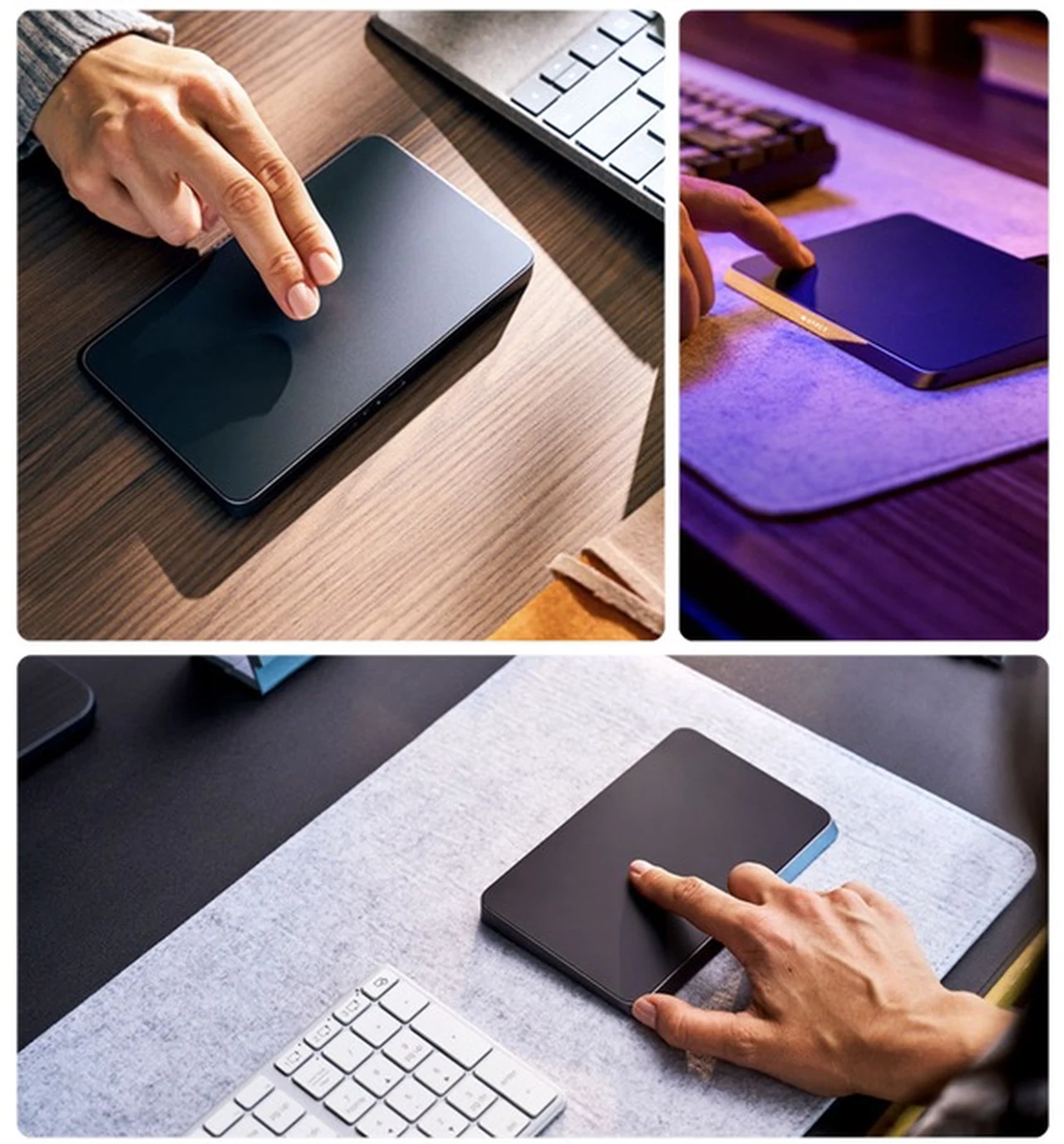
Beyond application-specific functionality, the HyperSpace Trackpad Pro offers robust system-level commands to enhance your overall computing experience. With simple gestures, you can manage windows—snap, minimize, maximize, or close them—navigate virtual desktops, or control media playback. The Edge Scrollers feature allows you to scroll through content or trigger specific commands with ease, providing a seamless way to interact with your desktop environment.
These capabilities transform your workspace into a command center, giving you greater control over your computer. Whether you’re multitasking across multiple applications or managing system-level tasks, the trackpad ensures that every action is intuitive and efficient.
Hydra Widget: Simplified Profile Management
The Hydra® Widget adds another layer of convenience by offering an on-screen overlay for managing profiles and shortcuts. This feature automatically switches profiles based on the active application, making sure that your trackpad is always optimized for the task at hand. By eliminating the need for manual adjustments, the Hydra® Widget saves you time and effort, allowing you to maintain focus on your work.
This intelligent profile management system is particularly useful for professionals who frequently switch between different types of tasks. Whether you’re editing a video, preparing a presentation, or analyzing data, the Hydra® Widget ensures that your trackpad is configured to meet the specific demands of your workflow.
Adaptability for Dynamic Workflows
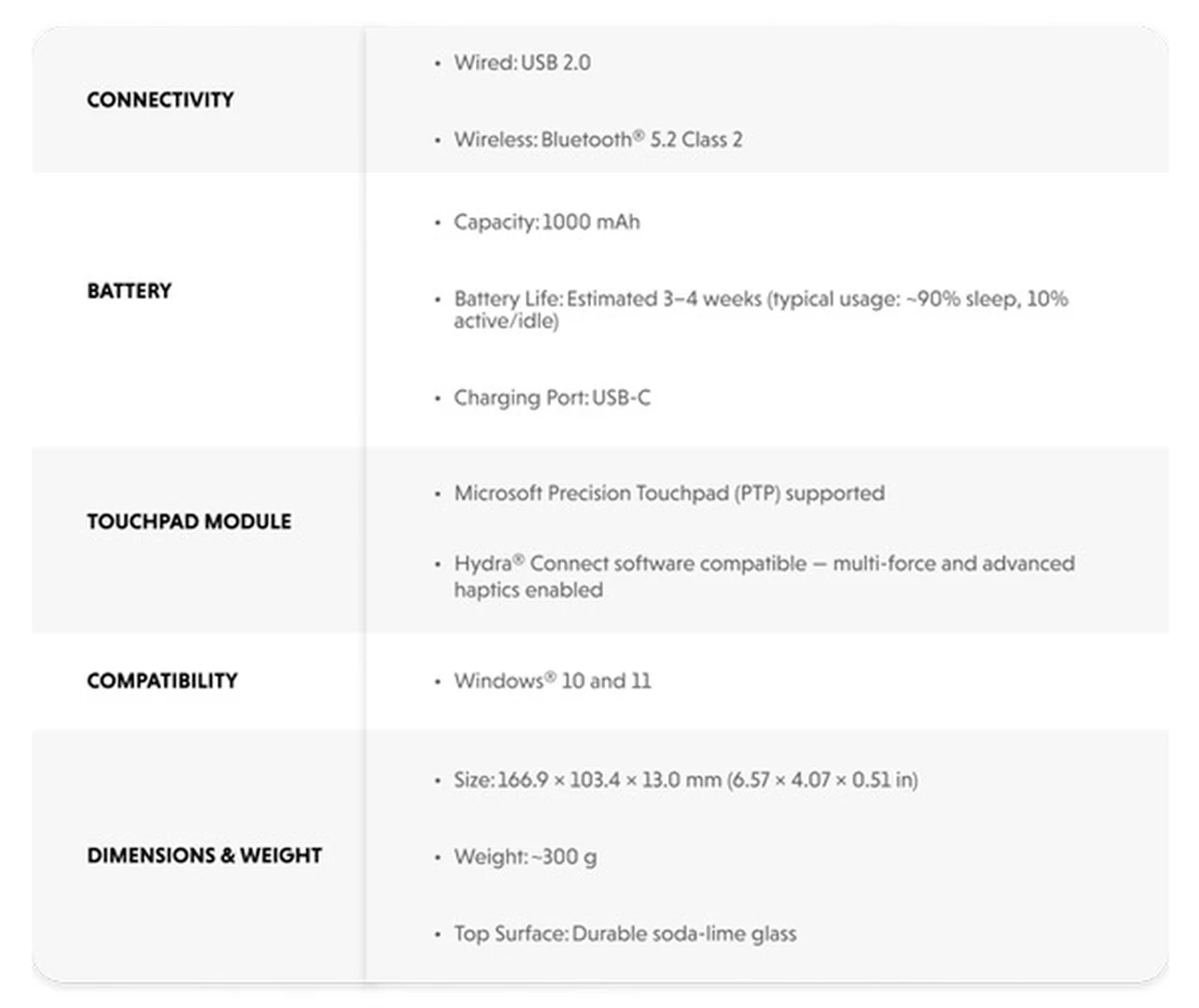
The HyperSpace Trackpad Pro is more than just a peripheral; it is a flexible human-machine interface (HMI) designed to adapt to the unique demands of your workflow. Its combination of precision, efficiency, and adaptability makes it an invaluable tool for professionals in creative and productivity-focused roles. Whether you’re editing videos, designing graphics, or analyzing data, the trackpad’s advanced features ensure that you can work with greater speed and accuracy.
This adaptability extends to its ability to handle dynamic workflows, making it suitable for a wide range of industries and professions. From creative studios to corporate offices, the HyperSpace Trackpad Pro enables users to achieve their goals with minimal friction and maximum efficiency.
Empowering Productivity and Precision
The HyperSpace Trackpad Pro redefines the way you interact with your computer, offering advanced features like contextual haptics, full-force sensing, and customizable shortcuts to elevate your productivity. With seamless software integration, robust system-level commands, and intuitive profile management, it enables you to streamline your workflows and focus on what matters most. Whether you’re navigating complex creative projects or managing everyday tasks, this trackpad is a powerful tool that enhances both efficiency and control, making it an essential addition to any professional’s toolkit.
For a complete list of all available special pledges, stretch goals, extra media and product specifications for the trackpad, jump over to the official Hyper TrackPad Pro crowd funding campaign page by following the link below.
Source : Kickstarter
Disclaimer: Participating in crowd funding campaigns such as those found on Kickstarter and Indiegogo, involves inherent risks. While many projects successfully meet their goals, others may fail to deliver due to numerous challenges. Always conduct thorough research and exercise caution when pledging your hard-earned money.
Disclosure: Some of our articles include affiliate links. If you buy something through one of these links, Geeky Gadgets may earn an affiliate commission. Learn about our Disclosure Policy.
