Hi3D Builds the AI 3D Platform Designed for Real-World 3D Printing
Alex grew up building Gundam model kits and dreaming about designing his own mechs.
Not just repainting an existing kit, but creating something entirely original — heavier armor, oversized thrusters, transformable components, and unique mechanical details that existed only in his imagination.
For years, turning that idea into a physical model required mastering multiple tools, learning complex 3D modeling workflows, fixing meshes, splitting parts, designing connectors, and preparing files for printing.
Today, AI can generate impressive 3D models in minutes. But for many Makers, the real challenge begins after generation. Mesh errors, failed slicing, manual part splitting, assembly tolerances, and print preparation often become the bottlenecks that prevent great ideas from becoming successful prints.
To solve this problem, Hi3D has introduced a major anniversary update built around a complete AI-powered Maker Workflow. The platform connects every stage of creation into a single pipeline:
Idea → 3D Generation → Post-Process → Split-to-Print → Print
The goal is simple: help creators transform digital ideas into physical objects with minimal friction.
Stage 1: Idea – From Inspiration to Ready-to-Use References
Every project starts with an idea.
Hi3D’s Text-to-Image system allows users to generate concept artwork from simple prompts, creating visual references that can be used directly for 3D generation.
Before moving into 3D, users can further refine images using built-in editing tools powered by advanced AI models such as Nano-Banana and Seedream v4.5. Features including image upscaling, grayscale conversion, and watermark removal help improve source materials and reduce potential issues later in the workflow.
Instead of switching between multiple tools, creators can prepare production-ready references within a single environment.
Stage 2: 3D Generation – Bringing Ideas into Three Dimensions
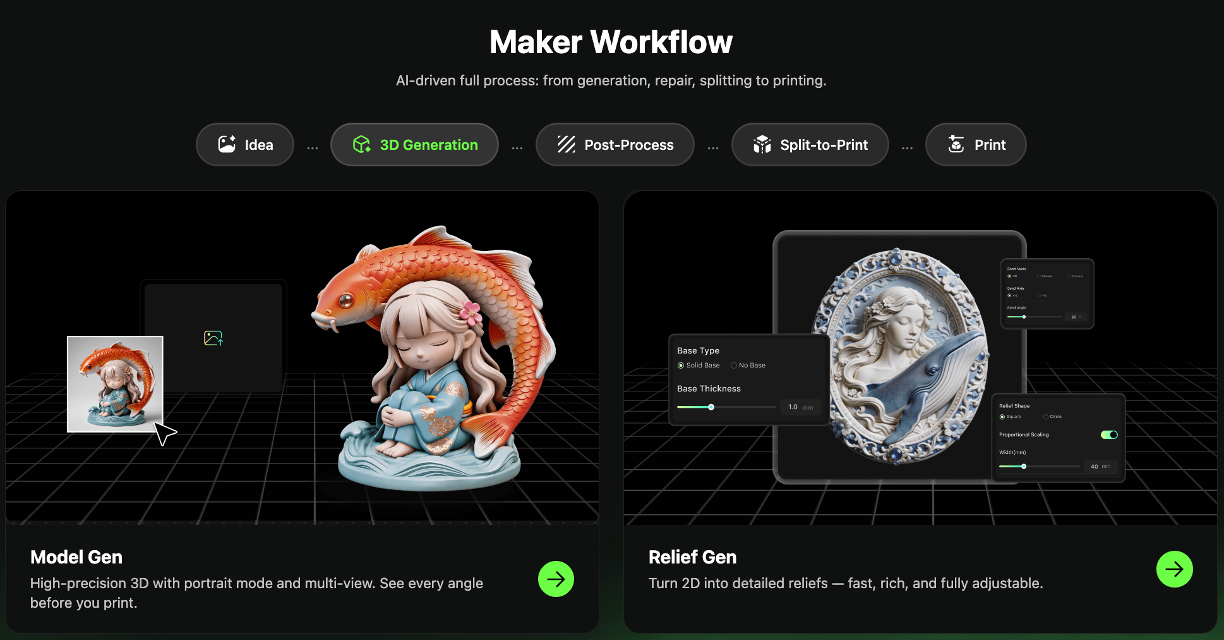
Once reference images are ready, Hi3D converts them into detailed 3D models with a single click.
Users can inspect models from multiple angles and review structural details before entering production. This helps identify potential issues early and provides greater confidence before printing.
In addition to full 3D models, Hi3D also supports Relief Generation, allowing users to transform 2D images into customizable relief designs. Parameters such as depth, base style, and thickness can be adjusted to create plaques, decorative pieces, and artistic products.
The objective is not simply to generate a model, but to generate one that is ready for manufacturing.
Stage 3: Post-Process – Making AI Models Printable
One of the biggest challenges with AI-generated 3D assets is that they often look complete while remaining difficult to manufacture.
Non-manifold geometry, holes, broken surfaces, and other mesh issues frequently cause slicing failures.
Hi3D addresses these problems through automated production-grade post-processing.
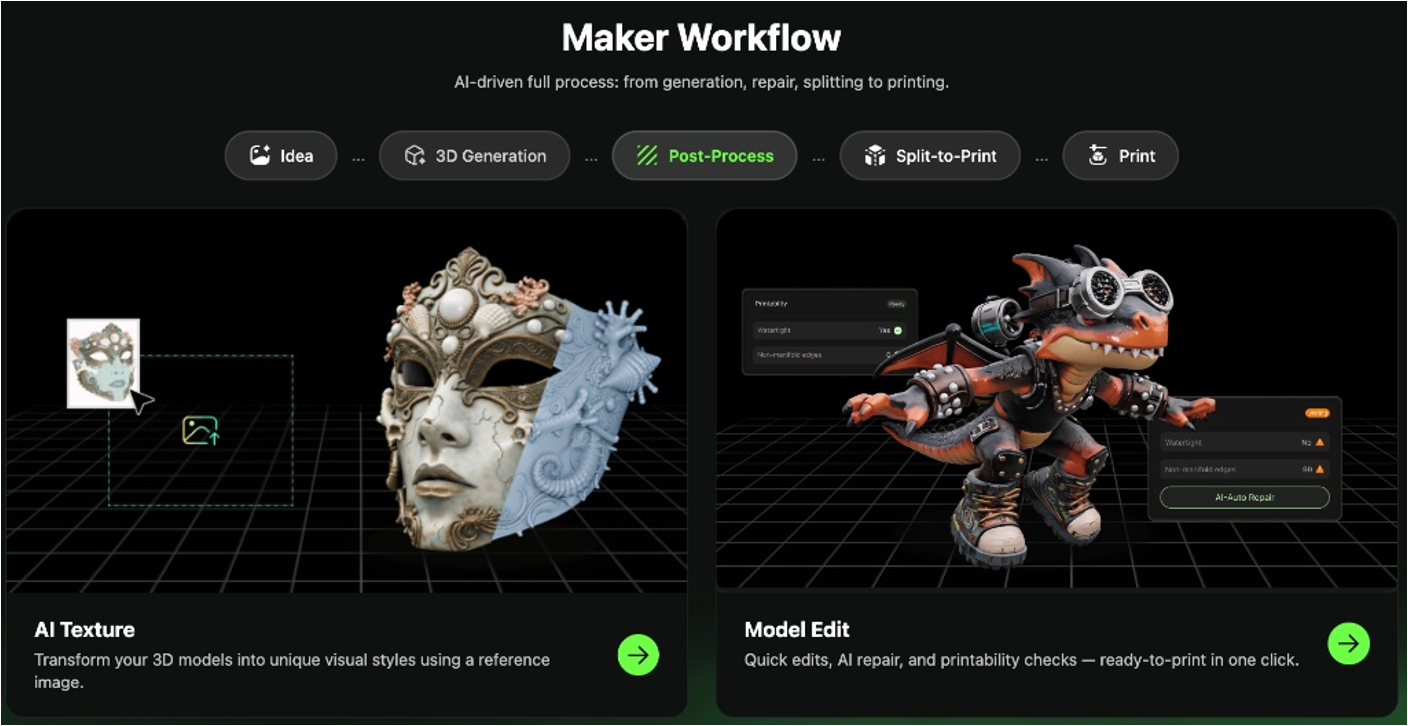
With Model Edit, users can perform AI-powered mesh repair and run Printability Checks to identify and fix manufacturing issues automatically. Tasks that traditionally required professional software and technical expertise can now be completed with a single click.
Hi3D also includes AI Texture tools that allow creators to transfer styles and surface details from reference images, adding unique visual character to their models.
Stage 4: Split-to-Print – Automated Part Splitting and Connector Design
For large figures, collectibles, and mech models, printing an entire model as one piece is often impossible.
Traditionally, creators must manually split models, repair cut surfaces, design connectors, and repeatedly test assembly tolerances. The process can take hours for a single project.
Hi3D automates this workflow.
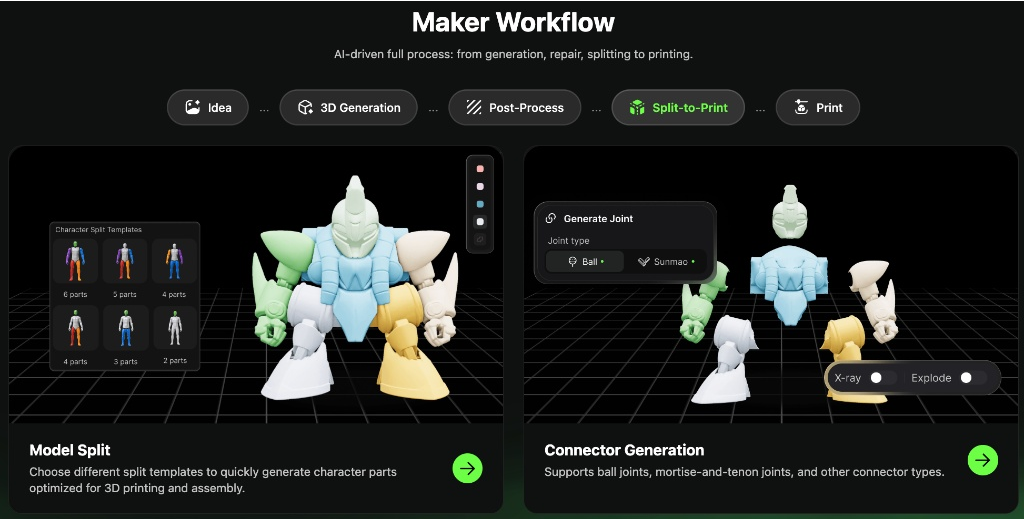
Using Model Split, the platform can automatically divide complex character models into printable sections while generating clean cut surfaces. Whether users need a simple two-part split or a more complex multi-part assembly, the process can be completed in minutes.
The system also generates integrated connector structures, including ball joints, mortise-and-tenon connections, and pin-based assemblies. Built-in tolerance calculations help ensure parts fit together properly after printing.
Visualization tools such as X-Ray and Explode views allow creators to inspect internal structures before manufacturing, reducing trial-and-error during assembly.
Stage 5: Print – Intelligent Print Preparation
The final stage focuses on maximizing print success.
Hi3D’s AI Plating engine automatically analyzes model geometry and calculates optimal orientations and support strategies. According to the company, this process can reduce material waste by up to 20% while minimizing support removal and post-processing work.
Once preparation is complete, Hi3D automatically packages slicing parameters—including nozzle settings, layer heights, and print profiles—into enhanced 3MF files.
Users can then send projects directly to popular slicing ecosystems such as Bambu Studio, OrcaSlicer, Creality Print, and ElegooSlicer without rebuilding print setups from scratch.
Redefining the Future of Digital Manufacturing
A few days later, Alex removes the final printed parts from his printer.
After assembly, the transforming mech that once existed only in his imagination is standing on his desk.
This is where Hi3D sees the future of AI creation.
While much of the AI industry has focused on generating digital content, Hi3D is focused on helping creators manufacture it.
By integrating mesh repair, printability analysis, intelligent part splitting, connector generation, print optimization, and export into a unified workflow, Hi3D transforms complex Maker expertise into accessible AI-powered tools.
According to the company, workflows that once required hours of preparation can now be completed in as little as two minutes, delivering up to 90% efficiency improvements.
AI may have solved creation. Hi3D is working to solve manufacturing.
New users can receive 300 free Hi3D credits through the link below and experience the complete AI-to-3D-print workflow for themselves—from concept generation to printable 3MF files.
Get started here:Hi3D.ai
Disclosure: Some of our articles include affiliate links. If you buy something through one of these links, Geeky Gadgets may earn an affiliate commission. Learn about our Disclosure Policy.
