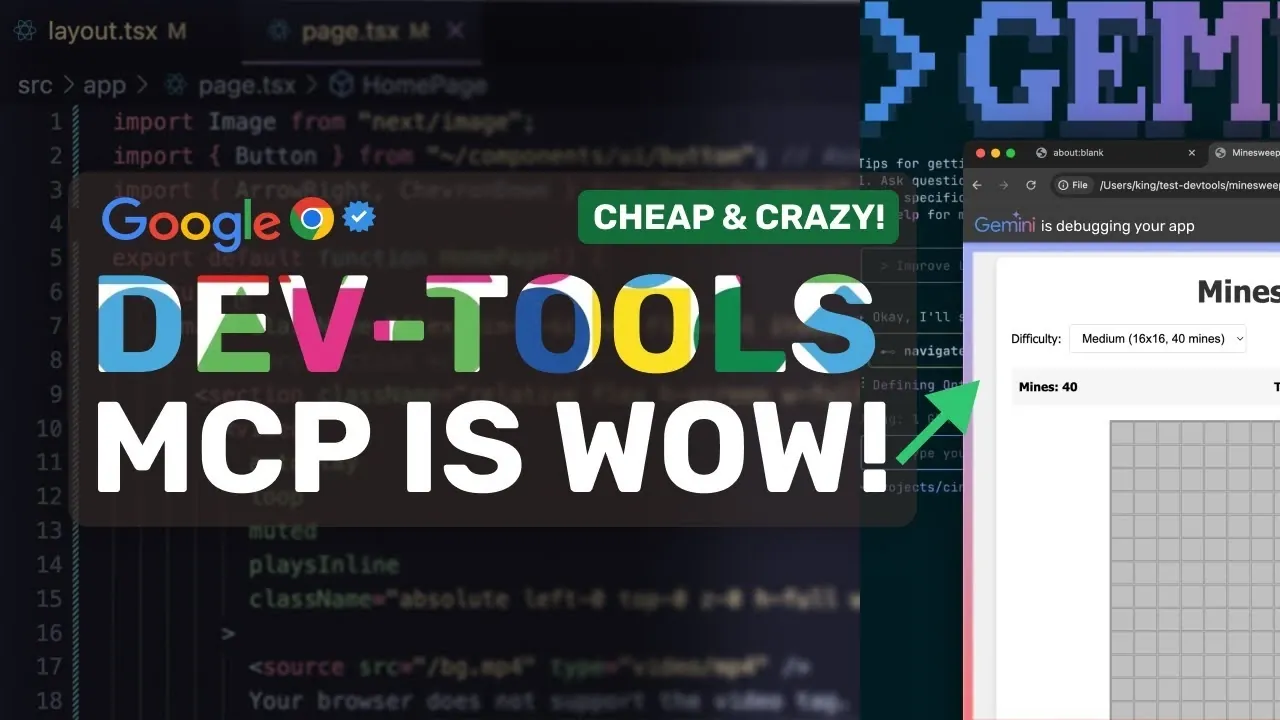
What if you could debug, test, and optimize your code with the precision of AI, directly within your browser? Enter Google’s Chrome DevTools Model Context Protocol (MCP), a new innovation that’s redefining the way developers approach web development. By seamlessly integrating AI-powered coding assistance into Chrome DevTools, MCP doesn’t just enhance your workflow, it transforms it. Imagine identifying runtime issues in real time, automating tedious debugging tasks, and optimizing performance metrics without ever leaving your browser. Bold claim? Perhaps. But MCP’s suite of tools and features makes it the most advanced and innovative coding assistant Google has ever introduced.
In this overview, AI Code King explores what makes MCPs the ultimate companion for modern developers. From its ability to provide real-time code verification to automating repetitive tasks like bug reproduction, MCP is more than a tool, it’s a productivity powerhouse. You’ll discover how its seamless integration into Chrome DevTools enables you to focus on building robust, high-performing applications while minimizing manual effort. But that’s just the beginning. Whether you’re curious about its AI-driven debugging capabilities or how it optimizes website performance, MCP is packed with surprises that could redefine your coding experience. Could this be the future of development? Let’s find out.
AI-Powered Chrome DevTools MCP
TL;DR Key Takeaways :
- Google’s Chrome DevTools Model Context Protocol (MCP) integrates AI-powered coding assistance directly into Chrome DevTools, enhancing debugging, testing, and code optimization within the browser.
- MCP provides real-time runtime visibility, automating tasks like performance analysis, error detection, and debugging to streamline workflows and improve code reliability.
- Key features include seamless Chrome DevTools integration, real-time code verification, performance analysis, and DOM/CSS inspection for efficient issue resolution and application optimization.
- MCP supports automating repetitive tasks, enhancing front-end development, and optimizing website performance metrics like Largest Contentful Paint (LCP) for better user experiences.
- Designed for compatibility with AI tools like Gemini CLI and Claude Code, MCP offers customizable configurations, lightweight performance, and regular updates to address evolving development needs.
Understanding MCP and Its Functionality
The Chrome DevTools MCP serves as a bridge between AI coding agents and the browser, allowing real-time debugging and testing of web applications. Its primary objective is to provide runtime visibility, allowing you to identify and resolve issues more effectively. By automating tasks such as performance analysis, error detection, and debugging, MCP simplifies traditionally complex development processes.
For example, MCP can analyze network activity, detect console errors, and verify code changes in real time. This ensures your code behaves as expected, minimizing the need for manual intervention. By offering these capabilities, MCP enables you to focus on building robust applications while reducing the time spent troubleshooting.
Key Features and Benefits
MCP is equipped with a comprehensive set of tools designed to enhance your development workflow. Its standout features include:
- Seamless Chrome DevTools Integration: Debug and analyze performance metrics directly within the browser environment.
- Performance Analysis: Use tools like “performance start trace” to capture and evaluate performance data for optimization.
- Real-Time Code Verification: Instantly detect and address network and console errors, making sure smoother application functionality.
- DOM and CSS Inspection: Debug styling and layout issues with live updates, allowing precise adjustments.
These features collectively allow you to diagnose and resolve issues efficiently, saving valuable time and effort during development. By integrating these tools into your workflow, you can ensure higher-quality code and improved application performance.
Google’s Chrome DevTools MCP for 10X Better Coding!

Here is a selection of other guides from our extensive library of content you may find of interest on AI coding.
- SpecKit Review: GitHub’s New Tool for Reliable AI Coding
- ChatGPT 5 vs Claude Sonnet: Real-World AI Coding Comparison
- Codex vs Claude Code: A Detailed Comparison of AI Coding CLIs
- ChatGPT 5 vs Claude Opus 4.1: AI Coding Assistant Comparison
- How AI is Changing the Way Developers Code and Collaborate
- New Claude Code 2.0 Agentic AI Coding Agent : The Secret
- Claude Code vs Cursor: Which AI Coding Assistant is Right for You
- Google DeepMind Jules 3.0 AI Update Will Change How You Code
- TikTok’s Free AI Coding Assistant Tray : Features and Benefits
- Save Money on AI Coding: Use Free Extensions In VS Code
Applications in Development
The versatility of MCP makes it a powerful tool for a wide range of development scenarios. Its practical applications include:
- Automating Repetitive Tasks: Simplify processes such as form filling, bug reproduction, and user flow testing, reducing manual effort.
- Enhancing Front-End Development: Automatically detect errors and verify performance metrics to ensure a seamless user experience.
- Optimizing Website Performance: Analyze and improve metrics like Largest Contentful Paint (LCP) to achieve faster load times and better responsiveness.
For instance, MCP’s ability to reproduce bugs and test user flows can significantly reduce the time spent on quality assurance. Additionally, its performance optimization tools help ensure your web applications meet modern standards for speed and efficiency, ultimately improving user satisfaction.
Setup and Compatibility
MCP is designed for seamless integration with a variety of AI coding tools, including Gemini CLI, Claude Code, and Kilo. This flexibility allows you to tailor the tool to your specific project requirements. Whether you’re working on a small-scale project or a large enterprise application, MCP adapts to your needs with ease.
Furthermore, MCP supports both project-specific and global configurations, giving you the freedom to customize its functionality based on your workflow. Its lightweight design ensures that it does not compromise system performance, making it an ideal choice for developers seeking efficiency without added complexity.
Complementary Tools for Enhanced Development
To maximize the benefits of MCP, it can be paired with other tools that complement its functionality. Some of these tools include:
- Context 7: A documentation retrieval tool that provides quick access to relevant resources, helping you resolve issues faster.
- Bite Rover: A memory management solution that optimizes resource usage during development, making sure smoother performance.
By combining MCP with these tools, you can create a robust development environment that addresses various aspects of coding, debugging, and optimization. This integrated approach enhances productivity and ensures a more streamlined workflow.
Future Prospects
As an officially supported tool by Google, MCP benefits from regular updates and feature enhancements, making sure that it remains at the forefront of AI-assisted coding. These updates not only improve existing functionalities but also introduce new capabilities to address emerging challenges in web development.
With its robust features, ongoing improvements, and compatibility with a wide range of tools, MCP is well-positioned to become an indispensable resource for developers worldwide. Its ability to simplify complex workflows and enhance the accuracy of AI-generated code makes it a valuable asset in the ever-evolving landscape of web development.
Media Credit: AICodeKing
Disclosure: Some of our articles include affiliate links. If you buy something through one of these links, Geeky Gadgets may earn an affiliate commission. Learn about our Disclosure Policy.
