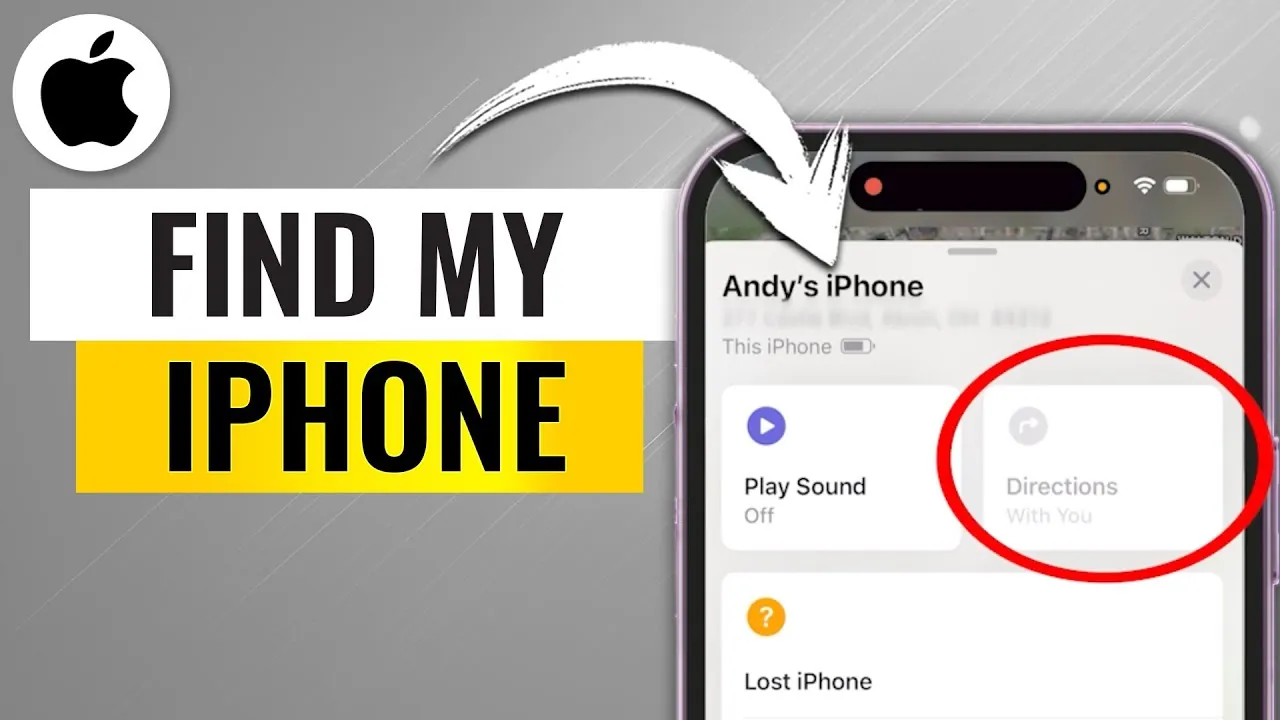
Losing your iPhone or another Apple device can be a frustrating and stressful experience. Fortunately, Apple’s “Find My iPhone” feature provides a reliable way to locate, secure, or recover your device. Whether your phone is misplaced or stolen, this guide will walk you through allowing and using “Find My iPhone” to ensure you’re prepared for unexpected situations. By understanding its features and taking preventive measures, you can safeguard your device and personal data. The video below from Howfinity gives us more details.

How to Enable Find My iPhone
Activating “Find My iPhone” is a critical first step in protecting your device. Without allowing this feature, locating your phone if it goes missing will not be possible. Follow these steps to ensure your device is ready:
- Open the Settings app on your iPhone.
- Tap your name at the top of the menu to access your Apple ID settings.
- Select Find My, then tap Find My iPhone.
- Toggle the switch to turn on Find My iPhone. For added security, enable Send Last Location, which automatically sends your device’s location to Apple when the battery is critically low.
By completing these steps, you ensure your device is trackable through the “Find My” app. This simple setup provides peace of mind and prepares you for potential emergencies.
How to Locate Your Device
If your iPhone goes missing, the “Find My” app offers a straightforward way to locate it. You can access this feature from another Apple device or by logging in to iCloud.com. Here’s how to find your device:
- Open the Find My app on another Apple device or visit iCloud.com and sign in with your Apple ID.
- Navigate to the Devices tab to view a list of all devices linked to your Apple ID.
- Select the missing device to view its location on a map. If the device is nearby, use the Play Sound feature to make it emit a sound, helping you locate it quickly.
The map view also provides directions to your device’s location, making retrieval easier. If the device is moving, the app updates its location in real time, allowing you to track it effectively.
Advanced Features for Lost Devices
Apple’s “Find My” app includes advanced tools to help you recover or secure your device, especially in situations where it’s stolen or cannot be retrieved immediately. These features are designed to protect your data and maintain control over your device:
- Lost Mode: Activating Lost Mode locks your device and displays a custom message on the screen, such as a contact number where you can be reached. This feature also disables Apple Pay, preventing unauthorized transactions.
- Erase Device: If you believe your device is unrecoverable or at risk of exposing sensitive information, you can remotely erase all content and settings. However, this action is irreversible and will disable future tracking of the device.
These tools provide an extra layer of security, making sure your personal data remains protected even in challenging situations. Using these features promptly can minimize potential risks and safeguard your information.
Preventive Measures to Avoid Loss
While “Find My iPhone” is a powerful tool, taking preventive steps can reduce the likelihood of losing your device or improve your chances of recovery. Consider allowing these additional features to stay ahead:
- Notify When Left Behind: This feature sends an alert to your other Apple devices if you leave your iPhone behind in an unfamiliar location. You can customize trusted locations, such as your home or workplace, to avoid unnecessary notifications.
- Family Sharing: If you’re part of a Family Sharing group, you can help locate devices belonging to other members of your group, provided they’ve enabled “Find My” on their devices. This is especially useful for families with multiple Apple devices.
- Backup Your Data: Regularly backing up your iPhone to iCloud or a computer ensures that your data is safe even if the device is lost or stolen. This step allows you to restore your information to a new device seamlessly.
By incorporating these preventive measures into your routine, you can significantly reduce the stress and inconvenience of losing your device. These proactive steps complement the “Find My” app’s features, providing a comprehensive approach to device security.
Maximizing the Benefits of Find My iPhone
Apple’s “Find My iPhone” is more than just a tracking tool—it’s a comprehensive solution for protecting your devices and personal data. By allowing it in advance, you gain access to a suite of features that help you locate, secure, or erase your device if it’s lost or stolen. Whether you’re using the Play Sound feature to find a misplaced phone or activating Lost Mode to safeguard your data, the “Find My” app offers practical solutions for a variety of scenarios.
Taking the time to familiarize yourself with these features and implementing preventive measures ensures you’re prepared for unexpected situations. With “Find My iPhone,” you can confidently navigate the challenges of device loss, knowing you have the tools to protect your information and recover your device efficiently.
Enhance your knowledge on Find My iPhone by exploring a selection of articles and guides on the subject.
- Carabiner Keychain Tracker – Works with Apple Find My (iOS only
- SmartLock: TSA-Approved Travel Lock with Apple Find My App
- How to use Apple’s Find My on the iPad or iPhone
- How to use Find My on iPhone and iPad
- Apple Fixes Exploit In Find My iPhone
Source & Image Credit: Howfinity
Disclosure: Some of our articles include affiliate links. If you buy something through one of these links, Geeky Gadgets may earn an affiliate commission. Learn about our Disclosure Policy.
