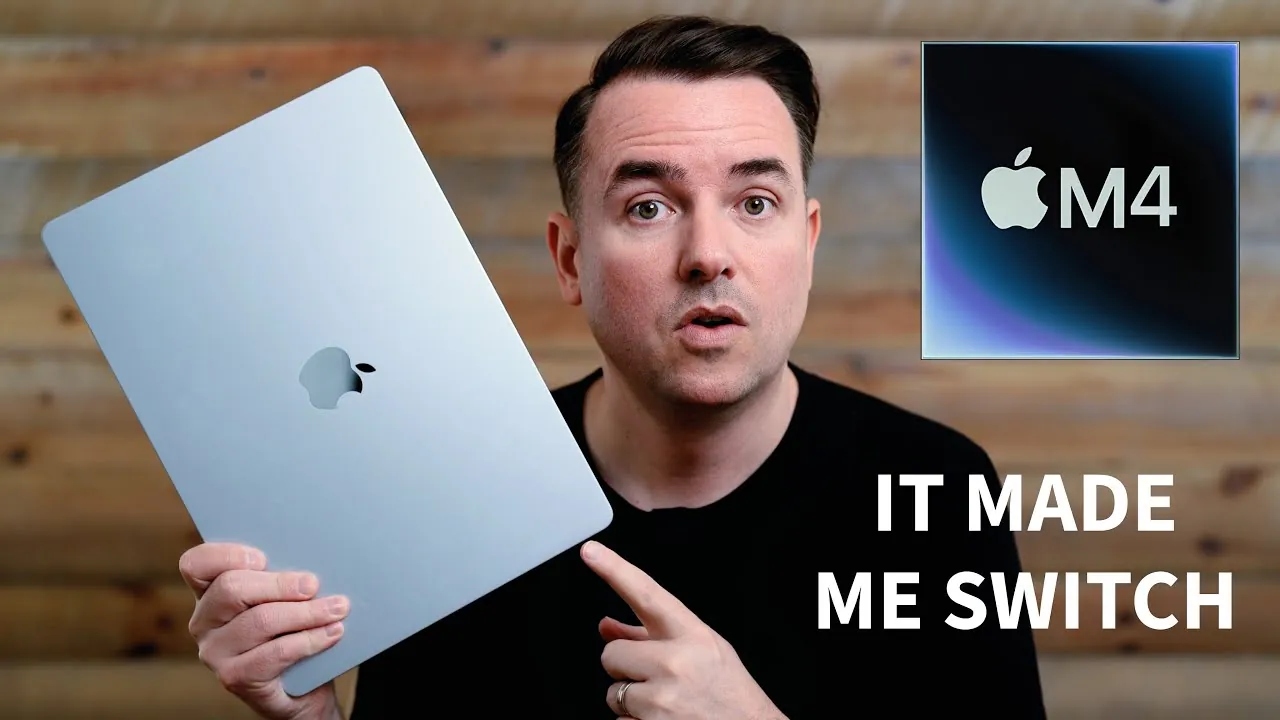
Apple’s 15-inch MacBook Air with the M4 chip is the latest addition to its renowned lightweight laptop series. Designed to combine portability, performance, and a spacious display, it targets a wide range of users, including students, professionals, and casual users. However, while it excels in many areas, it may not be the perfect fit for everyone. By examining its design in a new video, Dailytekk has a look at its performance and limitations, you can determine whether this device aligns with your specific needs.

Design and Portability
Weighing just 3.2 pounds, the M4 MacBook Air is engineered for portability. Its slim and lightweight build makes it an ideal companion for commuting, traveling, or working remotely. The 15.3-inch display is a standout feature, offering ample screen real estate for multitasking while maintaining the portability that defines the MacBook Air lineup. The display itself is bright, vibrant, and delivers an excellent viewing experience, whether you’re working on documents, streaming videos, or browsing the web.
Apple’s minimalist design philosophy is evident in the clean lines and premium finish of the MacBook Air. The laptop is available in several color options, including a subtle sky blue, which adds a touch of personality without compromising its professional appearance. The large trackpad and comfortable keyboard enhance usability, making it a practical choice for extended typing sessions or precise navigation. Overall, the design strikes a balance between functionality and aesthetics, appealing to users who value both style and practicality.
Performance
At the heart of the MacBook Air is the M4 chip, which delivers a noticeable performance boost over its predecessors. Everyday tasks such as web browsing, document editing, and video conferencing are handled with ease, thanks to the chip’s efficiency and the standard 16GB of RAM. Multitasking is seamless, allowing users to switch between applications without experiencing lag or slowdowns.
One of the most notable features of the MacBook Air is its fanless design, making sure silent operation. This makes it particularly well-suited for quiet environments like libraries, classrooms, or shared workspaces. However, the fanless design comes with a tradeoff: during intensive workloads, such as advanced video editing, 3D rendering, or complex AI processing, the laptop may experience thermal throttling, which can reduce performance. While the M4 chip is powerful enough for general use and light creative tasks, it is not designed for sustained high-performance workloads.
Productivity Features
The MacBook Air is equipped with several features aimed at enhancing productivity. One of its key advantages is its ability to support dual external monitors, making it an excellent choice for users who require an expanded desktop setup. This feature is particularly beneficial for professionals managing multiple applications or workflows simultaneously.
The large trackpad and well-designed keyboard further contribute to the device’s usability, allowing efficient navigation and comfortable typing. Additionally, Apple has integrated AI-assisted workflows into the macOS ecosystem, streamlining tasks such as note-taking, brainstorming, and content creation. These features make the MacBook Air a strong contender for students, professionals, and anyone who relies on technology to stay organized and productive.
Limitations
Despite its many strengths, the M4 MacBook Air has some notable limitations. The laptop includes only two USB-C ports, which may be insufficient for users who rely on multiple peripherals. For instance, connecting external monitors, storage devices, and other accessories simultaneously may require additional adapters or hubs. The absence of an SD card slot is another drawback, particularly for photographers and videographers who frequently use external storage for transferring files.
Performance is another area where the MacBook Air may fall short for certain users. While the M4 chip handles general tasks and light creative work with ease, it struggles with intensive workloads like advanced video editing, 3D modeling, or heavy computational tasks. Users who require a machine capable of handling such demands may find the MacBook Air underpowered and better suited to consider alternatives like the MacBook Pro.
Who Is It For?
The 15-inch MacBook Air is best suited for users who prioritize portability, productivity, and ease of use. Students, professionals, and casual users will appreciate its lightweight design, large display, and efficient performance for everyday tasks. It is particularly well-suited for those who need a reliable laptop for web browsing, document editing, video conferencing, and light creative work.
However, the MacBook Air is less ideal for users with specialized needs. If your work involves intensive video editing, 3D rendering, or complex AI processing, or if you require extensive connectivity options, you may find the MacBook Air’s limitations restrictive. In such cases, a more powerful device like the MacBook Pro may be a better fit.
Price and Value
Starting at $1,199, the M4 MacBook Air offers a compelling balance of features, performance, and design at a competitive price point. It provides a premium experience for users who don’t require the raw power of a MacBook Pro or the modularity of an iPad. For its price, the MacBook Air delivers a well-rounded package that caters to a wide range of needs, making it an attractive option for budget-conscious buyers seeking a high-quality laptop.
How It Compares to Other Devices
When compared to other Apple devices, the MacBook Air occupies a unique position in the lineup. It offers a larger screen and a superior typing experience compared to iPads, though it lacks the modularity and Apple Pencil support that some users value. On the other hand, it is more portable and affordable than larger MacBook Pro models, making it a practical choice for users who prioritize mobility over raw computational power.
For those considering non-Apple alternatives, the MacBook Air’s build quality, macOS ecosystem, and long battery life set it apart from many Windows-based laptops in its price range. However, users heavily reliant on specific software or requiring extensive hardware customization may find other options more suitable.
Expand your understanding of M4 MacBook Air with additional resources from our extensive library of articles.
- M4 MacBook Air Review: Performance, Design, and More
- The New MacBook Air M4: Sky Blue Design , $999
- M4 MacBook Air: Supercharge Your Workflow with These Tips
- M4 MacBook Air Release Date, Specs, and Pricing Explained
- M4 MacBook Air vs. M3: Performance and Value Compared
Source & Image Credit: Dailytekk
Disclosure: Some of our articles include affiliate links. If you buy something through one of these links, Geeky Gadgets may earn an affiliate commission. Learn about our Disclosure Policy.
