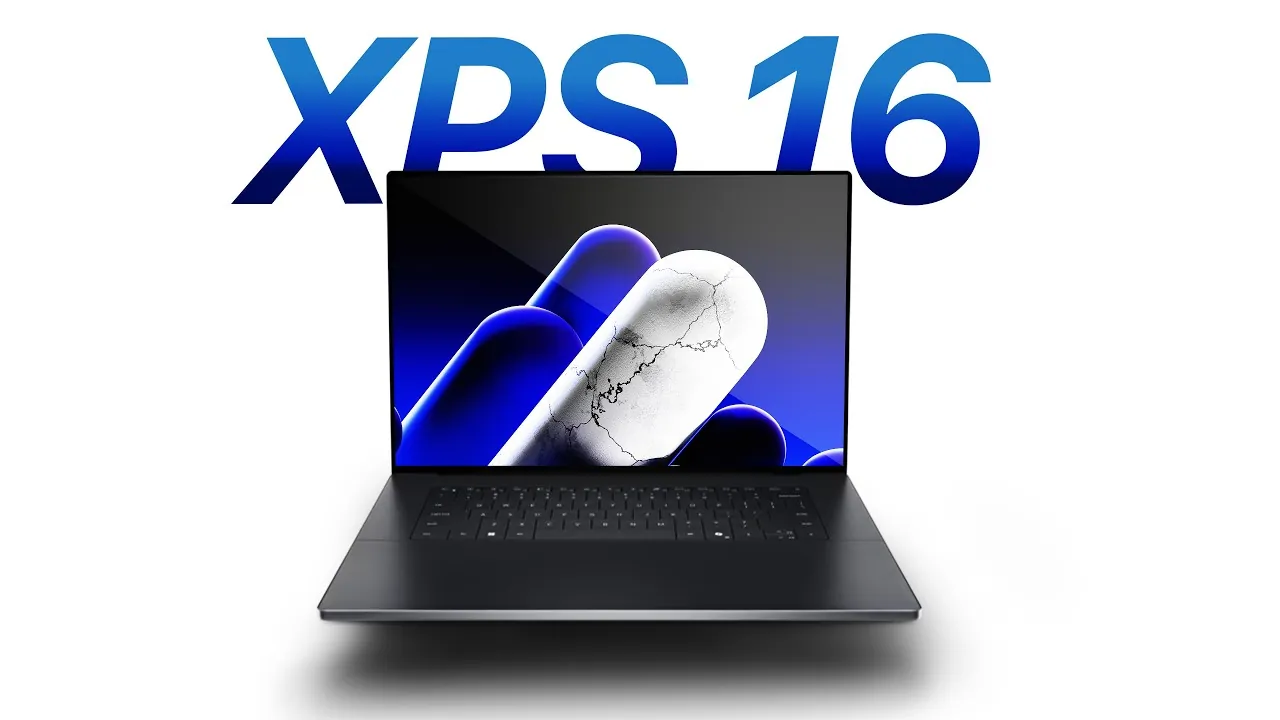
The Dell XPS 2026 series, available in 14-inch and 16-inch models, represents a significant evolution in premium Windows laptops. With its sleek design, innovative materials, and upgraded internals, it positions itself as a direct competitor to Apple’s MacBook Pro. While it excels in aesthetics and build quality, it faces challenges in performance and display technology when compared to Apple’s flagship devices. Whether it’s the right choice for you depends on your priorities and specific needs. Let’s explore its features and capabilities in greater detail in a new video from ZONEofTECH.

Design and Build: Sleek and Minimalist
The XPS 2026 introduces a refined CNC-machined aluminum unibody that is thinner and lighter than its predecessors, offering a premium feel and exceptional durability. Its minimalist design eliminates the capacitive touch bar, opting instead for physical function keys that cater to users who prefer tactile feedback. The ultra-thin bezels surrounding the display create an immersive viewing experience without the need for a notch, a design choice that enhances both aesthetics and usability.
The inclusion of Windows Hello face unlock provides secure and seamless access, adding a layer of convenience for users. Additionally, the redesigned XPS logo replaces the traditional Dell branding, signaling a fresh design direction that emphasizes modernity and sophistication. These thoughtful design elements make the XPS 2026 a visually striking and user-friendly device.
Display: Striking but Not Perfect
The XPS 2026 offers two display options, catering to different user preferences:
- A base 500-nit LCD panel
- An optional Tandem OLED touchscreen
The OLED variant delivers vibrant colors, deep contrast, and excellent color accuracy, making it ideal for creative professionals and media enthusiasts. However, its brightness is capped at 400 nits, which may limit usability in bright environments or under direct sunlight. This is a notable drawback when compared to the MacBook Pro’s mini-LED and OLED panels, which excel in brightness and HDR performance.
While the ultra-thin bezels enhance the overall aesthetic and viewing experience, the display’s brightness limitations could be a concern for users who prioritize top-tier display quality. For most users, however, the XPS 2026’s display options will provide a visually pleasing experience suitable for a wide range of tasks.
Performance: Competitive but Not Class-Leading
The XPS 2026 is powered by Intel’s Core Ultra Series 3 processors, delivering up to 50% better performance than its predecessor. This improvement makes it a capable machine for multitasking, productivity, and most professional workloads. However, it struggles to match the raw power of Apple’s M2, M4 Pro, and M4 Max chips, which continue to set the benchmark for performance in professional-grade laptops.
For users engaged in demanding computational tasks such as video editing, 3D rendering, or software development, the XPS 2026 may fall short of expectations. While it remains a strong performer in its own right, the performance gap highlights the ongoing rivalry between Intel and Apple’s custom silicon. For everyday users and professionals with moderate performance needs, the XPS 2026 offers more than enough power to handle a variety of tasks efficiently.
Battery Life: Promising Longevity
Equipped with 70Wh silicon-carbon batteries, the XPS 2026 promises impressive battery life, offering up to 27 hours of typical use and up to 40 hours of local video playback under ideal conditions. These figures represent a significant improvement over previous models, making the XPS 2026 a strong contender for users who need extended productivity on the go.
However, real-world performance may vary depending on usage patterns, and Apple’s MacBook Pro continues to lead the industry in battery efficiency. While the XPS 2026’s battery life is commendable, it may not fully match the endurance offered by Apple’s devices. Still, for most users, the extended battery life will be more than sufficient for a full day of work or entertainment.
Connectivity: Versatile but Limited
The XPS 2026 includes:
- Three Thunderbolt 4 ports
- A headphone jack
While these connectivity options are versatile and support high-speed data transfer and external displays, the absence of an SD card slot, HDMI port, and MagSafe charging may limit its appeal for certain professionals. These omissions are particularly noticeable when compared to the MacBook Pro, which offers a more comprehensive range of ports.
For users who rely on external peripherals or specific connectivity options, the limited port selection of the XPS 2026 could be a drawback. However, for those who primarily use Thunderbolt 4-compatible devices, the available ports will likely suffice.
Audio and Input: Good, but Not Great
The XPS 2026 adopts a clean, minimalist approach to audio design, with no visible speaker grills. While the sound quality is adequate for most users, it lacks the immersive audio experience offered by the MacBook Pro, which features advanced spatial audio capabilities.
The PZO haptic trackpad is responsive and precise, providing a smooth user experience. However, it doesn’t quite match the refinement and tactile feedback of Apple’s Taptic Engine, which remains the gold standard for trackpad technology. These differences may influence the overall user experience, particularly for those who rely heavily on audio and input devices for their work or entertainment.
Pricing and Value: A Premium Offering
Starting at $2,050 for the 14-inch model and $2,200 for the 16-inch variant, the XPS 2026 is positioned as a premium device. The Tandem OLED upgrade adds $150 to the price, while the base configuration includes 32GB of RAM—more than the 24GB offered in entry-level MacBook Pro models. This makes the XPS 2026 a competitive option for users who require ample memory for multitasking and professional applications.
While the pricing is in line with other premium laptops, the XPS 2026’s value lies in its sleek design, extended battery life, and Windows compatibility. For users who prioritize these features over raw performance or display quality, the XPS 2026 offers a compelling alternative to the MacBook Pro.
How It Compares to the MacBook Pro
The Dell XPS 2026 excels in areas such as design, battery life, and RAM capacity, making it a strong contender in the premium laptop market. However, it falls short in performance, display quality, and port selection when compared to the MacBook Pro. Apple’s laptops remain the gold standard for professional-grade computing, offering superior performance, display technology, and connectivity options.
For users who prefer Windows or prioritize a minimalist design, the XPS 2026 provides a viable alternative. Ultimately, the choice between the XPS 2026 and the MacBook Pro will depend on your specific needs, preferences, and budget. Both devices offer unique strengths, making sure that users can find a solution that aligns with their priorities.
Here are additional guides from our expansive article library that you may find useful on Dell XPS 2026.
- Dell Updates Studio XPS 9100 Series To Latest Core i7 Processors
- Dell Pro Max 18 Plus: Desktop Power in a Portable Laptop
- Samsung Galaxy Z Roll: Features, Release Date, and More
- Xiaomi 14 Ultra vs Xiaomi 14 phone features comparison guide
- Run Windows 11 on Your Mac: A Complete Guide
Source & Image Credit: ZONEofTECH
Disclosure: Some of our articles include affiliate links. If you buy something through one of these links, Geeky Gadgets may earn an affiliate commission. Learn about our Disclosure Policy.
