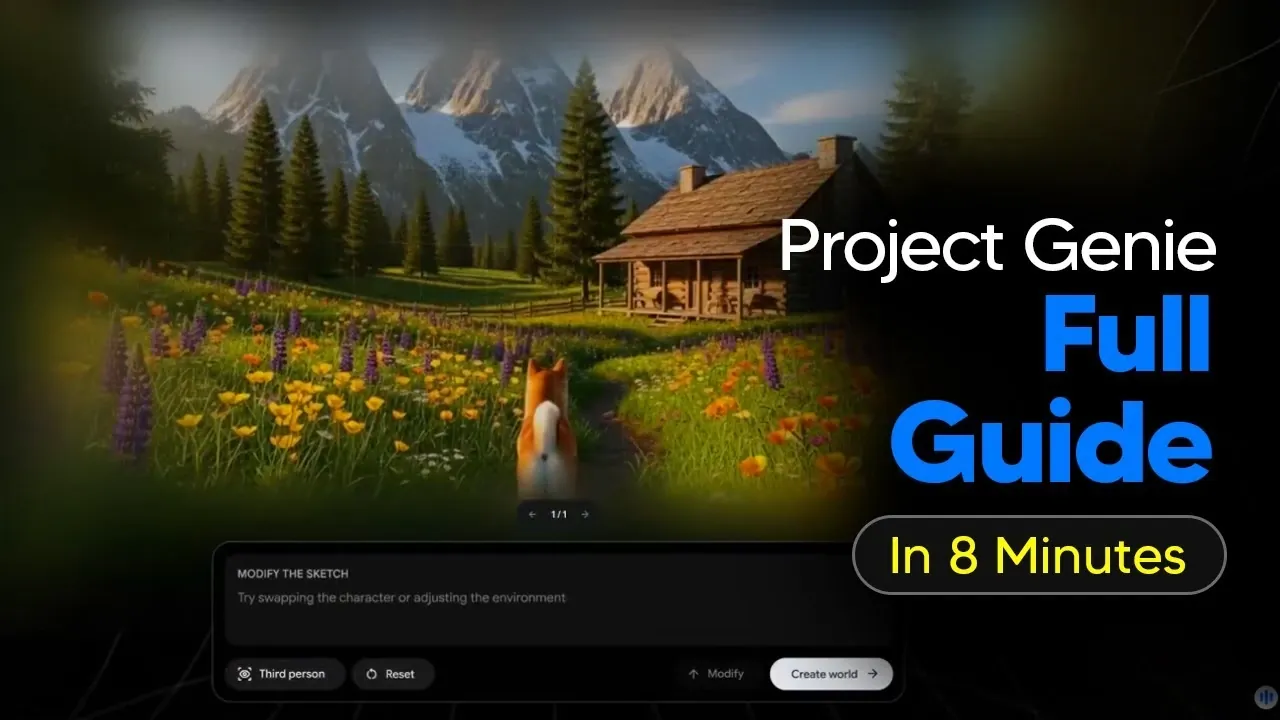
What if you could create entire virtual worlds in just seconds, shaping every detail to match your imagination? In this walkthrough, the AI Grid team shows how Project Genie, an AI-powered platform from Google DeepMind, transforms the way we approach virtual world-building. With its ability to generate immersive environments and lifelike characters based on simple prompts, Project Genie is redefining creativity for hobbyists and professionals alike. But here’s the catch: access is exclusive, requiring a steep $200 monthly subscription and eligibility limited to U.S.-based Google AI Ultra subscribers aged 18 and up. If you meet the criteria, this step-by-step guide will help you unlock the platform’s full potential and craft experiences that feel almost magical.
From mastering AI-generated landscapes to customizing characters with precision, this guide covers everything you need to know to bring your ideas to life. You’ll discover how to use text prompts or image uploads to shape your creations, explore them in real time, and refine every detail with ease. Whether you’re curious about the platform’s unlimited world generation or its ability to simulate dynamic behaviors, there’s something here to spark your imagination. By the end, you’ll not only understand how to use Project Genie but also how to push its boundaries to create truly unique virtual experiences. Let’s explore what’s possible when creativity meets innovative AI.
Overview of Project Genie
TL;DR Key Takeaways :
- Project Genie, developed by Google DeepMind, is an AI-powered platform for creating, exploring, and modifying virtual worlds in real time, available exclusively to Google AI Ultra subscribers in the U.S. aged 18+.
- The platform offers advanced features like AI-powered world generation, unlimited free creations, random world generation for inspiration, and customization using text prompts or image uploads.
- Users can design detailed virtual environments and characters, preview AI-generated sketches, and explore their creations in first-person or third-person views with intuitive controls.
- Technical tips include maintaining a stable internet connection, using high-resolution images for better results, and avoiding page refreshes during the 10–30 second generation process.
- Project Genie supports diverse use cases, such as creative world-building, simulating scenarios, and transforming artwork into interactive experiences, making it a versatile tool for creators and professionals alike.
Who Can Access Project Genie?
Access to Project Genie is limited to specific users who meet the following eligibility requirements:
- You must be a Google AI Ultra subscriber, which costs $200 per month.
- Access is restricted to residents of the United States who are at least 18 years old.
- The tool is available exclusively through Google Labs at labs.google/projectgenie.
Meeting these criteria grants you access to a robust suite of tools designed to bring your creative visions to life through immersive virtual environments.
Key Features of Project Genie
Project Genie offers a wide range of features to simplify and enhance the creative process:
- AI-powered world generation that creates virtual environments and characters based on your input.
- Unlimited free world generation included with your subscription.
- Random world generation for quick inspiration or simplified creation.
- Advanced customization options using text prompts or image uploads.
These features ensure that users of all skill levels can design detailed and engaging virtual worlds with ease and precision.
How to use Project Genie to Create Gaming Worlds
Explore further guides and articles from our vast library that you may find relevant to your interests in Project Genie.
- Genie 3: Google DeepMind’s AI World Generator Explained
- How Google Genie 3 Brings Virtual Worlds to Life Using AI
- Googles Genie 2 AI Unveiled : Capable of Creating Fully Interactive
- How Genie 3 is Transforming Gaming, Education and Robotics
- Meet ANTHBOT Genie a Smart Robot Lawn Mower That Does It All
- Google Genie 3 AI Creates Interactive Digital Worlds in Real-Time
- New Disney Aladdin 2019 movie trailer released premiers May 24th
- How Google DeepMind Uses Video Games to Train Advanced AI
- Google’s SIMA 2 Self-Improving Brain
How to Create Virtual Worlds and Characters
The creation process in Project Genie is intuitive and highly customizable, allowing you to design every detail of your virtual environment and characters:
- Define landscapes, architectural styles, objects, and dynamic behaviors for your environment.
- Customize character appearances, actions, and movement patterns to suit your vision.
- Preview AI-generated sketches (powered by Nano Nana) before finalizing your designs.
Once your world is complete, you can explore it in either first-person or third-person view, providing a flexible and immersive experience tailored to your preferences.
Technical Tips for a Smooth Experience
To ensure optimal performance and high-quality results while using Project Genie, consider the following technical recommendations:
- Maintain a stable internet connection to avoid interruptions during the generation process.
- Avoid refreshing or navigating away from the page while the AI generates your world, which typically takes 10–30 seconds.
- Use high-resolution images when uploading for better customization and more detailed outputs.
By following these tips, you can minimize potential issues and enjoy a seamless creative experience.
Exploring Your Creations
Once your virtual world is generated, navigating and interacting with it is straightforward, thanks to user-friendly controls:
- Use standard PC gaming controls: WASD for movement, spacebar to jump, and arrow keys to adjust the camera.
- A 60-second exploration timer allows you to test your creations before finalizing or regenerating them.
This functionality ensures you can interact with your virtual worlds seamlessly and make adjustments as needed to perfect your designs.
Unleashing Creative Possibilities
Project Genie is designed to inspire creativity and experimentation, offering users a wide range of possibilities:
- Modify pre-made gallery worlds or build entirely new environments from scratch.
- Upload real-world photos or artwork to generate explorable virtual spaces.
- Experiment with unique perspectives, such as controlling unconventional objects or simulating realistic physics.
The platform’s flexibility allows you to push the boundaries of your imagination, creating virtual experiences that are as unique as your ideas.
Crafting Effective Prompts
To achieve the best results with Project Genie, it is essential to provide clear and detailed prompts. Consider the following guidelines:
- Describe your character’s identity, actions, and interactions with the environment in detail.
- Include specific information about the terrain, architectural style, objects, and dynamic behaviors of your virtual world.
Well-constructed prompts enable the AI to generate more accurate and engaging results, making sure your creations align with your vision.
Practical Use Cases
The versatility of Project Genie makes it suitable for a wide range of applications, including:
- Creative world-building for personal or professional projects.
- Simulating unique scenarios, such as body cam footage or outdoor adventures.
- Transforming artwork or concepts into interactive, explorable experiences.
These use cases demonstrate the platform’s potential for both practical and imaginative applications, making it a valuable tool for creators across various fields.
Maximizing the Potential of Project Genie
Project Genie enables users to design, explore, and refine virtual worlds with unparalleled ease. Its advanced AI capabilities and user-friendly interface make it accessible to both hobbyists and professionals. By using the features, tips, and guidelines outlined in this guide, you can unlock the full potential of Project Genie and bring your creative visions to life. Whether you are experimenting with new ideas or working on a professional project, this platform offers endless opportunities for innovation and exploration.
Media Credit: TheAIGRID
Disclosure: Some of our articles include affiliate links. If you buy something through one of these links, Geeky Gadgets may earn an affiliate commission. Learn about our Disclosure Policy.
