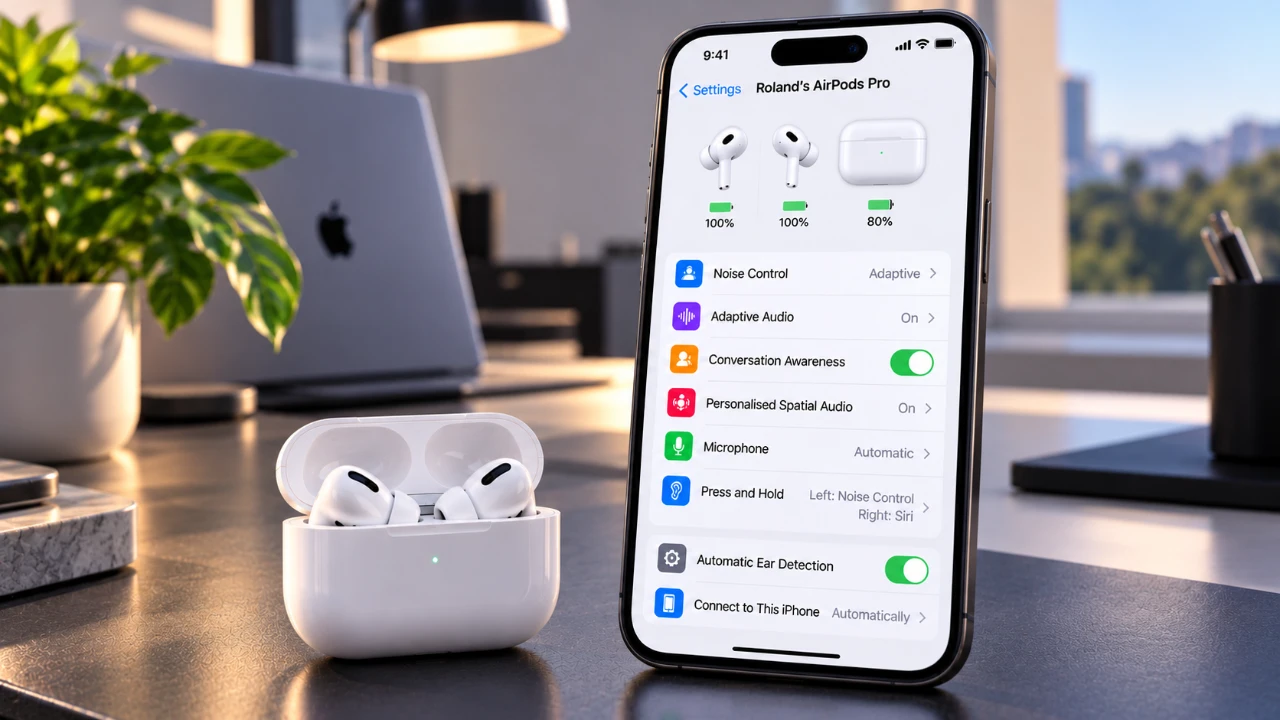
Customizing your AirPods settings can significantly enhance your audio experience, offering features tailored to your unique preferences. With the advancements in iOS 27, Apple provides a wide range of options, from sound personalization to gesture controls and accessibility enhancements. The video below from Apple will take you through the essential steps to optimize your AirPods, making sure you unlock their full potential and enjoy a seamless, personalized experience.

1: Connecting Your AirPods
Before you can begin customizing your AirPods, it’s crucial to establish a proper connection with your iPhone. Follow these steps to ensure your AirPods are ready for use:
- Place your AirPods in your ears or open the charging case near your iPhone.
- Wait for the connection prompt to appear on your iPhone screen and tap “Connect.”
- Navigate to the Bluetooth settings on your iPhone and select your AirPods to confirm the connection.
A stable connection is essential to access the full suite of features available in iOS 27, allowing you to customize your AirPods to your liking.
2: Exploring Listening Modes
AirPods come equipped with three distinct listening modes, each designed to adapt to different environments and listening needs. Understanding and using these modes can greatly improve your audio experience:
- Transparency Mode: This mode allows you to hear ambient sounds while listening to audio, making it ideal for situations where you need to stay aware of your surroundings, such as walking in busy areas.
- Noise Cancellation: By blocking out external noise, this mode provides a more immersive listening experience, perfect for focusing on music, podcasts, or calls in noisy environments.
- Adaptive Audio: A hybrid of Transparency and Noise Cancellation, this mode lets you adjust noise levels using a slider in the settings menu, offering a balance between awareness and immersion.
Switching between these modes is simple and ensures your AirPods deliver optimal performance in any setting.
3: Personalizing Audio and Sound
For a truly tailored listening experience, iOS 27 offers several sound customization options that allow you to fine-tune your AirPods’ audio output:
- Personalized Spatial Audio: This feature creates a 3D sound profile based on the unique shape of your ears, delivering a more immersive and natural sound experience.
- Equalizer: Adjust audio frequencies such as bass, mids, and treble to suit your preferences. This feature is available on supported AirPods models.
- Conversation Awareness: Automatically lowers the audio volume and amplifies voices when someone speaks to you, making sure you never miss important conversations.
These tools allow you to customize your AirPods’ sound output to match your personal preferences and listening habits.
4: Using Hearing Health Features
For users with AirPods Pro (2nd generation) or later, Apple has introduced advanced hearing health features designed to protect your ears while maintaining excellent sound quality:
- Hearing Test: This feature evaluates your hearing and adjusts the audio output to suit your specific needs, making sure a comfortable listening experience.
- Hearing Protection: Monitors sound levels and provides alerts if your exposure exceeds safe thresholds, helping to prevent potential hearing damage.
These features are particularly beneficial for long-term AirPods users who prioritize hearing health.
5: Customizing Controls and Gestures
AirPods offer a variety of customizable gesture controls, making it easier to interact with your device without needing to reach for your iPhone. You can configure the following gestures to suit your preferences:
- Press-and-Hold Gestures: Assign actions such as activating Siri, switching listening modes, or performing other tasks.
- Call Control Gestures: Answer or end calls with a simple tap on your AirPods.
- Head Gestures: Enable hands-free navigation by nodding or shaking your head to perform specific actions.
- Camera Remote Gestures: Take photos or videos remotely using your AirPods as a camera trigger.
- Volume Swipe Gestures: Adjust audio levels directly on your AirPods with a swipe motion.
These intuitive controls enhance the convenience and functionality of your AirPods, allowing you to interact with your device effortlessly.
6: Using Live Translation
Live Translation is a powerful feature that facilitates real-time multilingual communication. By downloading supported languages in the settings menu, you can use your AirPods to translate conversations instantly. This feature is particularly useful for:
- Traveling in foreign countries where you may encounter language barriers.
- Engaging in international business meetings or collaborations.
Keep in mind that the availability of Live Translation depends on your AirPods model, firmware version and region.
7: Adjusting Accessibility Settings
Apple has integrated several accessibility features into iOS 27 to ensure AirPods are inclusive and user-friendly for individuals with diverse needs. These settings include:
- Adjusting press speed and press-and-hold duration to make controls easier to use.
- Customizing volume swipe gestures for better accessibility and precision.
These options ensure that AirPods remain versatile and accessible to all users, regardless of their physical or sensory abilities.
Additional Tips for Maximizing Your AirPods
To get the most out of your AirPods, consider the following tips:
- Ensure your AirPods firmware is regularly updated to access the latest features and improvements.
- Check your iPhone’s compatibility to confirm it supports all available AirPods settings and features.
- Explore the settings menu thoroughly to discover additional features that may enhance your experience.
By staying informed and proactive, you can ensure your AirPods continue to deliver exceptional performance tailored to your needs.
Here is a selection of other guides from our extensive library of content you may find of interest on AirPods.
- Apple AirPods Pro 4 Leaked: Massive Upgrades and New Design Revealed
- The AirPods Ultra Are Reportedly Set for Launch Next Month
- Apple AirPods 5 Leaked: Apple’s Next-Gen Earbuds Revealed
- New AirPods Features Coming to Your iPhone in iOS 27
- Leaked AirPods Pro 4 Specs Reveal Cameras and Extra Features
- Leak: Apple AirPods Pro Ultra May Bring the Biggest Upgrade
Source: Apple Support
Disclosure: Some of our articles include affiliate links. If you buy something through one of these links, Geeky Gadgets may earn an affiliate commission. Learn about our Disclosure Policy.
