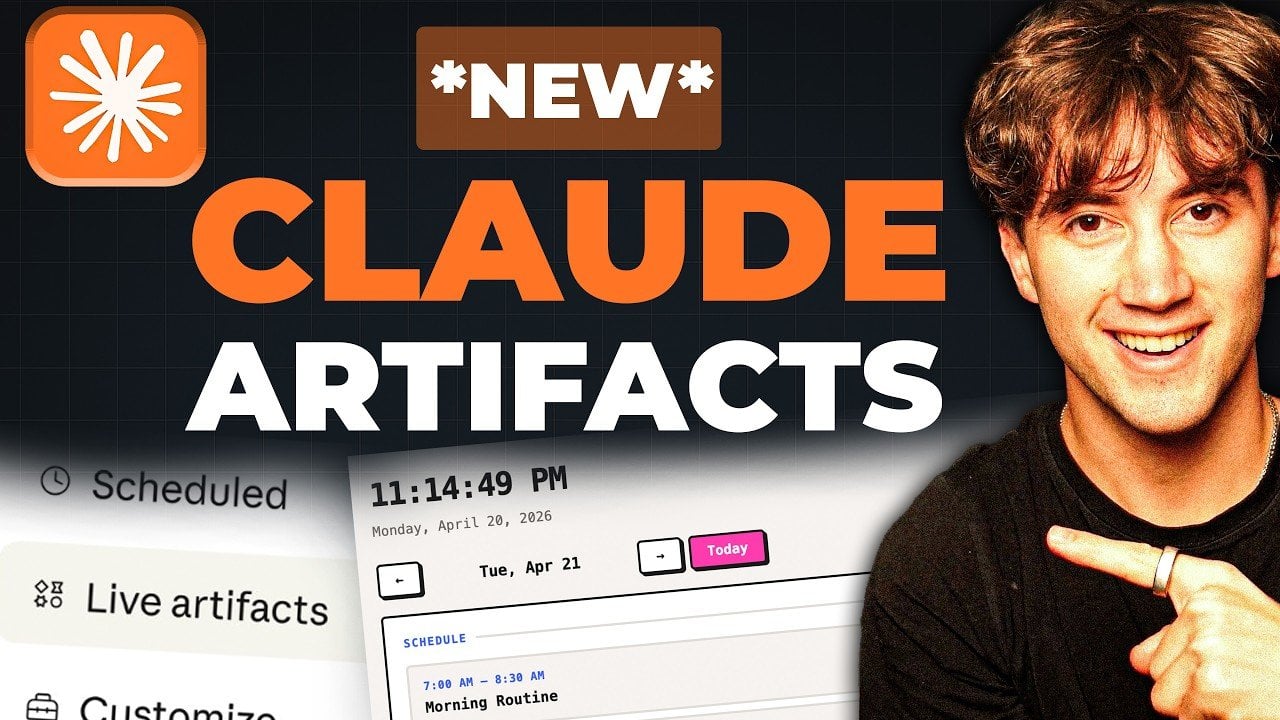
AI Foundations has introduced “Live Artifacts,” a feature within its Claude Co-work platform that focuses on real-time workflow management through interactive dashboards. These dashboards integrate with services like Gmail, Slack, Notion and Google Calendar, allowing users to centralize tasks, data and communications. For example, Live Artifacts can automatically sync calendar events, summarize email threads and track project milestones, making sure updates are reflected immediately as changes occur. This approach provides a structured way to manage both individual and collaborative workflows.
Explore how Live Artifacts supports real-time data syncing and dynamic updates to streamline project management. Gain insight into its customization options, including building tailored dashboards with interactive elements or using Python scripting for advanced use cases. This release recap will also highlight practical scenarios, from organizing daily priorities to coordinating complex team projects, to help you better understand its potential applications.
What Are Live Artifacts?
TL;DR Key Takeaways :
- Live Artifacts, a feature in Claude Co-work, offers real-time interactive dashboards that centralize task, data and communication management.
- Seamlessly integrates with platforms like Notion, Gmail, Google Calendar and Slack, allowing automation and streamlined workflows.
- Provides extensive customization options, allowing users to design tailored dashboards with layouts, color schemes and advanced integrations.
- Supports diverse applications such as task management, project pipelines and centralized data management for individuals and teams.
- Enhances productivity by consolidating multiple tools into a single interface, fostering collaboration and simplifying operations.
Live Artifacts are dynamic dashboards that continuously sync with your connected tools, making sure your data remains up-to-date. Unlike traditional static dashboards, these artifacts actively pull live data, allowing you to monitor and manage information in real-time. From tracking calendar events to summarizing emails or updating CRM systems, Live Artifacts provide a centralized hub for overseeing multiple workflows with efficiency and precision.
This feature is designed to address the challenges of managing fragmented systems by consolidating data and tasks into one cohesive interface. Whether you’re juggling personal schedules or managing complex team projects, Live Artifacts offer a streamlined solution to keep everything organized and accessible.
Key Features and Functionalities
Live Artifacts are equipped with a range of features that enhance workflow management by integrating seamlessly with popular platforms. These core functionalities include:
- Real-time data syncing: Automatically updates information from tools like Notion, Slack, Gmail and Google Calendar, making sure your dashboards reflect the latest changes.
- Dynamic updates: Tracks and reflects changes as they occur in connected platforms, providing accurate and timely information.
- Versatile data display: Offers multiple formats, such as task lists, calendar views and project pipelines, to suit diverse workflow needs.
These features make Live Artifacts a flexible and robust solution, capable of handling both simple and complex workflows with ease.
Advance your skills in Claude by reading more of our detailed content.
- Claude Opus 4.7 Leaks & Anthropic’s Full-Stack AI Studio
- NotebookLM Update Adds Claude Integration for Workflows
- Why Claude Mythos is Setting a New Benchmark for AI
- Claude Mythos Delayed: Inside Anthropic’s Decision
- A Quick Guide to Claude Mythos & the Latest AI Releases
- Claude Code 2 Adds Multi-Agent Code Review for Team & Enterprise
- OpenAI Codex and Claude Desktop: The Best AI Updates for Professionals
- Claude Code 2 Feature Update: Automation, Workspace Links, and Skill Scoring
- Claude Sonnet 5 vs Gemini 3 : Expected Strengths & Costs Compared
- Claude Sonnet 5 Leak Shows 1M Tokens and Faster TPU Training
Customization to Fit Your Needs
One of the most compelling aspects of Live Artifacts is its extensive customization capabilities. Users can design dashboards tailored to their unique requirements, selecting layouts, color schemes and data types to match their preferences. Interactive buttons can be added to trigger automations, while advanced users can incorporate Python-based tools or other integrations for more sophisticated workflows.
This level of adaptability ensures that Live Artifacts can cater to a wide range of use cases, from personal task management to complex team operations. Whether you’re creating a simple to-do list or a comprehensive project management system, the customization options allow you to build a dashboard that aligns perfectly with your goals.
Practical Applications
Live Artifacts are versatile and can be applied across various scenarios, making them suitable for individuals, teams and organizations. Some practical applications include:
- Task management: Consolidate to-do lists, deadlines and progress tracking into a single, organized interface.
- Project pipelines: Monitor project statuses, resource allocation and milestones in real-time for better oversight.
- Centralized data management: Sync information from multiple tools to create a unified view of your workflows.
- Mission control dashboards: Gain a comprehensive overview of daily, weekly, or monthly activities to stay on top of priorities.
These use cases demonstrate the potential of Live Artifacts to enhance productivity and simplify operations across a variety of professional and personal contexts.
User-Friendly Experience
Live Artifacts are designed with user experience in mind, offering an intuitive and accessible interface. Integrated directly into the Claude Co-work sidebar, the feature is easy to navigate, with drag-and-drop functionality simplifying the process of building and customizing dashboards. Whether you’re creating a basic personal dashboard or a complex system for team collaboration, the platform ensures a seamless experience.
For advanced users, Live Artifacts support integrations with Python tools and other connectors, allowing greater flexibility and functionality. This makes it possible to design highly specialized workflows that cater to unique needs, further enhancing the tool’s versatility.
Impact on Productivity
The introduction of Live Artifacts marks a significant advancement in productivity tools. By consolidating multiple platforms into a single, customizable interface, users can save time and reduce the complexity of managing disparate systems. This feature enables the creation of mission control-style dashboards, allowing individuals and teams to oversee all aspects of their workflows from one centralized location.
For teams, Live Artifacts provide a scalable solution for managing live data and fostering collaboration. By offering real-time updates and a unified view of tasks and projects, the feature helps teams stay aligned, improve communication and work more efficiently. Whether you’re managing a small team or a large organization, Live Artifacts deliver the tools needed to enhance productivity and achieve better outcomes.
Redefining Workflow Management
Claude’s Live Artifacts set a new standard for workflow management by combining real-time data syncing, extensive customization and seamless integration with popular tools. Whether you’re an individual seeking to streamline daily tasks or a team aiming to improve collaboration, this feature offers the flexibility and efficiency required to succeed. With its focus on adaptability and productivity, Live Artifacts are poised to become an essential tool for modern professionals and organizations alike.
Media Credit: AI Foundations
Disclosure: Some of our articles include affiliate links. If you buy something through one of these links, Geeky Gadgets may earn an affiliate commission. Learn about our Disclosure Policy.
