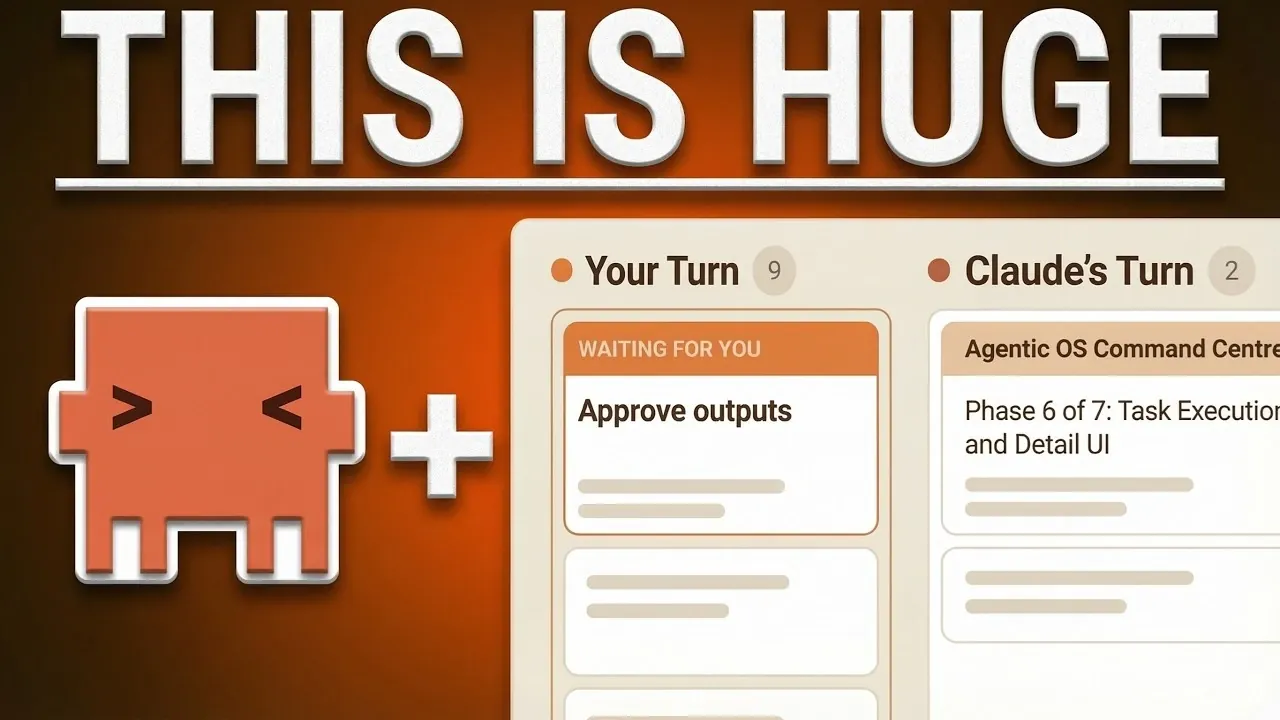
For many business users, relying on terminal-based workflows to manage Claude Code sessions can feel like a practical choice, but it often creates more challenges than it solves. Simon Scrapes highlights how custom command center workflows, designed with developers in mind, fall short for business-oriented tasks. The linear nature of terminal interfaces forces users to juggle multiple sessions manually, leading to mental fatigue and inefficiencies. Without a system that integrates broader contexts, such as strategic objectives or client-specific details, business users risk losing sight of their overarching goals, making it harder to achieve meaningful outcomes.
This feature explores how shifting away from terminal workflows can unlock more effective ways to collaborate with Claude agents. You’ll gain insight into why terminal interfaces limit productivity, learn how a goal-oriented command center built on the Aentic OS addresses these gaps and discover practical strategies for aligning tasks with broader business objectives. By the end, you’ll understand how to streamline workflows and focus on achieving results that truly matter.
The Problem with Terminal Workflows
TL;DR Key Takeaways :
- Terminal-based workflows are inefficient for business users, causing mental fatigue and limiting the potential of Claude agents in managing complex, multi-layered tasks.
- Existing tools like T-Mux, desktop apps and Kanban boards fail to integrate broader business contexts, making them unsuitable for aligning tasks with strategic goals.
- The proposed solution is a goal-oriented command center built on the Aentic OS, designed to prioritize strategic objectives over individual session management.
- Key features of the command center include goal-oriented task management, iterative workflows, centralized skill management, multi-client support and automated updates.
- The command center bridges the gap between task execution and business goal alignment, offering a Kanban-style dashboard for visualizing progress and enhancing efficiency for business users.
Terminal workflows are inherently linear, requiring you to manage one task or session at a time. This structure becomes increasingly inefficient when working with multiple Claude agents. Switching between terminal tabs or panes disrupts focus and leads to mental fatigue, especially when managing complex, multi-layered tasks. For business users, this inefficiency is further compounded by the lack of tools that integrate broader contexts, such as client-specific details, strategic objectives, or overarching project goals.
While developers may find terminal workflows sufficient for coding tasks, they fall short when applied to business-oriented workflows. Without a high-level overview, it becomes difficult to track progress, prioritize tasks, or ensure outputs align with business objectives. This gap highlights the need for tools that go beyond session management, focusing instead on achieving meaningful and measurable outcomes.
Why Existing Tools Fall Short
Several tools attempt to address the limitations of terminal workflows, but most are designed with developers in mind, leaving business users underserved. Here’s why these tools fail to meet the unique needs of business-focused task management:
- T-Mux: While T-Mux allows multitasking by splitting terminal panes, it lacks a centralized view for managing tasks across multiple agents. It is a utility for developers, not a strategic management tool for business users.
- Desktop Apps: Graphical interfaces simplify single-session management but fail to integrate broader business contexts or support efficient multitasking across projects.
- Kanban Boards: Tools like Kanban are excellent for visualizing workflows but are primarily designed for development teams. They don’t cater to the unique needs of business users managing goals, client details and strategic outputs.
- Paperclip: Although robust for organizing information, Paperclip’s complexity makes it unsuitable for straightforward business tasks and it doesn’t effectively streamline workflows.
These tools, while effective for coding workflows, fail to bridge the gap between task execution and business goal management. For business users, this disconnect can lead to missed opportunities, inefficiencies and a lack of alignment between tasks and strategic objectives.
Below are more guides on Claude Code from our extensive range of articles.
- Anthropic Claude Code Review Preview: Multi-Agent Pull Request Reviews
- The Claude Code Leak Explained: Kyros, Ultra Plan & New Models
- Claude Code Skills 2.0 : Workflow Skills vs Capability Uplift Skills
- Claude Code 2 Feature Update: Automation, Workspace Links, and Skill Scoring
- Tired of Claude Code Permission Prompts? Try This New Feature
- Claude Code Leak Reveals Architecture, Commands, Memory & More
- Nested Claude Code System for Parallel Work in Tmux on macOS
- Claude Code 2.1 Custom Output Modes for Beginners & Pros
- Claude Code 2 Adds Multi-Agent Code Review for Team & Enterprise
- Guide to Installing Claude Code on Windsurf and Cursor
The Solution: A Goal-Oriented Command Center
To overcome these challenges, a new approach is required: a goal-oriented command center built on the Aentic OS. This system is specifically designed for business users, shifting the focus from managing coding sessions to achieving strategic goals. By integrating business context and streamlining workflows, the command center provides an intuitive and efficient way to manage tasks, making sure that outputs are aligned with broader objectives.
What Makes the Command Center Different?
The command center introduces features tailored to the needs of business users, making it a powerful tool for task management. Here’s what sets it apart:
- Goal-Oriented Task Management: The system prioritizes aligning tasks with overarching business objectives, making sure that every output is relevant and impactful.
- Iterative Workflows: Collaboration with Claude agents is seamless, allowing real-time adjustments and refinements to tasks as priorities evolve.
- Centralized Skill Management: The command center tracks agent expertise and documentation, making it easier to assign tasks to the most suitable resources.
- Multi-Client Support: Business contexts, such as brand voice, client-specific details and project goals, are integrated directly into workflows, allowing for efficient management of multiple projects simultaneously.
- Automated Updates: Recurring tasks can be scheduled and automated, reducing manual effort and making sure consistency across projects.
Additionally, the command center features a Kanban-style dashboard that provides a visual overview of tasks and their progress. This combines the best aspects of traditional project management tools with the unique capabilities of autonomous agents, offering a comprehensive solution for business users.
Why It’s Time to Move Beyond the Terminal
The limitations of terminal-based workflows are clear, particularly for business users who need to focus on managing goals rather than individual coding sessions. Existing tools like T-Mux, desktop apps and Kanban boards fail to address the gap between task execution and strategic goal alignment. The command center, built on the Aentic OS, bridges this divide by integrating business context, streamlining workflows and prioritizing outcomes.
By adopting a goal-oriented system, you can fully use the capabilities of Claude agents while minimizing inefficiencies. The command center represents a significant shift in task management, aligning with the needs of modern businesses. It’s time to move beyond the constraints of terminal workflows and embrace tools that empower you to focus on what truly matters: achieving your goals efficiently and effectively.
Media Credit: Simon Scrapes
Disclosure: Some of our articles include affiliate links. If you buy something through one of these links, Geeky Gadgets may earn an affiliate commission. Learn about our Disclosure Policy.
