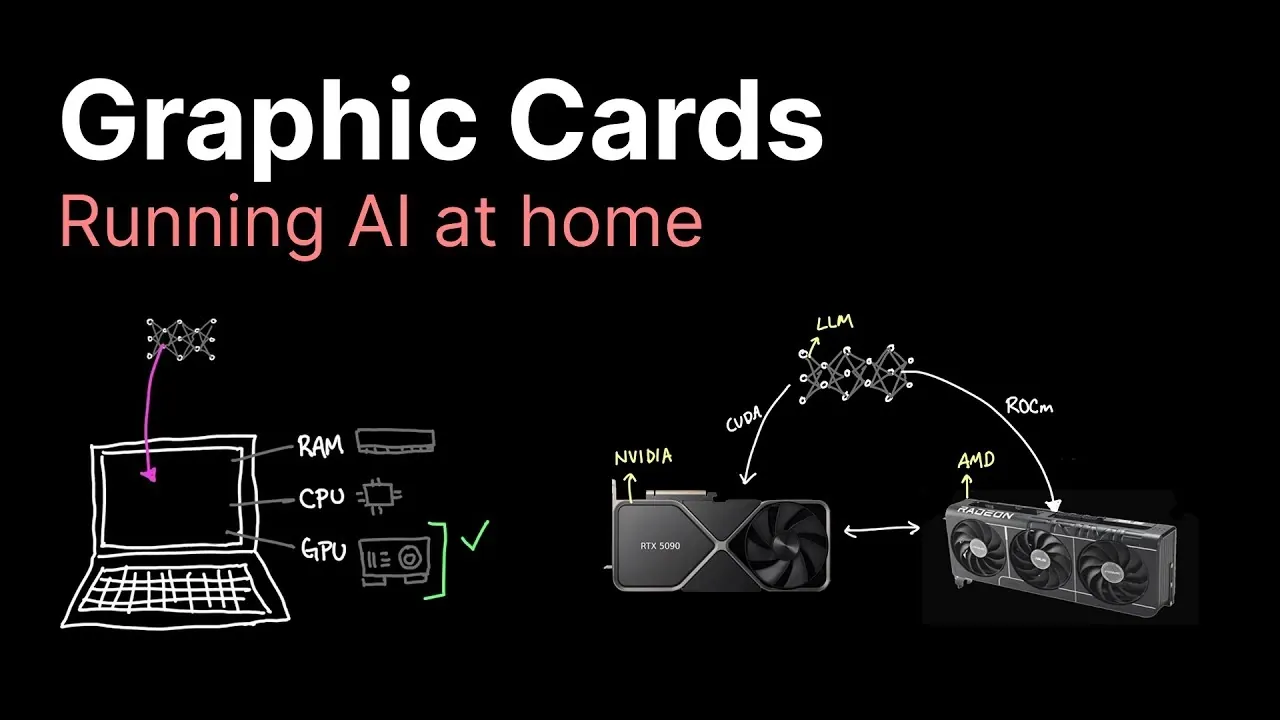
What if the key to unlocking the full potential of artificial intelligence was sitting right inside your computer? As AI continues to transform industries, from healthcare to creative arts, the tools to harness its power are becoming more accessible than ever. Yet, one critical piece of the puzzle often goes overlooked: the graphics card. While CPUs have long been the backbone of computing, they falter when faced with the immense parallel processing demands of AI workloads. Enter GPUs, specialized hardware that can process billions of calculations simultaneously, making them indispensable for running AI models efficiently. Whether you’re training a neural network or deploying a chatbot, the right GPU can mean the difference between hours and seconds.
This exploration by Caleb provides more insights into the essential role GPUs play in AI, guiding you through the maze of options to find the perfect fit for your needs. From budget-friendly models to high-end powerhouses, we’ll uncover how factors like VRAM, computational power, and scalability influence performance. You’ll also discover the trade-offs between local hardware and cloud-based solutions, as well as future trends shaping the AI landscape. By the end, you’ll not only understand why GPUs are critical for AI but also feel equipped to make informed decisions tailored to your projects. After all, in the rapidly evolving world of AI, the right hardware isn’t just a tool, it’s your competitive edge.
Choosing the Best GPU
TL;DR Key Takeaways :
- GPUs are essential for running AI models locally due to their parallel processing capabilities, which outperform CPUs for complex AI tasks.
- GPU selection depends on budget and model complexity, with options ranging from affordable GPUs like the RTX 3060 to high-end models like the RTX 5090, each offering varying levels of VRAM and computational power.
- Key performance factors to consider include VRAM, computational power, memory bandwidth, and techniques like quantization, which can optimize resource usage but may impact accuracy.
- Cloud GPU rentals are a cost-effective alternative for short-term projects, but local GPUs are better suited for long-term use and data-sensitive applications.
- Future trends emphasize scalability, used GPU risks, and balancing cost-efficiency with performance, making sure readiness for evolving AI workloads and privacy needs.
Why GPUs Are Essential for AI
CPUs are built for general-purpose computing and excel at handling sequential tasks. However, they often struggle with the computational demands of large AI models due to their limited ability to process tasks in parallel. In contrast, GPUs are optimized for parallel processing, making them ideal for AI workloads. Their architecture allows them to handle tensor operations efficiently, which is essential for training and running AI models.
For smaller AI models, CPUs may suffice, but as the complexity of the model increases, the need for a GPU becomes unavoidable. GPUs enable faster computations, smoother performance, and the ability to handle larger datasets. Without a GPU, running advanced AI models locally can lead to significant delays or even make certain tasks impossible.
GPU Options Across Price Ranges
The right GPU for your AI needs depends largely on your budget and the complexity of the models you plan to run. Below is a breakdown of GPU options across various price ranges, highlighting their capabilities and limitations:
- $0–$300: GPUs like the GTX 1080 Ti or RTX 3060 are affordable and suitable for smaller models, handling up to 10 billion parameters. However, their limited VRAM and computational power make them less effective for larger models or more demanding tasks.
- $800: The RTX 3090, with 24 GB of VRAM, is a popular choice for AI enthusiasts. It strikes a balance between cost and performance, supporting models with up to 30 billion parameters and offering reliable results for most AI workloads.
- $2,000: The RTX 4090 delivers higher computational power but only a modest increase in VRAM compared to the RTX 3090. While it offers improved performance, its high price may not justify the incremental gains for all users.
- $3,000: The RTX 5090, featuring 32 GB of VRAM, is designed for larger models and advanced AI tasks. However, its steep cost may deter casual users, especially when multiple mid-range GPUs can achieve similar results at a lower price.
- AMD Alternatives: GPUs like the RX7900 XTX (24 GB VRAM) provide a cost-effective option for users willing to navigate software compatibility challenges. Most AI frameworks are optimized for NVIDIA hardware, making AMD GPUs less user-friendly but still viable with proper configuration.
Graphic Cards for Local AI Processing

Here are additional guides from our expansive article library that you may find useful on running local AI.
- Local AI Setup Guide for Apple Silicon : Get a Big Boosts for Speed
- How to Set Up a Local AI Assistant Using Cursor AI (No Code
- How the NVIDIA DGX Spark Redefines Local AI Computing Power
- How to build a high-performance AI server locally
- Build a Local Qwen3-VL AI Security System with Drones & Phones
- How OpenAI GPT-OSS Are Making Local AI Accessible to All
- Why Local AI Processing is the Future of Robotics
- Running AI Locally: Best Hardware Configurations for Every Budget
- How to Set Up a Local AI System Offline Using n8n
- How to Build a Local AI Voice Assistant with a Raspberry Pi
Performance Factors to Consider
Several factors determine how well a GPU performs in AI tasks. Understanding these factors can help you select the right hardware for your specific requirements:
- VRAM: The amount of VRAM directly impacts a GPU’s ability to handle large AI models. Insufficient VRAM can lead to performance bottlenecks or prevent models from running altogether.
- Computational Power: The number of CUDA cores (for NVIDIA GPUs) or compute units (for AMD GPUs) affects how quickly a GPU can process data. Higher computational power translates to faster performance.
- Quantization: This technique reduces the precision of model parameters to lower resource requirements. While it can save VRAM and improve speed, it may slightly compromise accuracy, making it a trade-off to consider.
- Memory Bandwidth: The speed at which data moves within the GPU influences overall performance. High-end GPUs often face bottlenecks in this area, limiting their potential gains despite their advanced specifications.
Cloud GPU Rentals vs. Local Hardware
For users with short-term AI projects or limited budgets, renting GPUs from cloud providers such as Lambda or Coreweave can be a practical alternative. Cloud services offer access to high-performance GPUs without requiring an upfront investment in hardware. This option is particularly useful for testing models or handling temporary workloads.
However, for long-term projects or applications involving sensitive data, investing in local hardware may be more cost-effective and secure. Local GPUs provide greater control over your data and eliminate the recurring costs associated with cloud rentals. When deciding between cloud rentals and local GPUs, consider factors such as project duration, budget, and the importance of data privacy.
Future Trends and Considerations
The increasing demand for privacy and customization is driving interest in running AI models locally. Investing in GPUs today not only supports current AI workloads but also prepares you for future advancements in AI technology. However, there are several trade-offs to keep in mind:
- Used GPUs: Purchasing used GPUs, especially those previously used for cryptocurrency mining, can save money. However, these GPUs may have reduced lifespans due to wear and tear, making them a riskier investment.
- High-End GPUs: While powerful, high-end GPUs like the RTX 4090 or 5090 may not be cost-effective for casual users or small-scale AI applications. Assess your specific needs before committing to such an investment.
- Scalability: For larger projects, deploying multiple mid-range GPUs can often provide better performance and cost-efficiency than relying on a single high-end GPU. This approach also offers greater flexibility for scaling workloads.
Choosing the right GPU involves balancing your budget, performance requirements, and long-term goals. While older GPUs can handle smaller models, larger and more complex models demand advanced hardware like the RTX 3090 or RTX 4090. For cost-conscious users, AMD GPUs or cloud rentals may offer viable alternatives. As AI technology continues to evolve, investing in the right hardware today ensures you are well-equipped to tackle increasingly complex AI workloads, giving you both flexibility and control over your projects.
Media Credit: Caleb Writes Code
Disclosure: Some of our articles include affiliate links. If you buy something through one of these links, Geeky Gadgets may earn an affiliate commission. Learn about our Disclosure Policy.
