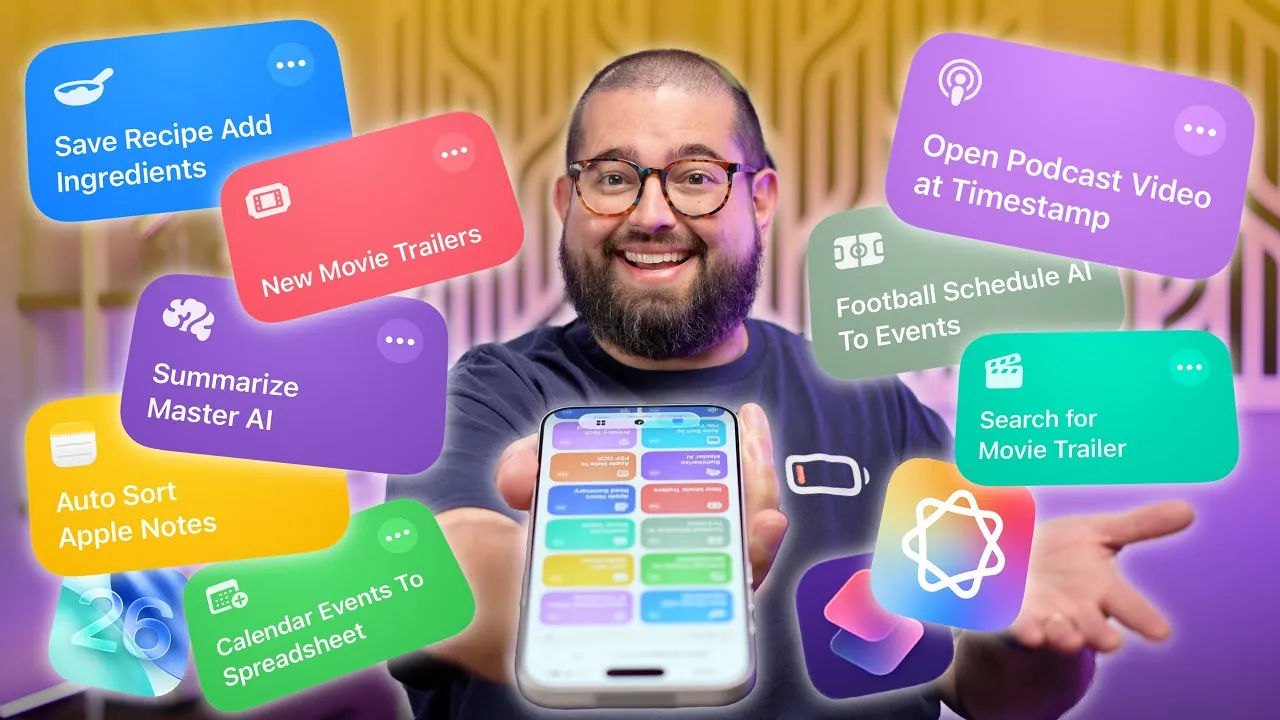
With the release of iOS 26, Apple Intelligence has redefined how you interact with your iPhone. The enhanced shortcuts now available empower you to automate tasks, organize information, and significantly boost productivity. Whether you’re managing files, syncing media, or streamlining daily routines, these tools are designed to save you time and effort while enhancing your digital experience. In the video below, Stephen Robles delves into some of the most impactful shortcuts and how they can transform the way you use your device.

Instant Access to Movie Trailers
Finding movie trailers has never been easier. By using the Movie Database API, you can create a shortcut that allows you to search for trailers by title or browse trending films instantly. Whether you’re interested in current blockbusters or upcoming releases, this feature ensures you stay updated on the latest cinematic offerings. With just a few taps, you can eliminate the hassle of manual searches and enjoy a seamless way to discover new movies.
Summarize Information in Seconds
The Master Summarizer shortcut is an essential tool for anyone handling large volumes of information. It can condense PDFs, audio files, or web pages into concise summaries tailored to your specific needs. For example, you can extract key points from a lengthy report and save them directly to Notes or Clipboard. This shortcut is particularly valuable for professionals and students who need to process information quickly and efficiently, allowing you to focus on what truly matters.
Streamline Recipe Management
Cooking enthusiasts will find the recipe management shortcut indispensable. This tool extracts recipes from Instagram captions or websites and saves them to Apple Notes for easy access. Additionally, it can automatically add ingredients to your Reminders grocery list, making sure you never forget an essential item. By simplifying meal planning and shopping, this shortcut becomes a powerful ally for home chefs, helping you focus on the joy of cooking rather than the logistics.
Stay on Top of Sports Schedules
Sports fans can now effortlessly track game schedules with this innovative shortcut. It pulls team schedules from websites and integrates them into your calendar, complete with details such as time, location, and broadcast information. You can even customize notifications to ensure you never miss a game, whether you’re following a single team or multiple leagues. This feature is perfect for staying connected to your favorite sports without the need for constant manual updates.
Seamless Podcast Timestamp Syncing
Switching between platforms while listening to podcasts has been simplified with this shortcut. It allows you to transition from Apple Podcasts to YouTube at the exact timestamp where you left off. This is particularly useful for podcasts that offer both audio and video formats, making sure a seamless listening or viewing experience without interruptions. Whether you’re at home or on the go, this feature keeps your content consumption smooth and uninterrupted.
Effortless Notes Organization
Managing your notes is now more intuitive than ever. This shortcut automatically categorizes notes into folders based on their content, such as recipes, journals, or work documents. By streamlining your note management, it helps you stay productive and ensures that important information is always easy to locate. Whether you’re organizing personal thoughts or professional documents, this tool enhances your ability to stay organized and focused.
Transcribe Audio with Keyword Detection
Transcribing audio files is no longer a tedious task. This shortcut converts audio into text while detecting specific keywords. For instance, if the word “meeting” is mentioned, it can trigger actions such as creating a calendar event or sending a notification. This functionality is ideal for professionals who need to extract actionable insights from conversations or recordings, making it a valuable tool for improving efficiency and productivity.
Export Calendar Events to Spreadsheets
Managing your schedule has been made more efficient with this shortcut. It exports calendar events, including titles, times, locations, and notes, to a Numbers spreadsheet. This feature is perfect for tracking appointments, planning projects, or sharing schedules in an organized format with colleagues or family members. By providing a clear overview of your commitments, it simplifies time management and collaboration.
Summarize Apple News Articles
Staying informed is now more convenient than ever. This shortcut summarizes Apple News articles and offers multiple options: you can listen to the summary, have the full article read aloud, or save it to Notes for later. This feature is particularly useful for multitasking or staying updated while on the go, making sure you never miss important news even during a busy day.
Enhance Your Digital Experience with iOS 26
The advanced iPhone shortcuts powered by Apple Intelligence in iOS 26 demonstrate the potential of technology to simplify and enhance your daily life. From automating workflows and organizing information to managing media and schedules, these tools are designed to help you work smarter and more efficiently. Whether you’re using an iPhone 15 Pro or another compatible device, these shortcuts empower you to take full control of your digital experience, making every interaction with your iPhone more intuitive and productive.
Take a look at other insightful guides from our broad collection that might capture your interest in Apple Intelligence.
- iOS 18.1 Release Date LEAKED! Apple Intelligence is COMING
- How to Reset Siri and Apple Intelligence on iOS 18 – Guide
- How Apple Intelligence Impacts iPhone Storage and Battery Life
- Apple Intelligence: Why It’s Struggling to Compete in the AI Market
- Apple M4 Mac Mini with Apple Intelligence Gets Official
Source & Image Credit: Stephen Robles
Disclosure: Some of our articles include affiliate links. If you buy something through one of these links, Geeky Gadgets may earn an affiliate commission. Learn about our Disclosure Policy.
