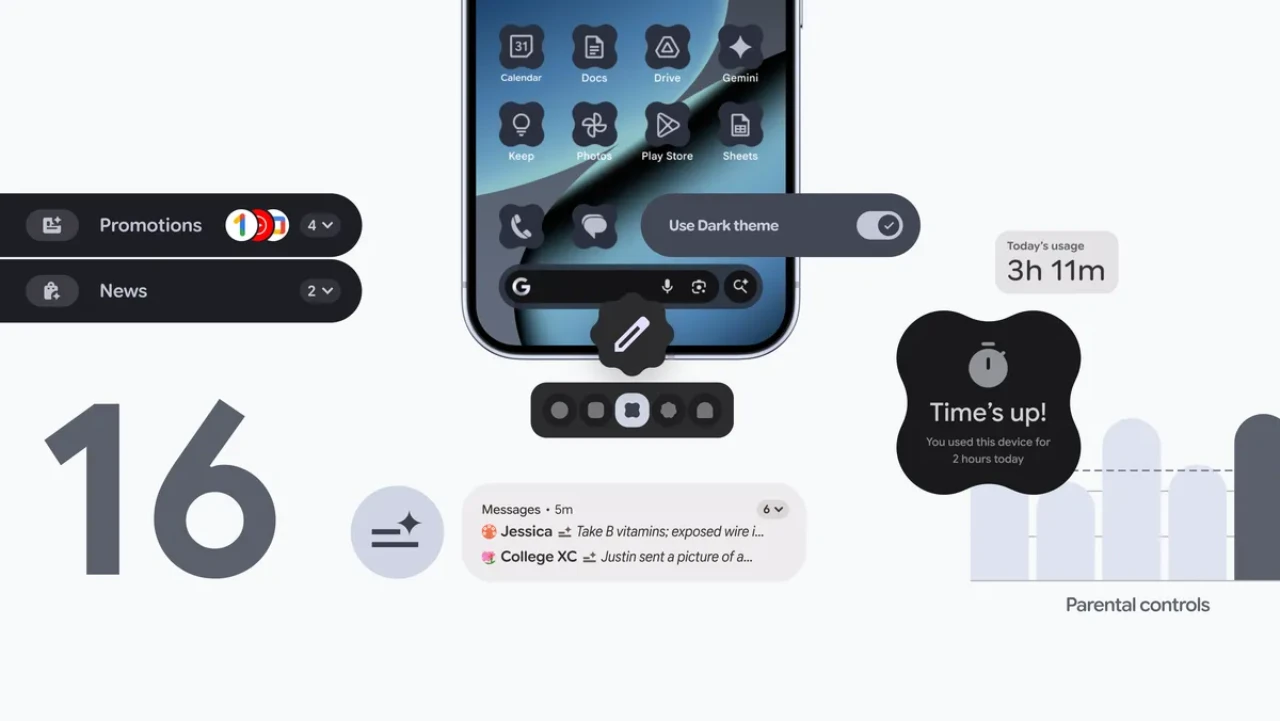
 The Android 16 QPR2 update brings a host of new features and improvements designed to enhance your experience on Pixel devices. With a focus on personalization, security, and performance, this update aims to make your device more intuitive, efficient, and enjoyable to use. The video below from In Depth Tech Reviews gives us a detailed look at the most notable changes and enhancements introduced in this update.

Lock Screen: Enhanced Customization and Functionality
The lock screen has undergone significant improvements, offering greater control over its appearance and functionality. Key updates include:
- A new clock animation paired with subtle haptic feedback creates a more tactile and engaging unlocking experience.
- Customizable lock screen widgets that can be added, resized, reordered, or removed entirely, allowing you to prioritize the information you need most.
- A “Hub mode” that displays widgets while the device is charging, providing quick access to useful tools without unlocking your phone.
- An option to disable lock screen widgets for those who prefer a minimalist and distraction-free design.
These updates empower you to tailor the lock screen to your preferences, whether you value functionality, simplicity, or a balance of both.
Home Screen: Improved Aesthetics and Usability
The home screen has received several updates aimed at enhancing both its visual appeal and usability. Notable changes include:
- A revamped search widget with vibrant colors, making it more visually dynamic and easier to spot.
- Themed app icons that are now enforced across all apps, making sure a cohesive and polished design throughout your home screen.
- New customization options for icon shapes and app shortcuts, giving you greater flexibility in organizing your apps and personalizing your device.
These enhancements make the home screen more visually consistent and user-friendly, making sure a smoother and more enjoyable navigation experience.
Widget Picker: Simplified Navigation and Management
The widget picker has been redesigned to make managing widgets more intuitive and efficient. Key improvements include:
- New “Featured” and “Browse” tabs make it easier to find the widgets you need quickly and efficiently.
- Smoother animations that contribute to a more polished and seamless user experience.
- A “Users” widget that allows you to switch profiles directly from the home screen, streamlining the process for multi-user devices.
These updates simplify the process of finding and managing widgets, making it easier to customize your device to suit your needs.
Multitasking: Smarter and More Efficient
The multitasking experience has been refined with updates to the split-screen functionality, making it more efficient and user-friendly. Key features include:
- Haptic feedback when resizing split screens provides better control and a more tactile experience.
- A new 90:10 split screen ratio, allowing you to focus on one app while keeping another in view for quick reference.
These improvements are particularly beneficial for users who frequently multitask, making sure a smoother and more productive experience.
Notification Shade and Quick Settings: Redesigned for Simplicity
The notification shade and quick settings menu have been reworked to improve usability and navigation. Key changes include:
- Arrows for seamless switching between multiple media players, making it easier to manage your audio and video playback.
- A feedback button that allows you to report notification issues directly, streamlining the process of addressing potential problems.
- Refinements to the notification history and quick settings layout, making sure a smoother and more intuitive experience.
These updates make it easier to manage alerts and settings, saving you time and effort while improving overall functionality.
System Settings and Security: Smarter and Safer
System-level updates in the Android 16 QPR2 update focus on enhancing security, accessibility, and overall usability. Key improvements include:
- Enhanced HDR brightness control, ensuring better visibility across various lighting conditions.
- A dark theme that now extends to unsupported apps, creating a more consistent and visually appealing experience.
- Redesigned security and privacy menus featuring live threat detection, along with new toggles for network notifications and 2G protection.
- Accessibility improvements, such as a “reduce blur effects” toggle, make the system more inclusive for users with visual sensitivities.
These updates ensure your device is not only more secure but also more user-friendly, catering to a diverse range of needs and preferences.
Performance and Bug Fixes: Optimized for a Smoother Experience
Performance optimizations and bug fixes are a cornerstone of this update, making sure a smoother and more reliable user experience. Key highlights include:
- Faster app launch speeds and improved system stability, as reflected in higher Geekbench scores, demonstrate tangible performance gains.
- Fixes for minor bugs, such as delayed animations in the media output switcher and misaligned media controls in quick settings, address common user concerns.
While some issues may persist, future patches are expected to address them, further refining the overall experience.
A Comprehensive Update for Pixel Users
The Android 16 QPR2 update delivers a well-rounded set of features and improvements that cater to a wide range of user needs. From enhanced customization options and smarter multitasking tools to advanced security features and performance optimizations, this update ensures a more seamless and enjoyable experience for Pixel users. With its focus on usability, personalization, and efficiency, the Android 16 QPR2 update continues to elevate the standard for mobile operating systems.
Master Android 16 QPR2 update with the help of our in-depth articles and helpful guides.
Source & Image Credit: In Depth Tech Reviews
Disclosure: Some of our articles include affiliate links. If you buy something through one of these links, Geeky Gadgets may earn an affiliate commission. Learn about our Disclosure Policy.
