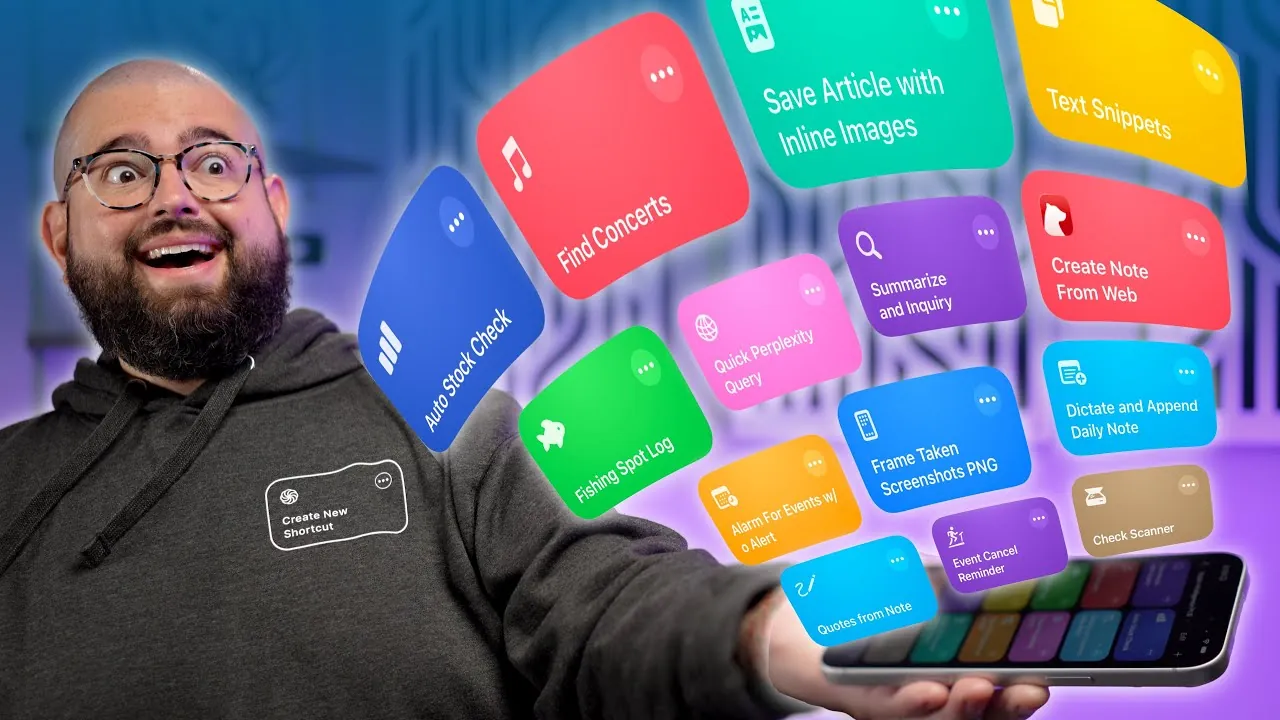
Are you searching for effective ways to save time and streamline your daily routines? These 15 shortcuts from Stephen Robles for Apple devices are designed to enhance productivity and simplify tasks. By using APIs, Apple Intelligence, and user customization, these tools provide practical solutions for a variety of needs, including stock alerts, article summarization, concert searches, and more.

Key Features That Set These Shortcuts Apart
These shortcuts are carefully crafted to simplify workflows and deliver actionable insights. Their standout features include:
- Article Summarization and Inquiry: Use ChatGPT to condense lengthy articles and ask follow-up questions. This feature is particularly helpful for analyzing complex content, such as earnings reports or detailed reviews.
- Stock Price Alerts: Automate stock price updates with the Yahoo Finance API. Customize alerts for specific stocks and receive updates on a schedule that aligns with your trading habits.
- Concert Finder: Search for concerts by artist or city using the Ticketmaster API. Get event details, dates, venues, and ticket links delivered directly to your device for easy access.
- Daily Note Dictation: Dictate and append notes throughout the day. This feature is ideal for professionals who need to document ideas, tasks, or reminders on the go.
- Clipboard Management: Save frequently used text snippets or URLs to your clipboard. Access these snippets quickly via action buttons or back taps, enhancing efficiency and reducing repetitive typing.
Enhancing Organization and Automating Repetitive Tasks
These shortcuts go beyond saving time—they also improve organization and automate repetitive processes, making your daily life more manageable. Here’s how they can help:
- Event Alerts and Reminders: Add custom alerts to calendar events or create reminders for cancellations with specific lead times. This ensures you never miss an important update or deadline.
- Article Saving with Inline Images: Save entire articles, including images and hyperlinks, to Apple Notes or Bear Notes. You can also manually input URLs for better categorization and organization.
- Check Scanning and Parsing: Extract key details like dates and amounts from scanned checks. Save this information directly to Apple Notes for seamless record-keeping and financial tracking.
- Custom Inspirational Quotes: Display random quotes from a user-created list. Overlay these quotes on your wallpapers for daily motivation and inspiration.
Specialized Tools for Unique Needs
For users with specific interests or niche requirements, these shortcuts offer tailored solutions that go beyond general productivity tools. They cater to unique needs while maintaining ease of use:
- Book Information Retrieval: Search for books using the Open Library API and link results to Goodreads. Add book details to reminders to keep track of your reading list and future reads.
- Screenshot Framing: Frame multiple screenshots with device outlines and save them as transparent PNGs. The shortcut also deletes the original screenshots to declutter your photo library efficiently.
- Push Notifications for Price and Stock Changes: Use Pushcut and ChangeDetection.io to monitor product availability and price changes. Receive real-time notifications for tracked items, making sure you never miss a deal.
- Fishing Spot Logger: Log fishing spots with weather details and revisit them using Apple Maps. Filter and browse past entries by date or location to create a personalized fishing journal.
- Quick Question to Perplexity AI: Ask single questions to Perplexity AI and receive concise answers. Note that this feature requires an API key for Pro or Ultra plan users.
Community Support and Learning Opportunities
These shortcuts are supported by a vibrant community and a wealth of resources, making sure you can maximize their potential and continue learning:
- Shortcut Community Support: Join a community of enthusiasts to share ideas, troubleshoot issues, and discover innovative ways to optimize your workflows.
- Live Streams and Database Access: Participate in weekly live streams and access a searchable database of shortcuts. These resources provide valuable insights and help you expand your capabilities.
The Value of These Shortcuts
These 15 shortcuts are designed to simplify your daily tasks, improve organization, and enhance productivity. Whether you’re automating stock alerts, finding concerts, or streamlining note-taking, these tools offer practical solutions tailored to your needs. By integrating APIs, Apple Intelligence, and user customization, they provide a seamless experience that enables you to focus on what truly matters. With these shortcuts, you can take control of your time and achieve more with less effort.
Explore further guides and articles from our vast library that you may find relevant to your interests in Apple Shortcuts.
- How to Automate AI Note-Taking with Apple Shortcuts and Notes
- Easily Create ChatGPT Mini Apps on Mac Using Shortcuts
- 20 Apple Shortcuts That Make Your iPhone Smarter Than Ever
- How to Use Apple Shortcuts to Organize Apple Notes Folders
- Upgrade Your iPhone: 11 New Shortcuts for a Smarter Day
Source & Image Credit: Stephen Robles
Disclosure: Some of our articles include affiliate links. If you buy something through one of these links, Geeky Gadgets may earn an affiliate commission. Learn about our Disclosure Policy.
