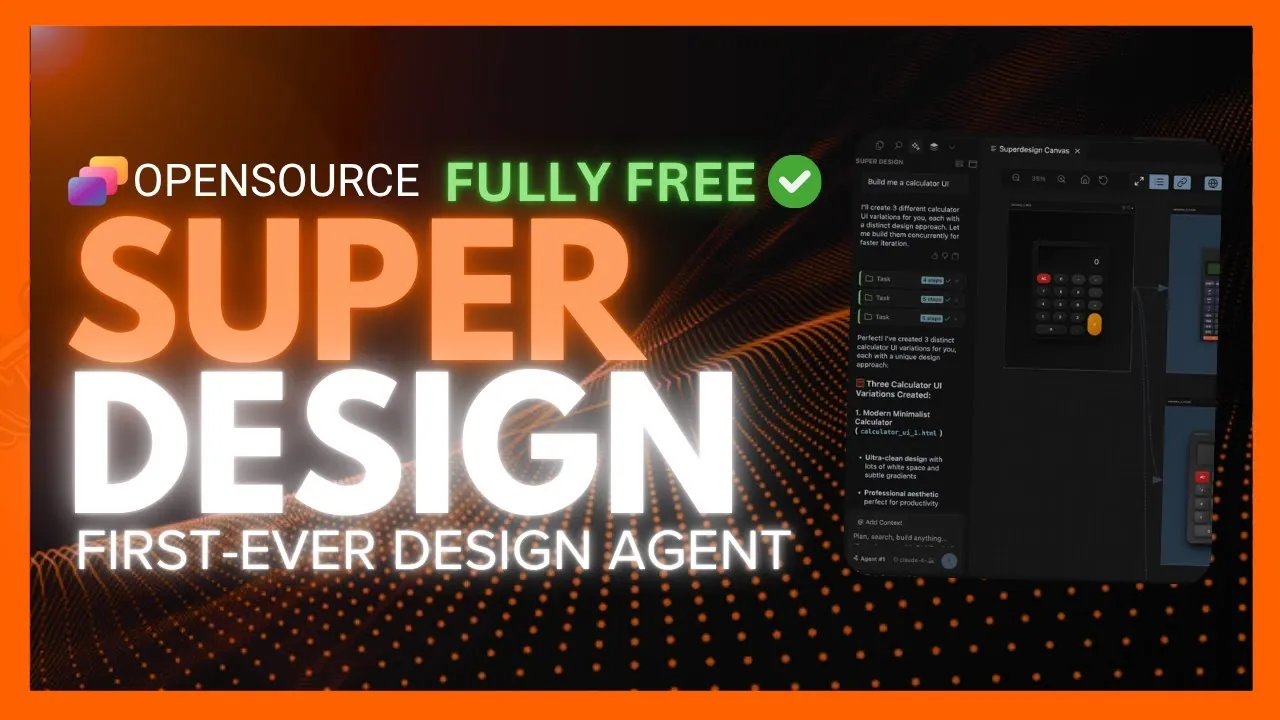
What if designing a sleek, professional-grade user interface was as simple as typing a sentence? Imagine describing your ideal mobile app or website in plain language and watching it come to life—complete with responsive layouts, polished aesthetics, and reusable components—all within minutes. Enter SuperDesign, the world’s first open source design agent that merges the power of AI with the creativity of human designers. By transforming natural language prompts into fully functional UI designs, SuperDesign is poised to transform how we approach digital design, making it faster, smarter, and more accessible than ever before.
In this overview, World of AI shows how SuperDesign is reshaping the design landscape by combining natural language processing with seamless integration into widely-used development tools like Visual Studio Code. From generating wireframes and mockups to customizing layouts and themes, this innovative tool enables designers and developers alike to focus on creativity rather than repetitive tasks. Whether you’re building a responsive SaaS platform, refining a mobile app interface, or experimenting with multiple design variations, SuperDesign offers a glimpse into the future of collaborative and efficient UI creation. Could this be the beginning of a new era in design? Let’s find out.
AI-Powered UI Design Tool
TL;DR Key Takeaways :
- SuperDesign is an open source AI-powered tool that transforms natural language prompts into professional-grade UI designs, including wireframes, mockups, and reusable components.
- It integrates seamlessly with popular IDEs like Visual Studio Code, allowing a streamlined workflow for developers and designers.
- Key features include natural language-driven UI generation, advanced customization options, support for multiple design variations, and cross-device responsiveness.
- The tool supports integration with AI models from platforms like Enthropic, OpenAI, and OpenRouter, enhancing productivity and allowing rapid design iteration.
- SuperDesign is scalable, easy to set up, and suitable for a wide range of projects, from small prototypes to enterprise-level applications, fostering collaboration and innovation in UI design.
What Makes SuperDesign Unique
SuperDesign’s standout feature is its ability to transform natural language prompts into fully functional UI designs. Whether you need a sleek landing page, a mobile app interface, or reusable components for a larger project, the tool generates layouts tailored to your specific requirements. Its integration with IDEs such as Visual Studio Code and Cursor ensures a seamless workflow, allowing you to design directly within your preferred development environment. Key features include:
- Natural language-driven UI generation, allowing quick creation of mockups and wireframes.
- Support for multiple design variations and themes, offering creative flexibility.
- Advanced customization options to refine designs based on user feedback and specific needs.
- Cross-device visualization to ensure responsiveness on phones, tablets, and desktops.
These capabilities make SuperDesign a powerful tool for producing visually appealing and functional designs with minimal manual effort, empowering users to focus on creativity and innovation.
Seamless Workflow Integration
SuperDesign is engineered to integrate effortlessly into your existing workflow, enhancing productivity and collaboration. Its compatibility with backend systems and APIs, including platforms like Enthropic, OpenAI, and OpenRouter, allows you to harness advanced AI models for generating and refining designs. This integration supports the rapid creation of complete UI screens and reusable components, significantly reducing the time spent on repetitive tasks.
The tool’s built-in visualization feature ensures that your designs are responsive and user-friendly across various devices. Whether you’re developing a SaaS application, a mobile-first project, or a complex web platform, SuperDesign equips you with the tools to create adaptable and intuitive interfaces that meet modern design standards.
SuperDesign AI Design Agent : Cursor for Design

Explore further guides and articles from our vast library that you may find relevant to your interests in AI design.
- Qwen 3 : The Open Source AI That Outperforms the Competition
- Microsoft Phi-4 : Open source AI Model Redefining Performance
- Codebase Knowledge Builder AI Tool Turns Confusing Code Into
- Gemini CLI : Google’s Open source AI Coding Assistant
- Deepseek v3.1 Review: The Best Open source LLM for Developers
- How to Easily Build Open source Chatbots with n8n AI Agents
- China’s First Fully Autonomous AI Agent : Manis (Open Source
- The Rise of Kimi K2 : Open source AI vs Corporate Giants
- Deepseek-R1-Lite Open source AI for Logical Reasoning & Coding
- OpenAI Deep Research vs Open source Alternatives
Customization and Iterative Design Capabilities
SuperDesign excels in providing robust customization and iterative design options, allowing you to refine your work to meet precise project requirements. Users can adjust layouts, color schemes, typography, and other visual elements to align with branding guidelines or specific goals. The tool also supports the creation of multiple design variations, allowing you to test and compare different options before finalizing your designs.
For added flexibility, SuperDesign allows you to upload existing wireframes or project directories, allowing you to build upon previous work. This iterative approach ensures that the final product not only meets functional requirements but also achieves a high standard of visual appeal. By streamlining the design process, SuperDesign enables teams to deliver polished results efficiently.
Effortless Setup and Scalability
Getting started with SuperDesign is straightforward, thanks to its extension-based installation process. Users can install the tool directly from IDE marketplaces, such as the Visual Studio Code extension store. Once installed, configuring API keys for preferred AI models like Enthropic or OpenAI is quick and hassle-free, allowing immediate access to its powerful features.
SuperDesign’s support for multiple AI providers ensures flexibility and scalability, making it suitable for a wide range of projects, from small-scale prototypes to enterprise-level applications. Its open source nature also fosters continuous improvement, making sure that the tool evolves to meet the changing needs of the design and development community.
Practical Applications in Modern Design
SuperDesign’s versatility makes it an invaluable asset across various use cases in front-end development and collaborative design workflows. Some of its practical applications include:
- Creating responsive SaaS landing pages that adapt seamlessly to different screen sizes.
- Designing mobile app interfaces optimized for user experience and functionality.
- Developing complex dashboards with reusable components for efficient updates and scalability.
By automating repetitive tasks and enhancing design quality, SuperDesign enables teams to focus on solving complex problems and driving innovation. Its ability to generate high-quality designs also fosters better collaboration between developers and designers, reducing the iterative back-and-forth typically involved in the design process.
Empowering the Future of UI Design
SuperDesign represents a significant advancement in AI-driven design tools, offering a comprehensive solution for creating polished and functional user interfaces. By combining natural language processing, seamless IDE integration, and robust customization options, it simplifies the design process while maintaining high standards of quality and creativity. Whether you are a developer seeking to streamline your workflow or a designer aiming to enhance your creative output, SuperDesign provides the tools and flexibility needed to succeed in today’s fast-paced digital landscape.
As an open source tool, SuperDesign continues to evolve, driven by contributions from a growing community of developers and designers. This ensures that it remains a innovative resource, empowering users to tackle the challenges of modern UI design with confidence and efficiency.
Media Credit: WorldofAI
Disclosure: Some of our articles include affiliate links. If you buy something through one of these links, Geeky Gadgets may earn an affiliate commission. Learn about our Disclosure Policy.
