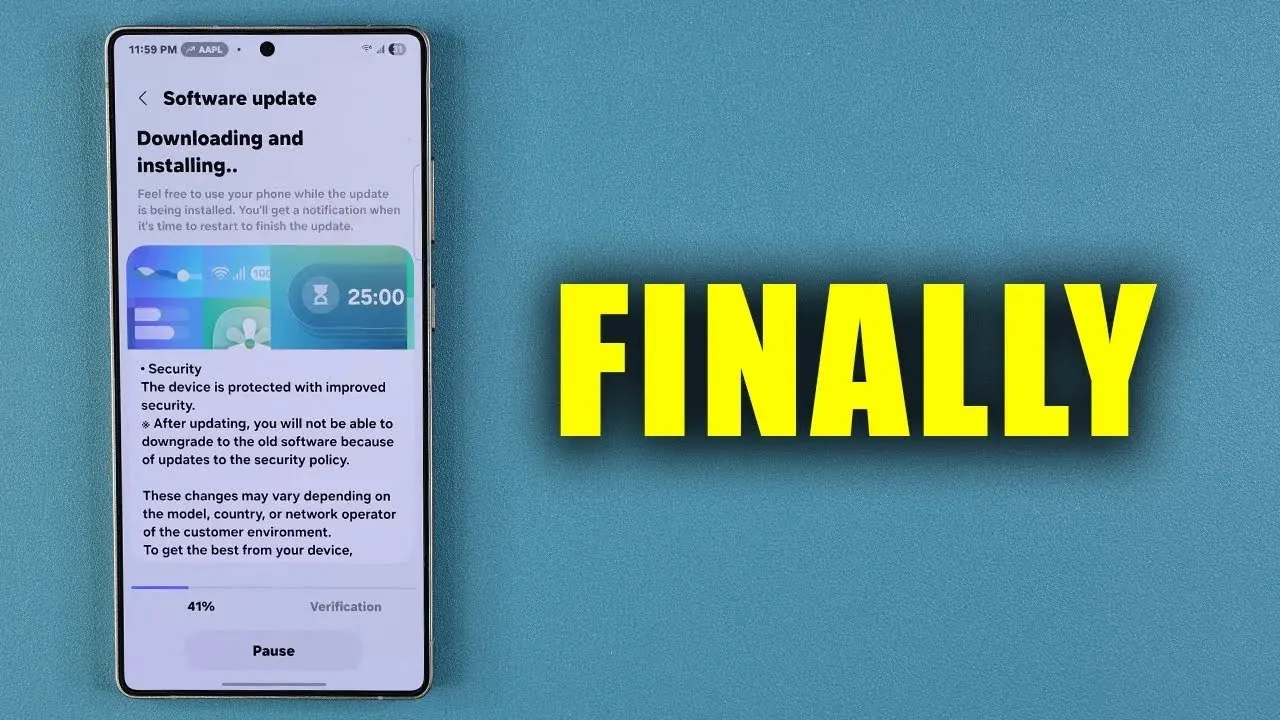
Samsung has rolled out a new software update for its Galaxy smartphones, emphasizing critical security enhancements and system performance improvements. This update is designed to protect your device from emerging vulnerabilities while making sure it operates at optimal efficiency. In the video below,
Sakitech delves into the key features of this update, why it’s essential, and how you can ensure your device stays up to date.

November Security Patch: Strengthening Device Protection
The November security patch is a cornerstone of this update, addressing a range of critical and high-level vulnerabilities. Among the most notable fixes is the resolution of insecure USB connection configurations, which previously posed a risk of unauthorized access to your device. By installing this patch, you significantly reduce the chances of cyber threats compromising your personal data or system integrity.
Regular updates are crucial in today’s digital landscape, where cyberattacks are becoming increasingly sophisticated. Outdated software can leave your device exposed to potential risks, making it imperative to stay current with the latest security measures. This patch ensures your Galaxy smartphone remains resilient against evolving threats.
Optimized System Performance for a Seamless Experience
Beyond security, this update introduces noteworthy system performance enhancements aimed at improving device stability and resource management. These optimizations are designed to deliver a smoother and more responsive user experience, whether you’re multitasking, gaming, or navigating through apps.
For advanced devices like the Galaxy Z Fold 7, these updates are particularly impactful. The improvements help maintain the functionality of complex features, making sure that your smartphone operates as intended, even under demanding conditions. By keeping your system updated, you can enjoy a device that performs reliably and efficiently.
Google Play System Updates: Bridging Security Gaps
Another critical component of this update is the Google Play system update, which addresses potential security gaps and compatibility issues. Many devices may unknowingly run outdated versions of the Google Play system, leaving them vulnerable to threats or hindering the functionality of certain features.
Updating the Google Play system ensures your device benefits from the latest security protocols and feature enhancements. This is particularly relevant for newer models like the Galaxy Z Fold 7, where advanced functionalities depend on up-to-date software to operate seamlessly. Keeping this system current is a vital step in maintaining your smartphone’s overall security and performance.
App Updates: Maximizing Functionality and Security
Updating your apps is just as important as updating your system software. Samsung system apps and those from the Google Play Store play a significant role in your device’s overall performance and security. Regular app updates provide access to new features, resolve bugs, and address vulnerabilities that could otherwise compromise your device.
For instance, updates to the Galaxy Store and Google Play Store apps not only improve app functionality but also reduce the risk of security issues. By making sure your apps are up-to-date, you enable them to work seamlessly with your device’s latest system updates, enhancing both performance and user experience.
Steps to Update Your Device
To take full advantage of these updates and keep your device secure and optimized, follow these steps:
- Navigate to your device’s settings and select “Software Update.” Check for available updates and install them promptly to ensure your system is running the latest version.
- Open the Galaxy Store and Google Play Store to update all installed apps. This step ensures you’re using the most recent versions with enhanced features and security fixes.
- Verify your Google Play system is updated by going to the “Security” section in your device settings. This ensures your device benefits from the latest security protocols.
The Importance of Updating Your Galaxy Smartphone
This software update is more than a routine release—it’s a critical step in maintaining your smartphone’s security, stability, and performance. By addressing vulnerabilities, optimizing system functionality, and making sure apps are up-to-date, Samsung enables you to protect your device and enjoy a seamless user experience.
Take a moment to check for updates today. Keeping your Galaxy smartphone updated not only safeguards your personal data but also ensures your device operates smoothly and efficiently, providing peace of mind in an increasingly connected world.
Here are more detailed guides and articles that you may find helpful on Samsung Galaxy security updates.
- How to Install Samsung Critical Security Update
- Samsung Galaxy Security Update: Everything You Need to Know
- Samsung Galaxy October 2025 Update: Key Features Explained
- Samsung Galaxy SECURITY ALERT! Disable This NOW!
- T-Mobile Galaxy S6 And S6 Edge Get November Security Update
Source & Image Credit: sakitech
Disclosure: Some of our articles include affiliate links. If you buy something through one of these links, Geeky Gadgets may earn an affiliate commission. Learn about our Disclosure Policy.
