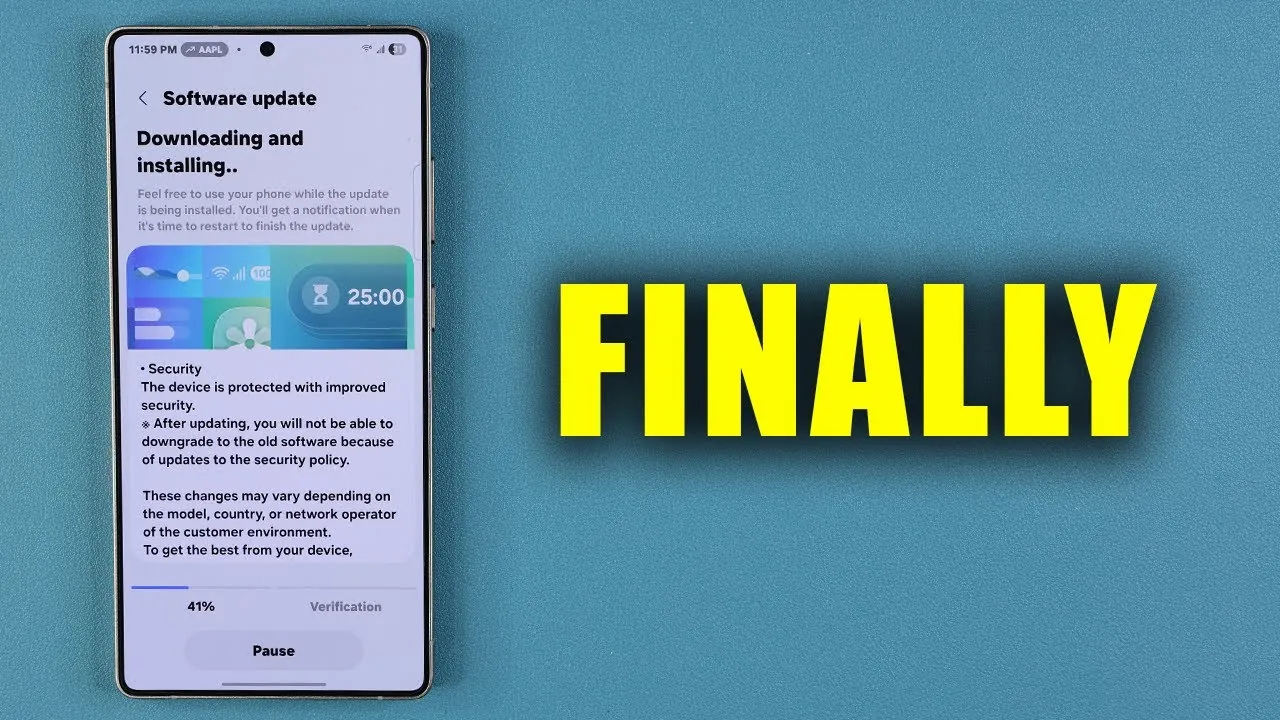
Samsung has rolled out a comprehensive software update for its Galaxy smartphones, focusing on improving performance, stability, and security. While this update does not introduce new features, it emphasizes refining the core functionality of your device. If you own a Galaxy smartphone, this update is designed to enhance your phone’s overall performance and safeguard your data, making sure a seamless and secure user experience. The video below from Sakitech gives us more details.

What’s Included in the October 2025 Update?
The October 1, 2025, software update is now available for a wide range of Galaxy devices, covering both flagship models and older generations. With a file size of approximately 500 MB, this update delivers a robust package of improvements aimed at optimizing your device’s functionality. Key highlights of this update include:
- Bug Fixes: Resolves known issues to improve system reliability and eliminate glitches that may disrupt daily use.
- Performance Enhancements: Boosts device speed and responsiveness, ensuring smoother operation even on older models.
- Stability Improvements: Enhances the overall stability of apps and system functions, reducing the likelihood of crashes or freezes.
- Security Patches: Updates the Android security patch level to address vulnerabilities, protecting your personal data from potential threats.
This update underscores Samsung’s commitment to maintaining the longevity and usability of its devices, making sure that users across its product lineup benefit from a consistent and reliable experience.
Security Updates: A Focus on Protection
Security remains a central focus of the October 2025 update. The inclusion of the latest Android security patch addresses vulnerabilities that could leave your device exposed to cyber threats. By applying this patch, Samsung ensures your Galaxy smartphone is better equipped to safeguard sensitive information such as passwords, financial data, and personal files.
For those interested in the technical details, the official Android website provides a comprehensive breakdown of the specific vulnerabilities addressed in this update. Staying informed about these fixes highlights the importance of regularly updating your device to maintain robust protection against emerging threats.
App Updates: Keeping Your Software Current
In addition to the system-level improvements, Samsung emphasizes the importance of keeping your apps up to date. The Galaxy Store offers updates for essential Samsung applications, including Samsung Notes, Samsung Pass, Samsung Internet, and Camera Assistant, making sure they remain compatible with the latest system software. Similarly, the Google Play Store provides updates for third-party apps, which are equally critical for maintaining functionality and security.
Regularly updating your apps not only ensures compatibility with the latest system enhancements but also helps prevent potential performance issues. This step is particularly important following a system update, as app developers often release updates to align with new software versions.
Performance and Stability: What to Expect
The October 2025 update is designed to deliver noticeable improvements in both performance and stability across the Galaxy device lineup. Whether you own a flagship model or an older device, you can expect faster speeds, smoother multitasking, and improved responsiveness. These enhancements are particularly beneficial for users who rely on their smartphones for demanding tasks such as gaming, video editing, or running multiple apps simultaneously.
By addressing system inefficiencies and optimizing resource allocation, this update ensures your device operates efficiently, providing a seamless experience for everyday activities. From browsing the web to streaming content, the improvements are designed to enhance the overall usability of your Galaxy smartphone.
Steps to Maximize the Update
To fully benefit from the October 2025 software update, consider implementing the following steps:
- Restart Your Device: After installing the update, restart your Galaxy smartphone to ensure all changes are properly applied and integrated into the system.
- Update Your Apps: Regularly check for updates in both the Galaxy Store and Google Play Store to maintain compatibility and optimize performance.
- Enable Automatic Updates: Turn on automatic updates for both system software and apps to stay current without the need for manual intervention.
- Clear Cache: Periodically clear your device’s cache to remove temporary files that may slow down performance after an update.
These steps will help you maximize the benefits of the update, making sure your device operates at peak efficiency while maintaining security and stability.
Why This Update Matters
The October 2025 software update reflects Samsung’s ongoing commitment to delivering a secure, reliable, and user-friendly experience for Galaxy smartphone owners. By addressing bugs, enhancing performance, and updating security protocols, Samsung ensures that your device remains efficient and protected against evolving threats.
Installing this update and keeping your apps current will not only improve your smartphone’s functionality but also provide peace of mind, knowing that your personal data is safeguarded. Whether you’re using your device for work, entertainment, or communication, this update ensures a smoother, more secure experience tailored to your needs.
Below are more guides on Samsung Galaxy software update from our extensive range of articles.
- What’s New in the Latest Samsung Galaxy Software Update
- Full Details On the Samsung Galaxy S24 Ultra Software Update
- Samsung Galaxy S25 Ultra: First Major Update Brings Notable
- Samsung Galaxy S9 On T-Mobile Update Brings Improvements
- Major Samsung Update for Galaxy Phones: What’s New?
Source & Image Credit: sakitech
Disclosure: Some of our articles include affiliate links. If you buy something through one of these links, Geeky Gadgets may earn an affiliate commission. Learn about our Disclosure Policy.
