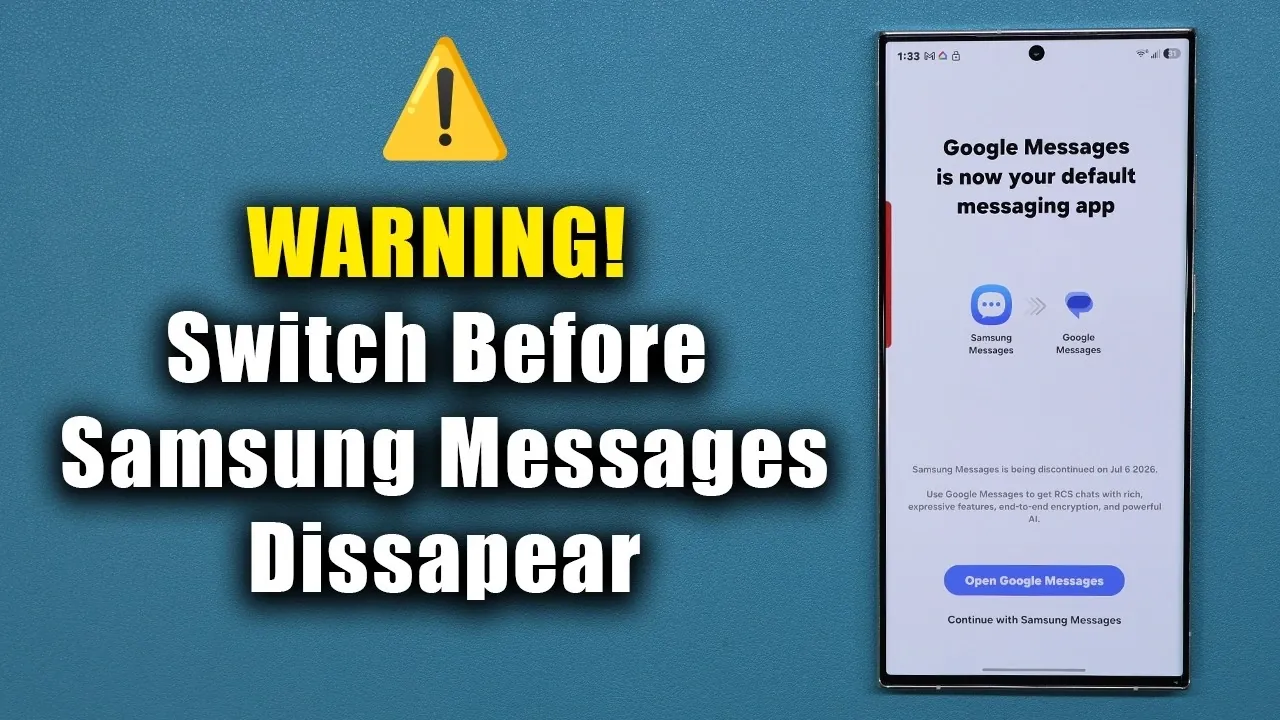
Samsung has officially announced that its Messages app will no longer be available in the United States starting July 6, 2026. If you are currently using Samsung Messages, it is essential to switch to Google Messages to ensure uninterrupted SMS and RCS communication. This change is mandatory for U.S. users, and acting promptly will help you avoid any disruptions. Below is a detailed guide to help you transition smoothly and understand the reasons behind this shift. The video below from Sakitech gives us more details.

Why Is Samsung Messages Being Discontinued?
Samsung’s decision to phase out its Messages app in the U.S. is part of a broader strategy to streamline its services and align with global standards. By adopting Google Messages as the default messaging platform, Samsung aims to provide users with a more advanced and feature-rich experience.
Google Messages supports Rich Communication Services (RCS), a modern messaging protocol that offers enhanced features such as read receipts, typing indicators, and the ability to share high-quality images and videos. These capabilities make it a superior alternative to traditional SMS apps.
It is important to note that this change only affects users in the United States. If you reside outside the U.S., you can continue using Samsung Messages without any interruptions. However, for U.S. residents, switching to Google Messages is essential to maintain seamless communication.
How to Switch to Google Messages
Transitioning to Google Messages is straightforward and can be completed in a few simple steps:
- Check if Google Messages is already installed on your Samsung device. If it is not, download it from the Google Play Store.
- Open the Google Messages app and follow the on-screen instructions to set it as your default SMS app.
- Once Google Messages is set as the default, your existing messages from Samsung Messages will automatically transfer to the new app.
Before uninstalling Samsung Messages, ensure that all your messages have been successfully transferred. If your messages do not appear immediately, allow some time for the app to index them. This process may take longer if you have a large number of messages.
What Makes Google Messages a Better Choice?
Google Messages offers several advanced features that significantly enhance the messaging experience. Here are some of the key benefits:
- Rich Communication Services (RCS): Enjoy modern messaging features like read receipts, typing indicators and the ability to share high-quality media, making conversations more interactive and engaging.
- Bubble Notifications: Stay connected to your conversations without leaving your current app, thanks to convenient bubble notifications that allow for multitasking.
- Customization Options: Personalize your messaging experience with themes, chat backgrounds and tailored notification settings to suit your preferences.
- Cross-Device Compatibility: Access your messages seamlessly across multiple devices, including tablets and desktops, for added convenience.
These features make Google Messages a robust and user-friendly alternative, offering both functionality and convenience that go beyond what Samsung Messages provides.
Tips for a Smooth Transition
To ensure a hassle-free switch to Google Messages, consider the following tips:
- Do not uninstall Samsung Messages until you have verified that all your messages have been successfully transferred to Google Messages.
- If your messages do not appear immediately in Google Messages, be patient. The app may take some time to index your data, especially if you have a large message history.
- Take some time to explore Google Messages’ features, such as RCS settings and customization options, to optimize the app for your needs.
- Ensure that your device’s software is up to date to avoid any compatibility issues during the transition.
By following these steps, you can avoid potential disruptions and fully enjoy the enhanced features of Google Messages.
Does This Change Affect Everyone?
This transition is specific to the U.S. market. If you are outside the United States, you can continue using Samsung Messages without any changes. However, if you plan to travel to or relocate to the U.S., it is advisable to switch to Google Messages in advance to ensure uninterrupted service.
For U.S. residents, the July 6, 2026, deadline is critical. Failing to switch by this date could result in the loss of access to your messaging services, making it essential to act promptly.
Prepare for the Transition Today
The discontinuation of Samsung Messages in the U.S. represents a significant shift in mobile communication. By transitioning to Google Messages, you can maintain uninterrupted messaging services while benefiting from advanced features like RCS, bubble notifications, and extensive customization options.
Do not wait until the last minute. Start the transition process today to ensure a seamless experience and avoid any disruptions to your communication. With Google Messages, you gain access to a modern, feature-rich platform that enhances how you connect with others.
Unlock more potential on Samsung’s latest flagship smartphone, the Samsung Galaxy S26 Ultra, by reading the previous articles we have written.
- Samsung Galaxy S26 Ultra: Pros, Cons, and Key Features
- Why the Samsung Galaxy S26 Ultra Redefines Smartphones
- Samsung Galaxy S26 Ultra Release Date, Features, and More
- Samsung Galaxy S26 Ultra Launch: Specs, Features, and Updates
- Samsung Galaxy S26 Ultra: Features, Pricing, and Release Date
- Samsung Galaxy S26 Ultra: Features, Specs, and Release Date
Source & Image Credit: sakitech
Disclosure: Some of our articles include affiliate links. If you buy something through one of these links, Geeky Gadgets may earn an affiliate commission. Learn about our Disclosure Policy.
