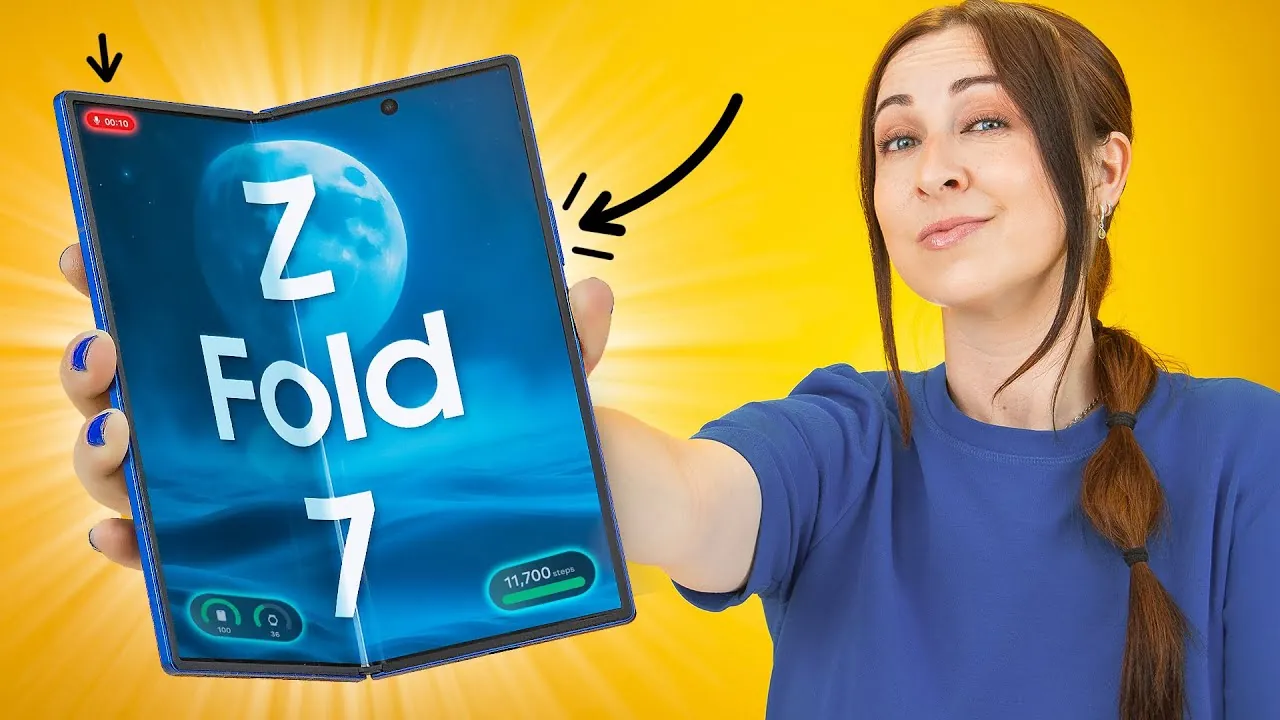
The Samsung Galaxy Z Fold 7 represents a significant leap in smartphone technology, combining a foldable design with a suite of advanced features. Whether you’re a professional aiming to maximize productivity or a tech enthusiast exploring the latest innovations, this device offers a versatile and customizable experience. In the video below, Hayls World explores its standout features, hidden functionalities, and practical tips to help you unlock its full potential.

Innovative Display and Customization Options
The foldable display of the Galaxy Z Fold 7 is its defining feature, offering seamless transitions between the cover and main screens. This unique design allows users to customize layouts for each screen independently, tailoring the device to specific preferences and workflows.
Key display features include:
- Animated Lock Screens: The clock font dynamically adjusts to match your wallpaper, creating a personalized and visually engaging aesthetic.
- Edge Lighting Effects: Notifications are highlighted with subtle lighting effects, even while the device is charging, making sure you stay informed without disruption.
These customization options not only enhance functionality but also make the Galaxy Z Fold 7 a device that feels uniquely yours.
Advanced Multitasking for Enhanced Productivity
The Galaxy Z Fold 7 is designed to elevate multitasking, making it an ideal tool for productivity. With the ability to run up to three apps simultaneously in split-screen mode, users can efficiently manage multiple tasks without switching between windows.
Additional multitasking features include:
- Flex Mode: Use the device in a laptop-like configuration, complete with a touchpad and scroll wheel, perfect for presentations, note-taking, or video calls.
- Seamless App Switching: Transition effortlessly between apps, maintaining an uninterrupted workflow.
These features make the Galaxy Z Fold 7 a powerful companion for both professional and personal use, allowing users to stay organized and productive.
Keyboard Customization for Seamless Typing
Typing on a foldable device can present unique challenges, but the Galaxy Z Fold 7 addresses this with flexible keyboard options. Users can choose between split, floating, or resized keyboards to match their typing style and comfort. This adaptability ensures a smooth experience when switching between the cover and main screens, making the device suitable for extended typing sessions or quick replies.
Innovative Camera Features for Photography Enthusiasts
The Galaxy Z Fold 7’s 200MP camera sets a new benchmark for mobile photography, offering advanced features that cater to both casual users and professionals. Its versatile capabilities ensure high-quality images in a variety of scenarios.
Notable camera functionalities include:
- High-Resolution Lock: Maintain consistent photo quality by locking the camera to its highest resolution setting, making sure every shot is crisp and detailed.
- Cover Screen Preview: Use the cover screen as a live preview for selfies or group photos, simplifying the process of framing your shots.
- Document Scanning: A hidden feature allows you to scan documents directly and save them as PDFs, streamlining workflows for professionals.
These innovative features make the Galaxy Z Fold 7 a versatile tool for capturing moments, whether for personal memories or professional projects.
Streamlined Taskbar for Quick Navigation
The customizable taskbar on the Galaxy Z Fold 7 enhances efficiency by providing quick access to frequently used apps. Users can pin up to eight apps for easy navigation and even launch split-screen apps directly from the taskbar. This functionality simplifies multitasking, allowing users to switch between work, entertainment, and communication with minimal effort.
Wireless Dex Mode: A Portable Productivity Hub
Wireless Dex Mode transforms the Galaxy Z Fold 7 into a portable workstation. When connected to a Smart TV, the device offers a desktop-like experience, with the cover screen doubling as a touchpad for precise control. This feature is particularly valuable for professionals who need a flexible yet powerful tool for presentations, document editing, or media playback.
Privacy and Security Features
The Galaxy Z Fold 7 prioritizes user privacy with several robust security features designed to protect sensitive information.
Key privacy tools include:
- Secure Albums: Lock specific albums in your gallery using a fingerprint or passcode, making sure personal photos remain private.
- Hidden Apps: Hide apps from both the home screen and app drawer, adding an extra layer of discretion.
These measures provide peace of mind, making sure your data remains secure in both personal and professional contexts.
Convenience Features for Everyday Use
The Galaxy Z Fold 7 is equipped with a range of convenience features that simplify daily tasks and enhance usability.
Notable features include:
- Quick Screenshot Capture: Take screenshots effortlessly with a simple hand swipe, saving time when documenting information or sharing content.
- App Continuation: Seamlessly transition between the main and cover screens without losing your place, making sure an uninterrupted experience.
These thoughtful additions make the Galaxy Z Fold 7 intuitive and user-friendly, catering to a variety of everyday needs.
Final Thoughts on the Galaxy Z Fold 7
The Samsung Galaxy Z Fold 7 combines innovative technology with practical functionality, offering a foldable design that adapts to your lifestyle. From its innovative display and multitasking capabilities to its advanced camera features and privacy tools, this device is designed to meet the demands of modern users. Whether you’re enhancing productivity, exploring creative possibilities, or simply enjoying its convenience features, the Galaxy Z Fold 7 delivers a seamless and personalized experience that sets it apart in the world of smartphones.
Here are additional guides from our expansive article library that you may find useful on Foldable Display.
- 6.8″ Foldable Touchscreen Car Display with Apple CarPlay
- iPhone Flip 2026: Leaks Reveal Apple’s Foldable Phone Features
- Galaxy Z Fold 7: Display, Design, and Performance
- Google Pixel 10 Pro Fold: The Foldable Revolution?
- iPhone Fold: Apple’s Innovation in Display and Design
Source & Image Credit: Hayls World
Disclosure: Some of our articles include affiliate links. If you buy something through one of these links, Geeky Gadgets may earn an affiliate commission. Learn about our Disclosure Policy.
