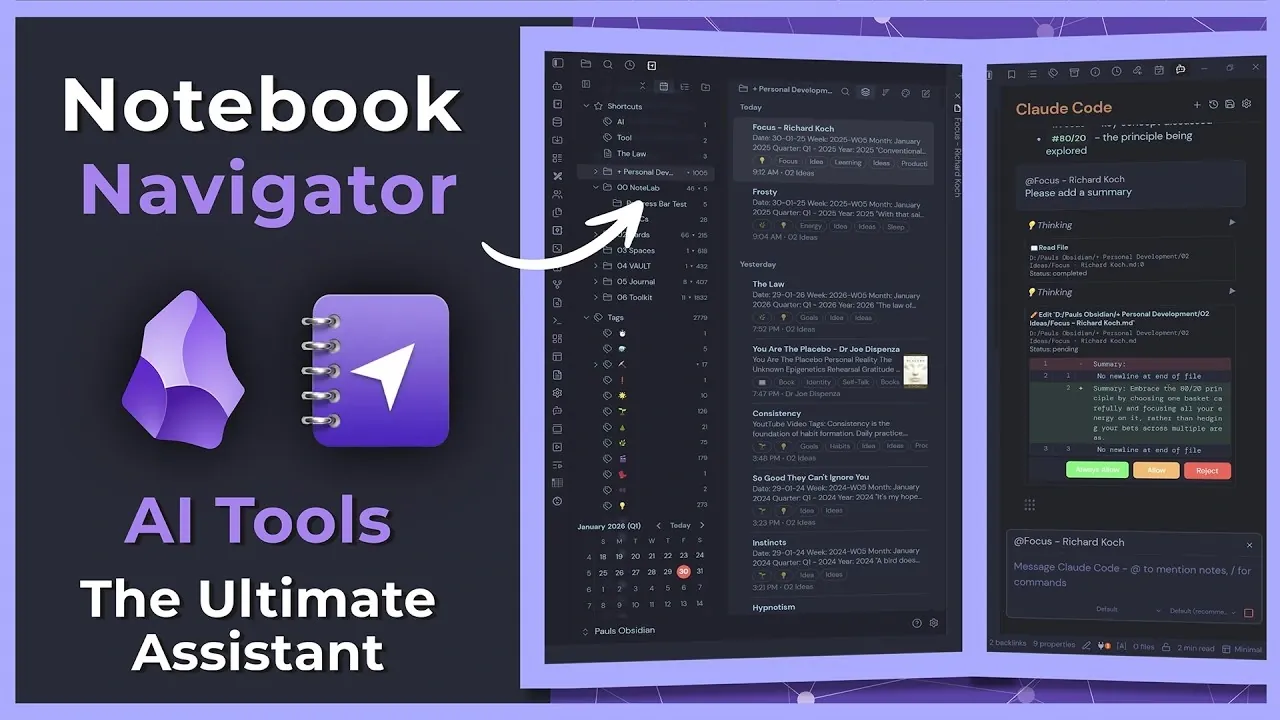
What if your note-taking system could do more than just organize your thoughts? Imagine it anticipating your needs, streamlining your workflow, and even refining your ideas. Paul Dickson explains how combining Obsidian’s Notebook Navigator plugin with advanced AI capabilities can transform the way you manage information. By integrating these features, you can create a dynamic, intuitive workspace that evolves with your needs, making it easier than ever to navigate complex notes, automate repetitive tasks, and generate insights with ease.
This overview explores how these innovations work together to transform productivity. The Notebook Navigator’s two-pane interface and customizable shortcuts simplify even the most intricate note collections, while AI enhancements elevate your content and save time. Whether you’re a student, professional, or creative thinker, this approach offers a fresh way to tackle knowledge management. By the end, you may wonder how you ever managed without it.
Obsidian Note-Taking Tools
TL;DR Key Takeaways :
- The Obsidian Notebook Navigator plugin enhances note organization in Obsidian with features like a two-pane interface, quick shortcuts, tag management, and calendar integration, making it ideal for managing large note collections.
- Obsidian’s AI tools automate tasks such as formatting, summarizing, and metadata management, integrating with popular AI models like GPT and Codex for advanced customization and efficiency.
- Key AI functionalities include AI-powered editing, slash commands for quick actions, multi-agent collaboration, and support for rich content like images and metadata.
- The combination of the Notebook Navigator plugin and AI tools streamlines workflows by allowing effortless organization, automated formatting, and iterative refinement of notes.
- Both tools are highly customizable, allowing users to create personalized commands, templates, and workflows, while also supporting collaborative development for continuous improvement.
What Makes the Notebook Navigator Plugin Stand Out?
The Notebook Navigator plugin transforms how you interact with your notes by replacing Obsidian’s default file explorer with a more intuitive and feature-rich interface. This plugin is especially beneficial for users managing extensive note collections, offering a streamlined way to organize and access information. Its key features include:
- Two-Pane Interface: Simultaneously view and manage notes and folders, making sure better clarity and quicker navigation.
- Quick Shortcuts: Access frequently used notes, tags, and folders with minimal effort.
- Recent Files Overview: Customize the number of recently accessed files displayed for easy reference.
- Vault Insights: Gain a comprehensive overview of your Obsidian Vault, including note counts, folder structures, and tag usage.
- Tag Management: Organize tags alphabetically or by frequency of use, making it easier to locate and categorize information.
- Calendar Integration: Manage daily notes and schedules directly within the plugin, streamlining your planning process.
- Customizable Appearance: Adjust colors, layouts, and compact views to match your personal preferences and workflow needs.
- Single-Pane Mode: Maximize your workspace when focusing on specific tasks or projects.
By offering a more robust and user-friendly interface, the Notebook Navigator plugin ensures that even users with large volumes of notes can stay organized and efficient. Its flexibility and customization options make it a valuable tool for anyone looking to optimize their note-taking process.

How AI Tools Enhance Your Workflow
Obsidian’s AI tools bring a new level of efficiency to your workflow by automating repetitive tasks and allowing advanced customization. These tools integrate seamlessly with popular AI models such as GPT, Claude Code, and Codex, providing a range of functionalities that save time and improve the quality of your notes. Key capabilities include:
- AI-Powered Editing: Automate tasks like formatting, summarizing, and refining notes to maintain consistency and clarity.
- Rich Content Support: Enrich your notes with images, mentions, and metadata for a more comprehensive knowledge base.
- Slash Commands: Execute specific tasks, such as generating summaries or applying templates, with simple and intuitive commands.
- Multi-Agent Collaboration: Manage permissions and workflows across multiple AI agents for collaborative projects.
- Advanced User Features: Use modal switching and terminal integration for handling complex tasks and workflows.
To begin using these tools, install the BRAT plugin and configure an API key. Once set up, the AI tools can handle tasks such as fixing formatting inconsistencies, adding YAML properties, and summarizing content. This level of automation not only reduces manual effort but also ensures that your notes are consistently polished and well-organized.
Obsidian Notebook Navigator the Ultimate Assistant

Check out more relevant guides from our extensive collection on Obsidian that you might find useful.
- Notion to Obsidian: Reasons to Change & What You Will Gain
- Talk To Your Obsidian Notes on the Go Using Claude AI
- Minimalist Task Management With Obsidian in 2025
- Obsidian 1.8.0 Update Adds New Features for Improved Note-Taking
- How Obsidian Fixes Note-Taking’s Biggest Problem
- The Benefits of Using Obsidian and Cursor Together
- 6 Essential Dataview Queries to Improve Your Obsidian Workflows
- New Corsair iCue, Vengeance Pro DDR4, And Obsidian 500D RGB
- How to Build a Gorgeous Digital Bookshelf in Obsidian
- Obsidian Web Clipper :Free AI Tool for Organizing Online Content
Streamlining Your Workflow
The combination of the Notebook Navigator plugin and AI tools creates a seamless and efficient workflow, allowing you to manage your notes with greater precision and ease. Here’s how these tools work together to enhance your note-taking process:
- Effortless Organization: Use the two-pane interface to navigate and edit notes quickly and efficiently.
- Automated Formatting: Use AI commands to apply templates, fix formatting issues, and maintain consistency across your notes.
- Metadata Management: Automate the addition of tags, summaries, and other metadata for improved organization and searchability.
- Iterative Refinement: Continuously improve your notes, from initial drafts to detailed and polished summaries.
- Visual Enhancements: Integrate images, charts, and other media to create more engaging and informative notes.
This integration not only saves time but also enhances the structure and usability of your notes, making them more valuable for future reference. Whether you’re managing a personal knowledge base or collaborating on a team project, these tools provide the flexibility and functionality needed to stay productive.
Tailoring the Tools to Your Needs
Both the Notebook Navigator plugin and AI tools are highly customizable, allowing you to adapt them to your specific requirements. You can create custom commands, templates, and workflows to suit your unique preferences and goals. The AI tools also offer iterative refinement, providing suggestions for summaries, formatting, and even quotes to enhance the quality of your notes.
For developers and advanced users, these tools present opportunities for collaboration and innovation. You can contribute to their development by suggesting new features, improving existing functionalities, or expanding support for additional AI models. This collaborative approach ensures that the tools continue to evolve, meeting the diverse needs of the Obsidian community.
By tailoring these tools to your workflow, you can unlock their full potential and create a note-taking system that is both efficient and personalized. Whether you’re a student, professional, or developer, these features offer a powerful solution for managing and organizing your ideas.
Media Credit: Paul Dickson
Disclosure: Some of our articles include affiliate links. If you buy something through one of these links, Geeky Gadgets may earn an affiliate commission. Learn about our Disclosure Policy.
