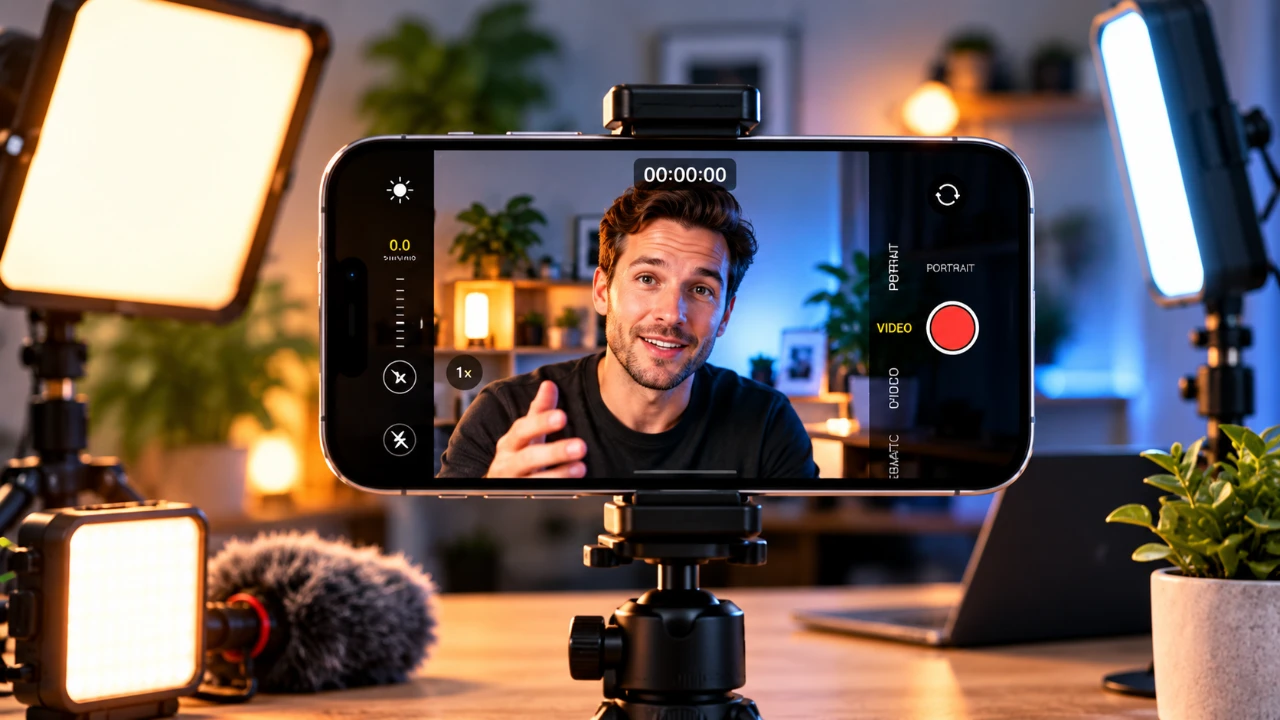
Creating high-quality videos with your iPhone requires more than simply pressing the record button. Lighting plays a pivotal role in shaping the visual appeal, mood, and overall impact of your footage. By learning how to work with different lighting conditions and using your iPhone’s built-in features, you can elevate your video production to a professional level. Whether you’re filming indoors or outdoors, understanding the principles of lighting will help you create visually compelling content that stands out. The video below from iPhone Photography School gives us more details.

Use iPhone Exposure and Focus Lock
Your iPhone’s exposure and focus lock feature is an essential tool for achieving consistent lighting and sharpness in your videos. This feature allows you to manually set and lock the exposure and focus, preventing automatic adjustments that can disrupt your footage. For instance, when filming a scene with varying brightness levels, locking the exposure ensures smooth transitions without sudden lighting shifts. This is particularly beneficial in dynamic environments or challenging lighting conditions, where maintaining consistency is crucial. By mastering this feature, you can take greater control over your video’s visual quality and avoid distractions caused by abrupt changes in focus or brightness.
Harness the Power of Natural Light
Natural light is one of the most accessible and versatile resources for video production. Its quality, direction and intensity can significantly influence the mood and clarity of your footage. To make the most of natural light, consider these practical tips:
- Golden Hour: The soft, warm light shortly after sunrise or before sunset is ideal for creating visually stunning videos. It reduces harsh shadows and adds a natural glow to your subjects, making it perfect for outdoor shoots.
- Midday Sunlight: While abundant, midday light can produce harsh shadows and unflattering highlights. Position your subject in shaded areas or use reflectors to soften the light and reduce contrast for a more balanced look.
- Overcast Skies: Cloudy conditions act as a natural diffuser, providing soft, even lighting that minimizes contrast. This creates a calm and balanced mood, ideal for capturing subtle details in your videos.
By observing how natural light changes throughout the day, you can plan your shoots to take advantage of its unique qualities and achieve the desired visual effect.
Understand Lighting Directions and Their Effects
The direction of light relative to your subject can dramatically influence the mood, depth and texture of your video. Experimenting with different lighting directions allows you to create specific visual effects and enhance the storytelling of your footage. Here are the key lighting directions to consider:
- Front Lighting: This illuminates the subject evenly, reducing shadows and highlighting details. It is ideal for clear, straightforward visuals, such as interviews or tutorials.
- Side Lighting: By casting shadows on one side of the subject, side lighting adds depth and dimension. This technique is excellent for emphasizing texture and creating a dramatic or artistic effect.
- Backlighting: Positioning the light source behind the subject creates silhouettes or halo effects. This approach works well for creative or atmospheric shots, adding a sense of mystery or elegance.
To better understand these effects, try rotating around your subject while observing how the light and shadows change. This hands-on practice will help you recognize and use front, side and backlighting effectively.
Optimize Indoor Lighting
When filming indoors, you often rely on artificial or window light. Each type of lighting presents unique challenges and opportunities. Here’s how to optimize your indoor lighting setup:
- Artificial Light: Overhead lights can create harsh shadows and unflattering effects. To counteract this, use additional light sources such as desk lamps, LED panels, or ring lights to balance the illumination and soften shadows. Experiment with the placement of these lights to achieve the desired effect.
- Window Light: Natural light from windows offers soft, diffused illumination that is flattering for most subjects. Adjust your subject’s position relative to the window to control the intensity of the light and the contrast of shadows. For example, placing the subject closer to the window creates brighter, more defined lighting, while stepping back softens the effect for a more subtle look.
Combining artificial and natural light sources can help you achieve a balanced and professional appearance, especially in mixed lighting environments.
Practical Lighting Tips for Better Videos
Adapting to changing lighting conditions is essential for maintaining consistent quality in your videos. Here are some actionable tips to enhance your lighting setup and improve your results:
- Use reflectors or white surfaces to bounce light onto your subject and fill in shadows. This simple technique can make a significant difference in achieving even lighting.
- Experiment with different light angles to find the most flattering direction for your subject. Adjusting the angle can help you highlight specific features or create a desired mood.
- Combine natural and artificial light sources to achieve a balanced look. For instance, supplementing window light with a soft LED panel can help you maintain consistent lighting throughout your shoot.
By incorporating these techniques into your workflow, you can adapt to various lighting scenarios and produce high-quality videos with ease.
Key Takeaways
Mastering lighting is a fundamental skill for producing visually compelling iPhone videos. By understanding how to manipulate natural and artificial light, using your iPhone’s exposure and focus lock, and experimenting with lighting directions, you can significantly enhance the quality of your footage. Whether you’re filming indoors or outdoors, the ability to adapt and control lighting will elevate your video storytelling. With practice and attention to detail, your content can achieve a professional-grade look that captures and holds your audience’s attention.
Source & Image Credit: iPhone Photography School
Disclosure: Some of our articles include affiliate links. If you buy something through one of these links, Geeky Gadgets may earn an affiliate commission. Learn about our Disclosure Policy.
