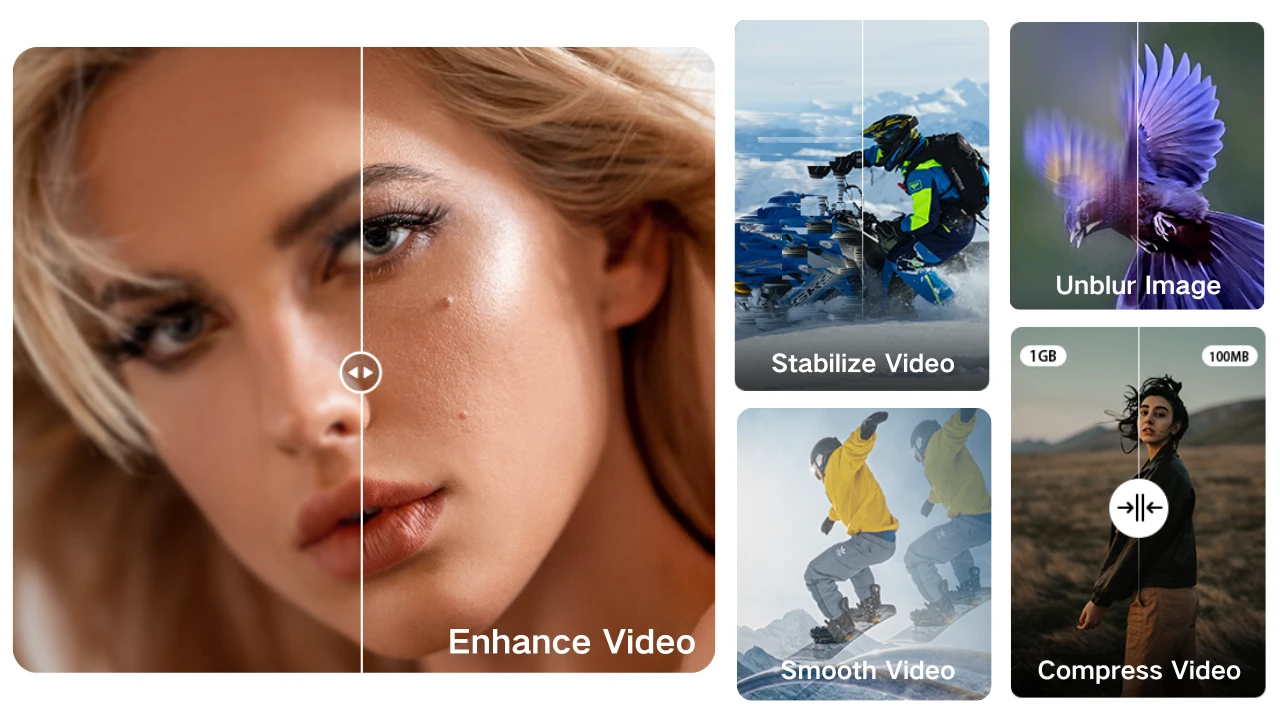
More and more people shoot videos with iPhones, but blurry footage and oversized files are common headaches. In low light, higher ISO causes noise and reduced clarity, while fast motion without stabilization leads to blur. File sizes grow with video length, resolution, and frame rate. Though 1080p/30fps is the default, many prefer 4K/60fps for quality. For example:
- 15 min at 1080p/30fps ≈ 1–2 GB
- 15 min at 4K/60fps ≈ 2.5–6 GB
Can you make iPhone videos both clearer and smaller? Absolutely. With the help of Winxvideo AI, your iPhone videos can be enhanced for clarity while significantly reducing their file size.
What Is Winxvideo AI?
Winxvideo AI is a powerful desktop software that combines a video enhancer, converter, compressor, screen recorder, editor, and image upscaler—all backed by artificial intelligence. It’s designed to help creators, influencers, and everyday users process their media files quickly and effectively, all within a single program.
Key Features
1. AI Video Enhancement
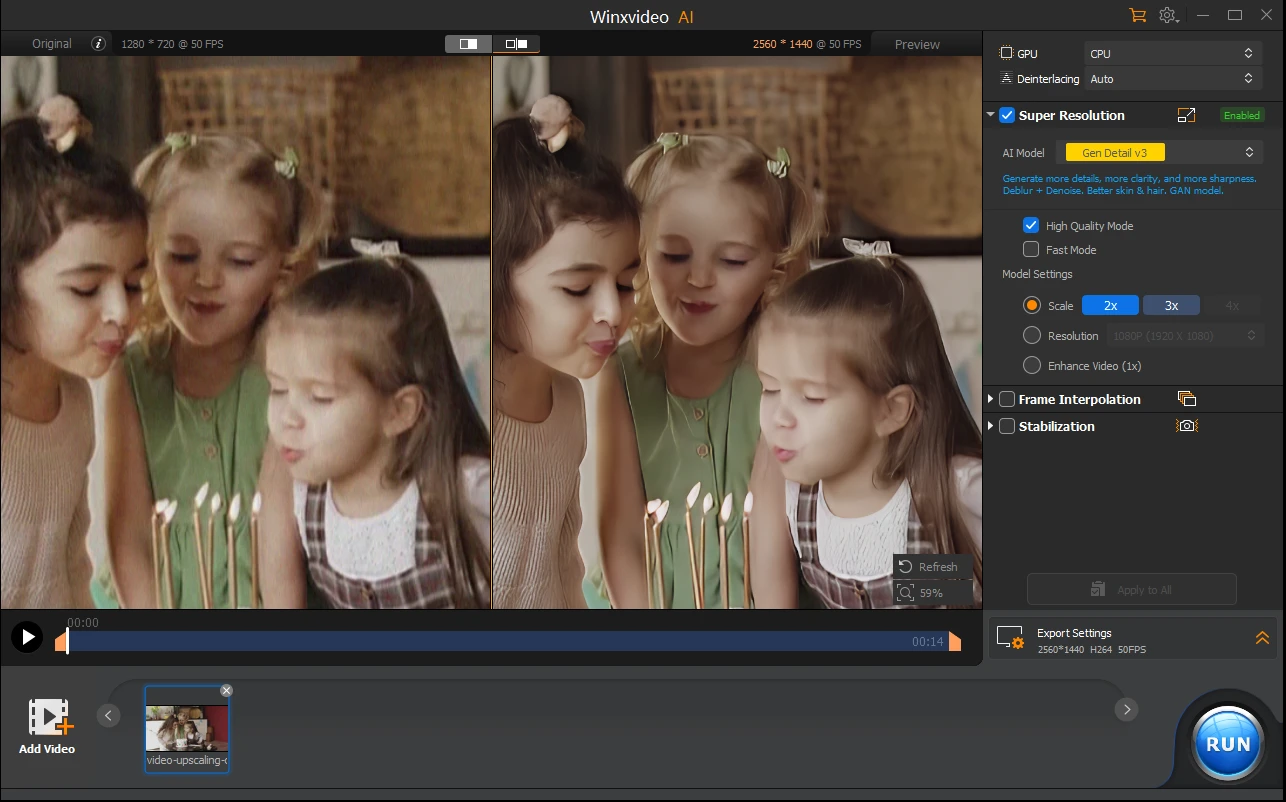
Winxvideo AI can enhance video, upscale and restore low-quality videos to full HD or 4K resolution. Removing noise and fixing blurry videos while adding vivid details to the enhanced videos.
It stabilizes shaky footage captured on iPhones, DSLRs, action cameras, or drones, and can increase frame rates to make videos smoother, converting 24fps or 30fps clips to 60fps or even 120fps.
An AI audio suppression tool is embedded in Winxvideo AI to remove background noise from video & audio files.
2. High-Efficiency Video Processing
With full GPU acceleration, Winxvideo AI allows you to convert video to MP4, HEVC, H.264, MKV, MOV, AVI, WMV and 470+ formats with remarkable speed and quality. You can shrink video size by over 90% with no noticeable loss in visual quality, making them ideal for uploading to social media or sending via email.
It also supports basic editing and screen recording, making it a versatile tool for content creation.
3. AI-Powered Image Upscaling
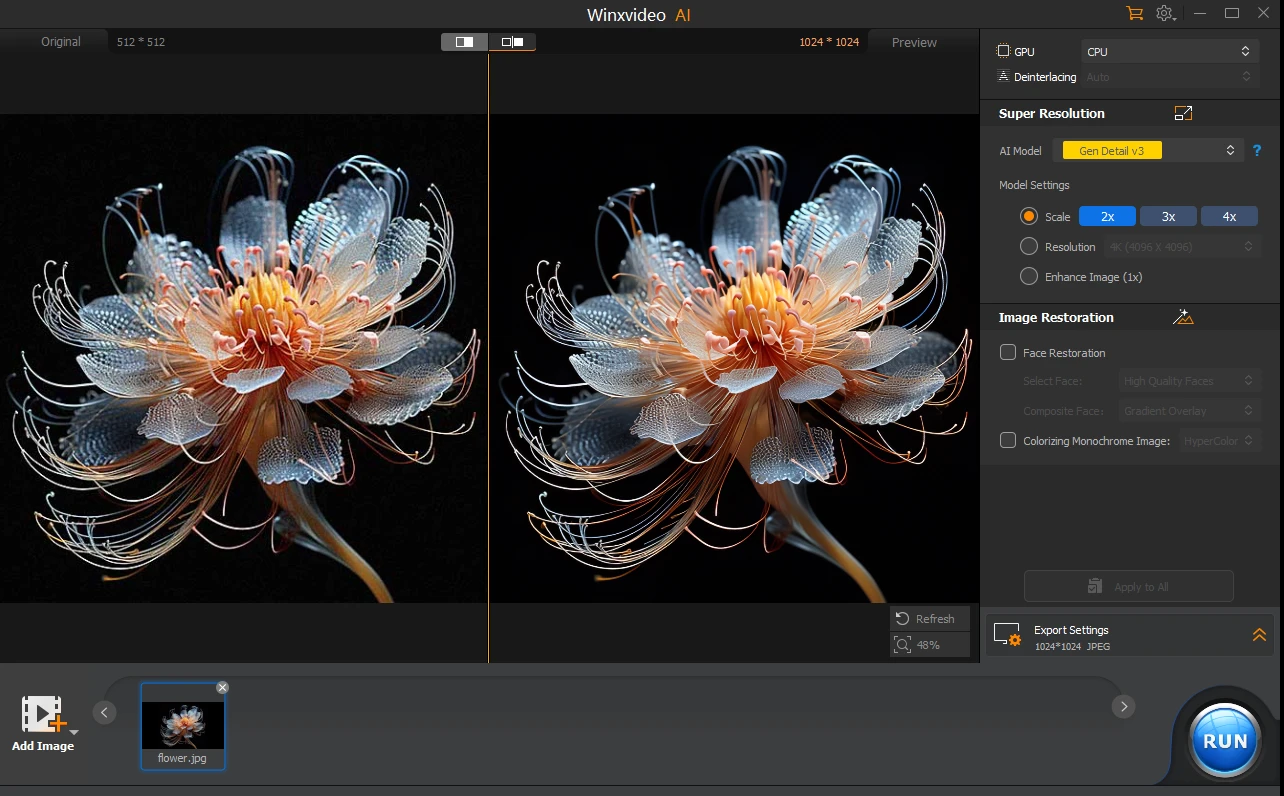
Winxvideo AI can also enhance low-resolution images by up to 400%, turning grainy, blurry, or compressed images into vivid 4K/8K/10K visuals. Colorizing black and white photos and restoring faces with this tool also delivers perfect quality.
How to Enhance and Compress iPhone Videos with Winxvideo AI
Step 1: Import Your iPhone Video
Launch Winxvideo AI and select the Video AI module. Click the Add button or drag and drop your video into the interface.
Step 2: Enhance the Video
Choose from three enhancement options on the right panel:
- Super Resolution: Restores grainy or blurry videos and upscales them to 4K. You can also select from four tailored AI models for Super Resolution.
- Frame Interpolation: Increases frame rates (e.g., from 30fps to 60/120/240fps) for smoother playback.
- Stabilization: Reduces jitters caused by handheld or action footage.
Once all settings are applied, you can preview the enhanced video and compare it side by side with the original in the left preview window. After that, hit the RUN button to start the enhancement.

Step 3: Compress the Video
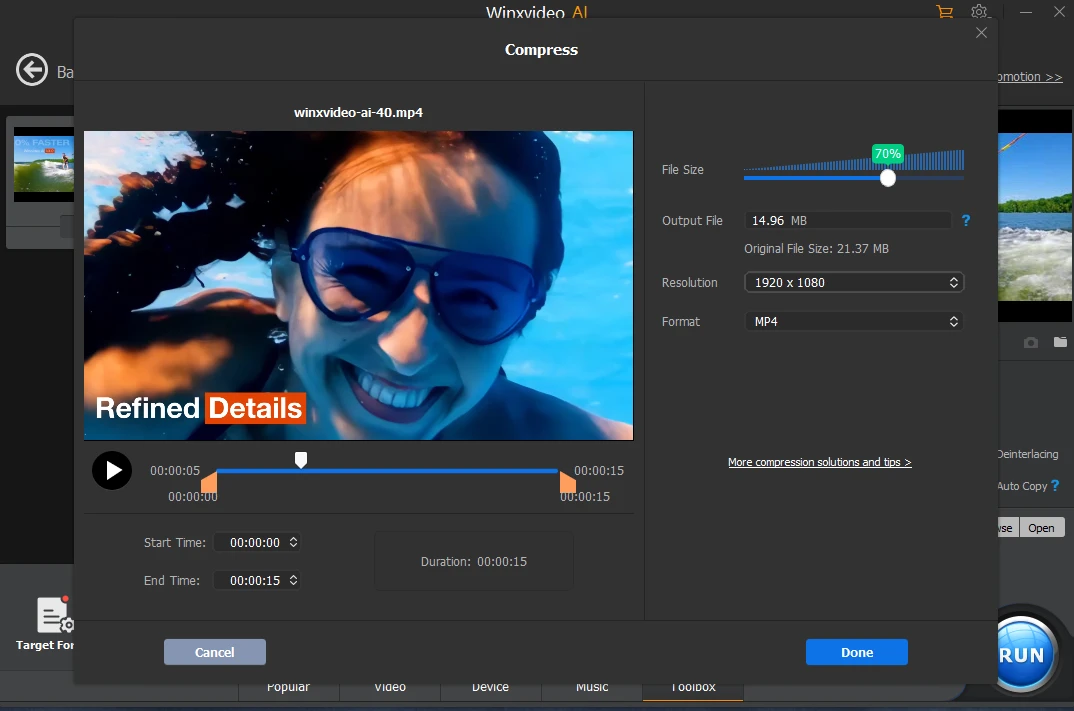
Switch to the Video Converter module. Import your video, click the Compression button, and either set a target file size or adjust the compression slider. Hit Run to compress the videos.
Winxvideo AI’s compressor can reduce file sizes by up to 90% while maintaining high visual fidelity.
Final Thoughts & Special Deals
For anyone looking to make their iPhone videos look better and take up less space, Winxvideo AI is a smart, all-in-one solution. Its AI algorithms effectively tackle common issues like graininess, interlacing, and unstable footage. Beyond enhancement, it serves as a versatile video converter, compressor, and editor, equipped with presets for different devices and platforms.
Now you can get Winxvideo AI with the time-limited special deals.
Disclosure: Some of our articles include affiliate links. If you buy something through one of these links, Geeky Gadgets may earn an affiliate commission. Learn about our Disclosure Policy.
