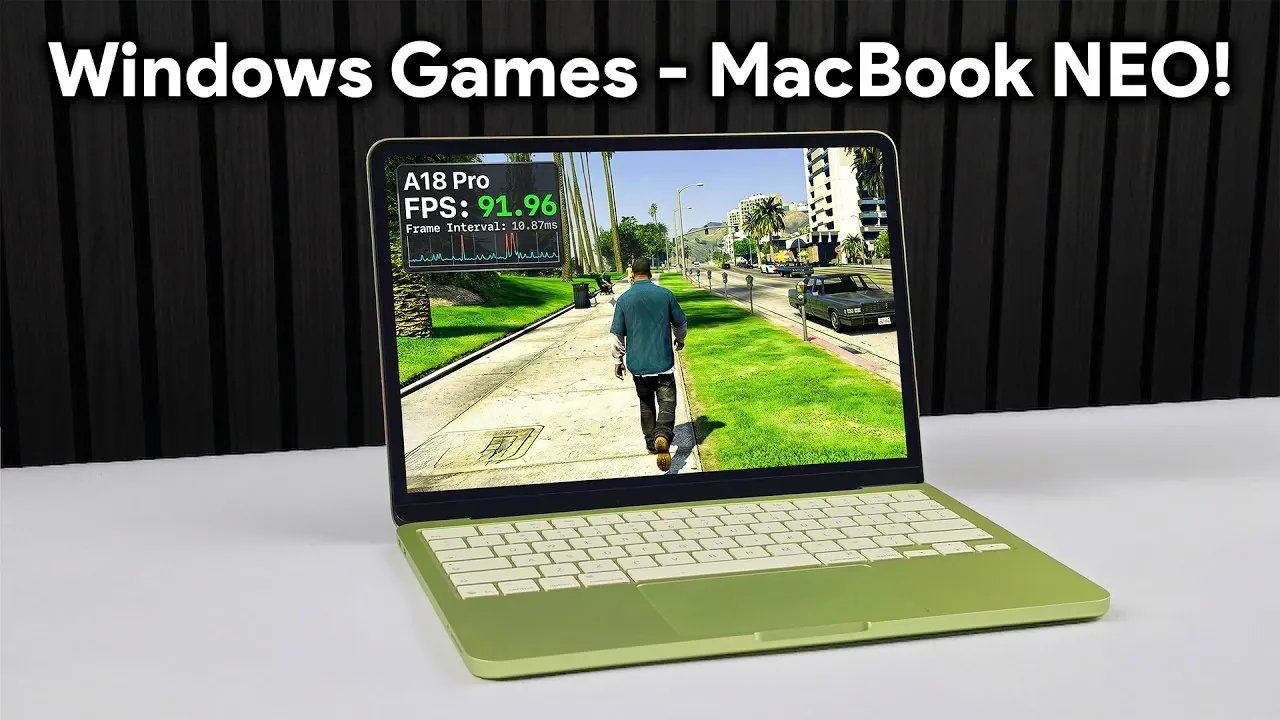
The MacBook Neo, powered by the A18 Pro CPU and 8GB of shared RAM, is carving out a niche as a surprisingly capable device for casual gaming. While primarily designed for productivity, it demonstrates an ability to handle both native macOS games and Windows titles through emulation. In a detailed breakdown by ETA Prime, the MacBook Neo’s gaming performance is put to the test, with standout results like GTA 5 running at up to 90 FPS when optimized. However, the device’s shared RAM architecture and lack of a dedicated GPU present clear limitations, particularly for graphically demanding games.
Explore how the MacBook Neo balances portability with gaming functionality, including tips for optimizing performance through resolution adjustments and external cooling solutions. Gain insight into the types of games it handles best, from indie titles to moderately demanding 3D games and learn about the trade-offs involved when running Windows games via emulation. This explainer offers a clear look at what the MacBook Neo can achieve for casual gamers and where its constraints become apparent.
Key Hardware Features
TL;DR Key Takeaways :
- The MacBook Neo, powered by the A18 Pro CPU and 8GB of shared RAM, is designed for productivity but offers surprising versatility for casual and indie gaming.
- It supports gaming through native macOS titles and Windows games via emulation (Crossover), though performance varies based on optimization and system demands.
- While capable of running moderately demanding games, its shared RAM and lack of a dedicated GPU limit its ability to handle high-end, resource-intensive titles effectively.
- Thermal throttling during prolonged gaming sessions can impact performance, but external cooling solutions like thermoelectric coolers can help mitigate this issue.
- The MacBook Neo is best suited for users seeking a balance between productivity and casual gaming, but it is not a replacement for dedicated gaming laptops or consoles.
At the core of the MacBook Neo is the A18 Pro CPU, a chip originally developed for the iPhone 16. This processor, combined with 8GB of shared RAM, delivers a balance of power and efficiency that supports a variety of tasks. While not explicitly designed for gaming, the A18 Pro showcases its adaptability by handling light to moderately demanding games with ease.
The MacBook Neo’s hardware is optimized for energy efficiency, making it ideal for users who prioritize portability and battery life. However, its shared RAM architecture and lack of a dedicated GPU limit its ability to handle graphically intensive games. Despite these constraints, the device demonstrates impressive performance for its size and purpose, offering a unique blend of productivity and casual gaming capabilities.
Gaming Capabilities
The MacBook Neo supports gaming through two primary methods, each with its own strengths and limitations:
- Native Mac Games: Platforms like Steam provide access to a variety of titles optimized for macOS. Games such as No Man’s Sky, Crimson Desert, and Subnautica Below Zero run smoothly, achieving frame rates between 30 and 90 FPS, depending on the resolution and graphical settings. These games highlight the MacBook Neo’s ability to handle visually engaging experiences, provided they are well-optimized for macOS.
- Windows Games via Emulation: Using the Crossover platform, the MacBook Neo can emulate Windows games, expanding its gaming library significantly. Popular titles like GTA 5, Elden Ring, Fallout 4, and Skyrim are playable, though performance varies based on the game’s optimization and system demands. For example:
- GTA 5 can achieve up to 90 FPS with optimized settings, offering a smooth experience.
- More demanding titles, such as Red Dead Redemption 2, face challenges with frame rate stability and require significant graphical adjustments to remain playable.
While the MacBook Neo can handle moderately demanding games, achieving optimal performance often requires lowering the resolution and tweaking graphical settings. This makes it a viable option for casual gamers but less suitable for those seeking high-end gaming experiences.

Gain further expertise in MacBook Neo by checking out these recommendations.
- MacBook Neo Setup Guide: First 20 Things You Must Do
- MacBook Neo Review: Is the $599 Budget Mac Actually Good?
- Apple MacBook Neo vs MacBook Air: Key Trade-Offs at $599
- MacBook Neo vs MacBook Air: Which Laptop Fits Your Budget?
- MacBook Neo vs. M4 MacBook Air
- MacBook Neo vs. MacBook Air: Is the $500 Savings Worth it?
- $599 MacBook Neo vs $1,099 MacBook Air M5: Key Differences
- MacBook Neo vs MacBook Air M5: Which Should You Buy in 2026?
- Is the $599 MacBook Neo Worth It? Benchmarks & Specs 2026
- What’s Inside the MacBook Neo? A18 Pro Chip, Zero Adhesive
Thermal Challenges and Cooling Solutions
Thermal management plays a crucial role in the MacBook Neo’s gaming performance. Prolonged gaming sessions can lead to thermal throttling, where the system reduces its performance to prevent overheating. This results in lower frame rates and reduced responsiveness during gameplay.
To address these challenges, some users have turned to external cooling solutions, such as:
- Thermoelectric Coolers: These devices enhance heat dissipation, allowing the CPU to maintain higher performance levels during extended gaming sessions.
Without such modifications, the MacBook Neo’s gaming capabilities are limited by its thermal constraints, particularly when running demanding titles. Users who prioritize gaming performance may need to consider these enhancements to unlock the device’s full potential.
Limitations to Consider
Despite its versatility, the MacBook Neo has several limitations that impact its gaming performance:
- Hardware Constraints: The 8GB of shared RAM and A18 Pro CPU, while efficient, are not designed for high-end gaming. Resource-intensive titles like Red Dead Redemption 2 experience significant performance drops, even with reduced settings.
- Resolution and Scaling Issues: Some games encounter visual inconsistencies, such as improper scaling or pixelation, which can detract from the overall experience.
- Compatibility Challenges: Not all Windows games run seamlessly through Crossover. Certain titles require extensive optimization and others may not function at all, limiting the MacBook Neo’s gaming library.
These limitations highlight the MacBook Neo’s position as a device best suited for casual gaming rather than a replacement for dedicated gaming laptops or consoles.
Balancing Productivity and Casual Gaming
The MacBook Neo strikes a unique balance between productivity and casual gaming, making it an appealing choice for users who value portability and efficiency. Its ability to handle indie games, 2D titles and less demanding 3D games positions it as a versatile device for casual gamers.
For those willing to invest in cooling modifications, the MacBook Neo can deliver improved performance for moderately demanding games. However, its hardware limitations and reliance on emulation for Windows titles mean it is not a substitute for a dedicated gaming machine. Instead, it serves as a compelling option for users seeking a lightweight, multi-functional device that can handle both work and play with reasonable competence.
Media Credit: ETA PRIME
Disclosure: Some of our articles include affiliate links. If you buy something through one of these links, Geeky Gadgets may earn an affiliate commission. Learn about our Disclosure Policy.
