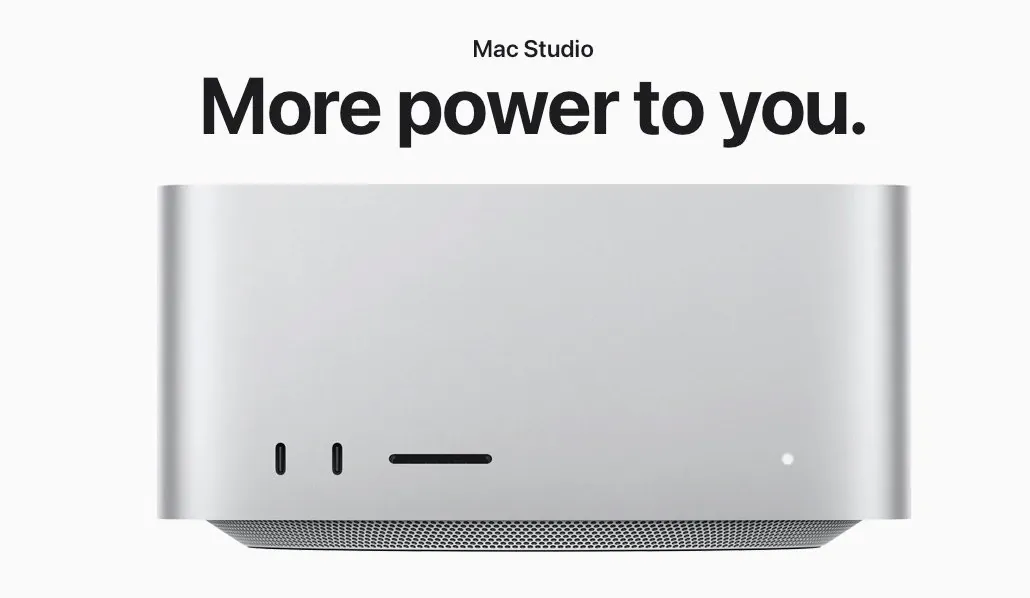
Running large AI models locally has become increasingly accessible and the Mac Studio with 128GB of RAM offers a capable platform for this purpose. In a detailed breakdown by Heavy Metal Cloud, the focus is on how this hardware can handle demanding tasks like running GPT-120B, a 120-billion-parameter model, which uses around 70GB of RAM while achieving token generation rates of 70–80 tokens per second. The Mac Studio’s unified memory architecture and efficient thermal management ensure smooth operation even under heavy workloads, making it a practical choice for professionals exploring local AI development.
This guide provides a step-by-step look at configuring the Mac Studio for AI workflows, from setting up LM Studio for model management to optimizing performance for specific tasks. You’ll also learn how to explore real-world applications, such as debugging with Devstral Small 2 or analyzing medical data with Medgamma 4B. Whether you’re interested in creative workflows or advanced use cases like data processing, this overview offers actionable insights to help you maximize the potential of running AI models on a Mac Studio.
Apple Mac Studio for Local AI
TL;DR Key Takeaways :
- The Mac Studio, with its 128GB of RAM, 14-core CPU and 40-core GPU, is a powerful platform for running large AI models locally, eliminating the need for cloud services or specialized GPUs.
- LM Studio simplifies the software setup process, allowing users to manage, configure and run AI models efficiently, even with minimal technical expertise.
- Performance benchmarks highlight the Mac Studio’s ability to handle demanding AI models like GPT-120B (70-80 tokens/second) while maintaining low power consumption and quiet operation.
- Practical applications include healthcare diagnostics, programming automation and creative workflows, showcasing the system’s versatility across industries.
- The Mac Studio can be configured for remote access, allowing collaborative AI development and advanced capabilities like code analysis, file management and data processing.
Why the Mac Studio Excels
The Mac Studio is engineered to handle intensive computational tasks, featuring a 14-core CPU, a 40-core GPU and 128GB of unified memory. This robust configuration allows it to support significantly larger AI models compared to systems like the MacBook Pro with 32GB of RAM. The unified memory architecture ensures seamless data transfer between the CPU and GPU, enhancing performance. Additionally, its Ethernet connectivity assists efficient communication between devices, allowing smooth collaboration between AI agents and other local systems. These features make the Mac Studio a reliable choice for users requiring high-performance computing.
Streamlined Software Setup
To run large language models (LLMs) on the Mac Studio, you can use LM Studio, a comprehensive AI model management platform. The installation process is straightforward, even for users with minimal technical expertise. Key steps include allowing developer options for advanced configurations and loading pre-trained models. LM Studio’s user-friendly interface simplifies the process of managing, configuring and running various AI models, making it accessible to both beginners and experienced developers. This software ensures that users can maximize the potential of the Mac Studio’s hardware without unnecessary complexity.
How to Run Local AI on an Apple Mac Studio
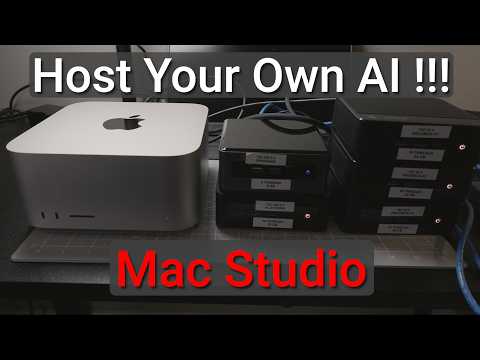
Take a look at other insightful guides from our broad collection that might capture your interest in local AI.
- Best GPUs for Local AI, VRAM Needs and Price Tiers Explained
- Run Local AI Models on Your PC or Mac for Coding, Study & More
- Mistral Local Coding AI Tested : 3B to 24B Compared on One Task
- Agent Zero : Private Local AI Agent with Docker & Terminal Access
- Build a Mac Studio AI Supercomputer with 2TB of RAM
- Apple Silicon AI Clustering with Exo 1.0 and Thunderbolt 5
- Olares One Portable AI Box for Private, Local AI Computing
- Jetson Thor vs DJX Spark vs Apple M4 Pro Mac Mini : Local AI Hardware Compared
- Local AI Setup Guide for Apple Silicon : Get a Big Boosts for Speed and Scale
- AI PC Build Designed to Run Large 235B AI Models Locally
Performance Benchmarks
The Mac Studio demonstrates impressive performance when tested with a variety of AI models. For instance:
- GPT-120B: This 120-billion-parameter model uses approximately 70GB of RAM and achieves a token generation rate of 70-80 tokens per second.
- Smaller Models: Models like the 20B and Medgamma 4B deliver even faster token generation rates, showcasing the system’s adaptability to different workloads.
Despite handling demanding tasks, the Mac Studio operates efficiently, consuming around 150 watts of power. Its low noise levels and effective thermal management ensure a quiet and stable environment, even during extended use. These attributes make it suitable for professionals who require consistent performance without interruptions.
Practical Applications
The combination of the Mac Studio’s hardware and software capabilities unlocks a wide range of real-world applications:
- Healthcare: Models like Medgamma 4B can analyze medical data, such as chest X-rays, by integrating text and image inputs, offering potential advancements in diagnostics.
- Programming Automation: Tools like Devstral Small 2, with its extensive 300,000-token context window, excel in tasks such as debugging, code optimization and handling complex prompts.
- Creative Workflows: AI models can assist in content generation, file organization and automating repetitive tasks, enhancing productivity across various industries.
These examples highlight the versatility of the Mac Studio in addressing diverse challenges, making it a valuable tool for professionals in fields ranging from healthcare to software development.
Configuring the Mac Studio for Remote Access
The Mac Studio can also be configured as a server, allowing remote access to AI models. This setup allows users to connect other devices, such as a MacBook Pro, for collaborative development. By using tools like VS Code and the Continue plugin, users can:
- Manage AI models remotely with ease.
- Adjust context lengths to suit specific tasks or projects.
- Implement secure access controls for team-based collaboration.
This configuration transforms the Mac Studio into a centralized hub for AI development, fostering efficient teamwork and resource sharing.
Advanced Capabilities
Beyond standard applications, the Mac Studio supports advanced use cases that further enhance its utility:
- Code Analysis: Developers can use AI to debug, refactor, or optimize local application code using natural language prompts, streamlining the development process.
- File Management: AI-powered tools enable users to create, organize and modify files through simple commands, improving workflow efficiency.
- Data Processing: The system can handle large datasets for tasks such as predictive modeling, trend analysis and real-time decision-making.
These advanced capabilities make the Mac Studio an indispensable asset for professionals seeking to integrate AI into their daily operations.
Empowering Local AI Development
The Mac Studio with 128GB of RAM offers a compelling solution for running large AI models locally. Its powerful hardware, combined with user-friendly software like LM Studio, provides a seamless experience for managing and deploying AI models. From healthcare diagnostics to programming automation and creative workflows, the Mac Studio enables users to explore innovative applications without relying on external resources. Its efficiency, versatility and cost-effectiveness position it as a forward-thinking platform for local AI development, paving the way for new possibilities in professional and personal projects.
Media Credit: Heavy Metal Cloud
Disclosure: Some of our articles include affiliate links. If you buy something through one of these links, Geeky Gadgets may earn an affiliate commission. Learn about our Disclosure Policy.
