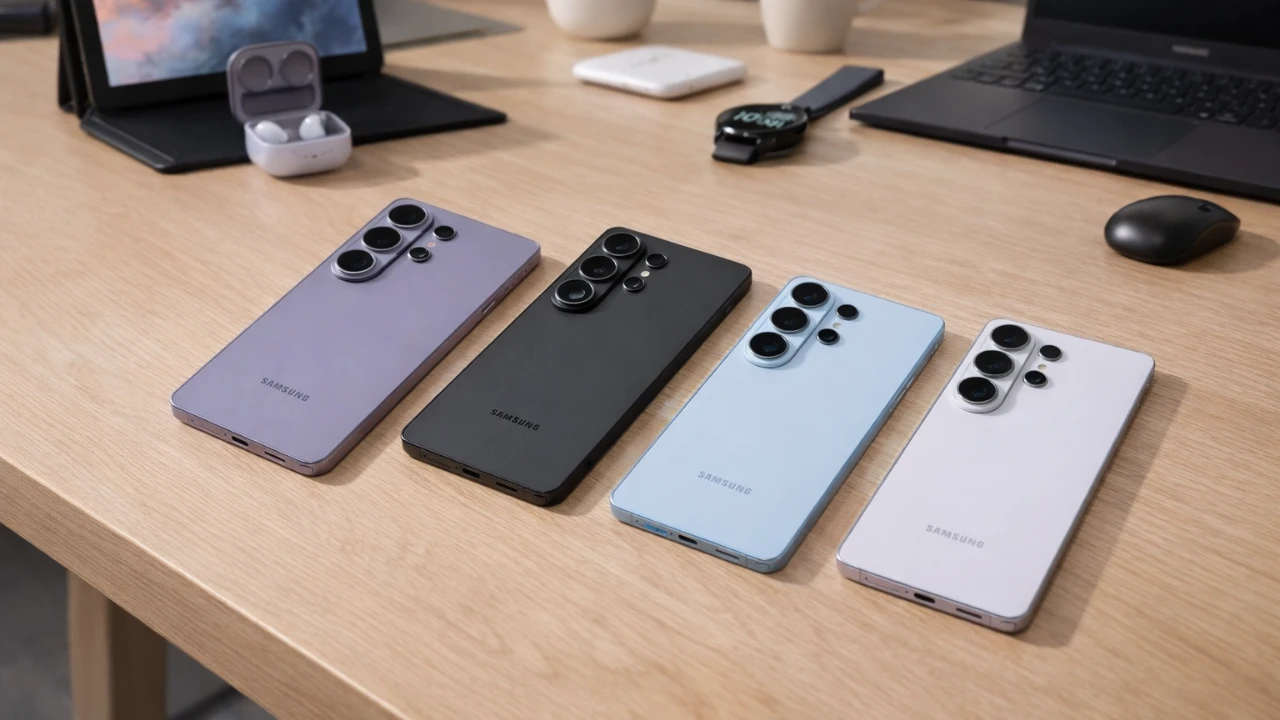
Unboxing your Galaxy S26 Ultra is an exciting experience, but the vast array of features and settings can be overwhelming. To help you navigate this advanced device, this guide outlines essential steps to optimize your smartphone. From enhancing camera performance to safeguarding your privacy, these adjustments will ensure your Galaxy S26 Ultra is customized to your preferences and operating at its best. The video below from GregglesTV gives us more details on how to get the most out of your new Samsung Galaxy smartphone.

Camera Settings: Capture Every Detail
The Galaxy S26 Ultra’s camera is one of its most impressive features, offering innovative technology for stunning photos and videos. To maximize its potential:
- Set the video resolution to UHD (30 or 60 fps) for professional-grade recordings with exceptional clarity.
- Enable location tags to organize your photos by where they were taken, making it easier to relive memories.
- Activate voice commands or gesture controls for hands-free photography, perfect for group shots or selfies.
- Turn off the shutter sound in settings for a quieter, more discreet photography experience.
These adjustments ensure you can capture every moment with precision and ease, whether you’re shooting landscapes or close-ups.
Display Customization: Optimize Your Viewing Experience
The Galaxy S26 Ultra’s display is designed to deliver vibrant visuals and adapt to your preferences. Fine-tune your screen settings to enhance usability:
- Adjust the screen resolution to balance sharpness and battery life, choosing between FHD+ and WQHD+ modes.
- Enable adaptive brightness to automatically adjust the screen’s brightness based on your environment.
- Switch between light and dark modes or schedule them to align with your daily routine for optimal comfort.
- Customize font size, vividness, and screen timeout settings to create a display experience tailored to your needs.
These settings ensure your screen is both visually stunning and practical for everyday use.
AI Features: Smarter Assistance
The Galaxy S26 Ultra incorporates advanced AI tools to make your experience more intuitive and efficient. Take advantage of these features:
- Enable photo assistance to receive real-time suggestions for improving your shots, such as framing or lighting adjustments.
- Use AI-powered customization tools to create unique wallpapers and themes that reflect your personal style.
- Explore AI-driven app suggestions to streamline your workflow by predicting the apps you’re most likely to use.
By using AI, your Galaxy S26 Ultra becomes a smarter, more personalized device that adapts to your habits.
Sound and Audio Settings: Enhance Your Listening
The Galaxy S26 Ultra offers advanced audio capabilities to elevate your listening experience. Customize these settings for optimal sound quality:
- Enable Dolby Atmos for immersive, theater-like sound when watching movies, gaming, or listening to music.
- Personalize ringtones and notification sounds to suit your preferences and make your device uniquely yours.
- Adjust equalizer settings to fine-tune audio output for different genres or activities.
These features ensure that every sound, from calls to music, is crisp, clear, and tailored to your liking.
Privacy and Security: Protect Your Data
Your privacy is a top priority, and the Galaxy S26 Ultra provides robust tools to safeguard your information. Take these steps to secure your device:
- Configure privacy settings to control how notifications and app data are displayed on your lock screen.
- Enable biometric authentication, such as fingerprint or facial recognition, for quick and secure access to your device.
- Activate Secure Folder to store sensitive files, photos, and apps with an extra layer of protection.
These measures ensure your personal data remains secure, giving you peace of mind while using your device.
Battery Optimization: Extend Your Device’s Life
Maintaining your Galaxy S26 Ultra’s battery health is essential for long-term performance. Optimize your battery usage with these tips:
- Use battery optimization tools to monitor app usage and identify power-hungry applications.
- Enable adaptive power saving to automatically adjust settings based on your usage patterns.
- Set charging preferences to limit charging to 85%, which helps preserve battery longevity over time.
These steps will help you get the most out of your device’s battery, making sure it lasts throughout the day and beyond.
Advanced Features: Multitasking Made Easy
The Galaxy S26 Ultra is built for productivity, offering features that simplify multitasking. Explore these tools to enhance efficiency:
- Enable the multi-window feature to run two apps side by side, perfect for multitasking during work or leisure.
- Activate gesture controls, such as double-tap to wake or palm swipe for screenshots, to streamline navigation.
- Use Bixby and voice wake-up features for hands-free control of your device.
These advanced features make it easier to manage multiple tasks, saving you time and effort.
Wi-Fi and Data Management: Stay Connected
Seamless connectivity is essential for a modern smartphone experience. Adjust these settings to optimize your network usage:
- Disable Wi-Fi notifications for open networks to avoid unnecessary interruptions.
- Turn off data usage warnings if you have an unlimited data plan, making sure uninterrupted browsing and streaming.
- Enable Wi-Fi calling for clearer calls when cellular reception is weak.
These adjustments help you stay connected without distractions, making sure a smooth online experience.
Customization Tools: Make It Yours
Personalizing your Galaxy S26 Ultra allows you to create a device that reflects your unique style. Explore these customization options:
- Browse wallpapers, themes, and icon packs in the Galaxy Store to give your device a fresh look.
- Use AI tools to design custom wallpapers or themes that stand out.
- Organize your home screen with widgets and folders for quick access to your favorite apps.
These tools enable you to make your Galaxy S26 Ultra truly your own, enhancing both functionality and aesthetics.
By following these steps, you can unlock the full potential of your Galaxy S26 Ultra. From optimizing camera settings to enhancing privacy and personalizing your device, each adjustment enhances your experience. Taking the time to explore these features ensures your smartphone is tailored to your needs, helping you get the most out of your new device.
Discover other guides from our vast content that could be of interest on Galaxy S26 Ultra setup.
- Samsung Galaxy S26 Ultra: Prepare for the Next Level
- Privacy Display: Why the Samsung Galaxy S26 Ultra Stands Out
- Samsung Galaxy S26 Ultra Features and Upgrades Explained
- Samsung’s Galaxy S26 Ultra: A Fantastic option in 2026
- Samsung Galaxy S26 Ultra: Pros, Cons, and Key Features
Source & Image Credit: GregglesTV
Disclosure: Some of our articles include affiliate links. If you buy something through one of these links, Geeky Gadgets may earn an affiliate commission. Learn about our Disclosure Policy.
