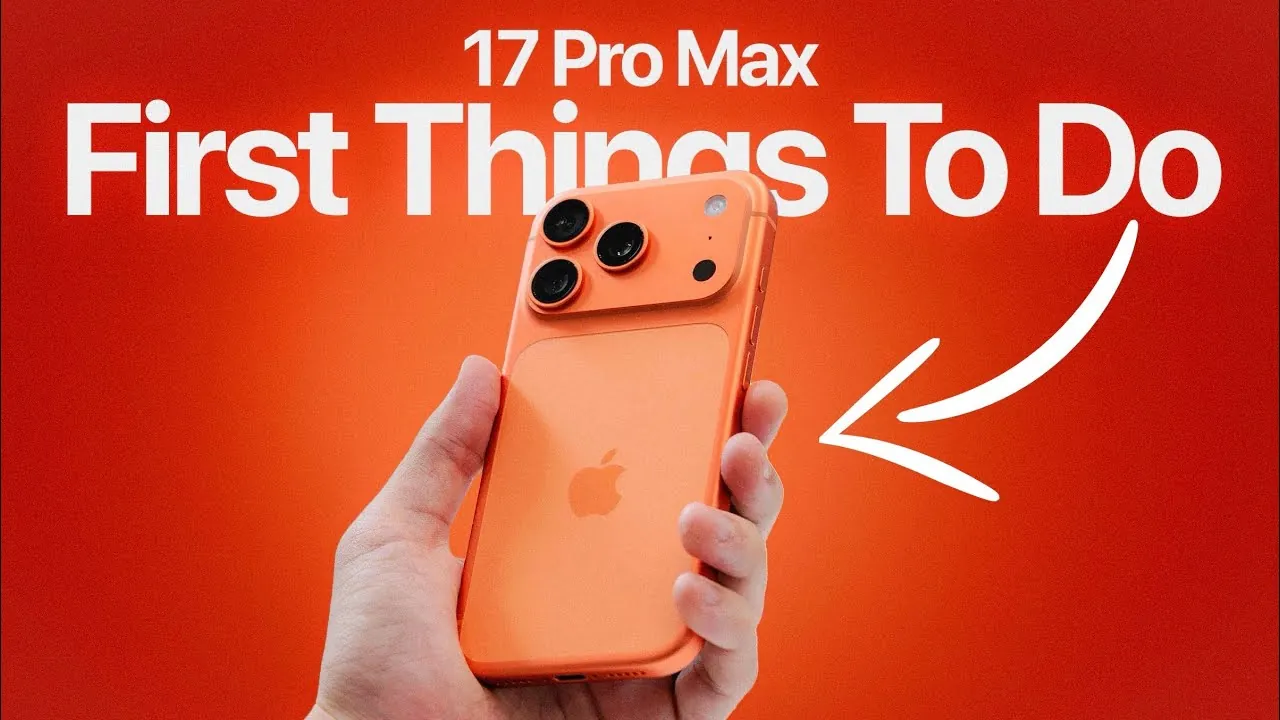
The iPhone 17 Pro Max introduces a host of advanced features and customization options, offering a seamless blend of functionality and personalization. From faster charging capabilities to innovative health monitoring tools, this device is designed to enhance your daily experience. To help you unlock its full potential, here are 17 key features and settings to explore in a new video from iDeviceHelp.

1. Update Your Software
Making sure your iPhone is running the latest version of iOS 26 is the first step to optimizing your device. Apple consistently releases updates to address bugs, enhance security, and improve overall performance. Navigate to Settings > General > Software Update to check for updates. Keeping your software current ensures your iPhone operates smoothly and securely.
2. Take Advantage of Faster Charging
The iPhone 17 Pro Max supports 45W wired fast charging, allowing you to charge up to 50% in just 20 minutes. For wireless charging, it is compatible with 25W fast chargers. To maximize charging efficiency, use Apple-certified accessories or Qi-compliant chargers. This feature is particularly useful for users who need quick power-ups during busy days.
3. Explore Camera Upgrades
The upgraded 18MP front-facing camera delivers sharper selfies with features like auto-zoom and auto-rotation. The new dual capture mode allows you to record 4K video using both the front and rear cameras simultaneously, making it ideal for vlogging or dynamic content creation. Additionally, the 8x optical zoom enhances your ability to capture detailed shots from a distance, making sure every moment is preserved with clarity.
4. Optimize Battery Performance
The new Adaptive Power Mode under Settings > Battery intelligently adjusts background activity and performance to conserve power during heavy usage. This feature ensures your device remains functional throughout the day without compromising essential tasks, making it a valuable tool for users who rely on their iPhone for extended periods.
5. Customize Screenshot Settings
Streamline your workflow by modifying how screenshots are displayed and saved. Under Settings > General > Screen Capture, you can adjust screenshot behavior to reduce distractions and avoid accidental full-screen previews. This customization is particularly useful for professionals and students who frequently capture and share information.
6. Adjust Camera Launch Controls
Prevent accidental camera activation by customizing how the camera app is launched. Under Settings > Camera, you can assign a double-click or specific gesture to open the camera. This ensures the app is ready when needed while minimizing unintended interruptions.
7. Personalize the Always-On Display
The Always-On Display now offers greater customization options. You can adjust brightness levels or disable the blur effect on wallpapers under Settings > Display & Brightness > Always-On Display. These settings allow you to tailor the feature to your preferences while conserving battery life.
8. Manage Spam Calls
Reduce unwanted interruptions by allowing tools like “Ask Reason for Calling” and “Unknown Caller Filters” under Settings > Phone. These features help you screen incoming calls, giving you better control over who can reach you and ensuring a more focused communication experience.
9. Explore Advanced Health Monitoring
The Health app now includes features like hypertension notifications and sleep score tracking. Pair your iPhone with an Apple Watch to unlock these tools, which provide valuable insights into your well-being. These features empower you to stay proactive about your health and make informed lifestyle choices.
10. Personalize Wallpapers and Ringtones
Express your style by selecting exclusive wallpapers and ringtones. Access these options under Settings > Wallpaper and Settings > Sounds & Haptics. These customization options allow you to make your iPhone uniquely yours, reflecting your personality and preferences.
11. Enable Focus Modes
Take control of notifications and distractions by setting up Focus Modes under Settings > Focus. These modes allow you to customize which apps and contacts can reach you during specific times, such as work hours or relaxation periods. This feature helps you maintain productivity and balance in your daily routine.
12. Explore Dynamic Widgets
Dynamic widgets adapt to your usage patterns, providing relevant information at a glance. Add these to your home screen by long-pressing an empty area, selecting Widgets, and choosing the ones that best suit your needs. These widgets enhance convenience and efficiency by keeping essential tools and updates readily accessible.
13. Set Up Face ID Enhancements
Face ID now works at wider angles and in landscape mode, making it more versatile than ever. To ensure optimal performance, go to Settings > Face ID & Passcode and follow the setup instructions. This enhancement simplifies unlocking your device and authorizing payments, even in unconventional positions.
14. Customize Control Center
Tailor the Control Center to your preferences by adding or removing shortcuts. Navigate to Settings > Control Center and select the tools you use most frequently, such as screen recording, flashlight, or smart home controls. This customization ensures quick access to your most-used features.
15. Explore Safari’s New Features
Safari now includes enhanced privacy tools and tab grouping. Organize your browsing by creating tab groups for work, personal use, or research. Access these features by opening Safari and tapping the tab icon in the bottom-right corner. These updates make browsing more efficient and secure.
16. Test the New Action Button
The iPhone 17 Pro Max replaces the mute switch with a customizable Action Button. Assign it to tasks like launching the camera, activating Focus Modes, or starting a voice memo. Configure this feature under Settings > Action Button to streamline your interactions with the device.
17. Try Live Voicemail
Live Voicemail transcribes messages in real time, allowing you to decide whether to answer or ignore a call. Enable this feature under Settings > Phone > Live Voicemail. This tool provides greater control over your incoming calls, making sure you never miss important messages.
Maximize Your iPhone 17 Pro Max Experience
The iPhone 17 Pro Max is designed to deliver a highly personalized and efficient user experience. By exploring these 17 features and settings, you can optimize your device for convenience, performance, and style. Whether it’s faster charging, advanced health monitoring, or enhanced camera capabilities, these tools ensure your iPhone adapts seamlessly to your needs.
Below are more guides on iPhone 17 Pro Max features from our extensive range of articles.
- iPhone 17 Pro Max Event: Hidden Features and Key Takeaways
- iPhone 17 Pro Max Specs, Design, and Performance Breakdown
- iPhone 17 Pro Max Camera, Battery, and Design Explained
- iPhone 17 Pro max Features, Specs, and Pricing Explained
- How the iPhone 17 Pro Max Redefines Smartphone Performance
Source & Image Credit: iDeviceHelp
Disclosure: Some of our articles include affiliate links. If you buy something through one of these links, Geeky Gadgets may earn an affiliate commission. Learn about our Disclosure Policy.
