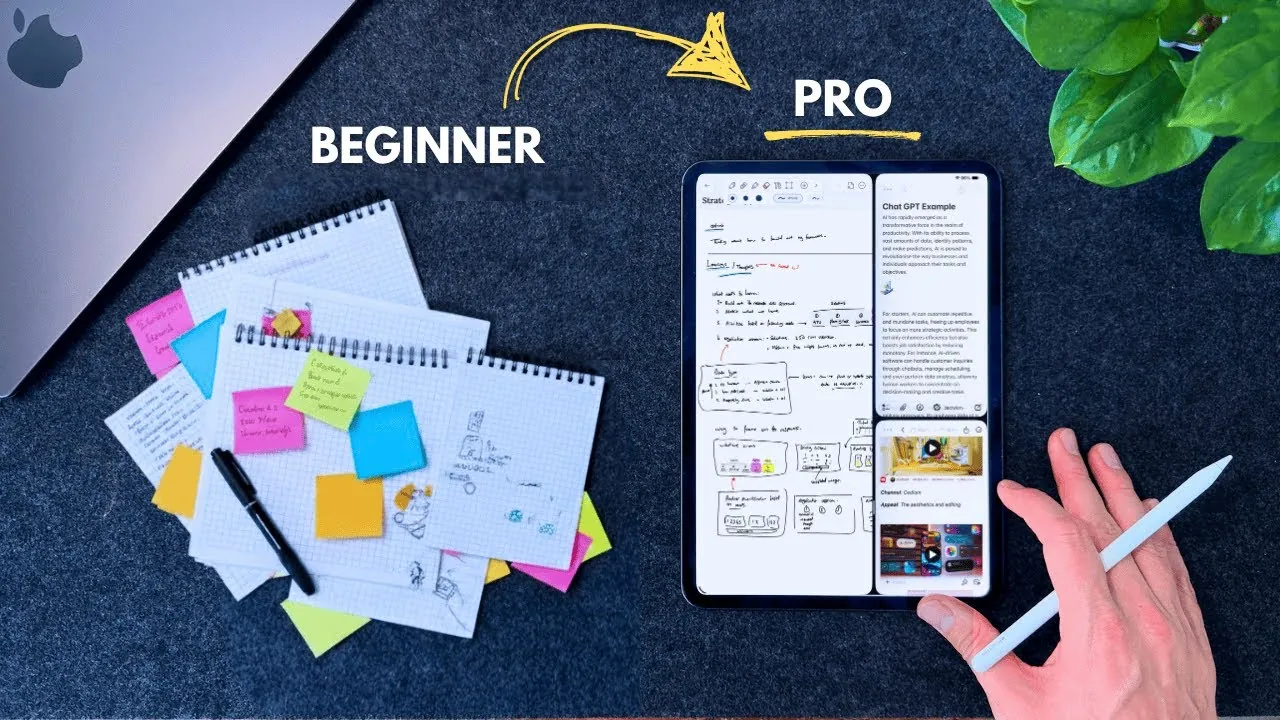
Have you ever found yourself scrolling through a chaotic sea of digital notes, struggling to locate that one critical idea or meeting summary? For many, note-taking feels like a necessary chore rather than a tool for clarity and productivity. But what if your iPad could transform this process into a streamlined, professional-grade system? With the right approach, Apple Notes and the iPad’s unique features can become more than just a digital notebook, they can serve as the backbone of an organized, efficient workflow that enables both your personal and professional life.
In this guide, Future Simplified explore a systematic approach to iPad note-taking that goes beyond simply jotting down thoughts. You’ll discover a three-stage framework for organizing your notes, a five-step methodology for structuring them, and tips for using the iPad’s powerful tools like handwriting recognition and split-view multitasking. Whether you’re a student, a professional, or a lifelong learner, this system offers actionable strategies to elevate your note-taking into a purposeful, impactful practice. By the end, you may find yourself rethinking not just how you take notes, but how you approach productivity as a whole.
iPad Note-Taking System
TL;DR Key Takeaways :
- The three-stage organizational framework (Inbox, Projects, Areas, Archive) ensures clarity, accessibility, and reduced digital clutter in your notes.
- The Clear Page methodology (Context, Learnings, Extract, Actions, Reflect) provides a structured, actionable, and insightful approach to note-taking.
- iPad features like Split-View multitasking, Quick Notes, Smart Folders, and handwriting recognition enhance productivity and streamline workflows.
- Using Apple’s AI tools and display optimization ensures polished, professional-grade notes with improved usability and visual clarity.
- This system improves organization, enhances productivity, and integrates seamlessly into daily routines for both personal and professional use.
The Three-Stage Organizational Framework
To maintain clarity and accessibility in your notes, a well-defined organizational framework is essential. The three-stage framework categorizes your notes based on their purpose and stage of use, making sure a streamlined workflow and minimizing digital clutter:
- Inbox: This is your central hub for capturing ideas, meeting notes, and research findings. Use it to jot down spontaneous thoughts or import files. Regularly review and sort these entries, ideally on a weekly basis, to maintain order.
- Projects: Create dedicated sections for work or study-related tasks. These sections can include timelines, task lists, or research materials tailored to specific goals, making sure all relevant information is consolidated in one place.
- Areas: Use this space for ongoing tasks, personal development, or continuous learning. Examples include annotated PDFs, industry updates, or logs tracking your growth and progress.
- Archive: Move inactive or completed notes to the archive to declutter your active sections. Archived notes remain searchable, allowing you to retrieve them whenever needed without adding unnecessary bulk to your workspace.
This framework ensures your notes are well-organized, easy to navigate, and always accessible, helping you stay focused and productive in both professional and personal contexts.
The Clear Page Methodology for Structuring Notes
A structured approach to note-taking ensures your notes are actionable, insightful, and easy to review. The Clear Page methodology provides a five-step system to organize your notes effectively, making them more purposeful and impactful:
- C (Context): Begin each note with essential details such as the date, meeting title, topics, and participants. This creates a clear reference point for future use and ensures your notes are easy to contextualize.
- L (Learnings): Record key insights, quotes, data points, and supplementary materials. This section captures the core information you need to retain and revisit.
- E (Extract): Incorporate visual elements such as diagrams, sketches, or screenshots. These elements enhance comprehension and improve recall, especially for complex topics.
- A (Actions): Highlight actionable items, follow-up questions, or tasks. This ensures your notes lead to meaningful outcomes and help you stay on track with your objectives.
- R (Reflect): Conclude with a one-sentence summary of the key takeaways. This step reinforces clarity and makes it easier to review the note’s purpose at a glance.
By following this methodology, you ensure that every note you take is structured, purposeful, and easy to revisit, whether for personal reflection or professional use.
iPad Apple Notes Note-Taking System for 2025

Find more information on Apple Notes by browsing our extensive range of articles, guides and tutorials.
- How to Sync Apple Notes to Notion : 2025 Guide
- How to Use Apple Notes as a Vertical Kanban Board for Tasks
- How to Use Apple Notes for Organization, Collaboration and More
- Apple Notes vs Goodnotes 6: Which Note-Taking App is Best for You
- Use the Zettelkasten Method in Apple Notes for Better Organization
- New Apple Notes iOS 26 Features : Markdown, 3D Graphs & More
- Using ChatGPT in Apple Notes: A Complete Guide for Mac Users
- How to Use Apple Notes for Quick and Efficient Note-Taking
- Discover the New Tools in Apple Notes iOS 18.3 Update
- How Apple Notes AI Features Transform Digital Note-Taking
Maximizing iPad Features for Note-Taking
The iPad offers a variety of tools and features that can significantly enhance your note-taking experience. By integrating these capabilities into your workflow, you can streamline your process and maximize productivity:
- Display Optimization: Adjust the iPad’s display settings to maximize screen space, making it easier to view and organize your notes. Use features like dark mode or True Tone for comfortable, prolonged use.
- Split-View Multitasking: Use the split-view feature to take notes while simultaneously researching or reviewing other documents. This reduces context-switching and improves efficiency during multitasking.
- Quick Notes: Set up Quick Notes for instant capture using the Apple Pencil. This feature is particularly useful for jotting down ideas or information on the go, making sure nothing important is missed.
- Smart Folders and Tags: Organize your notes with tags and smart folders for quick retrieval. These tools simplify navigation and ensure you can locate specific notes effortlessly.
- Handwriting Recognition: Apple’s advanced handwriting recognition technology allows you to search handwritten notes with ease. This feature is ideal for users who prefer writing over typing, combining the benefits of traditional note-taking with modern searchability.
- AI Tools: Use Apple’s AI capabilities to refine handwritten or drawn content, making sure your notes are polished and visually clear. This is especially useful for creating professional-grade diagrams or annotations.
These features make the iPad a versatile and powerful tool for creating, organizing, and managing notes, whether for academic, professional, or personal purposes.
Key Benefits of This System
Implementing this comprehensive note-taking system offers several advantages that can significantly enhance your productivity and organization:
- Improved Organization: The three-stage framework and Clear Page methodology ensure your notes are systematically categorized and easy to navigate, reducing digital clutter.
- Actionable Insights: Structured notes with clear action items and reflections help you make informed decisions and follow through effectively on tasks and goals.
- Enhanced Productivity: Using iPad-specific features streamlines your workflow, allowing you to focus on high-priority tasks without unnecessary distractions.
- Professional-Grade Notes: Combining structure, methodology, and technology ensures your notes are polished, comprehensive, and ready for any professional or academic setting.
- Seamless Integration: The system integrates seamlessly into your daily routine, making it easier to manage projects, capture insights, and stay organized across various contexts.
By adopting this system, you can transform your iPad into a powerful tool for productivity, making sure your notes are not only well-organized but also actionable and impactful.
Media Credit: Future Simplified
Disclosure: Some of our articles include affiliate links. If you buy something through one of these links, Geeky Gadgets may earn an affiliate commission. Learn about our Disclosure Policy.
