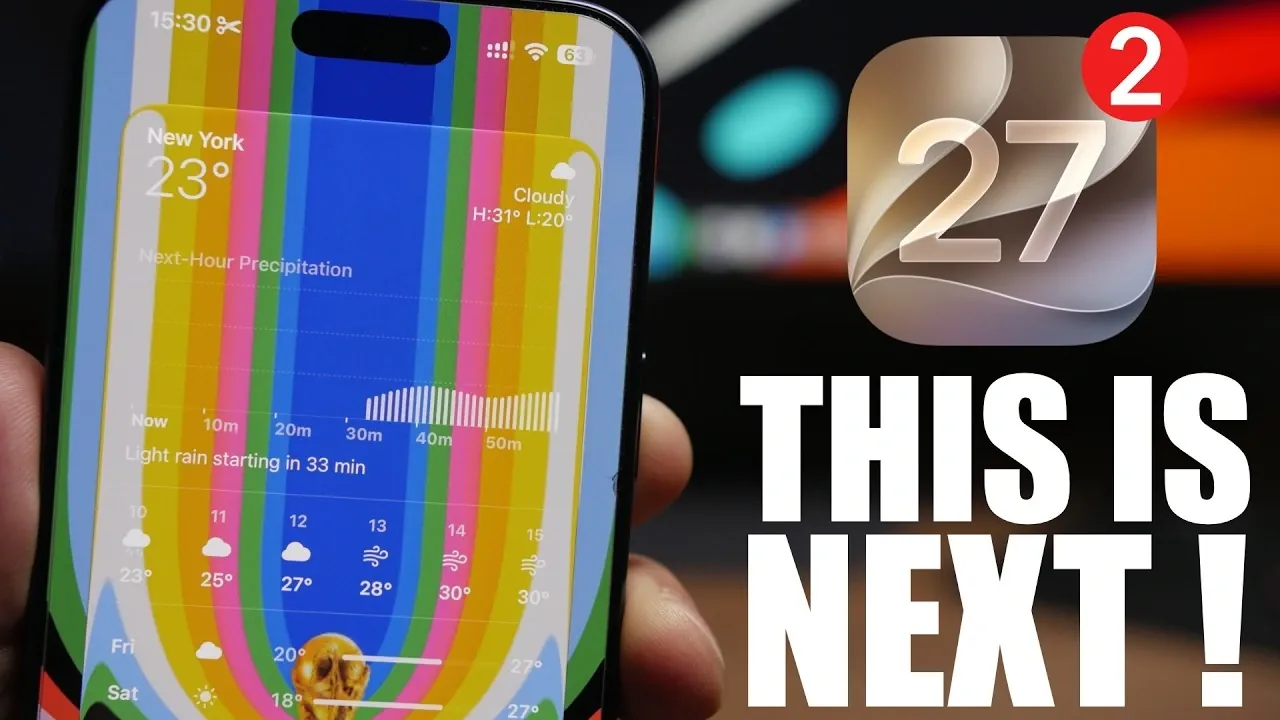
Apple’s iOS 27 Beta 2 is poised to bring a host of new features and refinements, building upon the foundation established by the initial beta release. With a strong emphasis on customization, performance and user-focused improvements, this update aims to elevate the iPhone experience. Below is a detailed look at the most notable enhancements and their potential impact on your daily use. The video below from iDeviceHelp gives us more details about the next beta.

Enhanced Camera App Controls
The Camera app is undergoing a noteworthy transformation with the introduction of customizable controls. Users can now configure toggles and widgets for quick access to essential tools such as exposure, focus and filters. This streamlined approach eliminates the need to navigate through multiple menus, allowing faster adjustments while capturing photos or videos. Whether you’re a casual user or a professional photographer, these changes are designed to save time and improve workflow, making the Camera app more intuitive and efficient.
Siri’s Evolution with AI Extensions
Siri is becoming smarter and more versatile with the integration of third-party AI systems through new extensions. This update allows you to customize Siri’s interactions with your apps and services, unlocking advanced capabilities. For example, you may soon use Siri to access AI-driven productivity tools, entertainment options, or communication enhancements. By opening Siri to external AI platforms, Apple is transforming its voice assistant into a dynamic and adaptable tool, capable of meeting a broader range of user needs.
Improved Home Screen Customization
iOS 27 Beta 2 introduces undo and redo functionality for home screen customization, offering greater flexibility and control. This feature allows you to experiment with different layouts without the worry of making irreversible changes. Switching between setups is now more intuitive, empowering users to create a home screen that aligns with their preferences and usage habits. This enhancement is particularly beneficial for those who frequently tweak their home screens or test new configurations, making sure a seamless and user-friendly experience.
Full-Screen Widgets for Enhanced Interactivity
Widgets are receiving a significant upgrade with the addition of full-screen options, allowing you to dedicate entire sections of your home screen to widgets like Weather, Music, or Reminders. This feature creates a more immersive and informative interface, allowing users to access key information at a glance. Over time, Apple is expected to expand this functionality by introducing additional widgets, further enhancing the personalization and utility of the home screen. Full-screen widgets represent a step toward a more dynamic and engaging user experience.
Modular Watch Faces for Apple Watch
Apple Watch users can anticipate the arrival of modular watch face options, blending functionality with style. These watch faces are designed to be highly customizable, allowing users to tailor their displays to suit specific needs, such as fitness tracking, notifications, or productivity. While this feature may not be available until Beta 3, it highlights Apple’s commitment to personalization and innovation in its wearable devices, offering users more control over their Apple Watch experience.
Performance and Battery Life Enhancements
Building on the strong performance metrics showcased in the first beta, iOS 27 Beta 2 is expected to deliver further system optimizations and battery life improvements. Early reports indicate enhanced Geekbench scores and improved energy efficiency, making this update particularly valuable for users who rely on their devices for demanding tasks or extended periods of use. These refinements ensure that iPhones running iOS 27 Beta 2 can handle intensive workloads while maintaining long-lasting battery performance.
Beta Release Timeline and Availability
The release of iOS 27 Beta 2 is scheduled for June 22, 2026, with subsequent beta updates expected to follow a two-week cycle. A public beta is anticipated by mid-July, providing users with an opportunity to explore the new features before the official release. This phased rollout allows Apple to gather valuable feedback from beta testers, making sure that the final version of iOS 27 is polished and optimized for a seamless user experience.
Should You Upgrade to iOS 27 Beta 2?
If you’re currently using iOS 26, upgrading to iOS 27 Beta 2 is worth considering. The first beta has already demonstrated stability and reliability, and the upcoming release promises even more enhancements. From customizable controls to performance improvements, this update offers practical benefits that can enhance your daily experience. By joining the beta program, you’ll gain early access to innovative features and have the opportunity to provide feedback that shapes the future of iOS.
A Glimpse into the Future of iOS
iOS 27 Beta 2 represents a significant step forward, focusing on customization, efficiency and user satisfaction. Whether you’re excited about AI-powered Siri extensions, dynamic home screen widgets, or improved performance, this update has something to offer for every user. As Apple continues to refine its operating system, iOS 27 Beta 2 provides a compelling preview of what’s to come, setting the stage for a more personalized and powerful iPhone experience.
Check out more relevant guides from our extensive collection on iOS 27 Beta 2 Features that you might find useful.
- iOS 27 Beta 2 Changes: What Apple Is Modifying to Improve Performance
- iOS 27 First Look: Apple Just Dropped a Bombshell Beta
- iOS 26.6 Beta 2 First Look: Apple is Quietly Upgrading Your iPhone’s Security
Source & Image Credit: iReviews
Disclosure: Some of our articles include affiliate links. If you buy something through one of these links, Geeky Gadgets may earn an affiliate commission. Learn about our Disclosure Policy.
