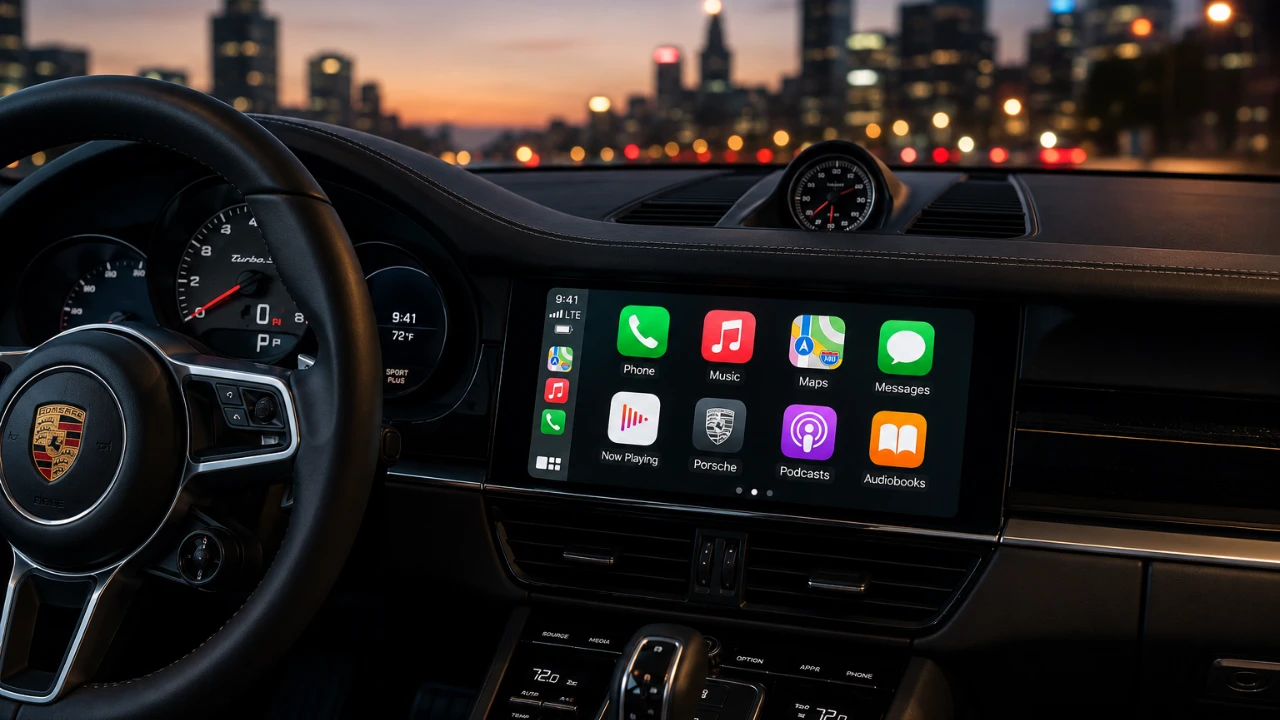
Apple’s iOS 27 introduces a comprehensive upgrade to CarPlay, redefining how drivers interact with their vehicle’s infotainment systems. This update integrates advanced AI capabilities, video streaming options, and a more streamlined user interface, catering to the growing demands of today’s drivers, especially those with electric vehicles (EVs). Whether you’re navigating complex routes, staying entertained during idle moments, or tailoring your dashboard to your preferences, these enhancements aim to deliver a safer, smarter, and more engaging driving experience. The video below from 9 to 5 Mac gives us more details on the new Apple CarPlay features in iOS 27.

Advanced Siri AI: A Smarter, More Context-Aware Assistant
The iOS 27 update significantly enhances Siri’s functionality within CarPlay, making it more intuitive and capable of handling complex, multi-step tasks. Siri now uses advanced conversational AI, allowing you to interact naturally without relying on rigid commands. For instance, you can say, “Find the nearest EV charging station and remind me to check my battery level in 30 minutes,” and Siri will seamlessly execute the request. This hands-free capability is designed to minimize distractions, allowing you to focus on the road while managing essential tasks effortlessly.
Another key improvement is Siri’s cross-device synchronization. If you initiate a query on your iPhone before entering your car, Siri can seamlessly continue the interaction on your CarPlay display. The updated interface also features a glowing orb at the bottom center of the screen, making sure Siri is always accessible without cluttering the dashboard. These enhancements make Siri a more reliable and efficient Copilot for your journeys.
Video Streaming: Entertainment for Stationary Moments
For the first time, CarPlay now supports video streaming apps such as Netflix and YouTube, offering entertainment options for moments when your car is stationary. Whether you’re waiting to pick someone up or charging your EV, you can enjoy high-definition video content directly on your CarPlay display. This feature is particularly useful for EV owners, who often spend time at charging stations.
However, this functionality is intentionally restricted to parked vehicles to prioritize safety. It’s worth noting that automaker support is required for this feature, meaning not all vehicles will immediately offer video streaming compatibility. This update reflects a broader trend in the automotive industry, where in-car entertainment is becoming a standard expectation for modern EVs and luxury vehicles.
Refined User Interface: Enhanced Usability and Personalization
The iOS 27 update introduces several user interface improvements designed to enhance both functionality and aesthetics. These updates focus on usability, multitasking and customization, making sure a more seamless and enjoyable experience for drivers. Key features include:
- Mini Music Player: A compact music player now allows you to control your media without occupying the entire screen. This makes it easier to multitask, such as adjusting your playlist while following navigation directions.
- Timeline Scrubbing: A new scrubbing feature enables precise control over playback for songs, podcasts, or videos. Using your car’s touchscreen, you can easily rewind or fast-forward to specific moments.
- Customizable Wallpapers: CarPlay now offers 12 new wallpaper options, including a sleek liquid glass design. These wallpapers allow you to personalize your dashboard, adding a touch of individuality to your driving environment.
These updates are designed to make CarPlay more intuitive, visually appealing and adaptable to your preferences, making sure a smoother and more enjoyable user experience.
Compatibility and Considerations
While the iOS 27 update introduces a host of exciting features, there are certain compatibility factors to keep in mind. Many of the advanced functionalities, such as Siri’s enhanced AI and video streaming, require the latest hardware. For example, these features are optimized for newer iPhone models, such as the iPhone 15 Pro and later.
Additionally, automakers play a critical role in allowing certain features. Video streaming, for instance, depends on specific hardware and software support from your car manufacturer. As a result, the availability of these features may vary depending on your vehicle’s make and model. It’s advisable to check with your automaker to confirm compatibility and ensure you can take full advantage of the new capabilities offered by iOS 27.
Transforming the Driving Experience with iOS 27
The iOS 27 update represents a significant step forward for Apple CarPlay, delivering features that enhance convenience, entertainment and personalization. From Siri’s advanced conversational AI to video streaming capabilities and a refined user interface, these updates align CarPlay with the evolving needs of modern drivers and the capabilities of contemporary EV infotainment systems. While some features depend on hardware compatibility and automaker support, the overall improvements make CarPlay a more versatile and indispensable tool for drivers seeking a connected, hands-free experience.
Become an expert in Siri AI Integration with the help of our in-depth articles and helpful guides.
- Why Everyone is Talking About the New Siri in iOS 27
- First Look at the iOS 27 Siri Redesign Before WWDC 2026
Source: 9to5Mac
Disclosure: Some of our articles include affiliate links. If you buy something through one of these links, Geeky Gadgets may earn an affiliate commission. Learn about our Disclosure Policy.
