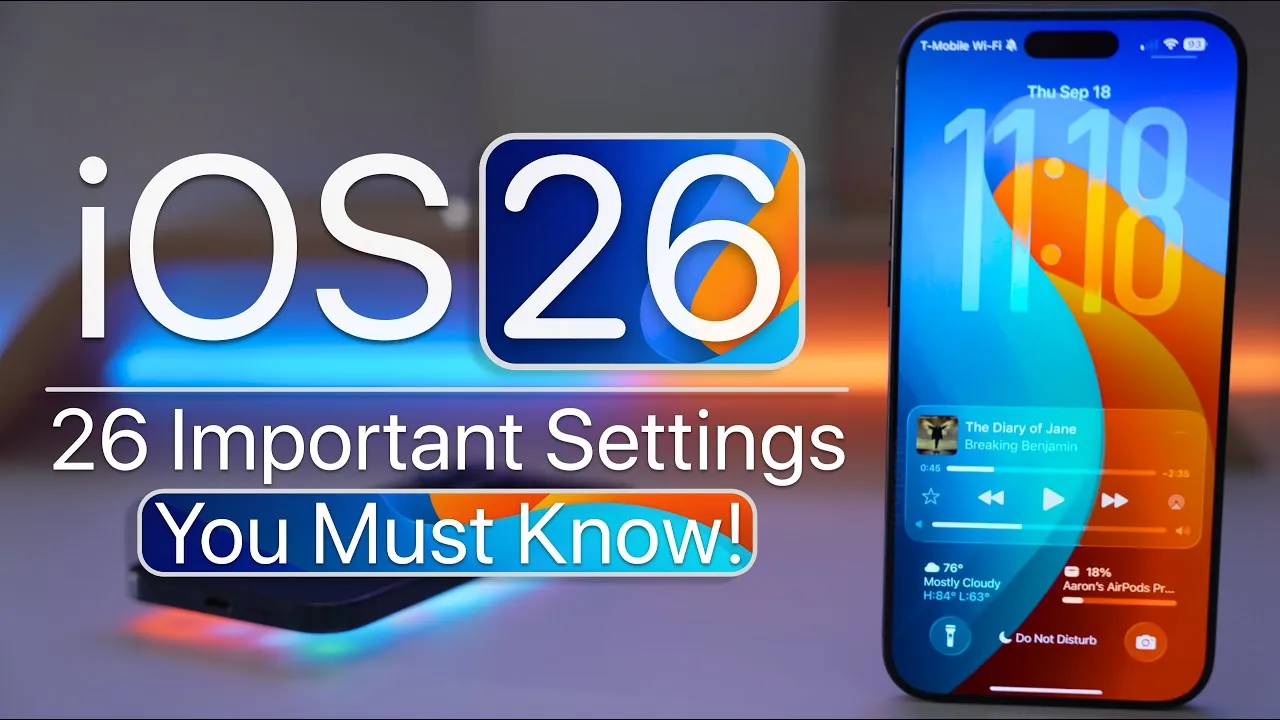
Apple’s iOS 26 introduces a comprehensive suite of updates designed to enhance accessibility, personalization, audio, camera functionality, and more. With a focus on usability and customization, these features empower you to tailor your device to meet your specific needs. In the video below from Zollotech is an in-depth look at the most impactful changes, highlighting how they can improve your experience.

Accessibility Upgrades
iOS 26 continues Apple’s commitment to inclusivity with thoughtful accessibility enhancements that make devices more user-friendly for everyone:
- Background Sounds: Create a calming environment by allowing background sounds such as white noise or ocean waves. These sounds come with customizable timers and equalizer settings to suit your preferences.
- Audio Balance: Adjust the audio balance for each ear, making sure a personalized listening experience that accommodates individual hearing needs.
- Assistive Touch Enhancements: Fine-tune gestures and shortcuts for easier navigation, making the device more intuitive for users with motor challenges.
Enhanced Personalization
iOS 26 introduces new ways to make your device uniquely yours, offering greater flexibility in customization:
- Custom Ringtones: Assign ringtones directly from the Files app, simplifying the process of personalizing your device’s sound profile.
- Safari Address Bar: Choose whether the address bar appears at the top or bottom of the screen, adapting the browser layout to your preferences.
- Lock Screen Blur: Blur wallpapers on the lock screen for a cleaner, distraction-free display that emphasizes notifications and widgets.
- Dynamic Widgets: Add interactive widgets to your home screen, allowing real-time updates and quick actions without opening apps.
Audio Improvements
Audio enthusiasts will appreciate the advanced features in iOS 26, which aim to deliver a richer and more immersive sound experience:
- AirPods as Microphones: Use AirPods with voice isolation technology for clearer calls and high-quality audio recordings.
- Music Haptics: Feel the rhythm with tactile feedback while listening to music, enhancing your connection to the sound.
- Automix: Enjoy seamless transitions between songs with automatic key and tempo matching, perfect for playlists and parties.
- Spatial Audio Customization: Adjust spatial audio settings to suit your environment, whether you’re at home or on the go.
Camera Upgrades
The camera in iOS 26 receives significant updates, making it easier to capture high-quality photos and videos:
- AirPods Integration: Use AirPods as a wireless microphone for videos, making sure clear audio even when recording from a distance.
- Customizable Features: Adjust or disable settings like flash, live photo, and action mode to match your photography style.
- Lens Cleaning Hints: Receive reminders to clean your camera lens, making sure optimal image quality every time.
- Pro Mode Enhancements: Access advanced controls for shutter speed, ISO, and focus, giving you greater creative freedom.
Smarter Battery Management
Battery life sees meaningful improvements with the introduction of adaptive power management features:
- Dynamic Adjustments: The system intelligently optimizes performance based on your usage patterns, extending battery life without compromising functionality.
- Notifications: Stay informed about power-saving changes in real time, helping you make better decisions about charging and usage.
- Charging Insights: View detailed reports on your charging habits to maintain long-term battery health.
CarPlay and Display Enhancements
CarPlay and display settings receive practical updates to improve usability and visibility:
- CarPlay Screenshots: Disable screenshots while using CarPlay to protect sensitive information and reduce distractions.
- Reduced Transparency: Enhance visibility in bright environments by reducing transparency in folders, the dock, and Control Center.
- Custom Dashboards: Personalize your CarPlay dashboard with widgets and shortcuts for a more intuitive driving experience.
Streamlined Reminders and Order Tracking
Managing tasks and tracking purchases is now faster and more efficient with these updates:
- Control Center Integration: Access reminders directly from the Control Center, allowing you to manage tasks without navigating through multiple apps.
- Wallet Automation: The Wallet app uses email intelligence to automatically track orders, providing real-time updates on deliveries.
- Smart Lists: Organize reminders into smart lists that adapt based on due dates, locations, or priorities.
Podcasts and Screen Recording Updates
iOS 26 enhances both podcast listening and screen recording capabilities, catering to content creators and casual users alike:
- Podcast Clarity: Enjoy improved dialogue clarity and adjustable playback speeds for individual shows, making sure a tailored listening experience.
- Screen Recording Formats: Choose between HDR and SDR formats to match your recording quality needs, whether for professional use or casual sharing.
- Live Annotations: Add annotations to screen recordings in real time, making it easier to create tutorials or highlight key points.
Clock and Phone App Improvements
Everyday tools like the Clock and Phone apps receive updates to improve functionality and convenience:
- Adjustable Snooze: Set snooze durations between 1 and 15 minutes, giving you greater control over your wake-up routine.
- Call History: View complete call histories for individual contacts, making it easier to track conversations over time.
- Blocked Numbers Management: Manage blocked numbers in a dedicated section, streamlining the process of controlling unwanted calls.
Music and Apple Card Enhancements
Music playback and financial management see notable improvements, adding convenience and customization:
- Music Automix: Enjoy smoother transitions between songs with Automix, and customize haptics to focus on vocals or the full mix for a personalized listening experience.
- Apple Card Sorting: Organize transactions, payments, and refunds more efficiently with improved sorting options, making financial management simpler.
- Playlist Sharing: Share playlists with friends and family directly from the Music app, complete with collaborative editing options.
Find more information on iOS 26 features by browsing our extensive range of articles, guides and tutorials.
- 10 Hidden Features in iOS 26 You Need to Know About
- iOS 26 Release: Key Features and Updates for Apple Users
- iOS 26: The Hidden Features Apple Didn’t Tell You About
- Hidden Features in iOS 26 You Need to Know About
- iOS 26 Beta 8: New Apple CarPlay Features and Updates
Source & Image Credit: zollotech
Disclosure: Some of our articles include affiliate links. If you buy something through one of these links, Geeky Gadgets may earn an affiliate commission. Learn about our Disclosure Policy.
