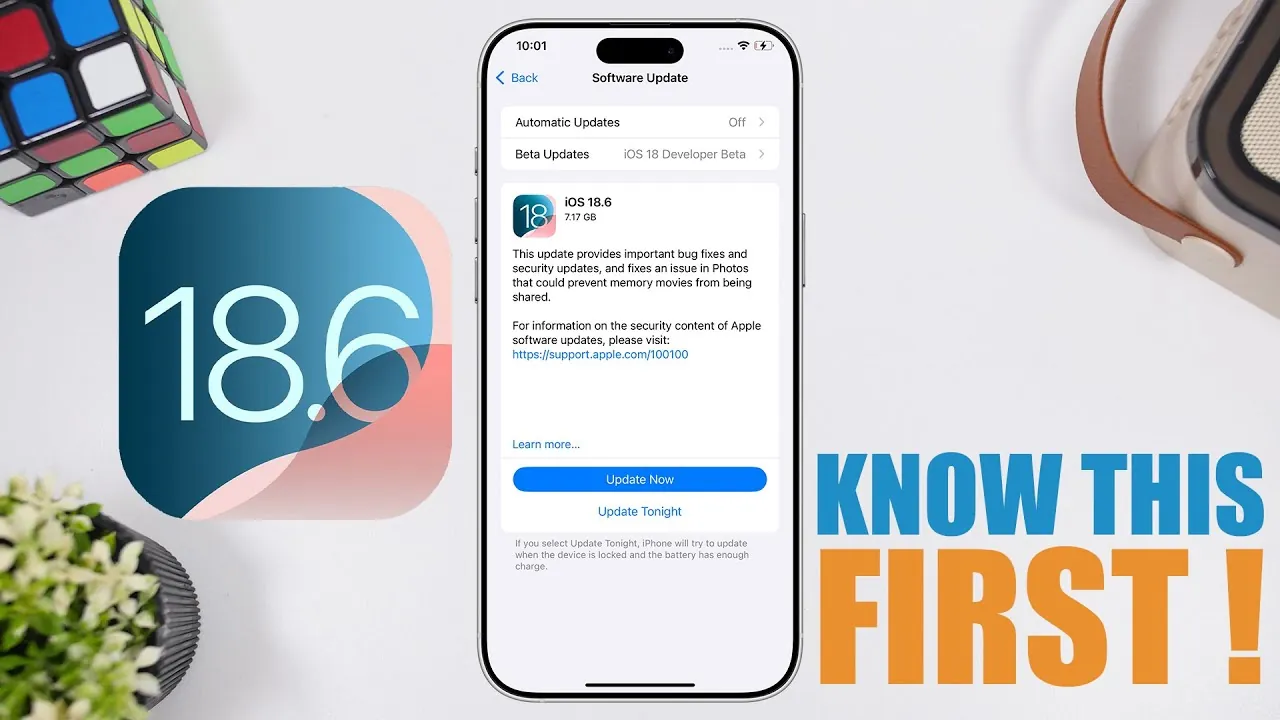
The release of iOS 18.6 marks a significant milestone, particularly for older devices such as the iPhone XS, XS Max, and XR. As these models will not support the upcoming iOS 26, this update serves as their final major software upgrade. It is essential to understand the details of this release to ensure your device remains secure, functional, and optimized. Below is a comprehensive guide to help you navigate this important update. The video below, from iReviews, provides more details.

Release Date and Device Compatibility
Apple has scheduled the release of iOS 18.6 for Monday, July 28, 2025, at 10:00 a.m. Pacific Time. This update is compatible with a wide range of devices, including the iPhone XS, XS Max, and XR. For these models, iOS 18.6 represents the last significant update they will receive, making it a critical step in maintaining their performance and security as they approach the end of their software lifecycle.
If you own one of these devices, this update is particularly important. It ensures that your phone remains functional and protected against emerging threats, even as Apple shifts its focus to newer models and operating systems.
Storage Requirements and Update Size
The size of the iOS 18.6 update will vary depending on your device model and current software version, ranging between 1 and 2 GB. However, to complete the installation process without issues, you will need at least 5 to 6 GB of free storage space. This additional space is necessary to accommodate the download and installation files, reducing the likelihood of errors or interruptions during the update.
To prepare your device, consider deleting unused apps, clearing cached data, or transferring large files to iCloud or an external storage solution. Making sure adequate storage not only assists the update process but also helps your device run more efficiently.
Key Features and Improvements
Unlike updates that introduce new new features, iOS 18.6 focuses on enhancing the overall user experience through targeted improvements. Here are the key enhancements you can expect:
- System stability: Reduces crashes and glitches, making sure a smoother and more reliable experience.
- Performance optimizations: Enhances responsiveness, particularly on older devices, making everyday tasks faster and more seamless.
- Bug fixes: Addresses known issues to improve usability and eliminate persistent annoyances.
- Battery life improvements: Optimizes power consumption, extending the time between charges for better usability throughout the day.
- Security updates: Protects against vulnerabilities and emerging threats, safeguarding your personal data and device integrity.
These updates are designed to ensure your device remains reliable and secure, even as it nears the end of its software support. While the update may not introduce flashy new features, its focus on stability and performance makes it a valuable upgrade for users of older devices.
Enable Automatic Updates for Convenience
To simplify the process of staying up-to-date, consider allowing automatic updates on your device. This feature allows your iPhone to download and install updates during off-hours, such as overnight, minimizing disruptions to your daily routine. By activating automatic updates, you can ensure that your device remains current without requiring manual intervention.
To enable this feature, navigate to your device’s settings, select “Software Update,” and toggle the automatic updates option. This small step can save time and effort while making sure your device remains secure and optimized.
What’s Next for iOS 18 Devices?
Although iOS 18.6 is the final major update for devices running iOS 18, Apple is expected to release smaller incremental updates, such as iOS 18.6.1, in the future. These updates will primarily focus on addressing security vulnerabilities and minor performance issues. While they won’t introduce new features, they are crucial for maintaining the security and functionality of your device.
Staying up-to-date with these incremental updates is essential, particularly as older devices become more vulnerable to emerging threats. Regularly checking for updates and installing them promptly will help extend the lifespan of your device and ensure it continues to perform reliably.
Speculation About Apple Intelligence
There has been speculation that iOS 18.6 may activate an Apple Intelligence feature in China. However, this remains unconfirmed, and no significant new features are expected for users outside of this context. The primary focus of this update is on refining the existing system rather than introducing new capabilities. For most users, the update’s value lies in its stability, performance, and security enhancements.
Preparing for the Update
If you own an iPhone XS, XS Max, or XR, updating to iOS 18.6 is highly recommended. This update ensures your device remains stable, secure, and optimized as it transitions out of Apple’s primary software ecosystem. To prepare for the update, follow these steps:
- Free up storage space: Ensure you have at least 5 to 6 GB of available storage to accommodate the update files.
- Enable automatic updates: Simplify future updates by turning on this convenient feature in your device settings.
- Back up your data: Use iCloud or a computer to create a backup of your important files and settings before installing the update.
By taking these steps, you can ensure a smooth update process and maximize the performance and longevity of your device. As this is the final major update for iOS 18 devices, it is an important opportunity to optimize your phone and prepare it for the years ahead.
Find more information on iOS 18.6 update by browsing our extensive range of articles, guides and tutorials.
- First Look: iOS 18.6 – Sneak Peek at the Next iPhone Update
- iOS 18.6: Everything You MUST Know Before Updating
- iOS 18.6 RC Update: Features, Bug Fixes, and Compatibility
- iOS 18.6 Update Features, Release Date, and What to Expect
- iOS 18.6 Beta 2 Features, Updates, and More
Source & Image Credit: iReviews
Disclosure: Some of our articles include affiliate links. If you buy something through one of these links, Geeky Gadgets may earn an affiliate commission. Learn about our Disclosure Policy.
