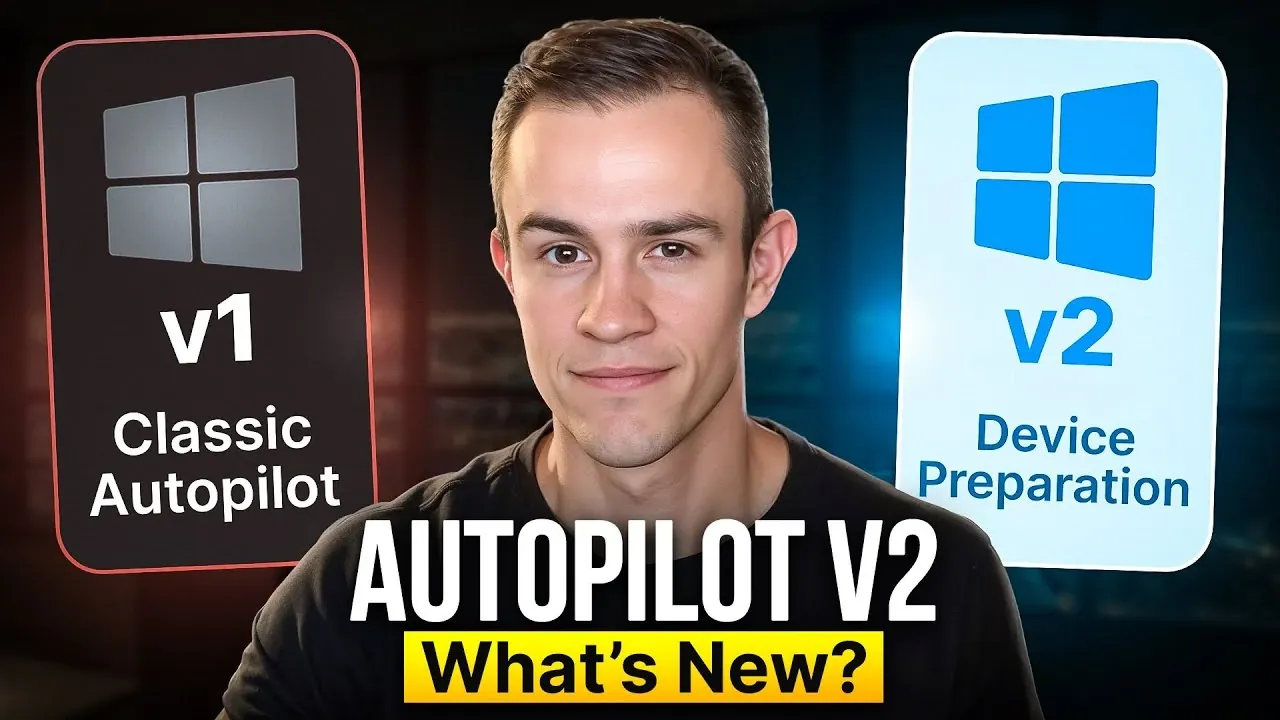
What if deploying hundreds, or even thousands, of devices could be as simple as a few clicks? Microsoft Autopilot has long promised to transform device management, but with the release of Autopilot V2, the stakes have been raised. Packed with new features like dynamic device registration and real-time reporting, this updated version claims to address the pain points of its predecessor, V1, while delivering faster, more efficient provisioning. Yet, as with any upgrade, it’s not without trade-offs. Could the simplicity of V2 come at the cost of the customization power that made V1 a favorite for complex deployments?
In this feature, T-Minus365 explains the key differences between Autopilot V1 and V2, breaking down their strengths, limitations, and use cases. From the streamlined out-of-box experience (OOBE) to the enhanced app installation prioritization, you’ll uncover how V2 aims to redefine device deployment workflows. But is it truly better, or does it leave critical gaps for organizations with specialized needs? By the end, you’ll have the clarity to decide which version aligns with your operational priorities and whether V2’s promises of speed and simplicity outweigh its sacrifices. Sometimes, the best choice isn’t just about what’s new, it’s about what works for you.
Autopilot V1 vs V2
TL;DR Key Takeaways :
- Autopilot V2 introduces dynamic device registration, eliminating manual hardware hash registration and allowing faster, large-scale deployments.
- Key improvements in V2 include integrated policy setup, prioritized app installation, real-time reporting, and PowerShell script deployment during provisioning.
- V2 offers a simplified out-of-box experience (OOBE) with a progress bar but sacrifices customization options like device naming and self-deploying mode available in V1.
- While V2 delivers faster provisioning and enhanced functionality, it lacks support for hybrid join, white-glove provisioning, and certain government cloud environments, which are supported in V1.
- Organizations should choose V2 for speed and simplicity or stick with V1 for advanced customization, hybrid join, and compatibility with specialized environments.
Key Enhancements in Autopilot V2
Autopilot V2 introduces several noteworthy improvements designed to simplify and accelerate the deployment process. These enhancements address some of the challenges faced in V1 while introducing new capabilities:
- Dynamic Device Registration: V2 eliminates the need for manual registration using hardware hashes or relying on OEM providers. Devices can now register dynamically during user sign-in, significantly reducing administrative overhead and allowing faster, large-scale deployments.
- Integrated Policy Setup: Deployment profiles in V2 are seamlessly integrated with enrollment status pages, making sure consistent application of policies during provisioning. In contrast, V1 requires manual assignment of profiles to specific groups, which can be time-consuming.
- Prioritized App Installation: Unlike V1, which installs all applications simultaneously, V2 prioritizes critical apps and scripts during provisioning. This approach minimizes errors and ensures essential tools are ready for use more quickly.
- Real-Time Reporting: V2 provides near-real-time reporting and detailed telemetry, allowing administrators to monitor installation phases and troubleshoot issues effectively. V1, on the other hand, relies on external tools and lacks real-time diagnostic capabilities.
- PowerShell Script Deployment: V2 supports the deployment of PowerShell scripts during provisioning, allowing more robust device configuration before devices are handed over to end users. V1 only allows script execution after enrollment is complete.
Out-of-Box Experience (OOBE): Balancing Customization and Simplicity
The out-of-box experience plays a pivotal role in device deployment, and the approaches of V1 and V2 differ significantly in this regard:
- V1: Offers extensive customization options, including device naming and self-deploying mode. These features allow organizations to tailor the setup process to meet specific requirements, providing greater flexibility.
- V2: Prioritizes simplicity by introducing a progress bar for app and profile installation. However, this streamlined approach comes at the cost of certain customization features, such as device naming and self-deploying mode. Users are still required to complete initial setup steps, such as selecting a keyboard layout.
Autopilot V2 Device Preparation Tutorial

Enhance your knowledge on autonomous workflows Comparison by exploring a selection of articles and guides on the subject.
- Manus AI Review : Autonomous AI Agent Revolutionizing Workflows
- How DeepAgent Automates Workflows and Boosts Productivity
- How ChatGPT Agent Transforms Workflows with Autonomous AI
- Understanding Agentic AI : The Future of Autonomous Workflows
- How to use Claude 3 Haiku with CrewAI for autonomous workflows
- What is Flowith Neo? Discover the Infinite AI Agent
- Experience Next-Level Coding: Discover Claude Dev’s Latest
- Cline AI Update: Autonomous Tools for Software Development
- How LangGraph Powers Next-Gen AI Agents for Smarter Workflows
- How to Use Claude Code CLI and Tmux for Continuous Workflows
Performance and Provisioning Speed
Autopilot V2 generally delivers faster provisioning times due to its optimized processes and prioritized app installation. These enhancements are particularly beneficial for organizations seeking to deploy devices quickly and efficiently. However, actual performance may vary based on factors such as the complexity of applications being installed and the deployment environment. For organizations with straightforward deployment needs, V2’s improvements can lead to significant time savings.
Limitations of Autopilot V2
While Autopilot V2 introduces valuable enhancements, it is not without its limitations. These constraints may influence whether it is the right choice for your organization:
- Does not support hybrid join, self-deploying mode, or white-glove provisioning, which are features available in V1.
- Lacks device naming capabilities and certain OOBE customization options, limiting its flexibility for tailored deployments.
- Restricted to Entra join and incompatible with some government cloud environments, which may pose challenges for organizations with specific compliance requirements.
These limitations highlight scenarios where V1 may still be the preferred option, particularly for organizations requiring advanced customization or compatibility with specialized environments.
Making the Right Choice for Your Organization
Selecting between Autopilot V1 and V2 depends on your organization’s specific deployment priorities and operational requirements. Each version offers distinct advantages that cater to different use cases:
- Opt for V2 if: Your organization values speed, simplicity, and enhanced reporting capabilities. V2 is particularly well-suited for environments with straightforward deployment needs and a focus on efficiency.
- Stick with V1 if: You require advanced customization options, hybrid join support, or compatibility with government cloud environments. V1’s flexibility makes it a better choice for complex deployment scenarios.
By carefully evaluating your organization’s technical needs and deployment goals, you can determine which version aligns best with your operational strategy. Autopilot V2 represents a significant step forward in terms of efficiency and functionality, but its limitations mean that V1 remains a viable option for organizations with more specialized requirements.
Media Credit: T-Minus365
Disclosure: Some of our articles include affiliate links. If you buy something through one of these links, Geeky Gadgets may earn an affiliate commission. Learn about our Disclosure Policy.
