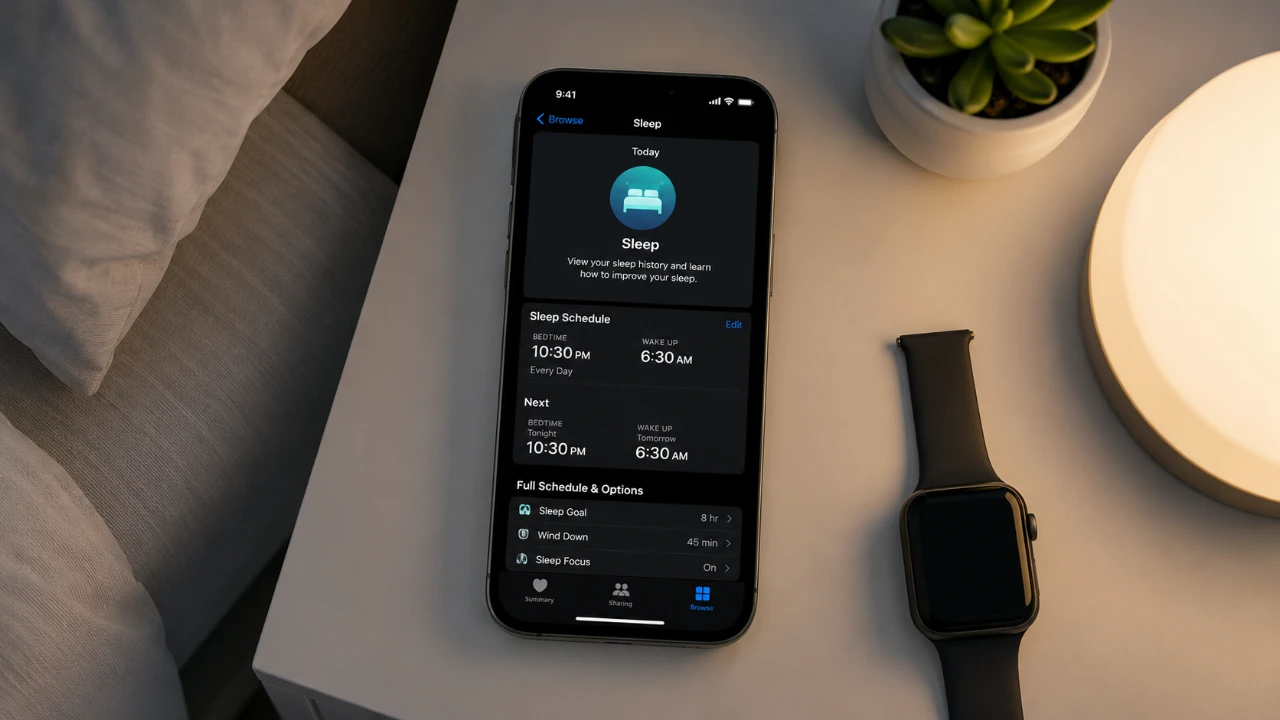
The Sleep feature on iPhone is a practical tool designed to help you establish a consistent sleep routine, ultimately enhancing your overall sleep quality. By integrating features such as Sleep Focus, Wind Down, and Sleep Screen, it minimizes distractions and fosters a calming environment conducive to rest. Accessible through both the Clock and Health apps, this feature offers a range of customizable options to suit your individual preferences and lifestyle. The video below from Daniel About Tech gives us more details.

Getting Started: Setting Up Sleep
To start using the Sleep feature, open the Clock app and configure your sleep settings through the Health app. Begin by setting your sleep goal, which defaults to eight hours but can be adjusted to align with your personal needs. The feature allows you to create separate schedules for weekdays and weekends or even customize settings for specific days. This flexibility ensures that your sleep routine integrates seamlessly with your daily commitments.
Customizing Your Sleep Schedule
Once your sleep goal is established, you can refine your bedtime and wake-up times using an interactive wheel. This visual tool provides a clear representation of whether your schedule meets your sleep goal, allowing you to make informed adjustments. If your routine varies throughout the week, you can set up multiple schedules to accommodate different obligations or preferences. This adaptability makes it easier to maintain a consistent sleep pattern, even with a dynamic lifestyle.
Personalizing Your Alarm
The Sleep feature also allows you to tailor your alarm settings to create a wake-up experience that suits you. You can select from a variety of alarm tones, vibration patterns and volume levels to ensure a gentle or energizing start to your day. Additionally, the snooze function can be enabled or disabled and its duration adjusted to match your preferences. These options provide a personalized approach to waking up, helping you feel more refreshed and ready to begin your day.
Key Features to Enhance Sleep
Apple has incorporated several innovative tools into the Sleep feature to support your sleep quality and overall well-being. These features are designed to reduce distractions and encourage relaxation:
- Sleep Screen: This feature provides a personalized morning screen displaying essential information such as the weather, notifications, and a friendly greeting. It helps you transition smoothly from sleep to wakefulness by offering a calm and organized start to your day.
- Wind Down: Wind Down begins a set time before your scheduled bedtime, with the default being 15 minutes (though this can be customized). During this period, your screen dims, notifications are silenced, and calming activities are encouraged. You can also integrate shortcuts to relaxing apps, such as meditation or reading apps, to ease into sleep.
- Sleep Focus: Sleep Focus minimizes distractions by silencing notifications, hiding app badges, and reducing interruptions during your designated sleep hours. This ensures that your sleep environment remains undisturbed, promoting better rest.
Additional Customization Options
The Sleep feature offers further flexibility to adapt to your changing needs. You can enable or disable your entire sleep schedule with a single toggle, making it easy to adjust for special occasions or changes in routine. Additionally, sleep reminders can be activated to prompt you to stick to your bedtime, reinforcing healthy sleep habits. These reminders serve as gentle nudges to help you maintain consistency, even during busy periods.
How the Sleep Feature Improves Sleep Quality
By promoting better organization and reducing interruptions, the Sleep feature on iPhone supports your efforts to achieve higher-quality rest. Whether your goal is to establish a consistent routine, minimize distractions, or create a calming pre-sleep environment, this feature provides a comprehensive solution tailored to your needs. With tools like Sleep Focus, Wind Down, and customizable alarms, you can design a sleep experience that aligns with your lifestyle, helping you wake up feeling more refreshed and ready to take on the day.
Source: Daniel About Tech
Disclosure: Some of our articles include affiliate links. If you buy something through one of these links, Geeky Gadgets may earn an affiliate commission. Learn about our Disclosure Policy.
