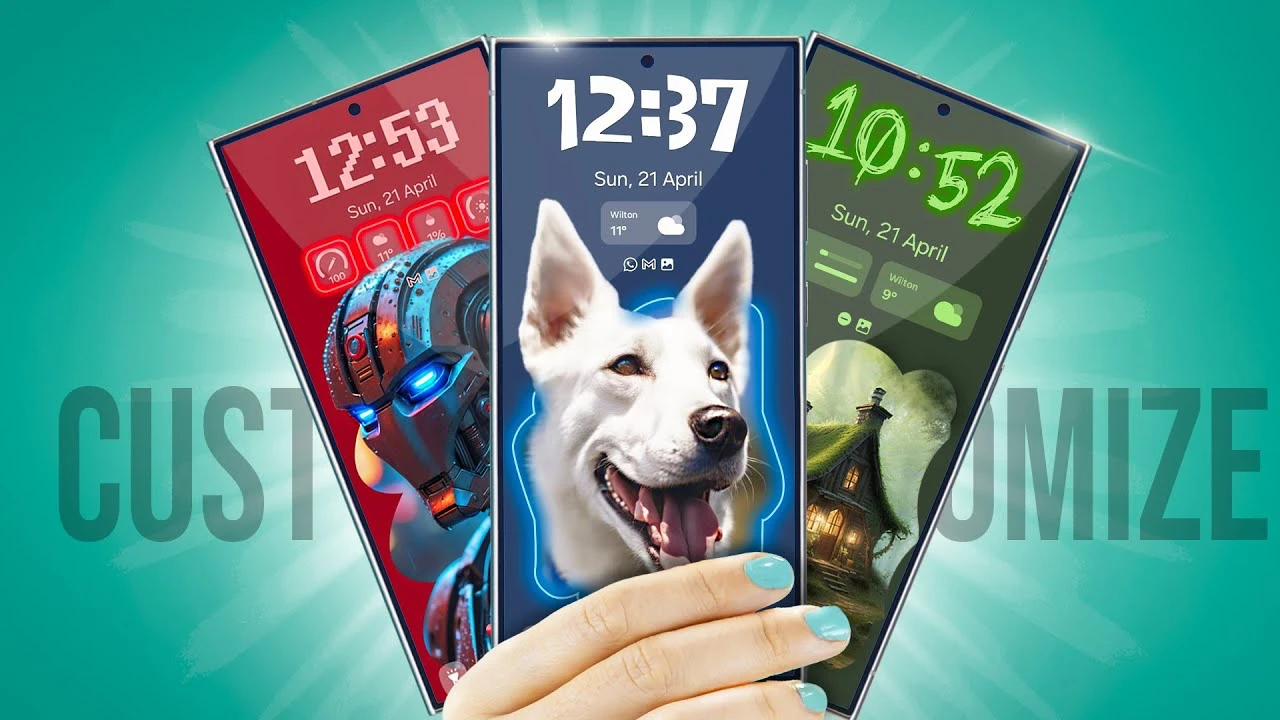
Unlocking the full potential of your Samsung Galaxy S24 Ultra is easier than you might think. By customizing your device to suit your personal style and needs, you can enhance both its functionality and aesthetic appeal. This comprehensive guide will walk you through the various customization options available, helping you create a truly personalized smartphone experience.

Start with the Basics: Wallpaper and Lock Screen
The first step in customizing your Galaxy S24 Ultra is setting a unique wallpaper. You can choose from your own photos or explore a vast collection of downloadable images. To add a personal touch, apply effects like grayscale or vibrant colors to match your mood or style. Additionally, you can frame your chosen image to create a dynamic and eye-catching display.
Next, focus on your lock screen. Samsung offers a variety of clock styles to choose from, allowing you to adjust their size and placement according to your visual preference. To enhance the lock screen’s utility, consider adding widgets that display essential information such as:
- Weather forecast
- Battery level
- Upcoming calendar events
For added convenience, incorporate shortcuts to your most-used apps directly on the lock screen. This enables quicker access to your favorite tools and services without having to unlock your device.
Enhancements for Always-On Display
The Always-On Display (AOD) feature of the Galaxy S24 Ultra allows you to keep your lock screen wallpaper visible even when the screen is off. By adjusting the AOD settings, you can ensure that your chosen design is always on display, subtly enhancing your device’s look even in standby mode. This feature not only adds a touch of style but also provides quick access to important information like the time, date, and notifications.
Personalize Your S Pen
If you frequently use the S Pen, tailoring its settings can provide a more personalized and engaging experience. Through the Good Lock app, you can customize various aspects of the pen, such as:
- Pointer style: Change the appearance of the pointer to match your preferences.
- Sound effects: Select unique sound effects for a more immersive drawing or writing experience.
- Pressure sensitivity: Adjust the pressure sensitivity to suit your drawing or writing style.
By customizing your S Pen, you can make it feel like a natural extension of your hand, enhancing your productivity and creativity.
Keyboard and Volume Control Customization
Your Galaxy S24 Ultra’s keyboard is another area where customization can greatly improve your user experience. Choose from a variety of themes and sounds that resonate with your device’s overall design. Additionally, you can adjust the haptic feedback to make typing more tactile and responsive, providing a more satisfying and efficient input method.
When it comes to audio adjustments, Samsung’s Good Lock app allows you to customize the volume panel with unique themes and realistic controls. For example, you can opt for a volume knob that mimics real-life feedback, making it more intuitive and engaging to interact with your device’s sound settings.
Cohesive Aesthetic with App Icons and Themes
To create a cohesive and visually appealing look, consider coordinating the color scheme of your app icons with your chosen wallpaper. Samsung’s Theme Park feature enables you to customize app icons, allowing you to create a unified aesthetic across your device.
Additionally, adjusting the home screen grid size can help you organize your apps and widgets more efficiently. By tailoring the grid to your usage preferences, you can ensure that your most-used apps are easily accessible and your home screen remains clutter-free.
Functional and Personalized Home Screen Widgets
Widgets are a powerful tool for both boosting functionality and adding a personal touch to your Galaxy S24 Ultra. Consider incorporating widgets that not only provide practical benefits but also reflect your interests and style. Some ideas include:
- Gallery widget: Cycle through your favorite personal photos or inspirational quotes.
- Spotify widget: Enjoy seamless access to your music library and controls.
- ChatGPT widget: Get instant information and communicate with the AI assistant effortlessly.
By carefully selecting and arranging widgets on your home screen, you can create a device that is both highly functional and deeply personal.
Customizing your Samsung Galaxy S24 Ultra is a journey of self-expression and optimization. By following the steps outlined in this guide, you can transform your device into a true extension of your personal and professional lifestyle. From the lock screen to the home screen, and everything in between, the customization options available allow you to create a smartphone experience that is uniquely yours. Embrace the power of customization and unlock the full potential of your Galaxy S24 Ultra today.
Source & Image Credit: Hayls World
Disclosure: Some of our articles include affiliate links. If you buy something through one of these links, Geeky Gadgets may earn an affiliate commission. Learn about our Disclosure Policy.
