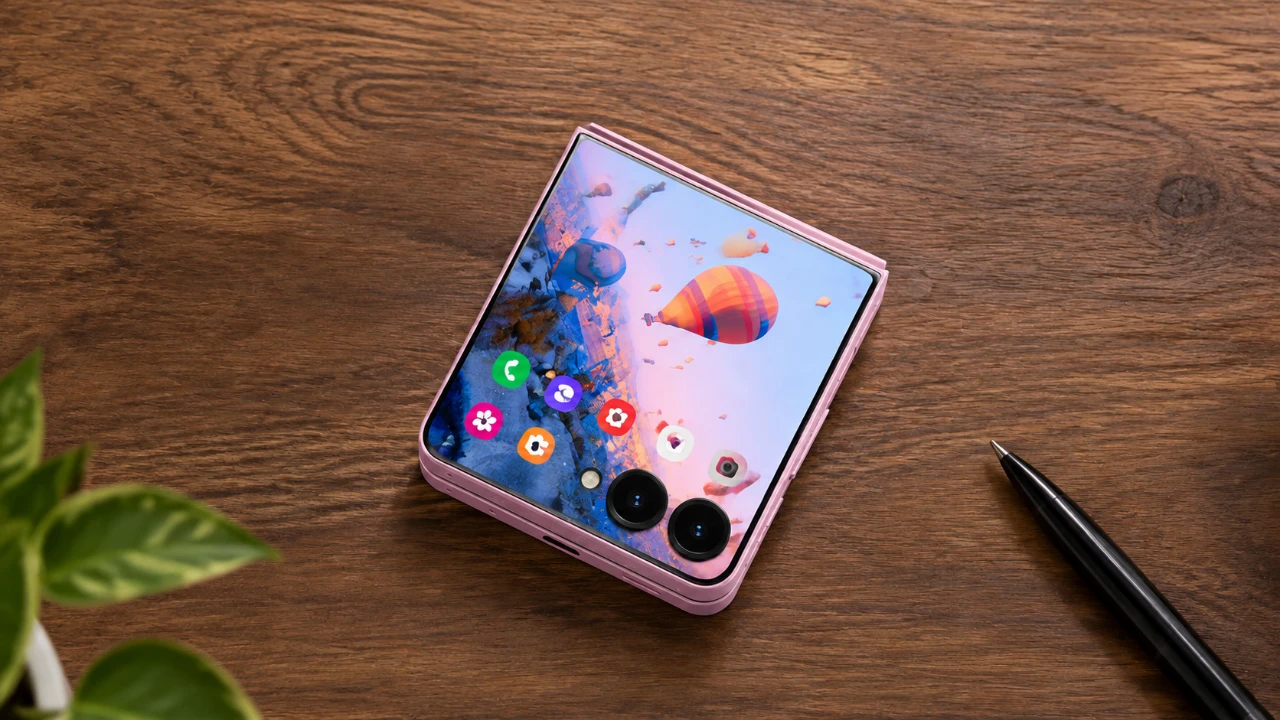
The Samsung Galaxy Z Flip 8 stands as a testament to the evolution of smartphone technology, blending innovation with a sleek, foldable design. Whether you’re a tech enthusiast or a casual user, this device offers a wealth of features aimed at enhancing your everyday experience. From its flexible display to its multitasking prowess, the Z Flip 8 redefines how you interact with your smartphone. Below, you’ll find a detailed video from Hayls World showing us its standout features, hidden functionalities, and practical tips to help you maximize its potential.

Maximizing the Cover Screen
The Z Flip 8’s cover screen is more than just a secondary display, it’s a gateway to convenience and efficiency. With intuitive swipe gestures, you can quickly access notifications, recent apps and essential quick settings. For even greater functionality, the Multistar feature enables you to pin your most-used apps directly to the cover screen, making sure they’re always just a tap away.
Customization is another highlight of the cover screen. You can personalize it with widgets tailored to your needs, such as weather updates, calendar events, or fitness tracking. Additionally, live wallpapers allow you to add a dynamic, personal touch to your device, reflecting your style while maintaining practicality. Whether you need quick access to vital information or want to express your personality, the cover screen adapts seamlessly to your preferences.
Flex Mode and Tent Mode: Redefining Versatility
The Z Flip 8’s Flex Mode transforms the way you use your smartphone. When partially folded, the device functions like a compact workstation, complete with a trackpad for navigation, screenshot tools and controls for brightness and volume. This mode also supports split-screen multitasking, allowing you to run two apps simultaneously for enhanced productivity. Whether you’re drafting an email while referencing a document or watching a video while chatting, Flex Mode makes multitasking effortless.
Tent Mode offers another layer of versatility, ideal for hands-free activities. This mode is perfect for video calls, watching tutorials, or capturing photos without the need for additional support. Its stability and convenience make it especially useful for creative tasks, such as recording videos or sketching ideas. By combining functionality with adaptability, these modes ensure the Z Flip 8 fits seamlessly into your lifestyle.
Enhanced Camera Features
The Z Flip 8’s camera system is designed to make photography and videography intuitive and enjoyable. It includes a range of features that cater to both casual users and content creators:
- Palm Gesture: Take photos hands-free by simply waving your hand in front of the camera.
- Horizontal Lock: Maintain stable video recording, even while moving, for professional-quality results.
- Dual Recording Mode: Capture footage using both the front and rear cameras simultaneously, ideal for vlogging or creating dynamic content.
- AI-Powered Editing: Enhance your photos with intelligent editing tools, including 3D effects and automatic adjustments for a polished finish.
These features make the Z Flip 8 a versatile tool for capturing memories, creating content, or experimenting with photography.
Customization at Your Fingertips
Personalization is a cornerstone of the Z Flip 8 experience. The Good Lock app unlocks a variety of customization options, allowing you to tailor the device to your preferences:
- Create unique effects and animations for your interface.
- Design custom quick settings panels with personalized backgrounds.
- Set interactive video or emoji wallpapers to add a playful touch to your device.
Additionally, flip gestures enhance convenience by allowing you to answer or decline calls with a simple motion. These features ensure that your Z Flip 8 not only meets your functional needs but also reflects your individuality.
Advanced Features for Everyday Efficiency
The Z Flip 8 is equipped with advanced tools designed to simplify your daily tasks and boost productivity:
- Customizable Side Button: Assign specific apps or functions to the side button for instant access.
- Finder Search Tool: Locate files, apps, or settings quickly with this powerful search feature.
- USB-C Webcam Functionality: Use your phone as a high-quality webcam for video calls on your computer, making sure crystal-clear visuals.
- Quick Share: Share files effortlessly across platforms, now with compatibility for Apple devices.
These features are designed to enhance your workflow, making the Z Flip 8 a valuable tool for both personal and professional use.
Whisper Flow App: Advanced Speech-to-Text
The Whisper Flow app improves speech-to-text functionality with its advanced capabilities. Supporting multiple languages, context recognition and automatic formatting, this app is ideal for tasks such as note-taking, transcription, or drafting emails. Its high level of accuracy and efficiency makes it a must-have tool for users who value productivity and precision.
Additional Tips for a Better Experience
To further enhance your experience with the Z Flip 8, consider these additional tips:
- Mirror Mode: Use the built-in ring light for flawless selfies and improved lighting in photos.
- Ergonomic Adjustments: Customize button layouts and control sizes in quick settings for a more comfortable and intuitive user experience.
These small adjustments can significantly improve your interaction with the device, making it even more user-friendly.
Unlocking the Full Potential of the Z Flip 8
The Samsung Galaxy Z Flip 8 is more than just a smartphone, it’s a versatile companion designed to adapt to your lifestyle. By exploring its cover screen features, Flex Mode, advanced camera capabilities and extensive customization options, you can unlock its full potential. Whether you’re multitasking, capturing memories, or personalizing your device, the Z Flip 8 enables you to do more with ease and sophistication.
Here are more detailed guides and articles that you may find helpful on Galaxy Z Flip 8.
- When Will the Galaxy Z Fold 8 Ultra Finally Launch?
- The Shocking Galaxy Z Flip 8 Rumor That Changes Everything for Samsung Fans
- Don’t Upgrade Yet: Massive Galaxy Z Fold 8 Ultra and Z Flip 8 Specs Just Leaked
- What the Samsung Galaxy Z Fold 8 Wide Official Colors Look Like
- The Shocking Galaxy Z Fold 8 Ultra Design Details That Will Make Apple Nervous
- Why The Samsung Galaxy Z Flip 8 Leaks Show Unchanged Designs
Source & Image Credit: Hayls World
Disclosure: Some of our articles include affiliate links. If you buy something through one of these links, Geeky Gadgets may earn an affiliate commission. Learn about our Disclosure Policy.
