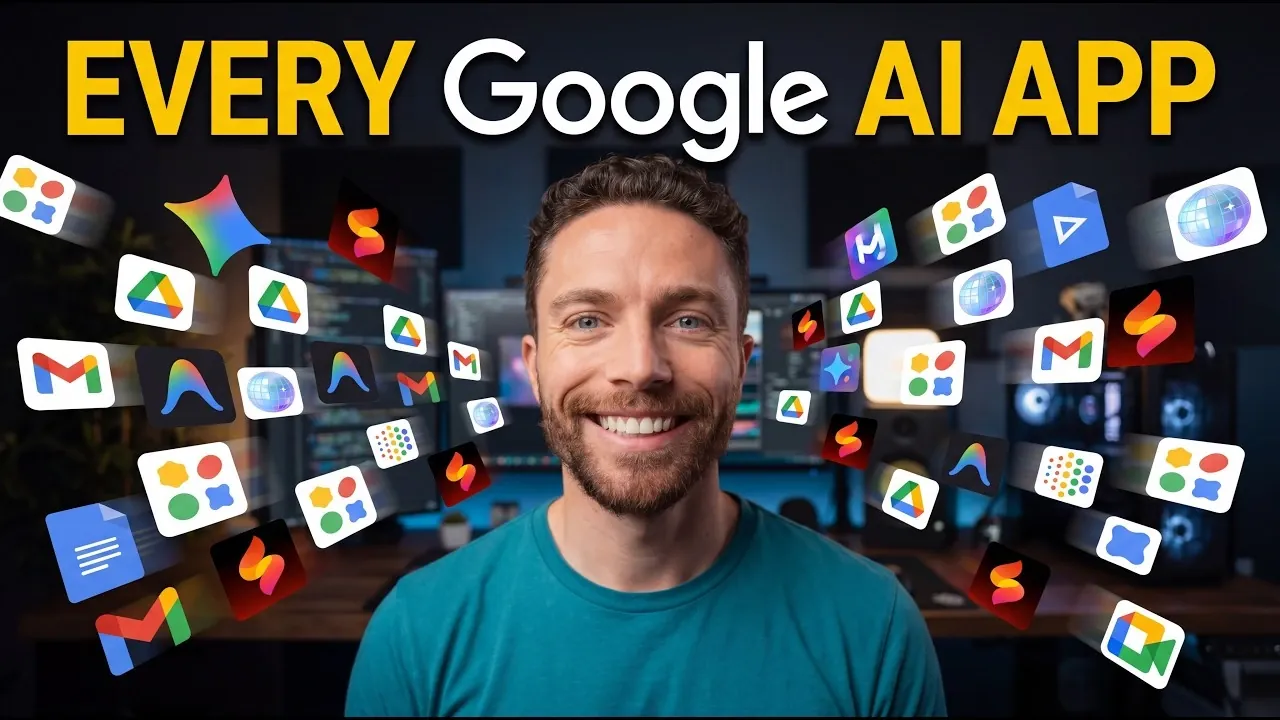
Google offers a wide range of AI-driven systems designed to support tasks across creativity, productivity and experimentation. In an analysis by Paul Lipsky, over 30 of these systems are examined, with many available at no cost. For example, Notebook LM helps users organize research and create visual content, while Gemini in Google Docs, Sheets and Meet incorporates AI for tasks like document editing and live translations. These applications demonstrate how AI can be applied to streamline workflows and enhance everyday activities.
Explore how Google Flow Music enables custom music composition, how Workspace Studio simplifies task automation and how Project Genie supports the creation of virtual environments. This analysis provides a clear understanding of specific features and their potential uses, offering practical insights into integrating these systems into your daily routines.
Content Creation Tools
TL;DR Key Takeaways :
- Google has introduced over 30 AI-powered tools, many of which are free, to enhance content creation, productivity and development workflows.
- Content creation tools like Notebook LM, Google Vids and Pamelli simplify tasks such as generating videos, marketing materials and music with AI assistance.
- Productivity tools, including Workspace Studio and Gemini integrations in Google Docs and Sheets, streamline workflows and improve efficiency across Google Workspace.
- Experimental tools like Project Genie and Disco Browser push the boundaries of creativity and interactivity, offering innovative ways to explore ideas and multitask.
- Developer-focused tools such as Google AI Studio, Firebase Studio and Gemini Code Assist simplify app development, coding and debugging with AI-driven features.
Google’s AI tools for content creation are designed to simplify the process of producing high-quality media. Whether you are creating videos, music, or marketing materials, these tools provide innovative solutions to meet your needs:
- Notebook LM: Organize research into structured notebooks and generate visual assets like infographics, slide decks, or audio summaries to support your projects.
- Illuminate: Create advanced audio dialogues with customizable voices, ideal for podcasts, presentations, or storytelling.
- Google Vids: Edit and generate videos using AI, complete with avatars, voiceovers and dynamic effects to enhance your visual content.
- Pamelli: Develop marketing assets such as social media posts, product images and promotional materials tailored for small businesses.
- Google Flow (Images & Videos): Design customizable images and videos with advanced AI settings, offering flexibility for creative projects.
- Google Flow Music: Compose music with detailed sound customization options, allowing you to create unique tracks for various purposes.
- Music Effects DJ: Mix music interactively with customizable beats, instruments and effects to produce professional-quality audio.
Productivity and Workspace Tools
Google’s AI productivity tools are crafted to streamline workflows and enhance efficiency. These tools integrate seamlessly with Google Workspace and other platforms, helping users stay organized and productive:
- Workspace Studio: Automate workflows by setting up triggers and actions, such as email recaps, notifications and task reminders.
- CC (AI Productivity Agent): Generate personalized morning reports by integrating data from Gmail, Calendar and Drive, keeping you informed and prepared.
- Learn Your Way: Transform traditional textbooks into dynamic, interactive learning experiences tailored to your preferences.
- Google AI Edge Gallery: Access AI-powered chat and image analysis offline, making sure functionality even without an internet connection.
- Google AI Edge Elog: Dictate and transcribe offline with AI assistance, making note-taking and documentation more efficient.
- Google Drive Projects: Centralize your workspace by organizing and interacting with Drive files in a streamlined manner.
- Gemini in Google Docs, Sheets and Meet: Use AI for tasks such as document editing, formula creation, dashboard generation, note-taking and real-time translations.
Here are additional guides from our expansive article library that you may find useful on Google AI tools.
- All Google AI Apps & Tools for 2026 Explored : Including Gemini 3 Advanced Perks
- 30 Google AI Tools Tested : Keep These AI Picks for Your Stack
- Inside Google’s Powerful New Suite of Free AI Tools
- 6 Free Google AI Tools That Outperform Paid AI Subscriptions in 2026
- 7 Free Powerful Google AI Tools : Skip Subs and Create Apps, Images, Workflows & More
Experimental and Beta Tools
Google continues to push the boundaries of AI with experimental tools that explore new possibilities for creativity and interactivity. These tools are perfect for users who enjoy testing innovative technology:
- Project Genie: Create immersive virtual worlds for short-term exploration, offering a unique way to visualize ideas.
- Disco Browser: Transform open tabs into interactive apps using AI, enhancing multitasking and productivity.
- Mixboard: Design visual mood boards by combining text, images and AI-generated concepts for creative brainstorming.
- Sparkify: Convert ideas into short, animated videos, making it easier to communicate concepts visually.
- Little Language Lessons: Generate quick, AI-tailored language lessons on specific themes to support language learning.
- Learnabout: Analyze and navigate PDFs or URLs with AI guidance, simplifying research and information extraction.
- Portraits: Engage in AI-driven conversations with virtual personas inspired by real individuals, offering a unique interactive experience.
- Arts and Culture AI Features: Explore cultural topics through personalized soundtracks, walking tours and interactive learning tools, enriching your understanding of global heritage.
Developer and Coding Tools
For developers, Google offers AI tools that simplify app development and coding processes. These tools are designed to save time, enhance creativity and improve efficiency:
- Google AI Studio: Experiment with AI models and build applications in a dedicated playground, fostering innovation.
- Opal: Create apps within the Gemini platform with minimal effort, streamlining the development process.
- Antigravity: Use AI to assist with coding tasks involving local file interactions, reducing manual effort.
- Stitch: Design visually appealing user interfaces for apps, making sure a polished and professional look.
- Google Code: Develop software using natural language coding with AI support, making coding more accessible.
- Firebase Studio: Build mobile apps on a comprehensive development platform, offering tools for every stage of development.
- Jewels: Automate coding tasks with an autonomous AI agent, increasing productivity and accuracy.
- Collab: Collaborate on coding projects with an AI-enhanced partner embedded in notebooks, improving teamwork and efficiency.
- Gemini Code Assist: Receive AI assistance for coding tasks and debugging, reducing errors and speeding up development.
Integrated AI Features in Google Products
Many of Google’s AI tools are embedded within its existing products, enhancing their functionality and user experience. These features make everyday tasks more intuitive and efficient:
- Google Search: Access AI-enhanced search results with contextual responses, providing more relevant and accurate information.
- Gmail: Use features like AI Inbox for email categorization and Help Me Write for drafting emails, saving time and effort.
- Google Maps and Earth: Benefit from AI-powered navigation and exploration enhancements, making travel and discovery more seamless.
Media Credit: Paul J Lipsky
Disclosure: Some of our articles include affiliate links. If you buy something through one of these links, Geeky Gadgets may earn an affiliate commission. Learn about our Disclosure Policy.
