![[ALT 38] A detailed guide on creating and managing custom Claude Skills for AI platforms](https://www.geeky-gadgets.com/wp-content/uploads/2025/10/img-63-claude-skills-customization-guide_optimized.webp)
What if you could transform your AI assistant into a powerhouse of productivity, tailored precisely to your needs? That’s the promise of Claude Skills, a innovative feature that allows users to customize and extend the capabilities of the Claude AI platform. Imagine automating tedious tasks like data analysis, generating detailed reports in seconds, or creating tools that adapt to your unique workflow, all without needing to be a coding expert. Whether you’re a business leader seeking efficiency, a developer pushing boundaries, or simply someone curious about AI’s potential, mastering Claude Skills could redefine how you interact with technology.
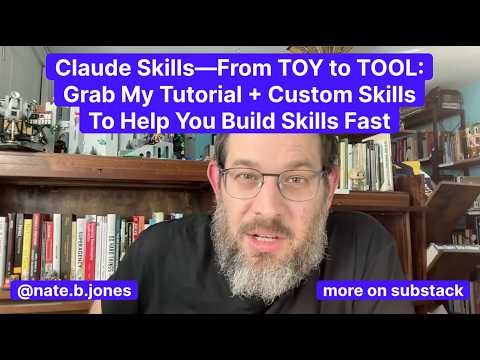
In this walkthrough, Nate B Jones explains how to create, manage, and optimize Claude Skills to unlock their full potential. You’ll discover how these modular tools can simplify complex workflows, save time, and even spark new ideas for innovation. From understanding the basics of skill creation to tackling challenges like platform compatibility and security, this guide will equip you with actionable insights to make the most of this powerful feature. Along the way, you’ll also learn about advanced tools like Meta Skills, which streamline development and ensure your customizations are both robust and reliable. The possibilities are vast, how will you use them to reshape your AI experience?
Understanding Claude Skills
TL;DR Key Takeaways :
- Claude Skills are modular extensions that enhance the Claude AI platform by automating tasks, streamlining workflows, and improving productivity across various industries.
- Skills can be created programmatically using APIs or manually with markdown files, and they require proper settings like allowing code execution for functionality.
- Common challenges include platform-specific packaging, skill limits, version control, and security risks, which can be mitigated through best practices and tools like Meta Skills.
- Meta Skills, such as security analyzers, debugging assistants, and documentation generators, simplify skill management and ensure robust, secure, and efficient development processes.
- Advanced concepts like continuous learning and scalable infrastructure are shaping the future of Claude Skills, allowing more sophisticated applications and cross-platform integrations.
What Are Claude Skills?
Claude Skills are specialized extensions designed to expand the core capabilities of the Claude AI platform. By integrating these tools, users can reduce repetitive instructions and focus on achieving specific outcomes. These skills are compatible across various environments, including Claude Code, web, desktop, and APIs, making them versatile and widely applicable.
For example, a Claude Skill might automate data analysis, summarize lengthy documents, or generate structured reports. By packaging complex instructions into reusable tools, these skills save time and simplify workflows. This makes them invaluable for users across industries, from finance and healthcare to education and software development. The ability to tailor these skills to specific needs ensures that they remain a powerful resource for enhancing productivity and efficiency.
How to Create and Use Claude Skills
Creating Claude Skills involves either programmatic methods using APIs or manual approaches with markdown files. These skills are typically distributed in formats such as zip files or the proprietary `.skll` format, making sure compatibility across platforms. However, allowing code execution or file creation in your settings is a critical step for these skills to function properly.
When designing a skill, clear and specific markdown descriptions are essential. These descriptions act as triggers, making sure the skill activates as intended. For instance, a skill designed to analyze financial data should include precise keywords and scenarios to avoid misfires. Additionally, testing the skill in various environments ensures reliability and minimizes errors during deployment.
To use Claude Skills effectively, users must also familiarize themselves with the platform’s settings and limitations. For example, web and app versions of Claude limit users to 20 uploaded skills, requiring careful prioritization and organization. By understanding these constraints, you can make informed decisions about which skills to develop and deploy.
Claude Skills how to create Custom Skills and more
Take a look at other insightful guides from our broad collection that might capture your interest in Claude Skills.
- Claude Skills: A New Way to Customize AI to Your Exact
- Claude Skills : AI CustomizationTips, Tools & Practical Examples
- How Claude Skills Simplify AI Agent Workflows and Reduce
- What Are Claude Skills? A Deep Dive into AI Workflow Automations
- How to Easily Build Custom AI Experts with Claude Skills in 2025
- How Claude Skills Are Already Transforming AI Workflows
- ChatGPT 5 vs Claude Sonnet: Real-World AI Coding Comparison
- ChatGPT 5 vs Claude 4.1 Opus : AI Writing Skills Compared
- GPT-5 & Claude 4.1 vs Cursor CLI: AI Coding Tool Skills Compared
- Gemini vs ChatGPT vs Claude writing skills comparison test
Addressing Common Challenges
While Claude Skills offer significant benefits, they also present challenges that require proactive solutions. Below are some common issues and strategies to address them:
- Platform-Specific Packaging: Different platforms may require distinct packaging formats, such as folders for Claude Code or zip files for web and desktop environments. Making sure compatibility across platforms is essential for seamless functionality.
- Code Execution Settings: Skills will not function unless code execution is enabled in your settings. This step is often overlooked but is crucial for proper operation.
- Triggering Issues: Vague descriptions can prevent skills from activating. Use clear and specific markdown descriptions to ensure proper functionality and avoid misfires.
- Versioning Chaos: Maintaining consistent versions across platforms is critical to avoid compatibility issues. Implementing version control practices can help mitigate this challenge.
- Skill Limits: The 20-skill limit on web and app versions requires careful prioritization. Focus on high-impact skills to maximize productivity.
- Security Risks: Third-party skills must be vetted to prevent malicious code from compromising your system. Using tools like security analyzers can help identify vulnerabilities.
- Disorganized Documentation: Incomplete official documentation can hinder skill creation. Using community resources and forums often fills this gap and provides valuable insights.
By addressing these challenges, you can create a smoother experience when developing and deploying Claude Skills, making sure they deliver maximum value.
Meta Skills: Tools for Skill Management
Meta Skills are specialized tools designed to simplify the creation and management of Claude Skills. These tools address common pain points such as debugging, security analysis, and documentation, making the development process more efficient and reliable. Examples of Meta Skills include:
- Skill Security Analyzer: Evaluates skills for potential vulnerabilities, making sure they are safe to use.
- Skill Debugging Assistant: Identifies and resolves trigger failures or conflicts, improving reliability.
- Documentation Generator: Creates clear and concise documentation for skills, enhancing discoverability and usability.
- Testing Framework: Provides test cases to validate skill functionality across different scenarios.
- Dependency Mapper: Tracks interdependencies between skills to prevent conflicts and ensure smooth operation.
- Token Budget Adviser: Monitors token usage to avoid overruns and optimize resource allocation.
These tools not only streamline the skill development process but also ensure that your skills are robust, secure, and easy to manage. By incorporating Meta Skills into your workflow, you can enhance the overall quality and effectiveness of your Claude Skills ecosystem.
Best Practices for Managing Claude Skills
Effective management is essential for maximizing the potential of Claude Skills. By following best practices, you can create a well-organized and efficient skill ecosystem tailored to your needs. Consider the following strategies:
- Version Control: Treat skills like software code by using version numbers and maintaining detailed change logs. This ensures consistency and simplifies troubleshooting.
- Clear Descriptions: Design skills with discoverability in mind by providing specific use cases and concise descriptions. This improves usability and reduces confusion.
- Thorough Testing: Validate skills in various scenarios to ensure reliability before deployment. Testing minimizes errors and enhances user confidence.
- Team Collaboration: Use functional names for skills rather than team-specific identifiers to improve clarity in collaborative environments. This fosters better communication and coordination.
By adhering to these practices, you can ensure that your Claude Skills are well-organized, reliable, and easy to manage, ultimately enhancing their impact and usability.
Exploring Advanced Skill Concepts
As the Claude Skills ecosystem evolves, advanced concepts like continuous learning and scalable infrastructure are gaining prominence. For instance, a Continuous Learning Skill can autonomously capture user interactions and suggest new capabilities based on observed patterns. This enables the platform to adapt and grow alongside user needs.
Similarly, tools like performance profilers and skill gap analyzers help manage large-scale skill ecosystems by identifying areas for improvement. These advanced concepts allow users to push the boundaries of what Claude Skills can achieve, paving the way for more sophisticated applications and innovations.
The Future of Claude Skills
The potential of Claude Skills extends far beyond their current applications. By simplifying complex workflows and automating repetitive tasks, these tools are transforming how users interact with AI platforms. The growing ecosystem of skills also opens the door for cross-platform integration, such as compatibility with other AI systems like ChatGPT.
As the Claude Skills ecosystem continues to expand, the possibilities for innovation and collaboration are virtually limitless. By staying informed and adopting best practices, you can harness the full potential of these tools to drive efficiency and productivity in your personal and professional endeavors.
Media Credit: AI News & Strategy
Disclosure: Some of our articles include affiliate links. If you buy something through one of these links, Geeky Gadgets may earn an affiliate commission. Learn about our Disclosure Policy.
