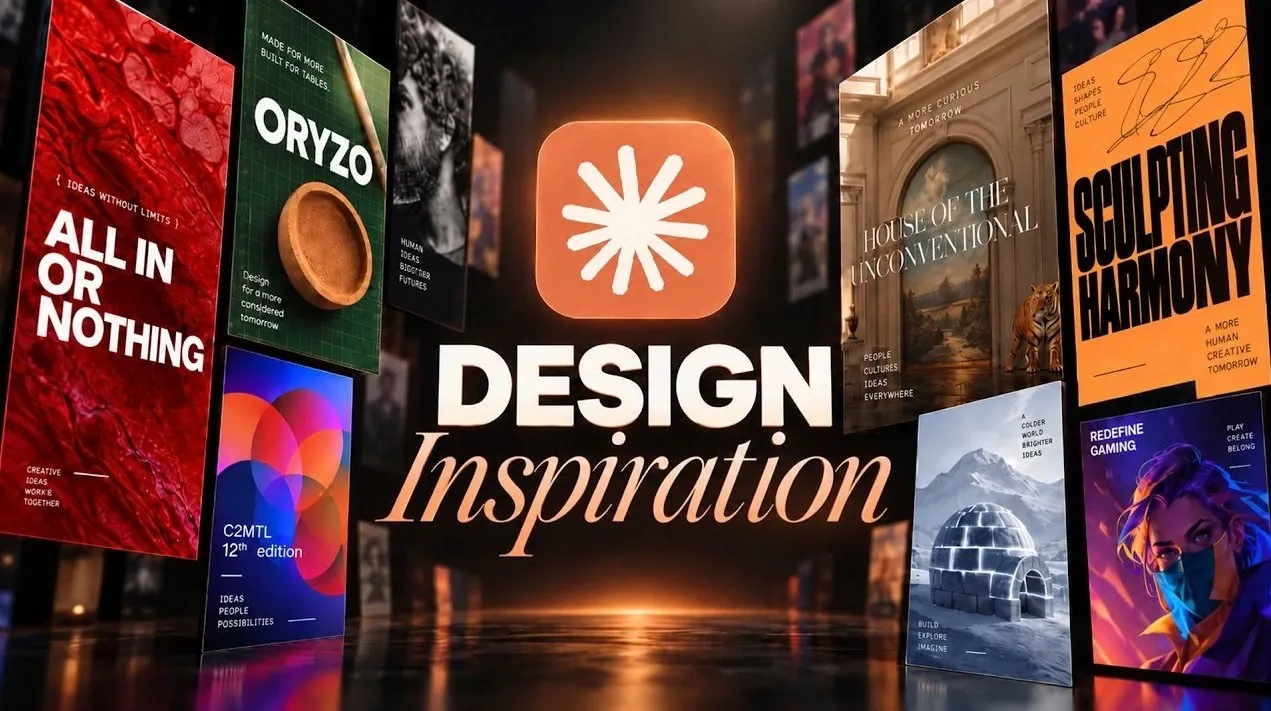
Creating beautiful, functional websites with Claude involves more than just generating outputs, it requires thoughtful input and clear references. According to The AI Automators, Claude performs best when provided with specific design elements such as screenshots, defined color palettes, or typography samples. For example, referencing layouts from platforms like Awwwards or incorporating fonts from Google Fonts can lead to more cohesive and professional results. Without these detailed inputs, the final designs may lack the desired level of refinement.
Explore how to source effective visual references, craft detailed prompts and refine outputs to align with your design goals. Gain insight into integrating inspiration from design galleries, applying consistent branding elements and selecting typography and color schemes that enhance your website’s aesthetic. This deep dive offers practical steps to help you create polished, visually engaging websites.
Understanding Claude’s Design Capabilities and Limitations
TL;DR Key Takeaways :
- Claude, an AI-powered tool, excels in creating visually appealing websites when provided with clear and detailed design inspiration, as it lacks inherent design aesthetic understanding.
- High-quality designs require precise visual references, such as screenshots, color palettes and typography samples, to guide Claude effectively and avoid generic outputs.
- Reliable sources for design inspiration include platforms like Awwwards, Site Inspire and Mobbin, as well as tools like GoFullPage for capturing layouts and Coolors for experimenting with color schemes.
- Consistency in design can be achieved by creating branding guidelines and design systems, making sure cohesive and professional results across projects.
- Combining detailed inputs, practical tools and iterative refinement maximizes Claude’s potential, allowing the creation of polished, functional and visually captivating websites.
Claude is a powerful tool, but its effectiveness is directly tied to the quality and clarity of the information you provide. Without precise references or examples, its output may fall short of professional-grade standards. Relying solely on textual descriptions often leads to generic or uninspired results. To achieve high-quality designs, you should provide visual references or detailed prompts. For instance, including screenshots of layouts, specific color palettes, or typography samples can significantly enhance the final output. These elements help Claude better understand your vision and translate it into a cohesive design.
Where to Find Design Inspiration
To guide Claude effectively, you need to draw from reliable sources of design inspiration. These platforms and tools can help you identify trends, refine your vision and create innovative designs that stand out:
- Design Galleries: Platforms like Awwwards, Site Inspire, and Lapa Ninja showcase award-winning designs and trending aesthetics. These resources are excellent for discovering creative layouts, unique design elements and modern trends.
- Real-World Examples: Libraries such as Mobbin and Rafiro provide UI screens and flows from real-world apps and websites. These examples offer practical insights into successful designs and can serve as a benchmark for your projects.
- Component Libraries: Resources like 21st Dev and React Bits offer reusable templates and UI components. These tools streamline the design process while making sure consistency and professionalism.

Browse through more resources below from our in-depth content covering more areas on Claude AI.
- Anthropic Adds Invisible Watermarks to Claude AI for EU AI Act
- Claude AI Now Embeds Invisible Watermarks Into Generated Text
- ChatGPT 5.6 vs Claude Mythos 5 : Leaks Reveal Two Very Different Futures for AI
- Why Anthropic’s Fable 5 Marks the End of Free AI Services
- Claude AI Breaks Human Math Record for Riemann Bound After 650 Tries
- Which Claude 3 AI model is best? All three compared and tested
- Claude Skill Workflow Replaces Higgsfield Monthly Subscriptions
- Why Developers Are Choosing Claude Over Gemini In 2026
- Claude AI Beginner Guide: 10 Workflows and Prompts to Try First
- 6 Simple Rules That Change How Claude Fable 5 Works
Tools to Enhance Your Design Workflow
Incorporating the right tools into your workflow can make the design process more efficient and effective. These tools allow you to capture, isolate and analyze design elements with precision, making sure that your vision is accurately translated into the final product:
- Full-Page Screenshot Tools: Tools like GoFullPage enable you to capture entire website layouts for reference or inspiration. These comprehensive snapshots can help you identify key design elements and layouts.
- Snipping Tools: Use snipping tools to isolate specific design elements, such as animations, typography, or unique layouts. This allows for closer examination and ensures that these elements are effectively incorporated into your project.
Mastering Typography and Color Schemes
Typography and color schemes are fundamental to creating visually engaging websites. Claude can replicate these elements effectively when you provide clear examples and guidelines. By focusing on these aspects, you can elevate the overall aesthetic of your designs:
- Typography: Explore resources like Google Fonts or Fonts in Use to select unique and professional typefaces. Avoid generic fonts to ensure your designs stand out and convey the desired tone.
- Color Palettes: Use tools like Coolors to experiment with bold and distinctive color schemes. These palettes can enhance your website’s visual appeal and align with your branding, creating a cohesive and memorable user experience.
Building Consistency with Branding and Design Systems
Consistency is a hallmark of professional design. By codifying your visual styles into branding guidelines or design systems, you can maintain a cohesive look across projects and streamline your workflow. This approach ensures that your designs remain polished and aligned with your overall vision:
- Branding Guidelines: Reference archives like BrandingStyleGuides.com for examples from established brands. These guidelines can serve as a foundation for your own projects, helping you define key elements such as logos, typography and color schemes.
- Design Systems: Create a design system that includes typography, color schemes and reusable components. This not only streamlines future projects but also ensures consistency across all your designs, making them more professional and cohesive.
Additional Resources for Inspiration
For further design inspiration, explore platforms that offer diverse ideas and resources. These tools can help you discover new perspectives and refine your creative approach:
- Pinterest: A versatile platform for discovering layouts, illustrations and patterns that can spark creativity and provide fresh ideas for your projects.
- Tools.Design: A curated collection of resources for SVG patterns, illustrations and other design elements. These resources can enhance your projects and add unique visual elements to your designs.
Workflow Tips for Maximizing Claude’s Potential
To achieve the best results with Claude, it is essential to combine various resources and tools into a cohesive workflow. Begin by gathering screenshots, design files and examples that reflect your vision. Use detailed prompts to specify both the features you want and the elements you wish to avoid. This structured approach ensures precise, tailored results that align with your expectations. Additionally, revisiting and refining your inputs based on Claude’s initial outputs can help you achieve even better results.
By integrating design inspiration, practical tools and clear guidance, you can unlock Claude’s full potential to create polished and professional websites. The key lies in your ability to provide detailed input and use the right resources. With a thoughtful and structured approach, Claude can transform your ideas into visually stunning and functional websites tailored to your specific needs.
Media Credit: The AI Automators
Disclosure: Some of our articles include affiliate links. If you buy something through one of these links, Geeky Gadgets may earn an affiliate commission. Learn about our Disclosure Policy.
