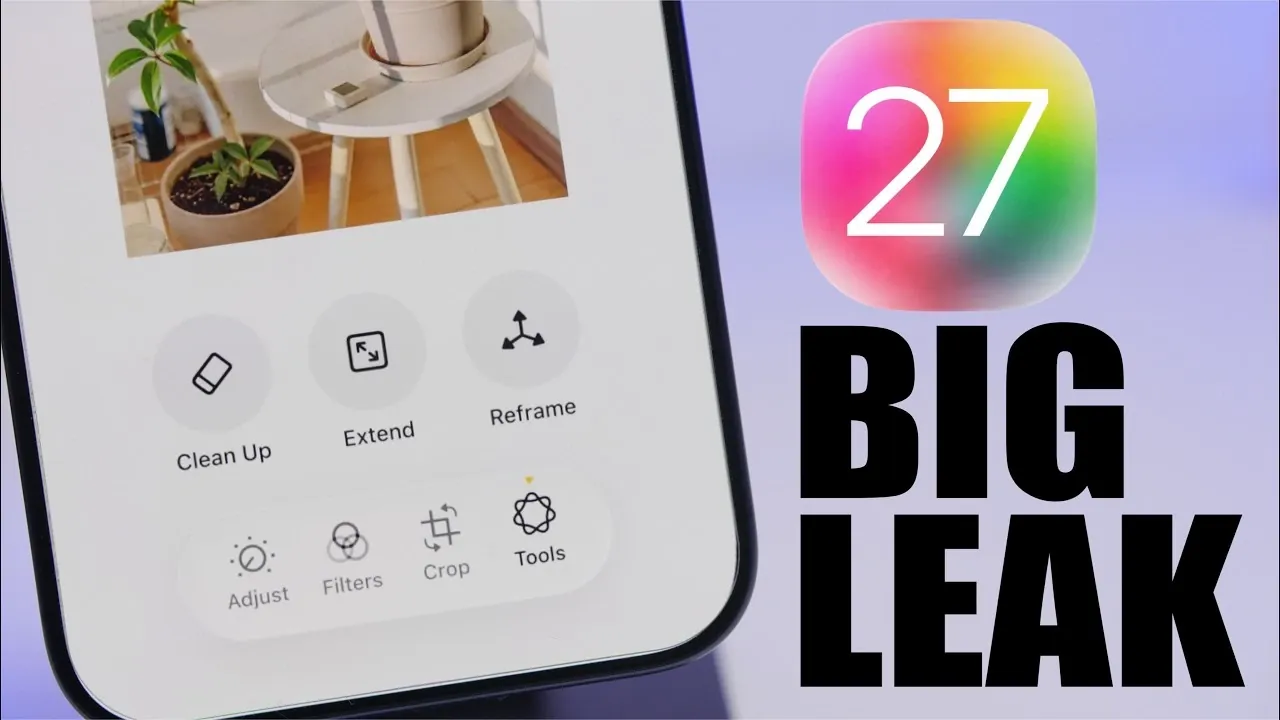
Apple’s iOS 27 introduces a range of features designed to enhance customization, integrate artificial intelligence (AI), and improve overall system performance. Leaked details and screenshots have already revealed exciting updates, including a redesigned camera app, smarter Siri functionality, and AI-powered tools for photo editing. These advancements aim to provide a more personalized and efficient user experience. Here’s an in-depth look at the key updates and how they can impact your daily interactions with your iPhone. The video below from iReviews gives us more details on the new iOS 27.

Redesigned Camera App: Enhanced Control and Personalization
The camera app in iOS 27 has undergone a significant transformation, offering users greater control over their photography experience. The new customizable interface allows you to rearrange tools and prioritize the features you use most frequently. This flexibility ensures that your workflow is tailored to your preferences, whether you’re a casual user or a photography enthusiast.
One of the standout features is the integration of Siri within the camera app. This AI-powered functionality enables real-time object recognition, landmark identification, and text translation directly through your camera. Whether you’re exploring a new city or capturing a memorable moment, Siri’s capabilities make the process more interactive and efficient. Additionally, the app supports up to five transparent widgets, providing quick access to essential tools without cluttering your screen. These updates ensure a seamless and personalized photography experience for all users.
Smarter Siri: A More Intuitive and Versatile Assistant
Siri receives a major upgrade in iOS 27, making it more accessible and versatile than ever before. The assistant is now integrated into the Dynamic Island, a move that minimizes interruptions and allows you to interact with Siri without disrupting your tasks. A simple swipe-down gesture from the top center of the screen activates the new “Search or Ask” feature, allowing quick access to Siri for commands, queries, or assistance.
Another notable addition is the dedicated Siri app, which introduces a chatbot-like interface for managing conversations. This enhancement allows you to engage with Siri in a more conversational and intuitive manner, making it easier to access information, set reminders, or control your device. These updates reflect Apple’s commitment to creating a smarter, more user-friendly virtual assistant that adapts to your needs.
AI-Powered Photos App: Simplified Professional Editing
The Photos app in iOS 27 uses advanced AI technology to simplify photo editing while delivering professional-quality results. New tools such as automatic color correction, background removal, and subject enhancement make it easier for users of all skill levels to refine their images. These features are designed to save time and effort, allowing you to achieve polished results with minimal input.
The app’s interface has also been streamlined, improving organization and navigation within your photo library. Whether you’re managing a large collection of images or fine-tuning a single snapshot, the updated Photos app ensures an intuitive and efficient editing process. These enhancements cater to both casual users and photography enthusiasts, making advanced editing tools accessible to everyone.
Integrated Grammar Checker: Elevating Written Communication
iOS 27 introduces a built-in grammar checker within the keyboard, powered by Apple Intelligence. This feature identifies grammatical errors in real-time and provides suggestions for improvement, helping you craft polished and professional messages, emails, and documents. You can choose to accept or reject these suggestions, maintaining full control over your writing.
This tool is particularly valuable for professionals, students, and anyone who prioritizes clear communication. By integrating the grammar checker directly into the keyboard, Apple ensures that high-quality writing is always within reach, regardless of the platform or app you’re using.
General Enhancements: A Smoother and More Efficient Experience
In addition to its headline features, iOS 27 includes several improvements aimed at refining the overall user experience. These updates focus on enhancing performance, optimizing battery life, and improving system stability. Key enhancements include:
- A cleaner and more organized interface that reduces visual clutter and simplifies navigation.
- Battery optimization features designed to extend usage time, even during resource-intensive activities.
- Enhanced system stability for smoother and more reliable performance across all supported devices.
These improvements demonstrate Apple’s dedication to delivering a polished and user-friendly operating system that meets the needs of its diverse user base.
Release Timeline: When You Can Try iOS 27
Apple is set to release the first developer beta of iOS 27 on June 8, 2026, giving developers early access to explore and test the new features. A public beta will follow shortly after, allowing a broader audience to experience the update and provide feedback. The official release is expected to coincide with the launch of the next iPhone later this year, making sure that users can enjoy the new features alongside Apple’s latest hardware.
How iOS 27 Enhances Your iPhone Experience
iOS 27 represents a significant step forward in Apple’s approach to innovation and user-centric design. By integrating advanced AI tools, enhancing customization options, and improving overall system performance, this update is tailored to meet the needs of a wide range of users. Whether you’re passionate about photography, focused on productivity, or simply looking for a more seamless interface, iOS 27 offers features that enhance your experience.
As the beta testing phase unfolds, more details and refinements are likely to emerge. Stay informed and prepare to explore the possibilities of Apple’s latest operating system, which promises to redefine how you interact with your iPhone.
Find more information on iOS 27 Features by browsing our extensive range of articles, guides, and tutorials.
- Apple Just Confirmed 8 Major Features Coming to iOS 27
- iOS 27 Rumors: Top Features We Need (and What’s Leaked So Far)
- Is Your iPhone on the List? iOS 27 Could Cut Off These Popular Models
- iOS 27 Leak: Apple Is Giving You More Control Over the ‘Liquid Glass’ Design
- The Biggest Changes Coming to Your iPhone in iOS 27
Source & Image Credit: iReviews
Disclosure: Some of our articles include affiliate links. If you buy something through one of these links, Geeky Gadgets may earn an affiliate commission. Learn about our Disclosure Policy.
