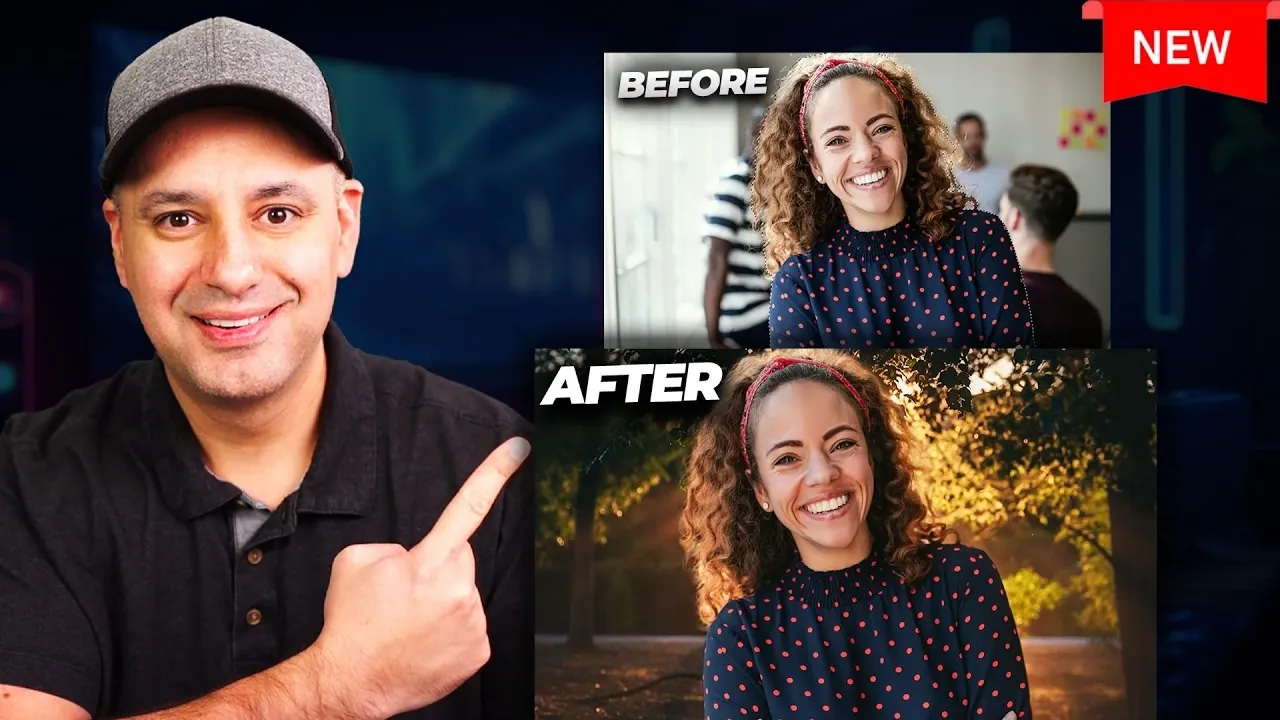
Have you ever spent hours painstakingly trying to remove a background from an image, only to end up frustrated with jagged edges or leftover fragments? It doesn’t have to be that way anymore. Howfinity outlines how advancements in AI-powered editing have made background removal faster, easier, and more precise than ever before. With so many apps claiming to be the best, it’s hard to know which ones truly deliver professional results, especially if you’re juggling a tight budget or specific creative needs. That’s why this guide dives deep into over 15 background removal apps, comparing free and paid options to help you find the perfect fit for your workflow.
In this breakdown, you’ll discover which apps excel at isolating even the trickiest subjects, from wispy hair to transparent objects, and which ones offer extra features like batch processing or AI-driven enhancements. Whether you’re a marketer needing polished visuals for campaigns, a content creator looking to streamline your editing process, or a small business owner aiming to elevate your brand’s imagery, this guide has you covered. With insights into both beginner-friendly platforms and advanced editing solutions, you’ll walk away with a clear understanding of which app can save you time and deliver stunning, professional-quality results. The right choice might just transform the way you approach your creative projects.
Best Background Removal Tools
TL;DR Key Takeaways :
- AI-powered tools have transformed image editing by automating tasks like background removal, color correction, and resolution enhancement, saving time and improving quality.
- Adobe Express is a user-friendly platform ideal for quick edits, offering features like background removal, image enhancement, and platform-specific resizing for social media content.
- Adobe Photoshop and Firefly provide advanced precision for complex projects, with features like Generative Expand and Generative Upscale for professional-grade results.
- Adobe Lightroom excels in high-volume editing with AI-powered presets, batch processing, and streamlined workflows, making it a top choice for photographers and marketers.
- Choosing the right tool depends on your needs: Adobe Express for simplicity, Photoshop and Firefly for advanced editing, and Lightroom for managing large portfolios efficiently.
The Role of AI in Modern Image Editing
AI-powered image editing tools have transformed creative workflows by automating repetitive and time-consuming tasks. These tools are designed to handle complex processes like background removal, color correction, and image enhancement with remarkable speed and accuracy. AI’s capabilities include:
- Effortless Background Removal: Isolate subjects from even the most intricate backgrounds in seconds.
- Advanced Image Adjustments: Automatically fine-tune lighting, exposure, and color balance.
- High-Quality Upscaling: Enhance image resolution without compromising detail or introducing artifacts.
These features are particularly valuable for applications such as social media branding, e-commerce product photography, and digital advertising, where visual consistency and quality are critical. By streamlining these processes, AI tools allow you to focus on creativity and strategy, rather than technical execution.
Adobe Express: Simplicity Meets Versatility
Adobe Express is a user-friendly platform designed for quick and efficient edits. Its background removal tool is highly effective, delivering clean results even with challenging elements like hair or textured edges. Beyond background removal, Adobe Express offers a suite of features that make it a versatile choice:
- Image Enhancement: Tools for adjusting exposure, contrast, and color with ease.
- Pre-Made Templates: AI-generated designs tailored for social media, branding, and marketing campaigns.
- Platform-Specific Resizing: Options for creating content optimized for platforms like Instagram, YouTube, and Facebook.
This tool is ideal for creators who need professional-looking results without the steep learning curve of more advanced software. Its intuitive interface and robust features make it a go-to option for quick, high-quality edits.
15+ Apps Tested : Here are the Best for Removing Backgrounds

Take a look at other insightful guides from our broad collection that might capture your interest in AI image editing.
- Say Goodbye to Photoshop : Next Level Image Editing AI
- Essential iPhone Apps for 2026: Apps You’ll Love
- 15 Ways Nano Banana AI Is Changing Image Editing and Design
- Galaxy S26 Ultra: AI-Powered Features for a Smarter Smartphone
- 3 Nano Banana AI Automations for Image Editing, Advert Creation
- Nano Banana : A Free AI Image Editor That Could Be Photoshop’s
- AI Image Editing Made Easy : Google Gemini 2.5 Flash (Nano
- Google Nano Banana Guide : AI Image Editor with 4K Output
- Samsung Galaxy Enhance-X: The Photo Editing Revolution
- Discover Affinity’s New Free Core App and AI-Powered Features
Adobe Photoshop and Firefly: Precision for Advanced Projects
For more complex and demanding projects, Adobe Photoshop and its AI-powered Firefly tools offer unparalleled precision and flexibility. Photoshop excels in refining subject selection, even for challenging elements like soft edges, transparent objects, or intricate details. Firefly enhances these capabilities with innovative features such as:
- Generative Expand: Seamlessly resize images to fit specific formats while maintaining the original composition.
- Generative Upscale: Improve image resolution without introducing noise or artifacts, making sure a professional finish.
These tools are particularly suited for high-stakes projects, such as professional branding, detailed photo manipulation, or large-scale advertising campaigns. They provide the precision and control needed to achieve exceptional results.
Lightroom: Streamlined Editing for High-Volume Projects
Adobe Lightroom is a powerful solution for professionals managing large volumes of images. Its AI-driven features and batch processing capabilities make it an efficient choice for photographers, marketers, and content creators who prioritize consistency and speed. Key features include:
- AI-Powered Presets: Automatically apply consistent color corrections across entire photo sets.
- Batch Processing: Save time by applying adjustments to multiple images simultaneously.
- Streamlined Workflow: Tools designed to simplify the editing process for extensive portfolios.
Lightroom is particularly valuable for professionals who need to maintain high-quality standards while managing time efficiently. Its ability to handle large-scale edits without compromising on detail makes it a standout choice for high-volume projects.
Choosing the Right Tool for Your Needs
Selecting the best tool depends on your specific requirements and workflow. Here’s a breakdown to help you decide:
- Content Creators: Adobe Express is perfect for quick, polished edits, such as social media posts, thumbnails, and advertisements.
- Marketers: Photoshop and Firefly provide the advanced capabilities needed for maintaining visual consistency across campaigns.
- Small Businesses: User-friendly platforms like Adobe Express enable the creation of professional branding materials without requiring design expertise.
- Photographers: Lightroom is ideal for managing and editing large portfolios with efficiency and precision.
Each tool offers unique features tailored to different user needs, making it easier to find the right fit for your creative projects.
Maximizing Your Creative Potential with AI
AI-powered image editing tools have fundamentally changed how visual content is created and refined. By automating tasks like background removal, color correction, and resolution enhancement, these tools empower you to focus on the creative and strategic aspects of your work. Whether you choose Adobe Express for its simplicity, Photoshop and Firefly for their advanced features, or Lightroom for its efficiency in handling large volumes, these tools provide the flexibility and power needed to produce professional, high-quality visuals. In today’s competitive digital landscape, using AI technology can help your content stand out, leaving a lasting impression on your audience.
Media Credit: Howfinity
Disclosure: Some of our articles include affiliate links. If you buy something through one of these links, Geeky Gadgets may earn an affiliate commission. Learn about our Disclosure Policy.
