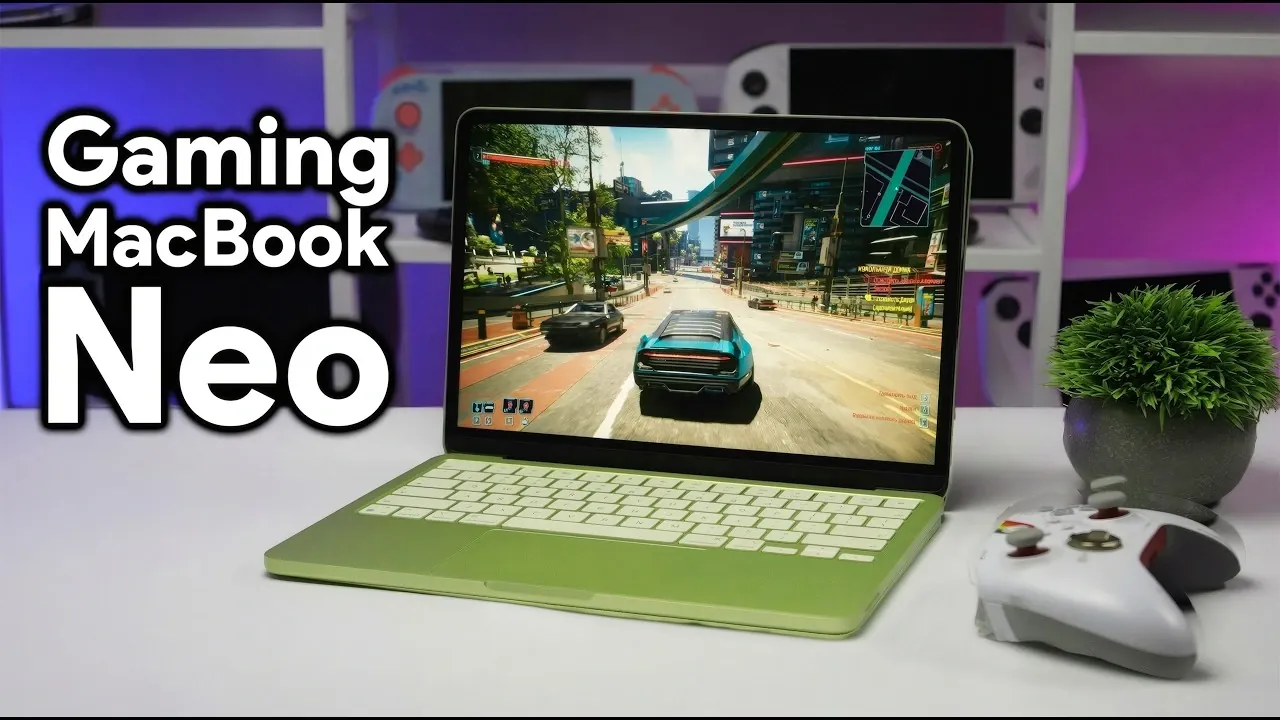
Apple’s $599 MacBook Neo has sparked interest as an entry-level option in the macOS lineup, but its performance comes with notable trade-offs. Powered by the A18 chip, which debuted in the iPhone 16 Pro, the Neo delivers strong single-core performance for everyday tasks like web browsing and document editing. However, its 8GB of unified RAM and passive cooling system limit its ability to handle resource-intensive workloads, including modern gaming. As ETA Prime demonstrates, while the Neo can technically run Cyberpunk 2077, the experience is hindered by thermal throttling and memory bottlenecks, raising questions about its suitability for more demanding users.
This guide explores the MacBook Neo’s capabilities and limitations, offering insights into its performance across key use cases. You’ll learn how the device handles lightweight gaming titles like Hades 2, why Rosetta emulation impacts efficiency for non-Metal API games and the role of its hardware constraints in multitasking scenarios. Whether you’re considering the Neo for casual productivity or curious about its gaming potential, this breakdown highlights where the device excels and where it falls short.
MacBook Neo: Budget-Friendly Mac
TL;DR Key Takeaways :
- The MacBook Neo, priced at $599, is Apple’s most affordable macOS laptop, featuring the A18 chip for strong single-core performance but limited by 8GB RAM and passive cooling.
- Its sleek aluminum design and lightweight build make it ideal for students and casual users, though the lack of Touch ID in the base model may be a drawback.
- While capable of running modern games like Cyberpunk 2077, its hardware limitations result in subpar gaming performance, making it better suited for casual or older titles.
- Connectivity options include Wi-Fi 7, Bluetooth 5.3 and USB-C ports, but limited internal storage and minimal expandability may require external accessories for power users.
- Best suited for everyday tasks like web browsing, media consumption and light creative work, the Neo is not recommended for gamers or professionals needing high-performance hardware.
Design and Build: Premium Looks on a Budget
The MacBook Neo showcases Apple’s signature minimalist aesthetic, with its aluminum construction lending it a polished and premium feel despite its budget-friendly price tag. The 13-inch LCD display offers a resolution of 2408×506 and a 60Hz refresh rate, making sure sharp visuals for everyday activities like browsing, streaming and document editing. However, the absence of Touch ID in the base model may be a drawback for users accustomed to biometric security features.
Weighing just under three pounds, the Neo is lightweight and portable, making it an excellent choice for students and professionals who prioritize mobility. Its design strikes a balance between affordability and elegance, appealing to those seeking a stylish yet practical laptop.
Hardware and Performance: A Mixed Bag
At the heart of the MacBook Neo is the A18 chip, which integrates a 6-core CPU, a 5-core GPU and a 16-core neural engine. This configuration excels in single-core tasks such as web browsing, word processing and running lightweight applications. However, the device’s 8GB of unified RAM and reliance on SSD swap memory limit its ability to handle resource-intensive tasks.
The passive cooling system, while silent, struggles to maintain peak performance during extended workloads. This can lead to thermal throttling, particularly when running demanding applications or multitasking heavily. For everyday productivity tasks, the Neo performs reliably, but its hardware constraints become evident when pushed beyond basic use cases.

Below are more guides on MacBook from our extensive range of articles.
- M5 MacBook Air Leak: Specs, Features, and Release Date
- Apple’s $599 MacBook: Everything You Need to Know
- Touchscreen M6 MacBook Pro: Features, Release Date, and More
- Apple’s New MacBook Pro Redesign Leaked
- Apple MacBook E: Everything You Need to Know
- M5 MacBook Air: Release Date, Features, and Pricing
- MacBook Air M5 Release Date, Specs, and Pricing Details
- Apple’s MacBook SE: Compact, Affordable, and Powerful
- Apple 2026 MacBook Lineup: Budget, Air, Pro, and OLED Models
- MacBook SE Leaks: Affordable Apple Laptop for $599
Gaming Performance: Can It Handle Cyberpunk 2077?
The MacBook Neo’s gaming capabilities are limited, though it can technically run modern titles like Cyberpunk 2077. Lightweight and optimized games such as Hades 2 and Resident Evil Village perform smoothly, showcasing the potential of the A18 chip. However, more demanding games expose the device’s hardware limitations, resulting in a subpar experience.
Key challenges for gaming include:
- Dependence on Rosetta emulation for non-Metal API games, which reduces efficiency and performance.
- Limited 8GB RAM and SSD swap memory, creating bottlenecks during extended gaming sessions.
- Performance inconsistencies when switching between the built-in display and external monitors.
- Occasional firmware bugs that disrupt gameplay and require troubleshooting.
For casual gaming or older titles, the Neo performs adequately. However, for modern, resource-intensive games, the experience is hindered by hardware bottlenecks and software inefficiencies.
Connectivity and Features: Modern but Minimal
The MacBook Neo offers modern connectivity options, including Wi-Fi 7, Bluetooth 5.3 and USB-C ports, making sure compatibility with the latest wireless standards and peripherals. A notable advantage is its consistent performance, whether running on battery power or plugged into an outlet, an uncommon feature among budget laptops.
However, the device’s minimal port selection and limited internal storage may necessitate the use of external drives or hubs, particularly for users with extensive storage needs. While the Neo’s connectivity options are sufficient for most casual users, professionals or power users may find the lack of expandability restrictive.
Who Is the MacBook Neo For?
The MacBook Neo is tailored for students, casual users and those seeking an affordable entry into the macOS ecosystem. Its lightweight design, solid single-core performance, and access to Apple’s software ecosystem make it a practical choice for everyday tasks such as web browsing, email management and media consumption.
However, it is not well-suited for:
- Gamers looking for high-performance hardware capable of running modern titles smoothly.
- Power users who rely on resource-intensive applications like video editing, 3D rendering, or software development.
For these users, a more capable device with higher RAM and better cooling would be a more appropriate investment.
Potential Use Cases: Where the Neo Shines
The MacBook Neo excels in specific scenarios, making it a versatile option for certain types of users. Its strengths include:
- Productivity tasks such as web browsing, document editing and email management.
- Media consumption, including streaming videos, music and podcasts.
- Light creative work, such as photo editing or basic graphic design using lightweight software.
- Casual gaming with indie titles, older PC games, or emulators optimized for macOS.
While it can technically run modern, resource-heavy games like Cyberpunk 2077, the experience is hindered by hardware limitations, making it unsuitable for serious gaming.
Final Thoughts: A Budget MacBook with Clear Trade-Offs
The MacBook Neo offers an affordable entry point into Apple’s macOS ecosystem, combining a sleek design with reliable single-core performance. Its lightweight build and access to Apple’s software ecosystem make it a strong choice for students, casual users and those prioritizing portability and affordability.
However, its hardware limitations, particularly the 8GB RAM cap, passive cooling system and reliance on SSD swap memory, make it less suitable for demanding applications or modern gaming. For users seeking a budget-friendly laptop for everyday tasks, the Neo is a compelling option. But for gamers or professionals requiring high-performance hardware, investing in a more robust device will deliver a significantly better experience.
Media Credit: ETA PRIME
Disclosure: Some of our articles include affiliate links. If you buy something through one of these links, Geeky Gadgets may earn an affiliate commission. Learn about our Disclosure Policy.
